
So you're in the middle of a real estate deal or getting ready for one. Someone asks you to "set up a data room." You nod. Then you Google it.
This guide is for that moment.
We'll cover what a virtual data room actually is, why real estate deals need one, what features matter, what it costs, and how to set one up without overcomplicating it.
What is a virtual data room?
A virtual data room (VDR) is a secure online space where you store and share documents during a deal. Think of it like a shared folder - but with access controls, activity tracking, and legal-grade security on top.
In the old days, due diligence meant flying to a physical room, sitting with printed documents, and taking notes by hand. That room was called a "data room." The virtual version does the same thing, just online.
You upload your files. You invite the right people. You control who sees what. And you track everything.
Why real estate deals need a data room
Real estate transactions involve a lot of moving parts. You're sharing sensitive documents with buyers, investors, lawyers, lenders, and brokers - sometimes all at once.
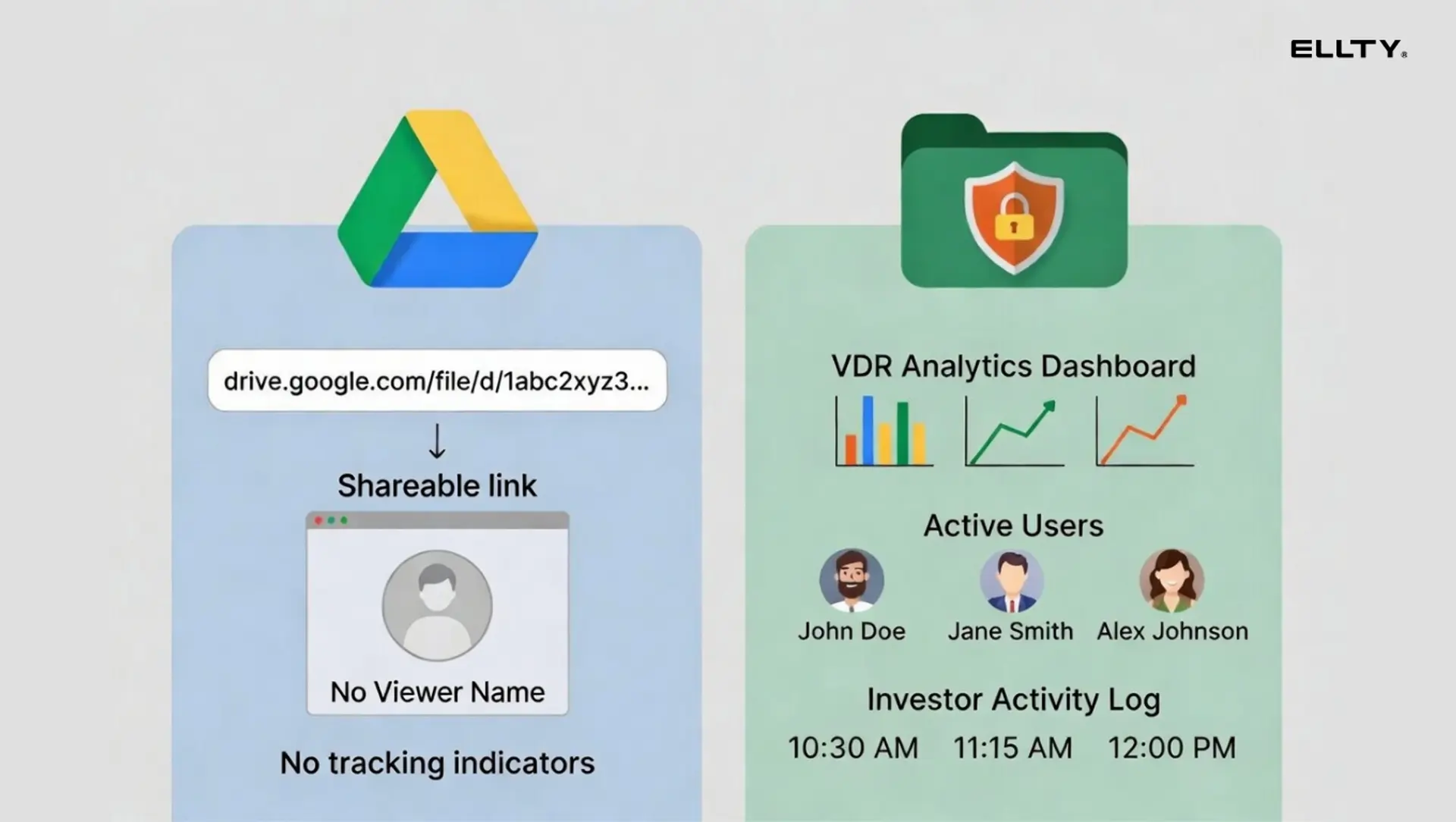
Here's the problem with just using Google Drive or Dropbox for this:
- You can't see who actually opened the files
- You can't revoke access instantly when a deal falls through
- You can't add NDAs before someone downloads your documents
- You have no audit trail if something goes wrong later
A VDR solves all of this. It's not just storage. It's controlled distribution with a paper trail.

What kinds of real estate deals use a VDR?
You don't need a data room for every transaction. But for these situations, it's basically required:
Property acquisitions - When a buyer is doing due diligence on a commercial or residential property, they need access to title documents, leases, inspection reports, tax records, environmental reports, and financials. A VDR keeps all of this organized and auditable.
Real estate investment deals - If you're raising money from LPs or institutional investors, you'll share your pitch deck, deal memos, pro forma financials, and operating agreements. You need to know who read what and when.
Portfolio sales - Selling multiple properties at once means sharing a large, organized document set with multiple bidders. A VDR lets you manage access for each buyer group separately.
Development projects - These involve architects, contractors, city permitting, lenders, and investors. A VDR keeps everyone on the right version of the right document.
REIT and fund formation - You'll need investor-grade documentation and audit logs for regulatory compliance.
Real data room example: what goes inside
Let's say you're selling a commercial office building. Here's what a typical data room folder structure looks like:


This is the standard structure most buyers and their lawyers expect. Starting organized saves you a lot of back-and-forth.
What features should a real estate VDR have?
Not every feature matters equally. Here's what actually comes up in real estate deals:
Document organization and bulk upload
You'll have hundreds of files. You need to upload them fast and organize them into folders without doing it one by one.
Granular access permissions
You might have three different buyer groups in the data room at the same time. Each one should only see what's relevant to them. Folder-level and file-level permissions matter here.
NDA gating
Before anyone opens the data room, they should agree to a non-disclosure agreement. A good VDR handles this automatically.
Dynamic watermarking
Every document should show the viewer's name and email on it. This deters leaks and helps trace the source if something does leak.
Audit logs
A complete, timestamped record of who accessed what. This is critical for legal protection and investor reporting.
Real-time activity tracking
Who's looking at your documents right now? Which pages are they spending the most time on? This tells you who's actually interested vs. who's just browsing.
Secure link sharing
Instead of sending files as email attachments, you send a link. You can expire it, revoke it, or restrict it to specific email addresses.
Q&A module
In larger deals, buyers submit questions through the data room itself. This keeps everything documented and prevents you from answering the same question 10 times over email.
E-signature integration
For NDAs, LOIs, or final agreements, having eSignatures built in saves a step.
Mobile access
Investors and buyers review documents on phones and tablets. Your data room needs to work on mobile without requiring app installs.
How much does a virtual data room cost?
This is where people get frustrated. VDR pricing is all over the map, and most providers don't publish their rates publicly.
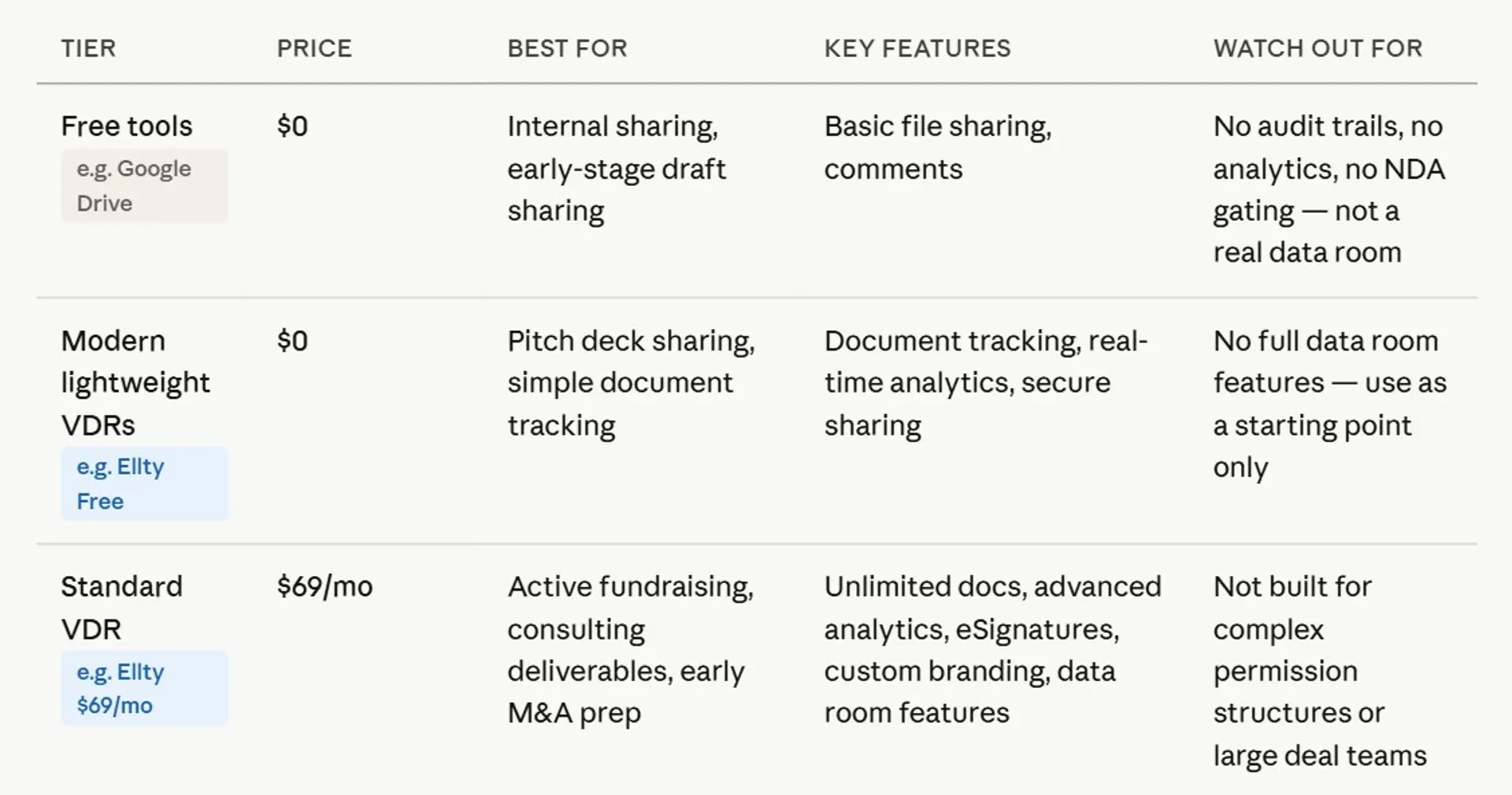
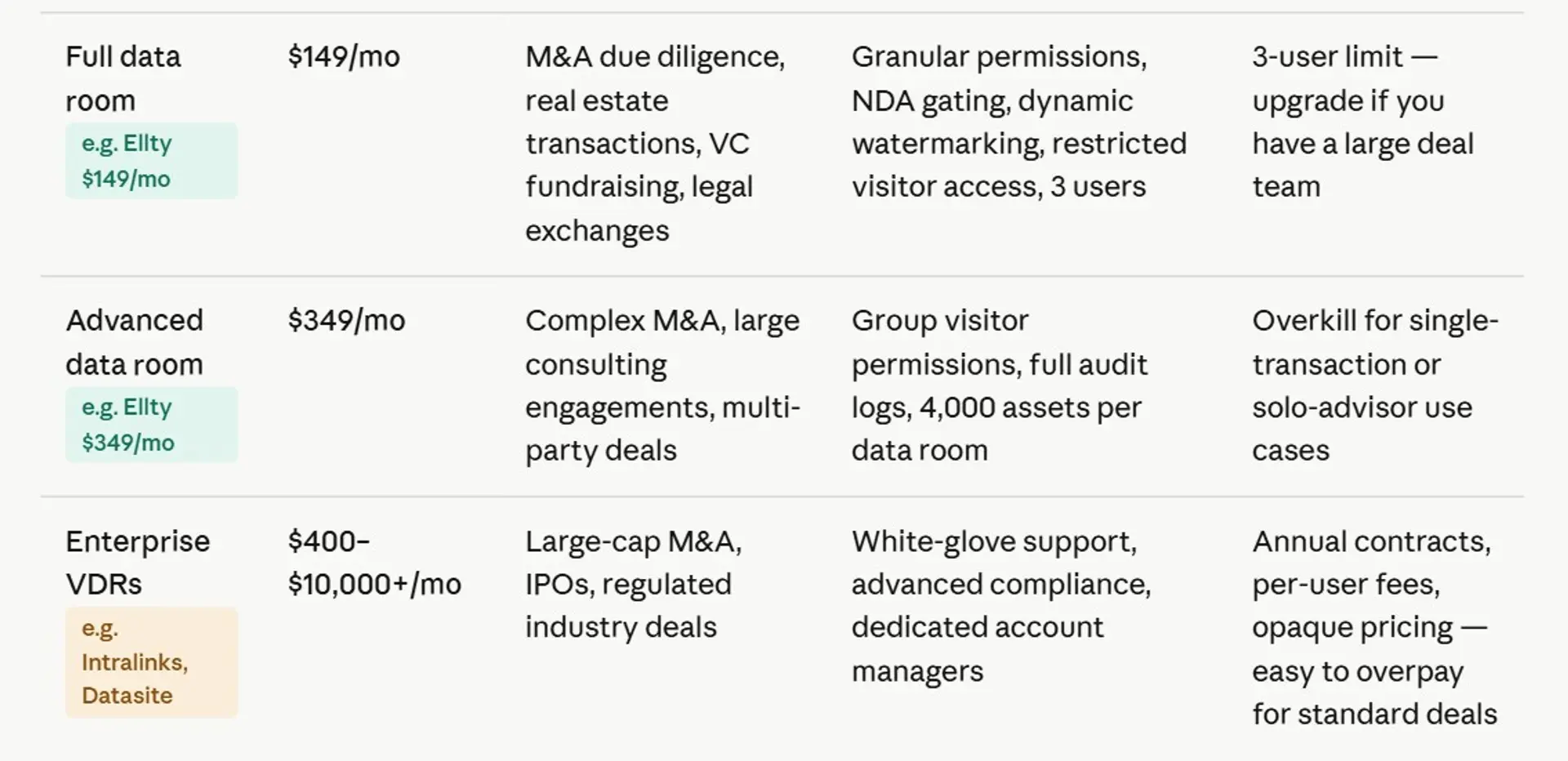
Here's a rough breakdown of what you'll actually see in the market:


Why are VDRs so expensive?
Fair question. Here's the honest answer.
Traditional VDR providers like Intralinks, Datasite, and Ansarada were built for M&A deals worth hundreds of millions of dollars. In that world, $2,000 a month is nothing. The pricing made sense for that buyer.
The problem is, they never rebuilt their pricing model for smaller deals. So a real estate investor doing a $5M acquisition gets quoted the same kind of pricing as a Fortune 500 doing a $500M merger.
Most of the cost comes from:
- Per-user pricing that adds up fast when you have multiple advisors, lawyers, and brokers
- Per-page or storage-based pricing that punishes you for having large document sets
- Mandatory contract terms (usually annual) even for one-time deals
- Customer success and onboarding fees baked into enterprise plans
If you're not doing a nine-figure transaction, you probably don't need to pay enterprise prices.
Which VDR is best for real estate?
There's no single answer. It depends on your deal size, how often you run deals, and what you actually need. Here's an honest look at the main options.
Ellty


Ellty is a document sharing, pitch deck analytics, and data room platform built for teams that need a functional, secure data room without a complicated setup process. For real estate operators, the Data Room plan ($149/month) covers the essentials: NDA gating before access, dynamic watermarking, granular folder and file-level permissions, secure link sharing, and restricted visitor access. The Data Room Plus plan ($349/month) adds group visitor permissions, full audit logs, and support for up to 4,000 assets per data room - which is useful when running multiple deals at once.
There's no per-user fee for visitors, so inviting five advisors, three lawyers, and two buyer groups doesn't drive your monthly cost up. The analytics are genuinely useful - you can see who's active, which documents they're spending time on, and get real-time notifications when someone enters the room.
It doesn't have a dedicated Q&A module for large auction-style processes, so for complex multi-bidder institutional deals, a more specialized platform fits better. But for real estate investors, syndicators, and smaller deal teams running clean, organized due diligence processes, Ellty offers data room capabilities with faster setup and straightforward pricing.
Best for: real estate investors, syndicators, fund managers, and independent deal teams that need a professional data room up and running fast, without enterprise pricing or a week-long onboarding process.


Intralinks

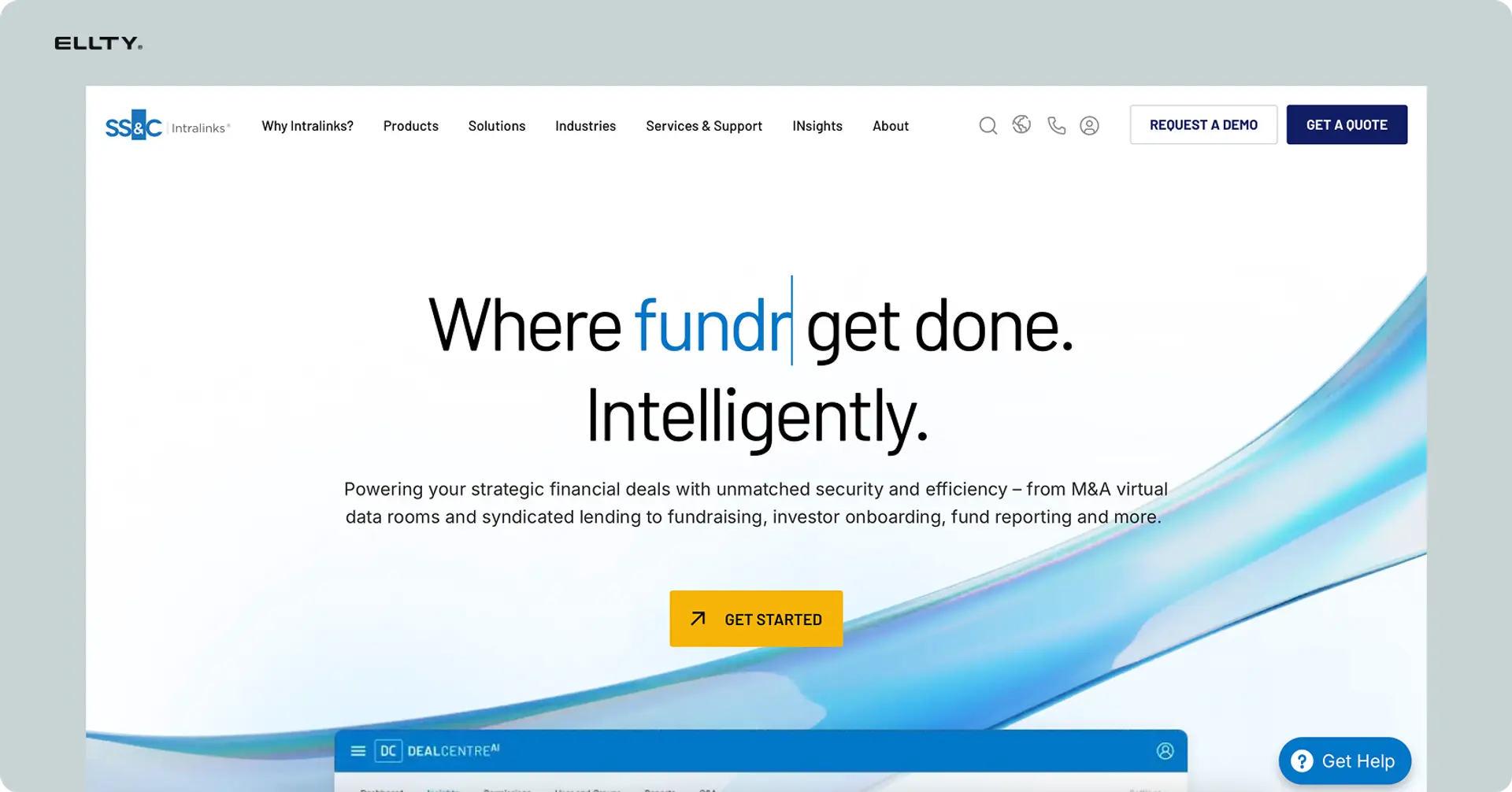
Intralinks is one of the oldest names in the VDR space. It was built for large M&A transactions and institutional deals, and it shows. The security is serious - SOC 2, ISO 27001, and bank-grade encryption. You get advanced permission controls, full audit trails, and a dedicated Q&A module for managing buyer inquiries in complex multi-party deals. The platform is robust and widely recognized by institutional investors and law firms, which can matter in high-stakes transactions.
The downside is everything else. Pricing is not published and is typically quoted on request - expect it to be high. Setup takes time. And you'll likely need to go through an onboarding process before you can do much. For a real estate syndicator or independent investor doing a $5M deal, this is almost certainly more than you need.
Best for: large commercial transactions, institutional sellers, REITs, and fund-level deals where the counterparty expects enterprise-grade infrastructure.
Datasite

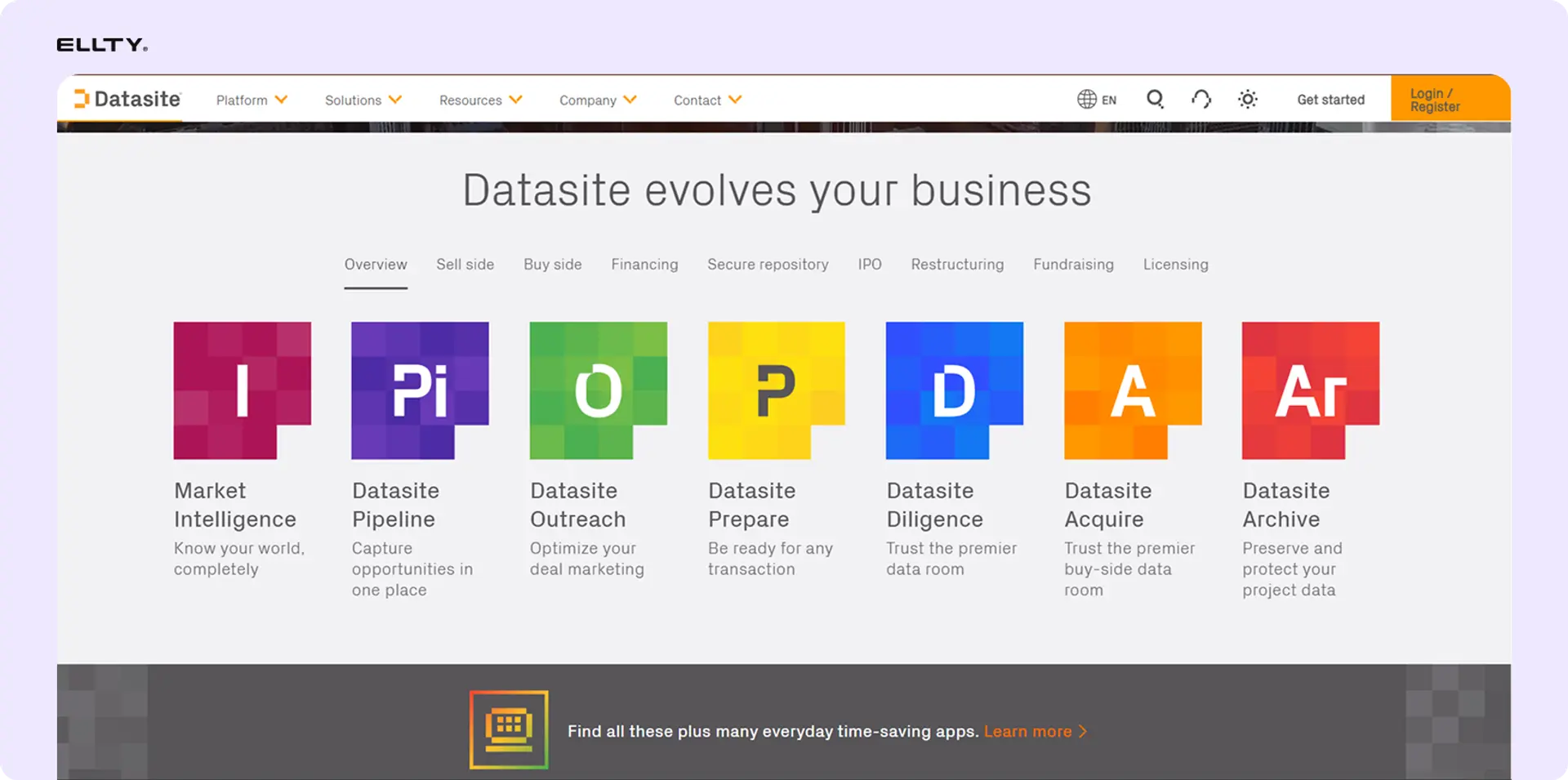
Datasite is another enterprise-level platform, originally built for M&A advisory. It's used heavily by investment banks and large commercial real estate firms running competitive bidding processes. The platform handles high document volumes well and has strong tools for managing multiple buyer groups simultaneously. Its AI-powered document organization features help speed up the setup process on very large deal files.
Like Intralinks, pricing is custom and not cheap. It's designed for deals where the legal and advisory fees alone run into six figures, so the VDR cost is a small percentage of the overall transaction. The interface has improved over the years but still leans toward professional users who are comfortable with complex tools.
Best for: portfolio sales, large commercial acquisitions, and auction-style processes with multiple serious bidders and dedicated deal teams.
Ansarada
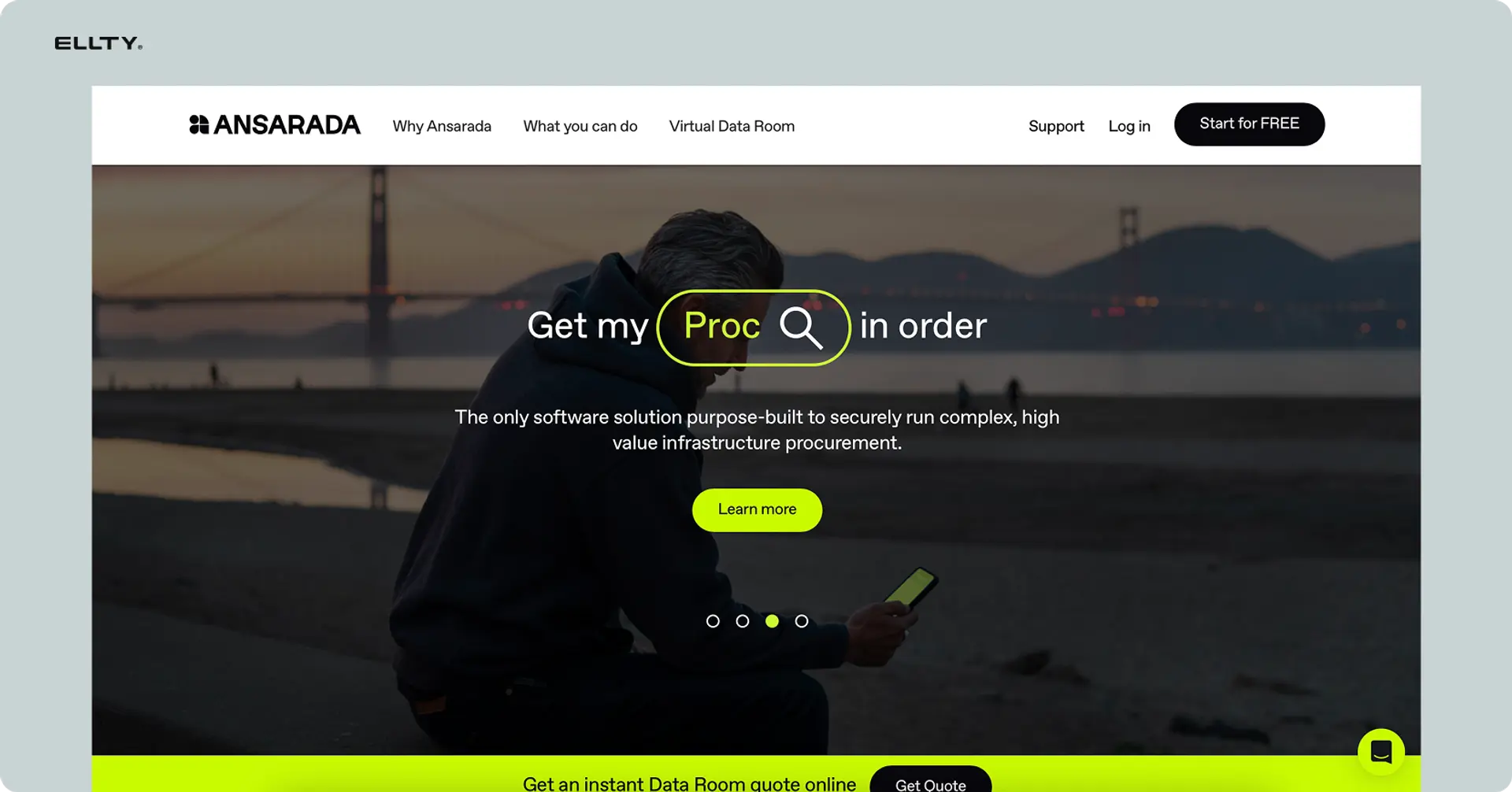
Ansarada positions itself as a smarter data room with AI features layered in. It tracks deal readiness, scores document completeness, and gives you prompts on what's typically needed for deals like yours. For real estate professionals who aren't VDR experts, that kind of guidance can actually be useful. It also has strong Q&A workflow tools and good permission management.
Pricing is more accessible than Intralinks or Datasite for smaller deals, and they've been more transparent about costs in recent years. There's a free trial available. The AI features are genuinely helpful if you're new to running data rooms, though experienced deal teams may find them unnecessary.
Best for: real estate developers and commercial brokers running structured sale processes who want some built-in guidance on deal preparation and document organization.
Firmex


Firmex is a mid-market VDR that's been around since 2006 and has a solid reputation in real estate and private equity. It's less flashy than newer platforms but reliable. You get solid permission controls, audit logs, secure Q&A, and NDA management. The interface is clean and not overly complicated. Support is well-reviewed, which matters when you're in the middle of a deal and something isn't working.
Pricing is not fully public but tends to be more reasonable than the big enterprise platforms. They offer per-project pricing and subscription options. It's a good middle-ground choice if you need more than a simple document-sharing tool but aren't running deals at institutional scale.
Best for: commercial real estate brokers, mid-market property transactions, and deal teams that want a proven platform without enterprise-level complexity or cost.
Digify


Digify is a simpler, more affordable VDR aimed at startups and smaller deal teams. It's not a traditional enterprise VDR, but it covers the core features well - document watermarking, access controls, link expiry, and basic activity tracking. Setup is genuinely fast. The interface is modern and easy to navigate without a training session.
It lacks some of the deeper features you'd need for complex deals - the Q&A module and audit logs are basic compared to enterprise platforms. But for real estate investors sharing deal packages with a small group of LPs or doing diligence on a single asset, it does the job at a price that makes sense. Plans start around $149/month for business features.
Best for: real estate investors, smaller syndicators, and anyone running a lean deal process who needs security and tracking without a complex setup.
Docsend

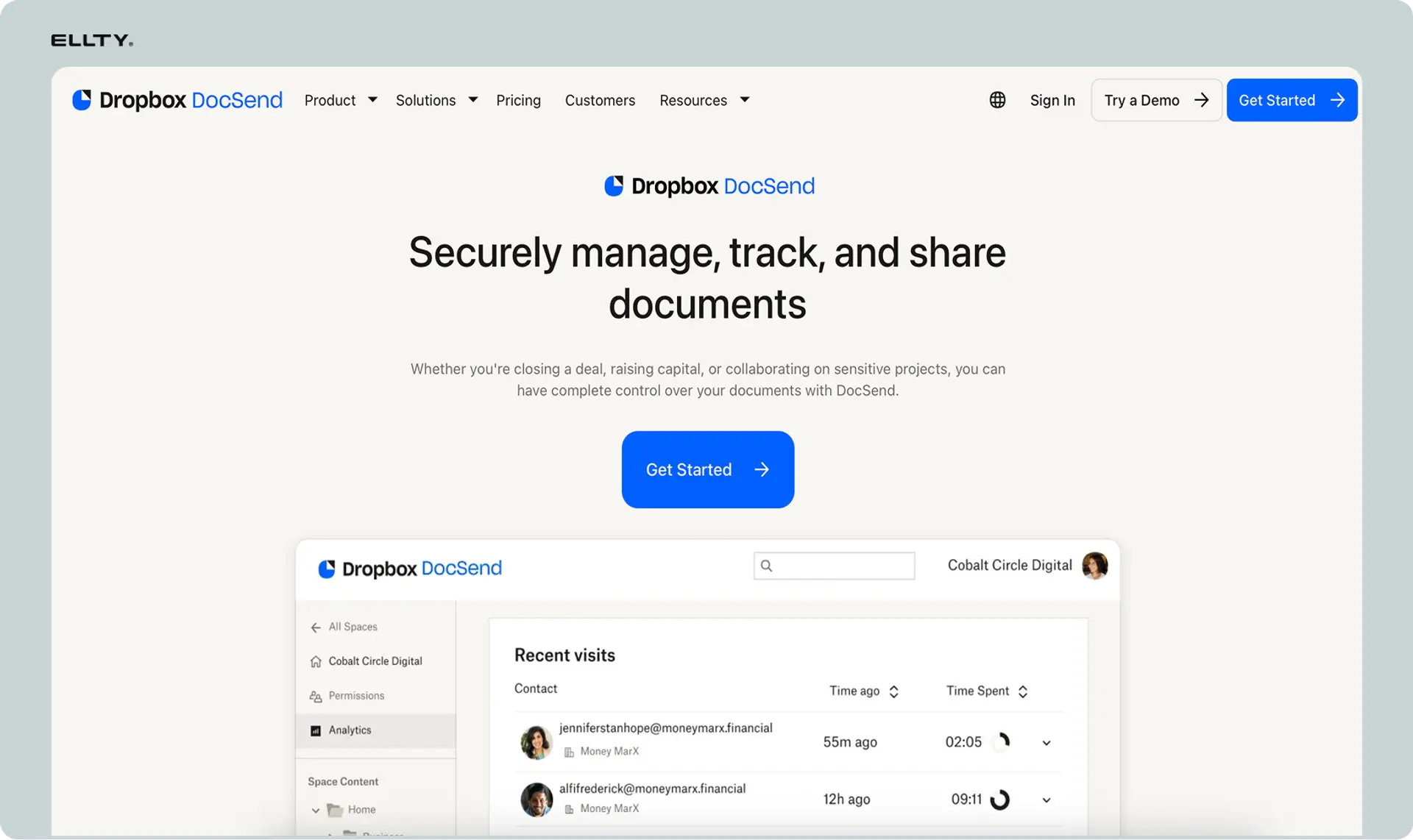
Docsend is primarily a document tracking and sharing platform rather than a full VDR, but it gets used heavily in real estate fundraising and investor relations. You upload a pitch deck or deal memo, share a link, and see exactly who opened it, which pages they spent time on, and whether they forwarded it. It's simple and it works.
Where it falls short is the actual data room functionality. Folder structures, granular permissions, NDA gating, and audit logs are limited compared to dedicated VDR platforms. If your use case is "share a deal summary with 20 LPs and track who's interested," Docsend works well. If you need a proper due diligence room with controlled document access across multiple parties, you'll hit its limits quickly.
Best for: early-stage real estate fundraising, investor outreach, and sharing deal overviews - not full due diligence management.
How to build a virtual data room for real estate

You don't need a consultant for this. Here's the practical process.
Step 1 - Gather your documents first
Before you even open a VDR, collect everything you have. Sort it by category (legal, financial, leases, inspections, etc.). Name your files clearly. "Lease_TenantA_2023.pdf" is better than "lease final v3 FINAL USE THIS.pdf."
Step 2 - Choose your platform
Match the platform to your deal. A $2M residential investment deal doesn't need the same setup as a $50M portfolio sale. For most independent real estate operators, a mid-tier platform with good permissions and analytics will do the job.
Step 3 - Set up your folder structure
Use the structure from earlier in this post as a starting point. Keep it logical. Buyers and their advisors are navigating this, so make it easy for them.
Step 4 - Upload and organize
Bulk upload your documents into the right folders. Rename anything confusing. Check that file formats are consistent (PDF is safest for documents you don't want edited).
Step 5 - Set permissions
Decide who gets access to what. If you have multiple buyer groups, set up separate access levels. Your lawyer might need everything. A potential buyer might only need the financial and legal sections at first.
Step 6 - Add your NDA gate
Before anyone enters the data room, they should sign an NDA. Set this up as an automatic step before access is granted.
Step 7 - Enable watermarking and audit logs
Turn these on before you invite anyone. Every document should carry the viewer's information. And you want a full log of activity from day one.
Step 8 - Invite your users
Send secure links or email invitations. Don't send document files directly. Everything should go through the data room.
Step 9 - Monitor activity
Check who's reviewing what. If a buyer has been in the data room for three hours going through financials, that's a good sign. If they haven't opened it in two weeks, that's useful to know too.


Common mistakes people make with real estate data rooms
Uploading everything at once without organizing - Buyers get confused, ask repetitive questions, and lose trust in how you run your deal. Organize first.
Not setting an NDA gate - You've now shared sensitive financial documents with someone who hasn't signed anything. This is a legal and competitive risk.
Sharing Google Drive links instead - No audit trail. No access control. No way to revoke access when the deal dies.
Giving everyone the same access level - Your broker doesn't need to see your operating agreement. Your lender doesn't need to see your tenant correspondence. Use permissions properly.
Not checking who's been active - Activity data tells you who's serious. Ignoring it means you're following up blind.
Forgetting to close the data room after a deal - If a deal doesn't close, you need to revoke access. Buyers and their teams shouldn't have indefinite access to your documents.
FAQ
How much does a virtual data room cost for real estate?
It depends on the platform and deal size. Free tools exist but lack real security features. Mid-tier platforms run $69 to $200 per month. Full data room platforms with audit logs and NDA gating typically run $149 to $400 per month. Enterprise platforms built for large M&A transactions can cost $500 to $2,000+ per month, often with annual contract requirements.
Why are VDRs so expensive?
Traditional VDR providers built their pricing around large M&A transactions where $2,000 a month is a rounding error. They've kept that pricing even as smaller deal teams started needing the same tools. Per-user fees, storage overages, and mandatory annual contracts all add to the cost. Newer platforms have moved toward flat monthly pricing, which makes more sense for smaller real estate deals.
Which VDR is best for real estate?
Enterprise platforms like Intralinks and Datasite work well for large institutional transactions. For independent real estate operators, syndicators, and smaller deal teams, a modern platform with flat pricing and fast setup tends to be more practical. Ellty offers data room features - including NDA gating, watermarking, and granular permissions - with transparent pricing starting at $149/month for a full data room setup.
What documents go in a real estate data room?
A standard real estate data room includes: property overview and photos, financial statements and rent rolls, title documents and surveys, all tenant leases, inspection and environmental reports, property tax history, insurance policies, permits and certificates of occupancy, and service contracts. The exact set depends on the asset type and deal structure.
What's the difference between a virtual data room and a shared folder?
A shared folder (Google Drive, Dropbox) gives you storage and basic sharing. A virtual data room adds access controls, NDA requirements before entry, document watermarking, audit logs, user activity tracking, and secure link management. For deals involving sensitive financial or legal documents, the difference matters.
How long does it take to set up a virtual data room for real estate?
It depends on how prepared your documents are. If your files are already organized and properly named, setting up the data room itself - folders, permissions, NDA gate, watermarking - takes under an hour on most modern platforms. Gathering and organizing the documents is usually what takes the most time.
Do I need a VDR for every real estate deal?
Not necessarily. For a simple single-family purchase with standard documentation, a data room may be overkill. For commercial acquisitions, investment fundraising, portfolio sales, or any deal with multiple parties reviewing sensitive documents, a VDR is worth the setup time and cost.
What security features should a real estate VDR have?
At minimum: document watermarking, NDA gating before access, role-based permissions, secure link sharing (not email attachments), and an audit log of all activity. For larger or higher-stakes deals, look for certifications like SOC 2 Type II or ISO 27001. Don't take a platform's word for its security features - check their documentation.
Is Ellty a good option for real estate data rooms?
Ellty works well for real estate investors, syndicators, and smaller deal teams that need data room features without a complex setup process. The Data Room plan at $149/month includes NDA gating, dynamic watermarking, granular permissions, and restricted visitor access. It doesn't have a dedicated Q&A module for large auction-style processes, so for very complex multi-bidder deals, a more specialized platform might be a better fit.
If you're staring down a real estate deal and need a data room up fast, don't overthink it. Start with a platform that's clear about pricing, lets you set up in an afternoon, and gives you the activity data you actually need. Set up your first Ellty data room today - your documents are ready, and so is your next deal.
Author

Anika Tabassum Nionta is a Content Manager at Ellty, where she writes about secure document sharing, virtual data rooms, M&A, due diligence, fundraising, and sales enablement. With over 6 years of writing experience, she helps professionals understand how to share confidential documents securely, track engagement, and manage deals more effectively. Anika holds both a BA and MA in English from Dhaka University. Outside of work, she enjoys reading, exploring new cafes in Dhaka, and connecting with entrepreneurs and dealmakers in her community.

