
You've got documents to share. Maybe it's a pitch deck for investors. Maybe it's a stack of financials for due diligence. Maybe it's just a contract.
The instinct is to reach for whatever's already on your laptop - Google Drive, Dropbox, a shared folder. It works, right?
Sometimes. But not always - and the cost of getting it wrong isn't just "annoying." It can mean losing a deal, leaking sensitive info, or looking unprepared in front of people who matter.
This guide breaks down the real difference between virtual data rooms and file sharing tools. No jargon. No vendor hype. Just what you actually need to know.

What is a virtual data room?
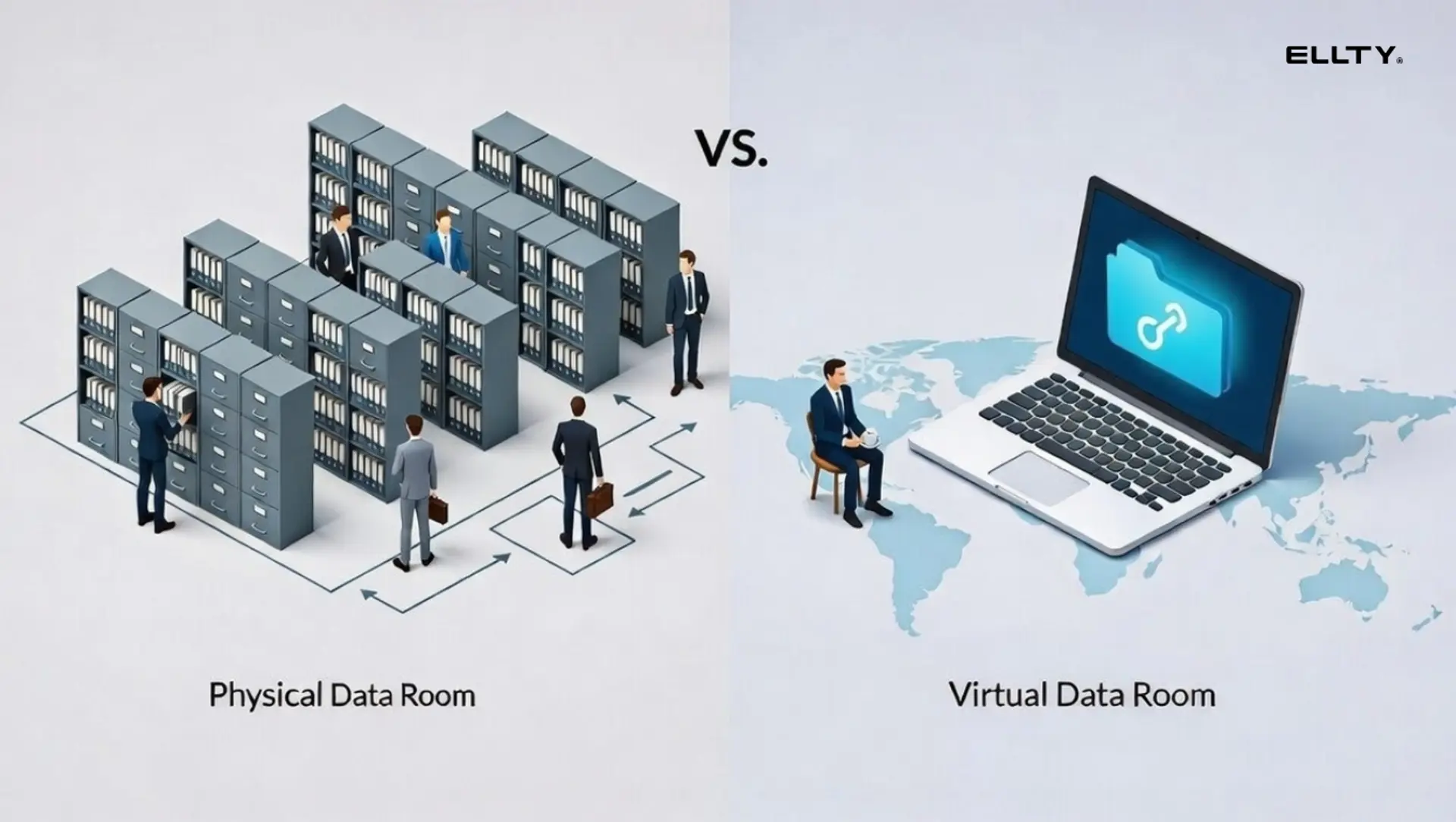
A virtual data room (VDR) is a secure online repository for sharing confidential documents - usually during high-stakes business transactions like fundraising, M&A (mergers and acquisitions), due diligence, legal proceedings, or board reviews.
The key word is controlled. A VDR doesn't just store files. It controls who sees them, for how long, what they can do with them, and gives you a record of every interaction.
Originally, "data rooms" were literal physical rooms - banks and law firms would invite buyers to sit in a room with stacks of documents for a fixed period of time. You couldn't take copies. You couldn't photograph anything. Everything was logged.
VDRs recreated that concept digitally and then added layers that paper never could, like real-time analytics, watermarking, and remote access controls.
Today, VDRs range from enterprise-grade platforms (with six-figure annual contracts) to modern tools built for startups that need similar protection without the complexity.
What is file sharing?
File sharing tools - Google Drive, Dropbox, WeTransfer, OneDrive - are built for collaboration and convenience. You create a file, share a link, and the other person can open it.
That's the core value prop. Frictionless access.
These tools are great for:
- Sharing drafts with your team
- Sending marketing assets to an agency
- Collaborating on documents in real time
- Distributing non-sensitive files fast
What they weren't built for is high-stakes document sharing with external parties who you don't fully trust - or who are conducting formal due diligence on your business.
The core difference: control vs. convenience
Here's the simplest way to think about it:
File sharing- optimizes for access. Anyone with the link can probably open it.
Virtual data rooms- optimize for control. You decide exactly who sees what, when, and how.


What are the benefits of using a VDR?
1. You know exactly who's looking at what
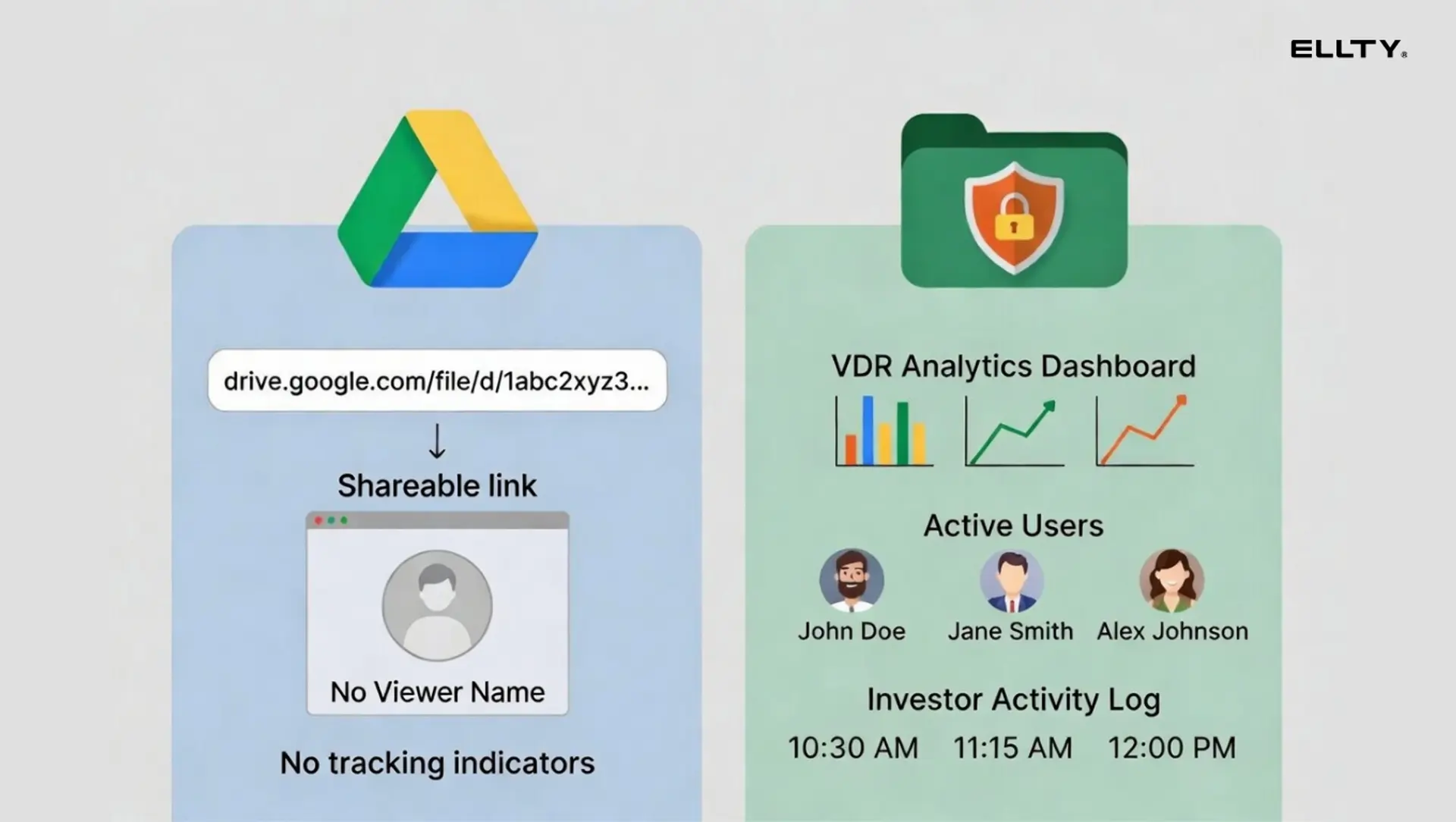
With a standard Google Drive link, you know roughly nothing. Did they open it? Which sections did they read? Did they forward it to someone else?
A VDR tracks all of this. You'll see who viewed which documents, how much time they spent on each page, and whether they came back for a second look.
For most businesses, this is not a nice-to-have. It's signal. If an investor spends 40 minutes on your financial projections and zero time on your team slide, you know exactly what to prep for the next call.
2. You control what happens to your documents
VDRs let you:
- Restrict downloads (view-only mode)
- Add dynamic watermarks tied to the viewer's identity
- Set link expiration dates
- Revoke access after the deal closes - or falls apart
- Require NDA acceptance before anyone sees a single file
File sharing tools don't do most of this. Some have basic link expiry. Almost none give you viewer-level analytics or document watermarking by default.
3. You have an audit trail
Every action inside a VDR is logged. Who accessed what, when, from where. This matters in legal proceedings. It matters in M&A disputes. It matters when someone claims they "never received" a document.
4. You look more professional
This one sounds soft, but it's real. Walking into a Series A process and sharing a Dropbox folder is a signal. Not a great one. A properly organized data room tells investors you've done this before (or at least thought about it seriously).
5. Security is built in - not bolted on
Enterprise VDRs carry security certifications like SOC 2, ISO 27001, and GDPR compliance. They're designed from the ground up to handle sensitive data. Google Drive has security features too. But it's a collaboration tool, not a compliance tool. The defaults are not same.
What are the benefits of file sharing tools?
Let's be fair. File sharing tools aren't bad choices in the right situations.
- Zero friction. Anyone can open a Google Drive link. No account required, no setup, no training.
- Real-time collaboration. Multiple people can edit a document simultaneously. VDRs don't really do this.
- Free or very cheap. Google Drive is free up to 15GB. Dropbox has a free tier. These tools won't add to your burn rate.
- Universal familiarity. Every investor, lawyer, and advisor already has a Gmail account.
- Good for internal use. For team collaboration, file sharing tools are still the right call.


When to use file sharing tools
Use Google Drive, Dropbox, or similar when:
- You're sharing internally. Team files, drafts, project assets - these don't need a VDR.
- The document isn't sensitive. A marketing deck for a webinar. A blog post draft. A brand kit for your designer.
- You need collaboration. Multiple people editing a document in real time is still a file sharing tool's superpower.
- Speed is the priority. You need someone to open something right now. No setup, no registration, just click.
- Stakes are low. If the document leaked, it wouldn't cost you a deal or expose proprietary data.
Example: A SaaS company sharing their product roadmap with a new hire, or a company sending their pitch deck to a warm intro contact who they fully trust. Google Drive is fine here.
When to use a virtual data room
A VDR makes sense any time you're sharing sensitive documents with multiple parties and need control, visibility, and a record of what happened.
Use a VDR when:
You're sharing confidential documents with multiple parties at once. Whether that's investors reviewing your financials, buyers evaluating an acquisition target, or a client receiving a consulting deliverable - a VDR keeps everything organized and access controlled, without documents floating around in email threads.
You need to know who read what. This matters more than people realize. Knowing which investor spent time on your financial model, whether a potential buyer actually reviewed the legal documents, or if the right stakeholder opened the report you sent - that information changes how you follow up and where you spend your energy.
The stakes of a leak are real. Customer contracts, financial models, proprietary technology, legal agreements. When documents have real business or legal value, a secure data room with permission controls is a lot safer than a shared Google Drive folder.
You're managing multiple parties separately. A PE firm running a competitive sale process needs each bidder group working in isolation. A law firm coordinating a fundraising round needs to control what each party sees. A consultant working across multiple client stakeholders needs clean, separate access for each group.
You need a legal paper trail. Audit logs and NDA gating give you documentation if a dispute comes up later - who accessed what, and when. In M&A, real estate, and legal contexts especially, that record has real protective value.
You're in a time-sensitive process. Deals move fast. A data room that's live in 15 minutes and doesn't require IT setup or training means you're not losing momentum while configuring software.
A few real examples of when this applies:
A commercial real estate firm listing a property shares inspection reports, leases, and title documents with four prospective buyers. Each buyer sees only what they're supposed to, and the firm has a full record of who reviewed what before offers come in.
A consulting firm wrapping up an engagement drops all deliverables into a single organized data room instead of emailing attachments. The client gets one clean link. The firm can see who actually opened the work.
A pre-Series A startup shares a data room with 8 VC firms simultaneously. They can see which firms are actively reviewing, which documents get the most attention, and who's gone quiet without sending a single follow-up email.
A law firm coordinating a $10M raise needs to track every document access for compliance and keep a clean log of what was shared with each party. The audit trail isn't optional.
A private equity firm running a structured sale process manages three potential buyers in separate, isolated rooms - so no buyer sees what the others are asking or reviewing.
Common scenarios teams face and what to use

Scenario 1: Sharing a pitch deck with one warm investor intro
- Risk level: Low
- Recommendation: File sharing is fine, though a trackable link adds useful signal
Scenario 2: Running a seed round with 15 investors in the pipeline
- Risk level: High
- Recommendation: VDR - you need analytics, controlled access, and document organization
Scenario 3: M&A - buyer wants to review your contracts, financials, and IP
- Risk level: Very high
- Recommendation: VDR, full stop - audit logs and permissions are non-negotiable here
Scenario 4: Sharing a marketing one-pager with a partner
- Risk level: None
- Recommendation: File sharing, or just attach it to an email
Scenario 5: Board meeting documents
- Risk level: Medium-high
- Recommendation: VDR or a secure document sharing tool with access controls
Scenario 6: Sharing a product demo video with prospects
- Risk level: Low
- Recommendation: File sharing or a video hosting platform
How Ellty fits into this


Ellty sits between basic file sharing and a full enterprise VDR. You get more control and visibility than Google Drive or Dropbox, without the complexity or cost of a platform built for large M&A transactions.
The core value is simple: share documents professionally, see exactly how people engage with them, and control who gets access to what.
Plans and pricing
Free
Track who opens your documents, when, and for how long. Secure sharing with trackable links and real-time analytics. That's already more than what Dropbox or Google Drive give you — you'll actually know if someone opened what you sent.
Standard - $69/month
Unlimited documents, advanced analytics, eSignatures, data rooms, and custom branding. For anyone sharing proposals, deliverables, or deal documents regularly, this tier covers the full workflow without needing three separate tools.
Data Room - $149/month
Granular permissions, NDA gating before access, dynamic watermarking, and restricted visitor controls. This is where Ellty competes directly with traditional VDR tools. If you need document-level control and NDA protection without committing to an enterprise contract, this tier handles it. Includes 3 users.
Data Room Plus - $349/month
Group visitor permissions, full audit logs, and up to 4,000 assets per data room. Built for larger transactions or teams managing multiple deal processes at once. The audit trail and access controls here are what serious due diligence requires.
Where Ellty works well
- Founders raising a round and sharing investor materials
- M&A advisors and deal teams running early to mid-stage processes
- Consultants sharing proposals, reports, and client deliverables
- Real estate professionals managing transaction documents
- Law firms or advisors who need NDA gating and a clean access record
- Anyone who needs a professional data room set up fast, without IT involvement
Where it may not be the right fit
- Large enterprise M&A with complex legal workflow integrations
- Regulated industries that require specific compliance certifications — certain healthcare or financial deals have audit standards that purpose-built enterprise VDRs are designed to meet


VDR pricing context: what does it actually cost?
Traditional enterprise VDR platforms are not cheap. Here's a general sense of what the market looks like:


Most enterprise VDR vendors don't list prices publicly. You have to request a quote - which typically means a sales call, a discovery process, and a contract. That process alone costs you time you don't have.
Ellty offers data room features without per-user pricing or enterprise sales friction. For most businesses, that trade-off makes sense.
What to look for in a VDR (if you're evaluating options)
Not all VDRs are built the same. Here's what actually matters:
1. Analytics depth: Can you see page-level view data? Time spent per section? Return visits? Surface-level "was it opened" isn't enough.
2. Permission granularity: Can you give one investor access to financials but not the cap table? Can you restrict downloads on specific files?
3. NDA gating: Can you require visitors to accept a non-disclosure before seeing anything?
4. Watermarking: Does it watermark documents dynamically with the viewer's email or name? That's your leak-prevention mechanism.
5. Setup speed: How long does it actually take to go from "I need a data room" to "data room is live and shared"? Days is too long. Hours is acceptable. Minutes is ideal.
6. Audit logs: Every enterprise deal will eventually ask: "who had access to what, and when?" If you can't answer that, you have a problem.
7. Pricing model: Per-document, per-user, per-GB, or flat monthly? Understand what drives costs before you commit.
The file sharing mistake that costs people in high-stakes deals
Here's a scenario that plays out more than it should:
A company is in the middle of a confidential process - a fundraise, an acquisition discussion, or a competitive bid. They've got everything organized: financial models, contracts, legal documents. They share it all through a Google Drive folder because it's fast and everyone knows how to use it.
Three weeks later, something leaks. A competitor mentions a detail they shouldn't know. A counterparty shows up to the table with information that was supposed to be private. A document surfaces somewhere it was never meant to go.
Was it Google Drive? Maybe not. But here's the problem: they'll never know. There's no log. No way to tell who forwarded the link. No record of who accessed what, or when. Nothing to trace.
This isn't just a startup problem. It happens to consulting firms sharing sensitive client work. Real estate teams sending financial statements to prospective buyers. M&A advisors distributing confidential information memorandums. Law firms coordinating document review across multiple parties.
A VDR doesn't make leaks impossible. But it creates accountability and accountability changes behavior. When people know that access is logged, documents are watermarked, and every view is recorded, they treat the materials differently. And if something does go wrong, you have a paper trail to work with instead of just a guess.
The stakes vary by situation. But the principle is the same: confidential documents deserve more than a shareable link with no controls and no record.
How to set up a basic data room
Here's a simple structure that works for most seed to Series A rounds:
Folder structure:
- Company overview
- Pitch deck (current version)
- One-pager or executive summary
- Financials
- P&L (historical)
- Financial projections (3-5 year model)
- Monthly burn and runway summary
- Legal
- Certificate of incorporation
- Cap table
- Shareholder agreements
- Key contracts (customer, vendor, IP assignments)
- Team
- Founder bios or LinkedIn profiles
- Org chart
- Product
- Product demo or screenshots
- Key metrics dashboard
- Due diligence checklist
Keep it organized and version-controlled.
Use this structure inside Ellty. Create your data room.
Upload your docs, organize your folders, and share a trackable link today.
FAQ
Q: Is Google Drive a virtual data room?
No. Google Drive is a file storage and collaboration tool. It lacks the core features of a VDR: viewer analytics, granular permissions, NDA gating, dynamic watermarking, and audit logs. You can use it to organize files, but it doesn't give you the control or visibility that due diligence situations require.
Q: Do I really need a VDR for a seed round?
Not always. If you're doing a small friends-and-family round with people you trust completely, file sharing is probably fine. But once you're sharing sensitive financials, cap table information, or IP documentation with multiple external parties - especially ones you don't know personally - a VDR adds real protection. The cost of a $69-149/month tool is trivial relative to the cost of a deal going sideways.
Q: What's the difference between a VDR and a data room?
They're the same thing. "Virtual data room" is the formal term. "Data room" is the shorthand most peole use. Both refer to a secure, controlled online environment for sharing sensitive business documents during transactions.
Q: How long does it take to set up a data room?
With modern tools like Ellty, it's genuinely fast - you can have a data room set up and shared within an hour if your documents are already organized. Traditional enterprise VDR setup can take days or weeks if you're going through a vendor implementation process.
Q: Can I use Dropbox or Box as a VDR?
Dropbox and Box have some access control features, and Box in particular markets toward enterprise document management. But neither was designed for VDR use cases. You won't get the investor-facing analytics, NDA gating, dynamic watermarking, or audit logs that VDR-specific tools offer. They're better than a standard Google Drive share, but not purpose-built for due diligence.
Q: What happens to my data room after a deal closes?
That depends on your tool. With a VDR, you can typically revoke access immediately, archive the room, or keep it active for post-deal reference. With file sharing tools, you'd have to manually remove access - which many teams forget to do. A VDR with access controls lets you shut everything down cleanly.
Q: Do investors expect a formal data room?
At the seed stage, not always. But at Series A and beyond, yes - most institutional investors will ask for one. Even at seed, showing up with an organized, professionally set up data room signals operational maturity. It's a small thing that reads well.
Q: What's NDA gating and do I need it?
NDA gating means a visitor has to agree to a non-disclosure agreement before they can access any documents in the data room. It creates a digital paper trail of their consent. You need it when sharing documents that contain proprietary technology, trade secrets, or confidential financial information with parties who haven't already signed an NDA separately. It's a common feature in serious fundraising and M&A situations.
Q: Is Ellty GDPR compliant?
For the most up-to-date and accurate information on Ellty security certifications and compliance standards, check the official Ellty GDPR documentation. Security specs can change, and you'll want to verify current certifications rather than rely on a blog post.
Q: Can I share the same data room with multiple investors?
Yes - that's one of the core use cases. With a VDR, you can create separate access groups or individual logins for each investor, so you can track activity per investor and control what each party can see. Some tools let you customize access at the folder or document level. Ellty Data Room plan supports granular permissions for this exact scenario.
The bottom line
There's no universal answer. The right tool depends on your situation.
Use file sharing tools when speed and collaboration matter more than control. Use a VDR when the documents are sensitive, the stakes are high, and you need to know exactly what's happening on the other side.
For most teams in fundraising, due diligence, or any situation involving external parties and confidential documents - a VDR isn't overkill. It's just the right tool.
The question isn't whether you need security. It's how much you can afford to lose if something goes wrong without it.
Set up a data room with Ellty today.
Track who reads your documents. Secure your documents. Know when readers are active - before they go quiet.
Author

Anika Tabassum Nionta is a Content Manager at Ellty, where she writes about secure document sharing, virtual data rooms, M&A, due diligence, fundraising, and sales enablement. With over 6 years of writing experience, she helps professionals understand how to share confidential documents securely, track engagement, and manage deals more effectively. Anika holds both a BA and MA in English from Dhaka University. Outside of work, she enjoys reading, exploring new cafes in Dhaka, and connecting with entrepreneurs and dealmakers in her community.

