
You sent your cap table to three investors last month. You have no idea which of them still has access to it. One might have forwarded it to someone else. You wouldn't know.
That's the problem document security software is built to solve.
For founders, document security isn't just about encryption or passwords. It's about control - knowing who has access to sensitive files, being able to revoke that access, and having a record of who looked at what and when. That matters for pitch decks, term sheets, due diligence materials, customer contracts, and anything else you'd rather not see circulating without your knowledge.
This guide covers 8 of the best document security software options in 2025 - from lightweight pitch deck tools to enterprise-grade virtual data rooms - so you can make a decision based on what you actually need, not what sounds most impressive.
What is document security software?
Document security software is any tool that helps you control access to files, protect sensitive content, and track how documents are used after you share them.
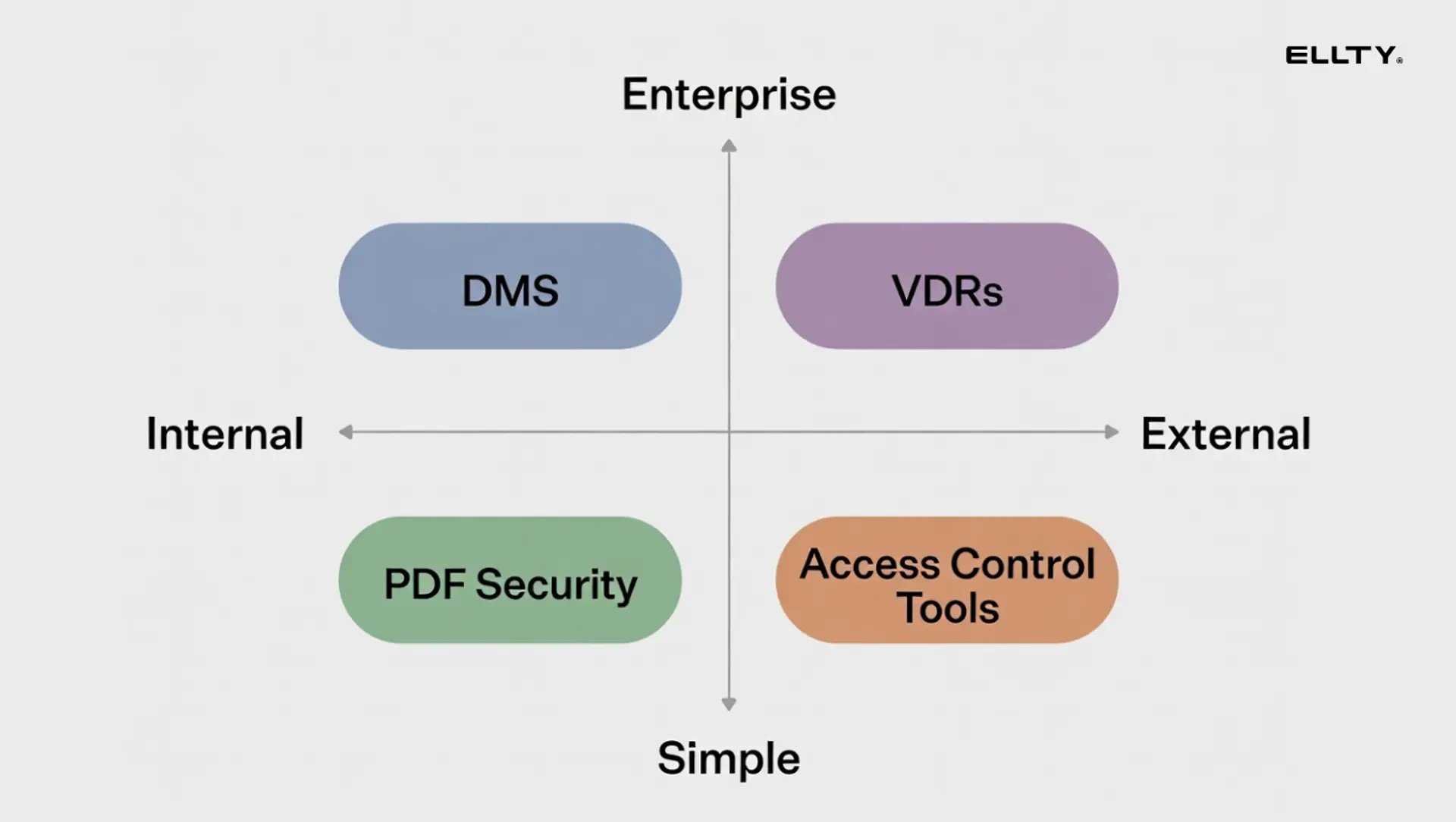
The term covers a few different categories:
Access control and tracking tools - You create a shareable link with permissions attached. The viewer can only do what you allow: view but not download, view until a set date, view only after entering a password. You get notified when they open it and can see what they did. Ellty free tier and DocSend sit in this category.
Virtual data rooms (VDRs) - Secure, structured environments for sharing a collection of documents with multiple parties - typically used during fundraising due diligence, M&A, or legal processes. Think Ellty Data Room tier, Firmex, Intralinks, Datasite.
PDF security and DRM tools - Software that applies encryption, watermarks, and digital rights management directly to the file itself. Adobe Acrobat and Vitrium fall here. Protection travels with the document even if it's downloaded.
Document management systems with security features - Broader platforms that handle document storage, organization, and access control across a team. SharePoint, M-Files, Google Workspace.
Most founders end up needing two of these: a sharing and tracking tool for external documents, and some form of internal document management. The right combination depends on your stage and what you're protecting.

Why document security matters more at the startup stage
Enterprise companies have legal teams and IT departments managing document security. You don't.
That means when you share a pitch deck with a PDF attached, it can be downloaded, forwarded, and printed with no record of any of it. When you send a cap table via email, you've lost control the moment you hit send. When a due diligence process wraps up and the deal doesn't close, those financial documents are still sitting in someone's inbox.
The stakes are real. Document leaks at the startup stage can mean:
- Competitor intelligence from shared financial projections
- Cap table details reaching the wrong parties before a round closes
- Customer data in contracts shared without authorization
- Investor materials circulating beyond the intended audience
Document security software doesn't eliminate all risk. But it gives you visibility and control that you otherwise have zero of.
How we evaluated these tools
We looked at each tool across six criteria relevant to founders:
- Access controls - Password protection, link expiration, download restrictions, view-only modes
- Audit trail and tracking - Who accessed the document, when, from where, and what they did
- Encryption and certifications - How the data is protected in transit and at rest, and what compliance certifications the provider holds
- Ease of setup - How fast you can get a protected document in front of someone
- Pricing - Especially whether it scales reasonably for a small team
- Data room capabilities - Whether the tool handles structured multi-party document sharing
The 8 best document security software options
1. Ellty - best for teams who need secure data rooms and pitch deck analytics


Ellty is built for teams sharing documents externally - primarily data room, pitch decks and due diligence materials. You upload a document, configure your security settings, generate a trackable link, and share it. From that point, you control what the viewer can do and you see exactly what they did.
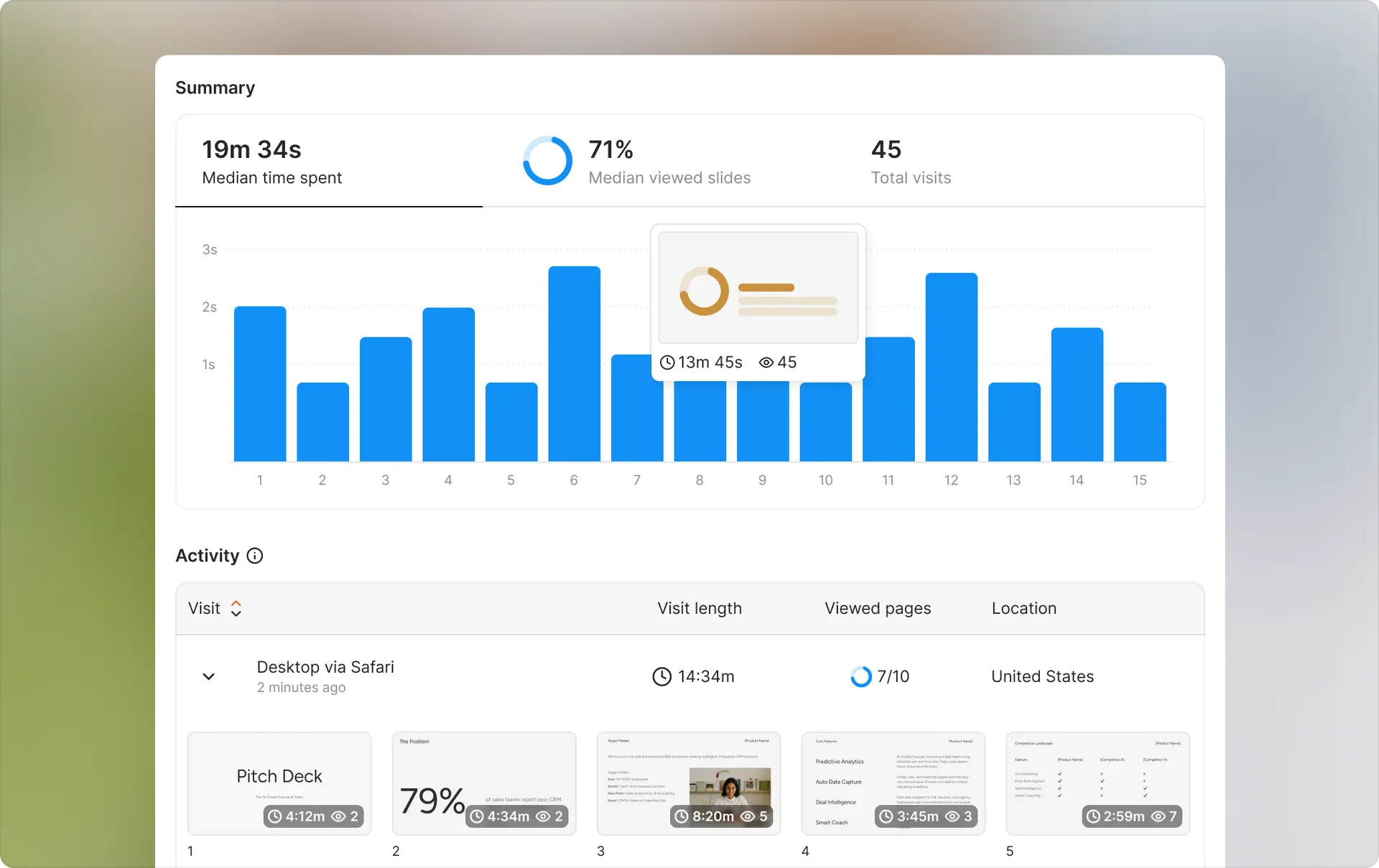
The security layer isn't just a lock on the door. It's active visibility. You know when someone opens a document, which pages they read, how long they spent on each, and whether the link is still active. And you can turn that link off at any time.
Security features:
- Password-protected links - require a password before anyone can view the document
- Link expiration - set a date after which the link stops working automatically
- View-only mode - viewers can read but not download the document
- Access revocation - disable any link instantly, from anywhere
- Viewer identity - require email verification before document access
- Real-time notifications - know the moment someone opens your document
- Data room - organize multiple documents in a secure, permissioned environment for due diligence
Analytics that support security:
Knowing who accessed your document and when isn't just useful for follow-up - it's part of your security posture. If you shared a link with three people and you see a fourth session from an unrecognized location, you know something's off. Ellty surfaces that.
Pricing:


No per-user fees. If your co-founder and your CFO both need to use it, you're still paying the same flat rate.
Who it works well for:
Ellty is the right fit when you're actively fundraising, sharing due diligence materials with a small group, or regularly sending external documents that you need to control and monitor. The setup is fast - you can have a password-protected, expiring, view-only link live in under 10 minutes.
Limitations to be clear about:
Ellty doesn't apply DRM to the file itself - protection is link-based. If you need encryption that travels with a downloaded file, you'll want to add a tool like Vitrium or Adobe Acrobat to your stack.
Best for: Founders who need fast, practical document security for external sharing.
2. Adobe Acrobat - best for PDF-level security that travels with the file


Adobe Acrobat is the most widely used PDF tool in the world, and its security features are built directly into the file format. When you protect a PDF with Acrobat, that protection travels with the document regardless of where it goes or who has it.
You can set passwords to open the file, restrict printing and copying, apply watermarks, and encrypt the document to 256-bit AES standard. Unlike link-based tools, Acrobat's security works even if someone downloads and stores the file locally.
Security features:
- 256-bit AES encryption
- Open password and permissions password (separate controls)
- Restrict printing, copying, editing, and screen reading
- Dynamic watermarking with viewer name and date
- Digital signatures with certificate validation
- Redaction tools for permanently removing sensitive content
Pricing:
Acrobat Standard starts at approximately $12.99/month per user. Acrobat Pro is around $19.99/month per user. Teams plans are available with volume pricing.
Limitations:
Acrobat doesn't give you viewing analytics. You won't know if someone opened your PDF, which pages they read, or whether they forwarded it to someone else. It also doesn't have data room capabilities. For investor-facing documents where engagement visibility matters, you'd pair Acrobat with a tracking tool like Ellty.
Best for: Founders who need encryption and download restrictions baked into the file itself, particularly for contracts, NDAs, and legal documents.
3. Firmex - best for institutional-grade virtual data rooms in late-stage fundraising and M&A


Firmex is a dedicated VDR used by investment banks, law firms, and private equity groups. If you're running a Series C or later, doing a secondary transaction, or managing an M&A process, Firmex is the kind of platform that institutional counterparties expect to see.
The security is enterprise-grade: granular permissions at the document and folder level, watermarking, print and download restrictions, complete audit logs, and certifications that compliance teams require.
Security features:
- Document-level and folder-level permissions
- Automatic watermarking with viewer details
- Print, download, and screen capture restrictions
- Granular audit logs - who accessed what, when, and for how long
- Q&A module for managing due diligence questions
- SOC 2 Type II and ISO 27001 certified
- Single sign-on (SSO) support
Pricing:
Firmex is priced per project or annually, with custom quotes. It's significantly more expensive than tools like Ellty - typically in the range of several hundred to several thousand dollars per month depending on deal size and duration.
Limitations:
It's expensive and built for complex deal structures. If you're a seed-stage founder sharing a deck with 5 angels, Firmex is more infrastructure than you need. The interface, while functional, reflects its enterprise origins - it's not optimized for speed or simplicity.
Best for: Series B and beyond, M&A transactions, secondary sales, and any process where institutional parties require a certified VDR.
4. Vitrium - best for DRM and persistent document security across all file types

Vitrium is a document DRM (digital rights management) platform. Unlike link-based tools, Vitrium wraps encryption around the document itself. You upload a file, configure access rules, and the protected version can be distributed normally - but only authorized users with the right credentials can open it.
This matters when documents genuinely need to be downloaded - technical manuals, training materials, detailed financial models - but you still need to control who can access them.
Security features:
- Persistent DRM encryption on PDFs, Word docs, and other formats
- Per-user access controls with credential-based authentication
- Restrict printing, copying, and screen capture
- Automatic expiration dates on document access
- Detailed access logs per user per document
- Revoke access remotely, even after download
Pricing:
Vitrium is priced for business and enterprise use. Plans typically start in the hundreds per month and scale with user count and document volume. Custom quotes are standard.
Limitations:
It's more complex to set up than link-based tools. Viewers need to use Vitrium's viewer or authenticate through their system, which adds friction. For simple pitch deck sharing, it's overkill. For distributing proprietary research, detailed financial models, or training content that must be controlled post-download, it's the right call.
Best for: Founders distributing proprietary content that needs DRM-level protection after download, not just during the sharing session.
5. Datasite - best for large M&A processes with complex multi-party access

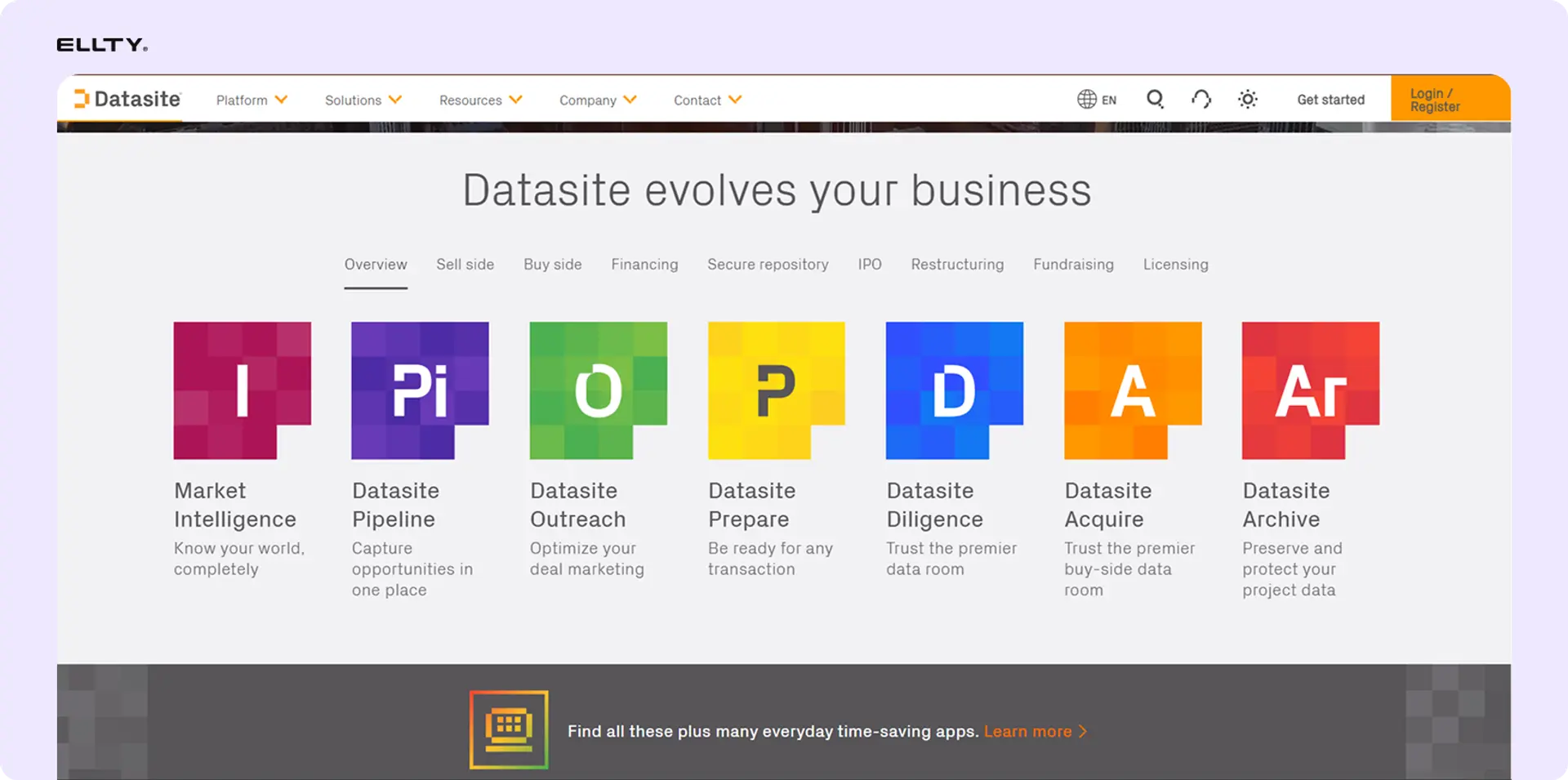
Datasite (formerly Merrill Corporation) is one of the market leaders in enterprise VDRs. It's purpose-built for large M&A transactions where multiple bidder groups, legal teams, and advisors need structured, permissioned access to thousands of documents simultaneously.
The platform includes AI-powered document indexing and organization, which becomes relevant when you're dealing with tens of thousands of pages of due diligence materials. It also has a built-in Q&A workflow for managing due diligence inquiries across parties.
Security features:
- Role-based access control with granular permissions
- Fence view (restricts document capture)
- Watermarking with viewer identity
- Full audit trail and real-time reporting
- AI-powered document indexing and redaction
- SOC 2 Type II, ISO 27001, GDPR compliant
- Multi-factor authentication
Pricing:
Enterprise pricing, custom quoted. Expect to pay more than Firmex at comparable deal sizes. Not published.
Limitations:
Designed for large institutional transactions. The complexity and cost are appropriate for those deals but unnecessary for most startup fundraising processes. If you're doing a $3M seed round, Datasite isn't your tool.
Best for: Investment banks, PE firms, and late-stage founders managing complex M&A transactions with multiple parties.
6. Google Workspace - best for basic internal document security at low cost

Google Workspace isn't document security software in the dedicated sense. But for many early-stage startups, it's the document management backbone - and it comes with meaningful security controls that founders often underuse.
You can share Google Docs with specific people only, restrict viewing to your organization's domain, disable downloading and printing, and set link-sharing to off by default. Google Drive also keeps a full version history on every document, which is a basic but useful audit trail.
For internal document security - controlling who on your team can access what - Google Workspace is often sufficient at the early stage without adding a separate tool.
Security features:
- Sharing controls: specific people, anyone with link, or organization only
- Restrict downloading, printing, and copying on shared files
- Expiration dates on shared access
- Admin console for managing team permissions
- Version history on all documents
- 2FA and SSO support
- Data loss prevention (DLP) on Business and Enterprise plans
Pricing:
Business Starter is $6/user/month. Business Standard is $12/user/month. Business Plus is $18/user/month. Enterprise pricing is custom.
Limitations:
No analytics on external document views. No page-level tracking. No link-based access control with real-time notifications. If you share a Google Doc with an investor, you won't know if they opened it, read it, or forwarded the link. For external sharing where engagement visibility matters, Google Workspace alone isn't enough.
Best for: Internal document management and basic team-level access control. Pair with Ellty for external sharing where tracking matters.
7. SharePoint - best for document control and compliance in scaling companies

Microsoft SharePoint is the enterprise standard for document management. If your company runs on Microsoft 365, SharePoint is likely already in your stack or accessible to you. It handles document storage, version control, access management, and compliance workflows at scale.
For founders building in regulated industries or scaling toward enterprise sales where customer security questionnaires are a reality, SharePoint's compliance posture can be relevant sooner than expected.
Security features:
- Granular permissions at site, library, folder, and file level
- Information Rights Management (IRM) for documents
- Sensitivity labels for classifying document security levels
- Data loss prevention policies
- Audit logs and compliance reporting
- Microsoft Purview integration for advanced compliance
- Multi-factor authentication and conditional access
Pricing:
SharePoint is included in Microsoft 365 Business plans starting at $6/user/month. Standalone SharePoint plans start at $5/user/month. Advanced compliance features require higher tiers.
Limitations:
SharePoint's learning curve is real. Setup, governance, and ongoing administration require time and sometimes technical expertise. For a 5-person startup, it's often more infrastructure than you need. The interface also hasn't kept pace with modern SaaS tools in terms of usability.
Best for: Scaling startups (30+ people) with Microsoft 365 already in place, especially in regulated industries where document compliance is a customer requirement.
8. Intralinks - best for financial services and cross-border deal security
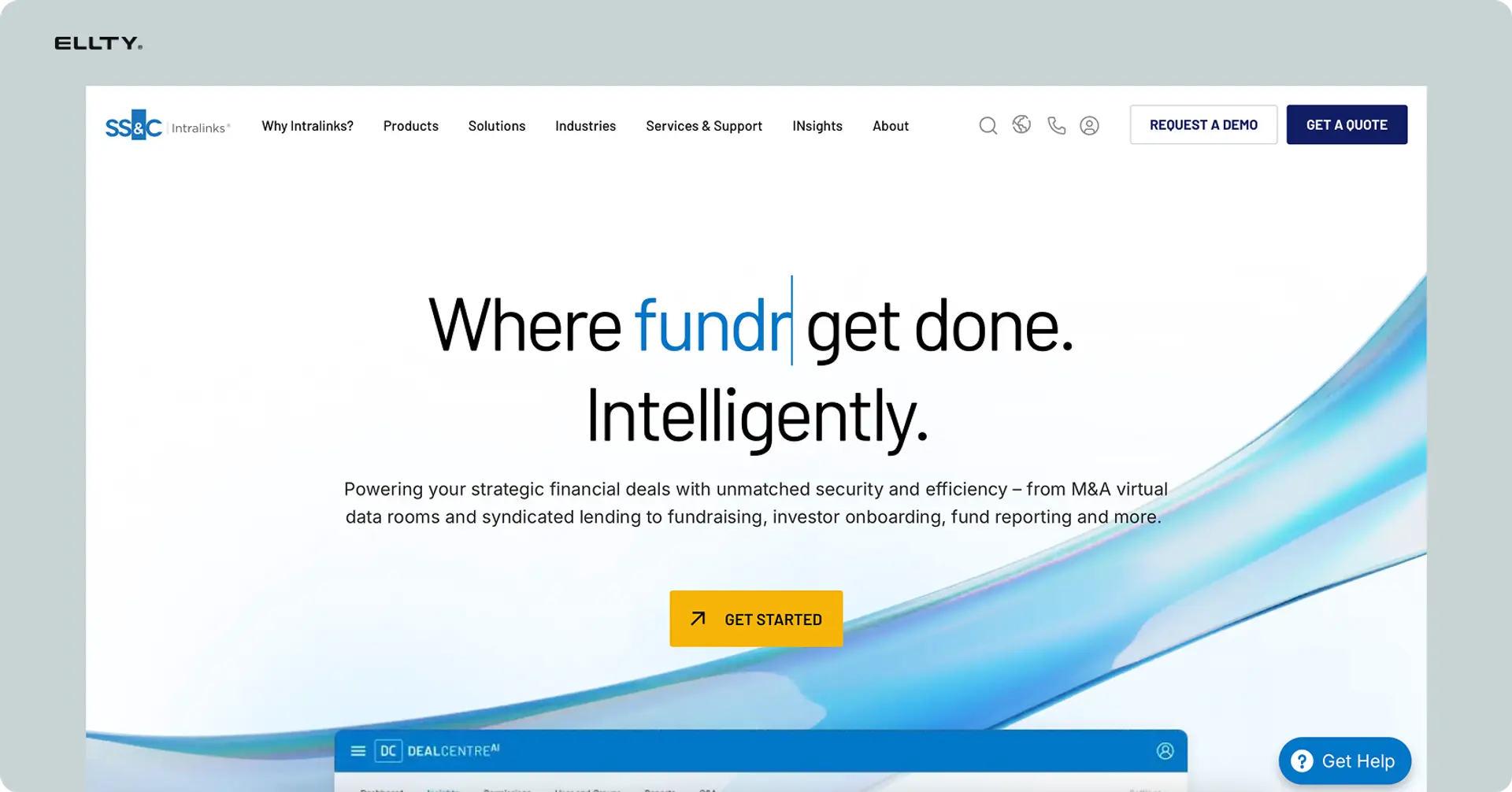
Intralinks is one of the original virtual data room providers, with roots in financial services and M&A. It's particularly strong for cross-border transactions where regulatory compliance across multiple jurisdictions matters, and for financial services deals where security requirements are stringent.
The platform handles large document volumes, complex permission structures, and integrates with document management workflows that deal teams typically use.
Security features:
- Information Rights Management built into the platform
- Granular permissions and dynamic watermarking
- Fence view to prevent screen capture
- Full audit trail per user per document
- FIPS 140-2 certified encryption
- SOC 2, ISO 27001, GDPR, and FINRA compliant
- Activity alerts and reporting dashboards
Pricing:
Enterprise pricing, custom quoted. Comparable to Firmex and Datasite at the high end.
Limitations:
Built for institutional finance. Not the right fit for early-stage founders. The pricing, complexity, and onboarding process reflect the target market. If you're not doing a transaction that involves an investment bank or law firm, you don't need Intralinks.
Best for: Late-stage fundraising, cross-border M&A, and financial services transactions where institutional-grade compliance is non-negotiable.
Head-to-head comparison


The document security stack most founders actually need
You don't need every tool on this list. Most founders at the early stage need two things:
Layer 1 - External sharing and tracking: A tool that lets you share documents with controlled access and see exactly what happens after. Ellty covers this from $0 to $69/month depending on volume and features. For simpler use cases - tracking who opened your deck, revoking access after a meeting, running a lightweight due diligence data room - it handles the job without per-user pricing.
Layer 2 - Internal document management: Google Workspace or Microsoft 365 is sufficient for most teams under 50 people. You don't need SharePoint's full complexity until you're scaling into compliance-heavy enterprise sales.
The more specialized tools - Vitrium for DRM, Firmex or Datasite for institutional VDRs, Intralinks for financial services deals - come into play at specific moments. You'll know when you need them because your investors or legal counsel will tell you.

Key document security features to look for
Before committing to any tool, check these five things:
1. Access control granularity
Can you control access at the document level, not just the folder level? Can you set different permissions for different viewers - one person can view but not download, another can download but not print? The more granular, the better.
2. Audit trail quality
"Audit trail" can mean anything from a basic open/close log to a detailed record of every page view, IP address, session duration, and device. Know what you're getting. For due diligence, a detailed audit trail isn't optional - it's what investors and legal teams expect.
3. Revocation capability
Can you disable access after sharing? This is table stakes for any document containing sensitive information. If a deal falls through, you need to be able to turn off access to everything shared during the process - immediately, without contacting the viewer.
4. Encryption standard
For sensitive documents, look for AES-256 encryption at rest and TLS in transit. Check whether the provider has SOC 2 Type II or ISO 27001 certification if that matters for your compliance posture. Don't take a vendor's word for it - ask for the documentation.
5. Friction for the viewer
Security that creates too much friction for legitimate viewers creates its own problems. If an investor has to download a special viewer, create an account, and navigate a clunky interface just to look at your deck, they might not bother. Balance protection with usability.
Common document security mistakes founders make
Sending PDFs via email with no protection. Once it's in someone's inbox, you have no control. No access revocation. No visibility. No record. Stop doing this for sensitive documents.
Using Google Drive links with "anyone with the link can view." That link can be forwarded indefinitely. You have no record of who accessed it. This is fine for public-facing content, not for cap tables and financial models.
Not revoking access after a deal process ends. Whether a deal closed or didn't, remove access to due diligence documents when the process is over. Most founders forget this step entirely.
Assuming your VDR provider is compliant without verifying. If you tell an investor your data room is SOC 2 certified, make sure you can back that up. "We use Dropbox" doesn't count.
Sharing the same link with multiple people. If you can't tell which viewer is which, your audit trail is useless. Use individual links or viewer verification so you know exactly who accessed what.
Document security and due diligence - what investors actually look for
When an investor asks for a data room, they're not just asking for a folder of files. They're evaluating how you manage information - which tells them something about how you run the company.
A well-structured data room with proper access controls communicates that you're organized and professional. An unsecured Google Drive folder of mixed files communicates the opposite.
Here's what a basic founder due diligence data room typically includes, and how security applies to each:


Ellty Standard and Data Room plans support this kind of structured due diligence setup with data room features, viewer-level permissions, and access tracking - without the setup complexity or per-user pricing of enterprise VDRs.
Start protecting your documents - don't wait for a breach

Most founders add document security tools reactively. A document leaks, a deal falls through because sensitive information circulated, or an investor asks why their PDF was forwarded without authorization. Don't wait for that moment.
The tools exist. Most of the protection you need costs less than $149/month.
For pitch deck security and investor-facing documents:
Try Ellty for free - set up your first protected link in under 10 minutes.
For internal document management:
Google Workspace or Microsoft 365 covers the basics. Add access controls, use version history, and audit your sharing settings regularly.
For late-stage due diligence or M&A:
Evaluate Firmex or Datasite when you're at that stage - and budget accordingly.
The right stack doesn't have to be complicated. Start with what you need now and add as the stakes increase.
Frequently asked questions
What is document security software?
Document security software is any tool that helps you control access to files, protect sensitive content from unauthorized use, and track how documents are used after you share them. It ranges from link-based tools that let you share a document with a password and expiration date (like Ellty), to file-level DRM that encrypts the document itself (like Vitrium), to full virtual data rooms designed for due diligence and M&A (like Firmex).
What's the best free document security software?
Ellty has a free Starter plan that includes basic secure sharing with trackable links. Google Workspace has a free tier (Google Drive) with basic sharing controls, though it lacks analytics. For PDF-level security, Adobe Acrobat Reader can open password-protected PDFs but you need a paid Acrobat plan to create them. Ellty free plan is the strongest starting point for founders who need both security and visibility.
What's the difference between a data room and a document security tool?
A document security tool typically focuses on controlling and tracking individual document shares - one document, one link, controlled access. A virtual data room (VDR) is designed for structured multi-party access to a collection of documents, like during fundraising due diligence or M&A. VDRs include more sophisticated permission structures, Q&A workflows, and audit capabilities suited to deal processes. Some tools, including Ellty, offer both - simple document tracking for individual shares and a data room environment for due diligence.
Does Ellty encrypt documents?
Ellty security is link-based and access-controlled - documents are protected by the link settings you configure (password, expiration, view-only, access revocation). This means security is enforced at the sharing layer. If you need file-level encryption that travels with a downloaded document, you'd pair Ellty with a tool like Adobe Acrobat for PDF encryption or Vitrium for DRM.
What security certifications should I look for in a document security tool?
For most startup use cases, SOC 2 Type II is the primary certification to check. It means the provider has been independently audited on their security controls. ISO 27001 is also respected, particularly for international deals. For financial services or healthcare contexts, you may also need HIPAA or FINRA compliance. Don't take a vendor's marketing page as verification - ask for the actual certification documentation.
Is document security software worth it for an early-stage startup?
Yes, especially once you're sharing financial information, customer contracts, or fundraising materials externally. The cost of a document security breach - whether that's sensitive financial projections reaching a competitor or cap table details circulating before a round closes - is far higher than the cost of a $24/month tool. At the free and low-cost tier, there's little reason not to use one.
Can investors tell when I'm tracking their document views?
Generally no, unless you configure the tool to require email verification before access. Most tracking happens in the background. If your tool requires the viewer to enter an email address before accessing the document, that's visible to them. Some founders are transparent about tracking with investors - framing it as "I sent this through a tracked link so I know when to follow up" - which is usually well-received.
How do I set up a due diligence data room?
Start by organizing your documents into logical folders: company overview, financials, legal, team, product, customers. Then configure access - typically view-only for most documents, with download enabled for documents that legal teams need to review offline. Use individual viewer links or email verification so your audit trail shows who accessed what. Set expiration dates appropriate to the deal timeline. Ellty Standard and Data Room plans support this setup without the complexity of enterprise VDR platforms.
What's the difference between document security and document management software?
Document management software (DMS) is primarily about organizing, storing, and controlling access to documents within your organization - version control, search, internal permissions. Document security software is primarily about controlling what happens when you share documents externally. The categories overlap: most VDRs are both. But a tool like Notion or SharePoint is mainly a DMS, while a tool like Ellty is mainly a document security and sharing tool. Most startups need both, often served by different tools.
What should I do when a fundraising process ends without closing?
Immediately revoke access to all documents shared during the process. If you used a data room, disable the room or remove viewer access. If you shared individual links, deactivate them. This is especially important for sensitive documents like the cap table, customer contracts, and financial projections. Document the access log before revoking - it's useful to have a record of what was accessed and when, in case questions come up later.
Author

Anika Tabassum Nionta is a Content Manager at Ellty, where she writes about secure document sharing, virtual data rooms, M&A, due diligence, fundraising, and sales enablement. With over 6 years of writing experience, she helps professionals understand how to share confidential documents securely, track engagement, and manage deals more effectively. Anika holds both a BA and MA in English from Dhaka University. Outside of work, she enjoys reading, exploring new cafes in Dhaka, and connecting with entrepreneurs and dealmakers in her community.

