
What's in this guide
- What is a virtual data room?
- Why are VDRs so expensive?
- How much does a data room cost?
- Free virtual data rooms: what actually exists
- How to create a data room in Google Drive
- How to create a virtual data room properly
- Virtual data room providers compared
- FAQ
You're in the middle of a fundraise, an M&A process, or a partnership deal. Someone asks for your data room. You panic a little because you don't have one, or you sent a Dropbox folder and called it a day.
This guide covers the full picture - what a virtual data room actually is, why the traditional options cost so much, what free alternatives exist, when they're good enough, and when they're not.
No vendor fluff. Just what you need to know.
What is a virtual data room?
A virtual data room (VDR) is a secure, online space where you share sensitive business documents with specific people - investors, acquirers, lawyers, auditors. It's purpose-built for situations where a simple shared folder won't cut it.
Before the internet, companies rented physical rooms and flew people in to review documents. Now you do it online, with access controls, audit trails, and permission settings that let you control who sees what.
The core features you'd expect from a real VDR:
- Document upload and organization
- Granular access permissions (view only, download, print)
- Activity tracking - who opened what, when, and for how long
- NDA gating before document access
- Watermarking to trace leaks
- Audit logs for legal compliance
- Secure, expiring links
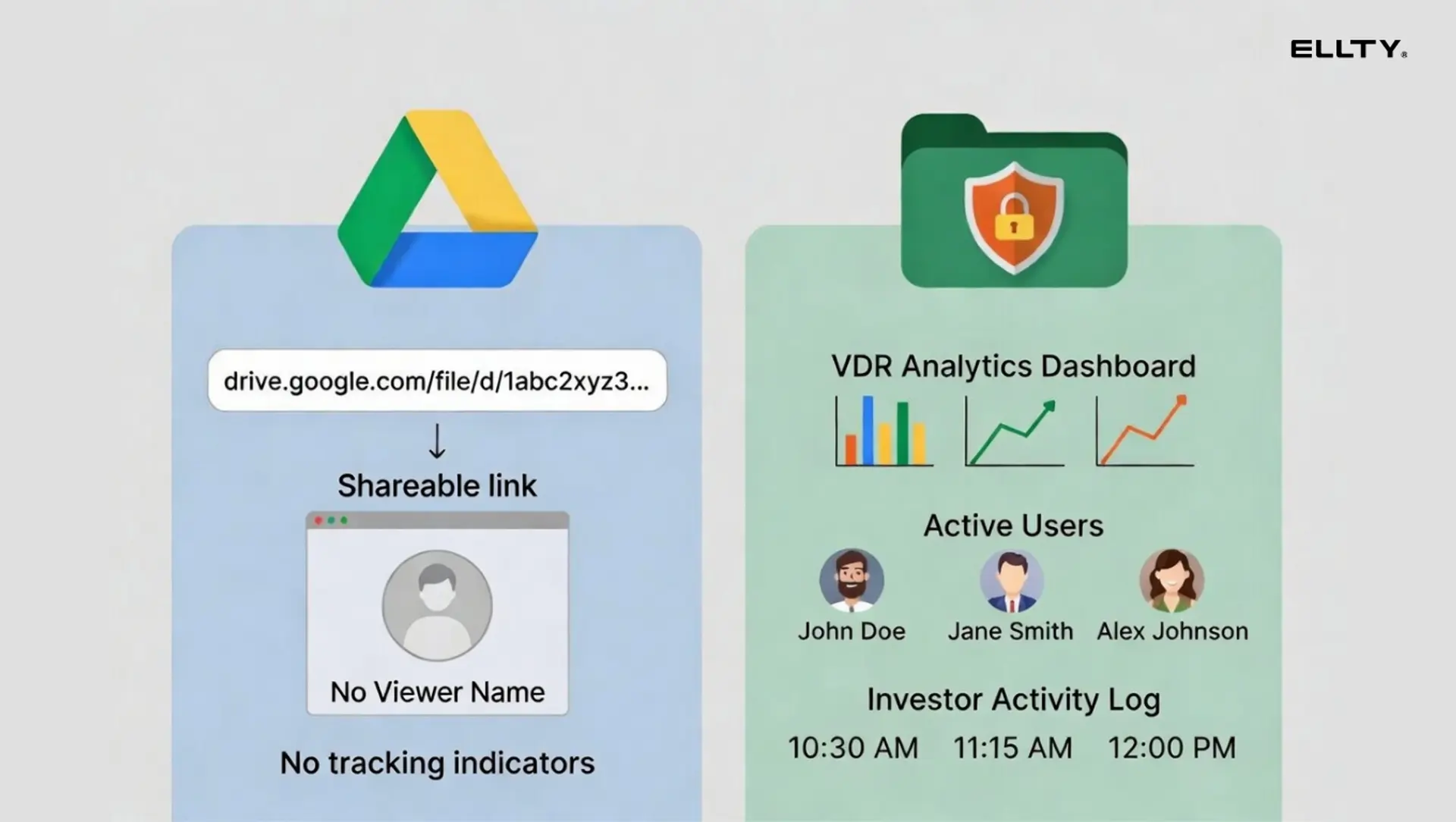
A Dropbox folder has none of those things. Neither does a Google Drive link you emailed to five parties.

Why are VDRs so expensive?
Fair question. Most traditional VDR platforms charge between $400 and $2,000+ per month. For most companies, that's a lot of money to share some PDFs.
Here's why the pricing is where it is:
Traditional VDR vendors built their products for large law firms and investment banks running multi-billion dollar transactions. Those clients care about compliance, audit trails, and having someone to call at 2am during a deal. They don't care about the price. So the vendors priced accordingly.
The pricing models themselves make it worse. Most legacy platforms charge per page, per user, or by storage - which means your bill scales unpredictably. A 300-page diligence package reviewed by 12 people adds up fast.
Add in account managers, onboarding calls, and enterprise SLAs, and you're basically paying for infrastructure that was never designed for early-stage companies.
Some platforms advertise low starting prices but charge per gigabyte of storage or per additional user. Always check the full pricing page before signing up.
The good news: newer platforms have broken this model. You don't need to pay enterprise prices for a functional data room anymore, but you do need to know what you're trading off.
How much does a data room cost?
Here's an honest breakdown across the market. Prices are approximate and change frequently, always check the vendor's site directly.

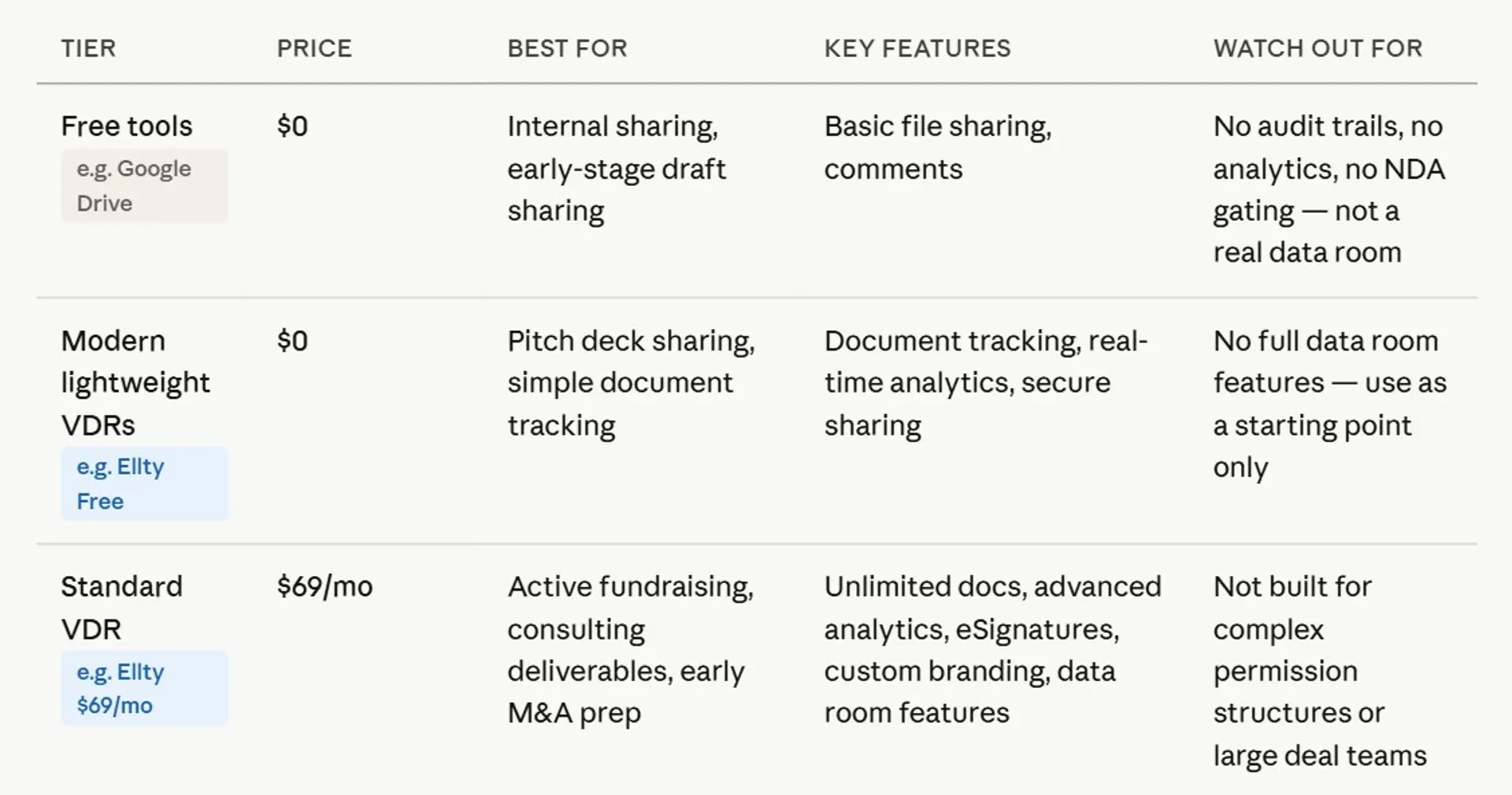

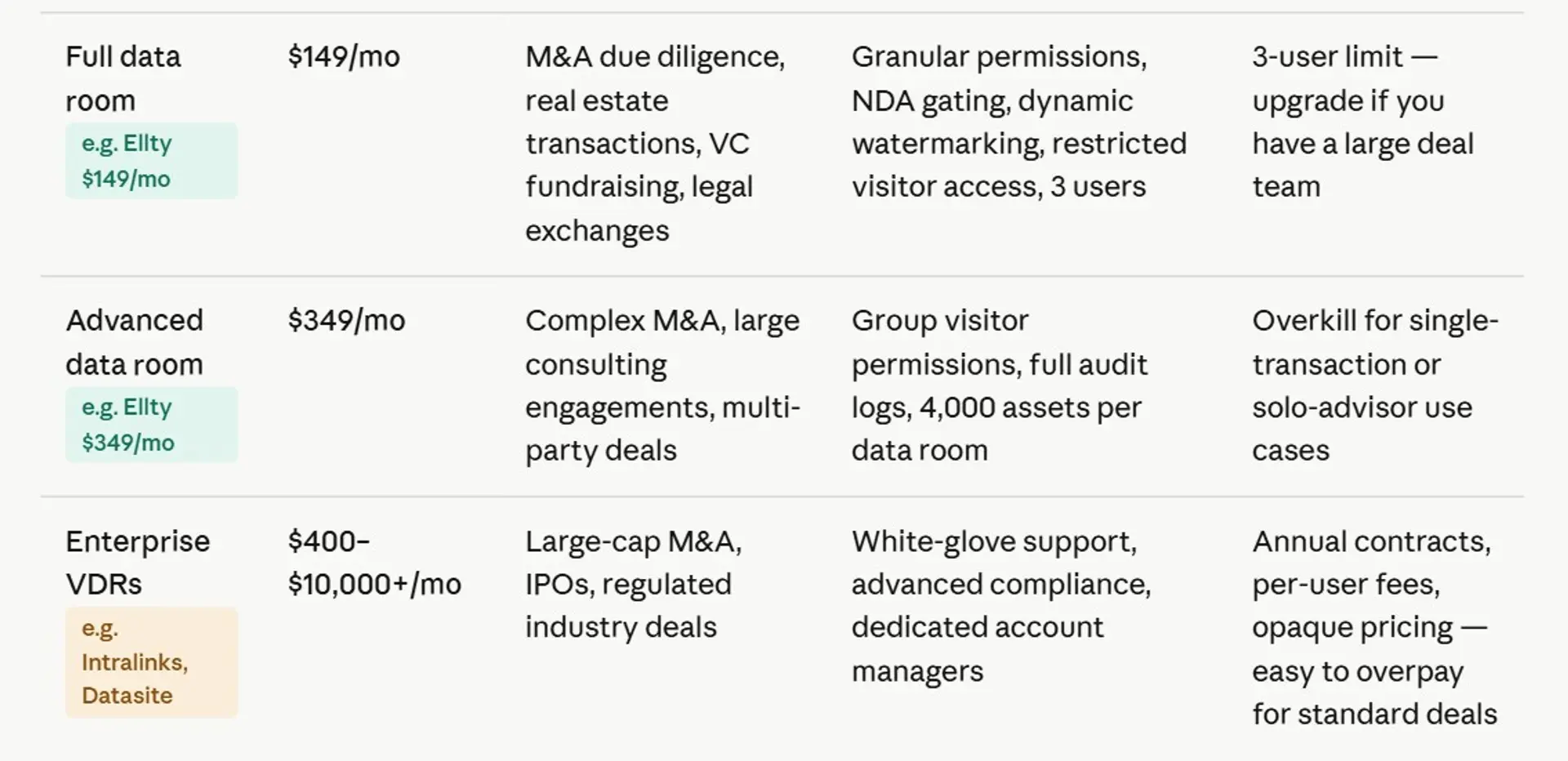
For context: Intralinks and Datasite (formerly Merrill) typically land in the enterprise tier. iDeals and Firmex are more mid-market. Docsend and Ellty sit in the SMB tier.
Free virtual data rooms: what actually exists
Yes, free virtual data rooms exist. No, they're not all the same.
Here's the honest breakdown of what you'll find:
1. Freemium VDR tools with document tracking
These are pitch deck sharing and document analytics platforms that include basic data room features in their free tier. You can upload documents, create shareable links, and see who viewed what. Examples: Ellty (free plan), Docsend (limited free trial).
2. Cloud storage repurposed as data rooms
Google Drive, Dropbox, and OneDrive can be configured to act like data rooms. You organize folders, set permissions, and share links. The major limitation is no activity tracking, no NDA gates, no audit logs, and no way to prevent forwarding.
3. Legacy VDRs with free trials
Most enterprise VDR vendors offer 14-30 day trials. These aren't really free data rooms, they're trials. Legacy VDRs are traditional, often rigid, secure document-sharing platforms used for M&A and due diligence, typically featuring high, usage-based costs (per-page/user) and slower, third-party, cloud-based interfaces. Key providers, such as Intralinks, often charge for extra data, users, and storage. Legacy systems are increasingly replaced by modern, flat-rate, native-cloud solutions that offer better, faster, and more cost-effective alternatives.
What free plans usually don't include
- NDA gating (requires acceptance before viewing)
- Dynamic watermarking
- Granular per-user permissions
- Audit logs for legal purposes
- Restricted download/print controls
- Group-level access management
If you need those features, you'll need to pay. But for a lot of early-stage use cases such as sharing a pitch deck, tracking visitor engagement, or managing a simple due diligence request, a free tier with solid analytics is enough.


How to create a data room in Google Drive
Google Drive is free and you probably already use it. It's not a real VDR, but it can work for early-stage document sharing if you're deliberate about it.
Here's how to set it up:
- Create a top-level folder
Name it something like "[Company] Investor Data Room - [Year]". This is the root. Don't share this folder directly. - Create subfolders by category
Common sections: Company Overview, Financials, Legal, Product, Team, Cap Table. Keep names obvious and logical. - Upload your documents
PDFs are safer than editable formats. Rename files with dates where relevant (e.g. "Financial Model - May 2025.xlsx"). - Set sharing permissions carefully
Use "Viewer" access for each external person. Never use "Anyone with the link" for sensitive documents. - Share specific subfolders, not the root
If you want a party to see financials but not legal, share only the Financials subfolder. Manual, but manageable. - Disable download for sensitive files
Right-click a file, go to Share → Advanced → uncheck "Viewers can download, print and copy." Not foolproof, but better than nothing.
Where Google Drive falls short as a data room
Google Drive doesn't tell you who opened a file, when they opened it, or how long they spent on each page. You'll get no notification when a visitor views your deck at 11pm. You can't set a link expiry date. You can't add an NDA gate. If a link gets forwarded, you'll never know.
For a first conversation with a party you already know? Drive works fine. For actual M&A diligence, or serious deal? You need something more purpose-built.
How to create a virtual data room properly
Whether you use a dedicated platform or Google Drive, the structure matters as much as the tool. A well-organized data room signals operational maturity to visitors. A messy one signals the opposite.
Standard data room structure


A few rules for every data room
- Use consistent file naming conventions - dates, version numbers, no "final_v3_FINAL" files
- Put your most important documents at the top, not buried in subfolders
- Don't include documents you wouldn't want in a court filing
- Keep it current - nothing erodes viewer confidence like a financial model from 18 months ago
- Set up a separate "full diligence" section you share only after a term sheet
Virtual data room providers compared
1. Ellty
Free plan available


Ellty is built for anyone who needs to share sensitive documents in a controlled, trackable way, whether you're raising a funding round, closing a property deal, or managing an acquisition. The free plan covers document tracking, real-time analytics, and secure sharing. Paid plans add eSignatures, NDA gating, dynamic watermarking, granular permissions, and a full audit trail. Pricing is flat and transparent: Standard at $69/month, Data Room at $149/month, and Data Room Plus at $349/month. No per-user charges, no per-page fees, no surprise overages. You pick a plan and get set up fast.
Key features: Access controls, real-time analytics, NDA gating, dynamic watermarking, eSignatures, audit trail, flat pricing.


2. DocSend
Free trial

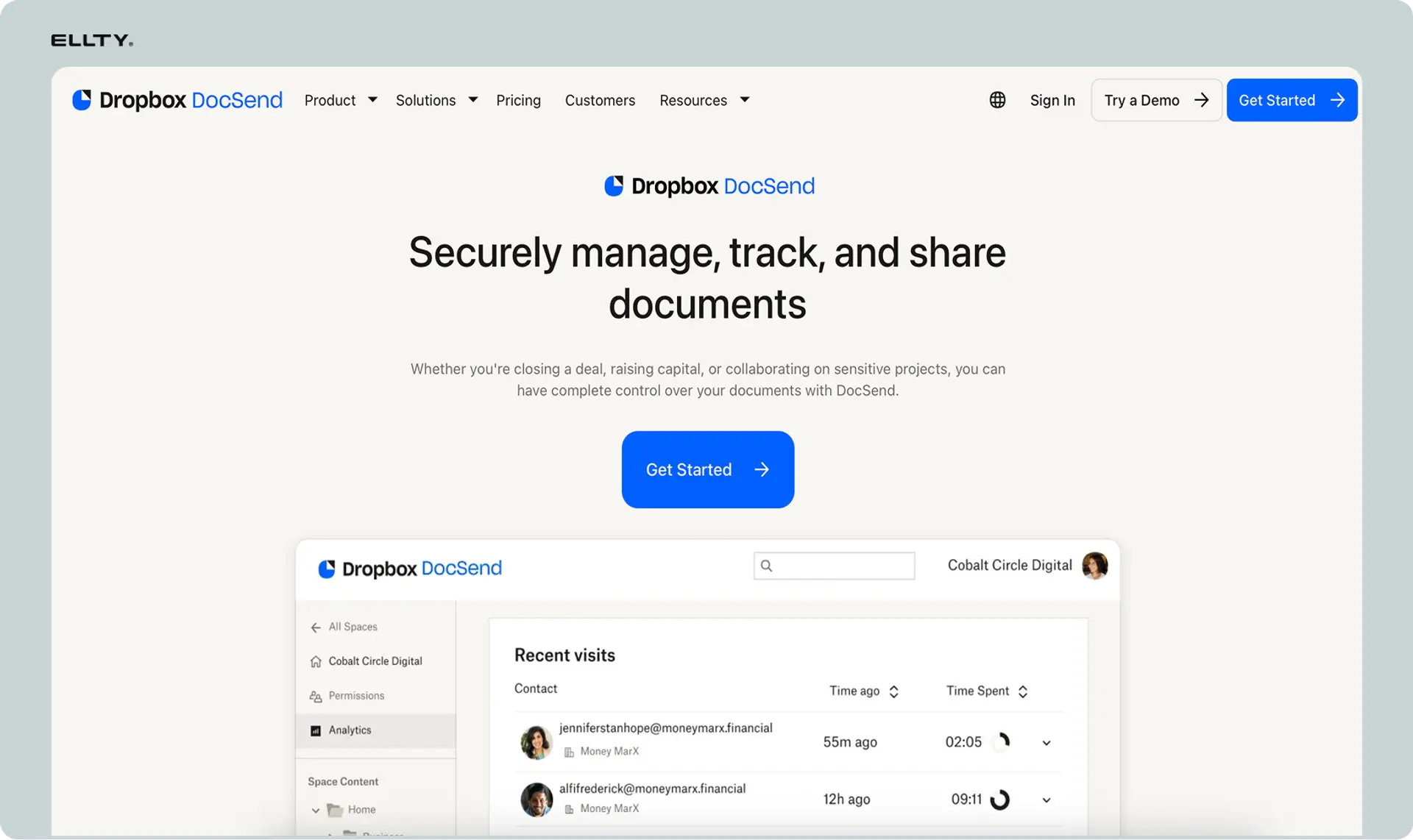
Docsend is popular with founders sharing pitch decks and deal documents. You upload a file, get a shareable link, and see exactly who opened it, which pages they spent time on, and when. The free trial gives you a feel for the analytics. The core strength is per-page engagement data, useful for knowing which parts of your deck land and which ones lose people. It's not a full VDR out of the box, but it works well for early-stage sharing. Paid plans start around $15/month per user, which adds up quickly for larger teams compared to flat-rate alternatives.
Key features: Link-based sharing, page-by-page analytics, viewer tracking, pitch deck focused.
3. Google Drive
Free
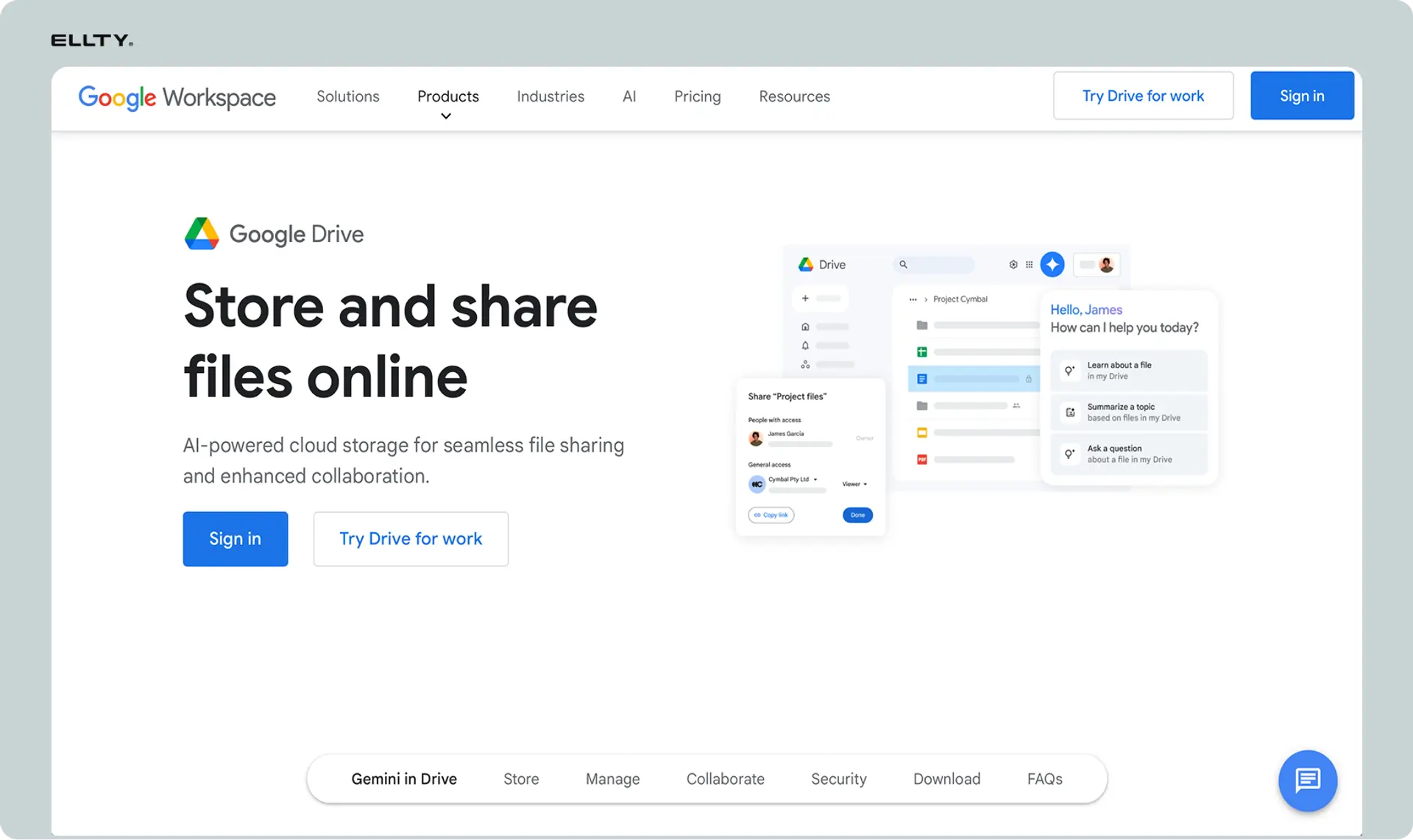
Google Drive is free, familiar, and quick to set up. For very early-stage document sharing, sending a few files to an investor or partner before a formal process begins, it gets the job done. You can control who can view or edit, and revoke access at any time. That said, it's not a real VDR. There's no audit trail, no NDA gating, no watermarking, and no meaningful viewer analytics. Documents can be downloaded and forwarded freely. It works as a stopgap but falls short once a deal gets serious and document control actually matters.
Key features: 100% free, easy setup, basic access controls. No audit trail.
4. Notion
Free plan

Notion isn't a VDR by design, but teams sometimes use it as a lightweight document hub such as embedding files, organizing content by section, and sharing pages with external guests. The free plan allows limited guest access. It works well if you need a clean, structured space to present documents alongside context or commentary. The obvious gaps: no viewer analytics, no access logs, no watermarking, and no NDA enforcement. Downloads aren't restricted. For organized early-stage sharing where tracking isn't critical yet, it's a usable free option, but it's a workspace tool, not a data room.
Key features: Free guest access, organized layout, embeddable files. No viewer analytics.
5. Dropbox
Free plan
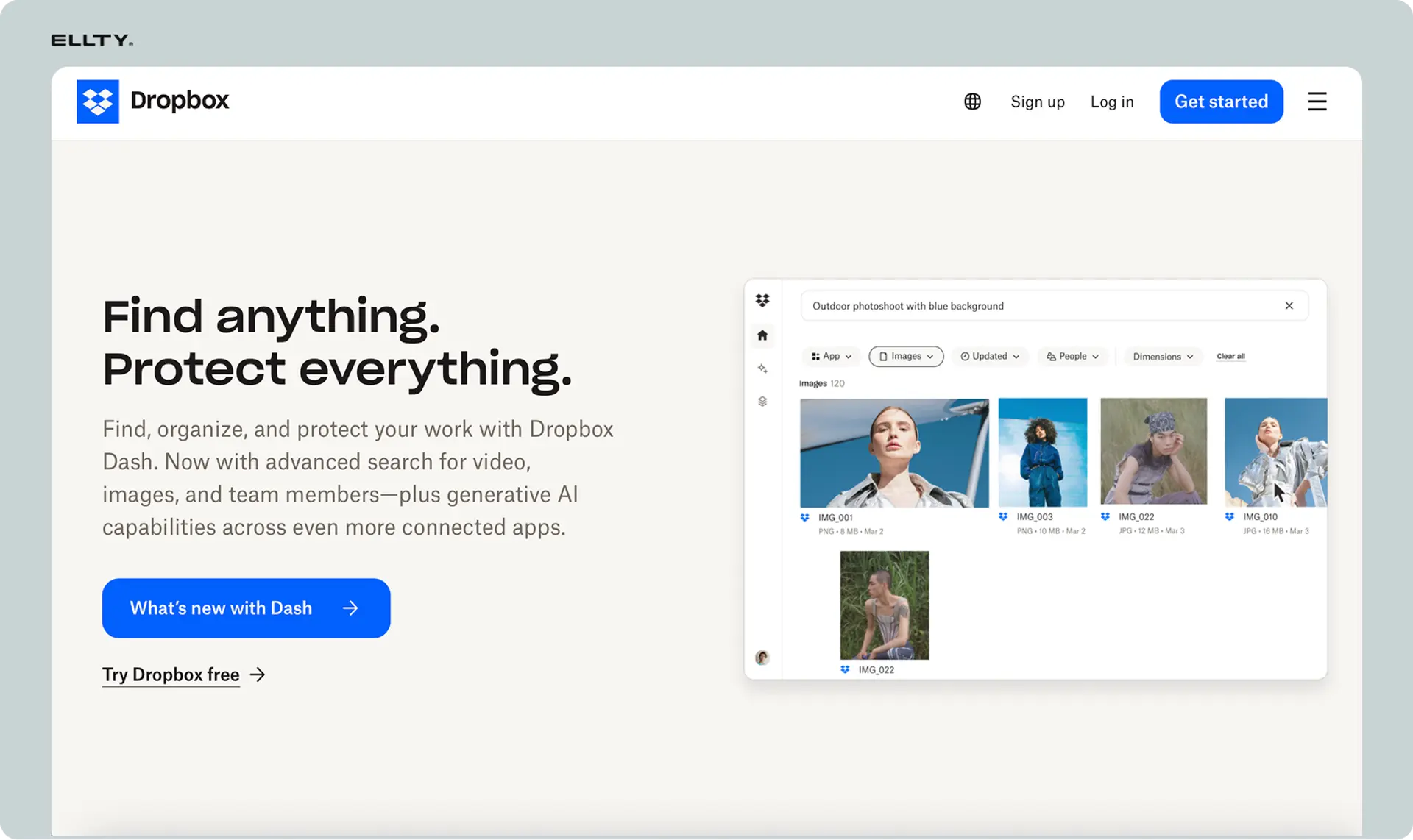
Dropbox has been around long enough that most people on a deal team already have it. The free plan gives you 2GB of storage and the ability to share folders or files via link. Paid plans add some basic view tracking and link controls. As a VDR replacement, it falls well short, there's no NDA gating, no real audit log, no watermarking, and minimal analytics. Documents shared via Dropbox can be downloaded and passed around without restriction. It's fine for casual file exchange but not built to handle the kind of controlled document review that due diligence or a serious funding round requires.
Key features: Widely familiar, link sharing, basic controls. No watermarking.
6. Digify
Free trial


Digify sits closer to a real VDR than most free-tier tools. It focuses on document security. You can set files to expire, add watermarks, restrict downloads, and track who opened what and when. There's a free trial to explore these features before committing. It's a good fit for sharing sensitive documents in a one-off context where you need more control than a Google Drive link but aren't ready for a full data room setup. Paid plans are priced per user, so costs can grow with team size. For small, focused deals or client deliverables, it's a solid middle-ground option.
Key features: File expiry, watermarking, download restriction, view tracking.
FAQs
What is the best free virtual data room?
It depends on what you need. If document tracking and analytics matter to you, Ellty free plan gives you that from day one. If you just need file sharing and don't care about analytics, Google Drive works for early conversations. There's no single best option, pick based on what features you actually need.
How do I create a virtual data room for free?
Sign up for a platform with a free tier (like Ellty), upload your documents, organize them into sections (company overview, financials, legal, product), create a trackable link, and share it with your target audience. The whole setup can take under an hour if your documents are already prepared. Alternatively, you can structure a Google Drive folder as a basic data room, though you won't get any tracking.
Which VDR is best for M&A due diligence?
For early-stage M&A (acquisitions under $25M), Ellty Data Room or Data Room Plus plan handles the core requirements such as NDA gating, watermarking, audit logs, granular permissions. For larger, complex transactions with multiple bidders and legal teams, enterprise platforms like Intralinks or Datasite are more appropriate. Match the tool to the scale of the deal.
How much does a virtual data room cost?
Costs range from $0 (free tiers) to $2,000+ per month for enterprise platforms. Most SMB-relevant options fall between $50 and $350 per month. Watch out for per-user or per-page pricing models, those can escalate quickly. Flat monthly plans are easier to budget for.
Can I use Dropbox as a data room?
Dropbox can store and share files, but it doesn't function as a true data room. There's no viewer analytics, no NDA gating, no audit log, and no way to prevent link forwarding. It's fine for casual file sharing, but you shouldn't use it for a formal process or M&A diligence where you need to know who's accessing what.
How do I create a data room in Google Drive?
Create a top-level folder, build subfolders for each section (financials, legal, product, etc.), upload PDFs of your documents, set sharing permissions to "Viewer" for each specific person, and share the relevant subfolders, not the root folder. Disable download where possible. The main limitation is that Google Drive has no document analytics, you won't know who opened what or when.
Why are virtual data rooms so expensive?
Legacy VDR platforms were built for investment banks and law firms running billion-dollar deals. Those clients need compliance, dedicated support, and audit trails - and they can afford to pay for it. Pricing was set for that market. Newer platforms have come in at much lower price points for most use cases, but the enterprise-tier tools haven't dropped their prices significantly.
What's the difference between a data room and a shared folder?
A shared folder (Dropbox, Google Drive) stores and shares files. A data room adds access controls, viewer analytics, NDA gating, expiring links, watermarks, and audit logs. The key practical difference: with a data room, you know exactly who accessed your documents and when. With a shared folder, you have no idea.
Is Ellty a virtual data room?
Ellty has data room features (on the Data Room and Data Room Plus plans) including NDA gating, dynamic watermarking, granular permissions, and audit logs. The free and Standard plans are more focused on document tracking and pitch deck analytics. Whether it counts as a "full VDR" depends on your use case - for most serious conversations, the Data Room Plus plan covers what you need.
The bottom line
You don't need to spend $800 a month on a data room to run a simple deal. For most early-stage teams, a free or low-cost platform with solid document tracking and secure sharing covers 80% of what you need.
Use Google Drive for early conversations. Upgrade to a purpose-built platform when you're in a formal process. Add a proper VDR with full audit logs and NDA gating when the stakes and deal size justify it.
The tool you use matters less than the documents inside it. Get those right first. Then pick the platform that fits the stage you're at.
This guide is maintained by the Ellty team. Pricing information is approximate and subject to change, always verify on vendor websites directly before making a purchase decision.
Author

Anika Tabassum Nionta is a Content Manager at Ellty, where she writes about secure document sharing, virtual data rooms, M&A, due diligence, fundraising, and sales enablement. With over 6 years of writing experience, she helps professionals understand how to share confidential documents securely, track engagement, and manage deals more effectively. Anika holds both a BA and MA in English from Dhaka University. Outside of work, she enjoys reading, exploring new cafes in Dhaka, and connecting with entrepreneurs and dealmakers in her community.

