
You need to share confidential documents with someone - an investor, a potential acquirer, a client, or a buyer. They ask to see your data room. You say "sure, sending it over" and then you spend the next three days scrambling to find documents, rename files, and figure out what should actually be in there.
That's the wrong way to do this.
A data room isn't something you build when a deal is happening. It's something you build before, so that when the moment comes, you're ready. This guide covers everything: what goes in a data room, how to organize it, what the other party is actually looking for, and how to set it up without overcomplicating it.


What is a virtual data room?
A virtual data room (VDR) is a secure online space where you store and share confidential documents with a controlled group of people - investors, acquirers, clients, legal teams, or partners. Think of it as a locked digital filing cabinet, but one where you control who sees what, for how long, and whether they can download or share anything.
Depending on your situation, a data room usually means one of two things:
- A due diligence data room - used during a funding round, M&A process, or major transaction to share legal, financial, and operational documents with serious counterparties
- A general sharing data room - a lighter version with high-level documents shared earlier in a conversation, before full due diligence begins
The difference matters. You don't hand over your full legal and financial history to someone who just expressed initial interest. Start with a lighter room for early conversations, and deepen access as things get more serious.
Why your data room matters more than you think
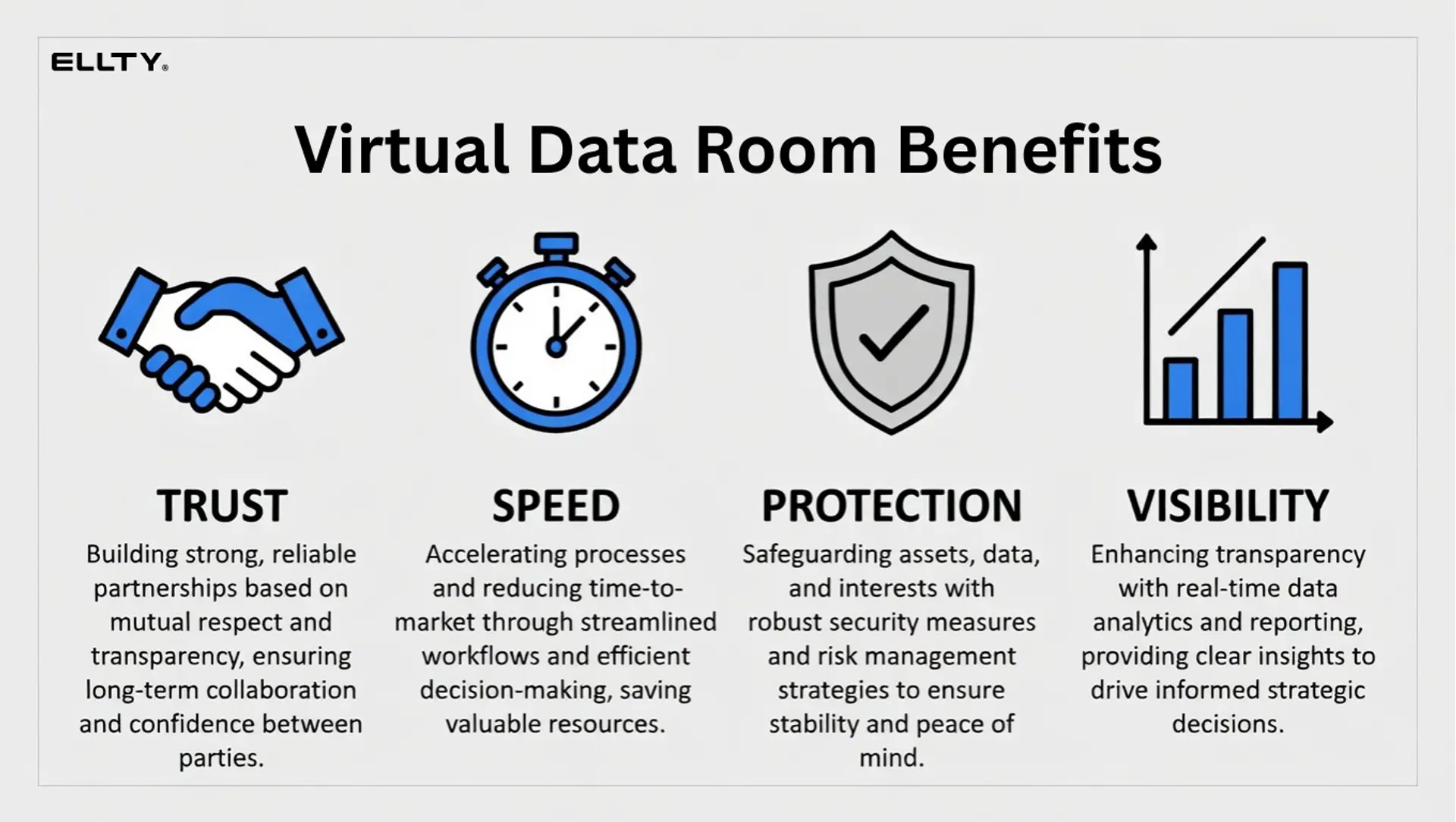
The people on the other side of your deal - whether that's an investor, an acquirer, or a client - are evaluating more than just your documents. How you manage the process sends a signal about how you operate.
A messy, incomplete, or disorganized data room slows everything down. It creates more back-and-forth. It raises questions about how organized your operations actually are. And in time-sensitive situations, delays can cost you.
A clean, well-structured data room does the opposite. It builds confidence. It shows you've thought ahead. It makes the other party's job easier and people remember that.
It also protects you. With a proper VDR, you know exactly who viewed what, when, and for how long. You don't accidentally send the wrong file to the wrong person. You don't lose track of which version of a document someone is looking at.
What should be included in a data room?
Here's where most businesses either over-include (dumping everything they've ever made) or under-include (sharing three slides and a cap table). Neither is right.
Below is a full breakdown by category. Not every company will have everything here - especially at earlier stages. But you should have a clear reason for anything that's missing.
Company overview
- Executive summary (1-2 pages max)
- Pitch deck - current version
- Company one-pager
- Mission, vision, and business model summary
Legal and corporate documents
- Certificate of incorporation
- Bylaws and amendments
- Board meeting minutes (at least the last 12 months)
- Shareholder agreements
- Owner agreements and vesting schedules
- Option pool and equity plan documents
- Any previous investor side letters
Cap table and ownership
- Current cap table (fully diluted)
- Convertible notes, SAFEs, warrants outstanding
- List of all shareholders with ownership %
- Option grants - issued and unissued
Financial documents
- Income statements (last 2-3 years or since founding)
- Balance sheets
- Cash flow statements
- Current financial model / projections (12-36 months)
- Monthly burn rate and runway calculation
- Revenue breakdown by product, channel, or customer
- Key financial metrics (ARR, MRR, LTV, CAC, churn)
Tax and accounting
- Tax returns (last 2-3 years if available)
- Current year tax filings or estimates
- Audited financials (if applicable)
- Accounting software and method in use
Customers and contracts
- Top customer list (anonymized if needed)
- Sample customer contracts or MSAs
- Churn data and retention metrics
- NPS or customer satisfaction data
- Pipeline overview
Intellectual property
- Patent filings or granted patents
- Trademark registrations
- Copyright assignments
- Trade secret policies
- IP assignment agreements from founders and employees
Product and technology
- Product roadmap
- Tech stack overview
- Architecture diagram (simplified)
- Any third-party dependencies or licenses
- Security practices summary
Team
- Org chart
- Key hire bios / LinkedIn profiles
- Employment agreements for key hires
- Contractor agreements (if relevant)
- Open roles
Fundraising history
- Previous round summary (amounts, dates, valuations)
- Existing investor names and contact info
- Previous pitch materials (optional)
- Terms of existing instruments (SAFEs, notes)
Data room for documents checklist template
Here's a condensed version you can use as a working template. Adapt it to your stage.


How to set up a data room, step by step
Setting up a data room doesn't have to take a week. Here's a practical process.
Step 1: Decide what type of data room you need
Not every situation calls for the same setup. Before you start uploading documents, think about who you're sharing with and how far along the conversation is.
Early investor outreach - Keep it light. Share your pitch deck, executive summary, financials overview, and team bios. Don't hand over your full legal history to someone who just agreed to a first call. The goal at this stage is to build enough interest to get to the next conversation.
Active due diligence with a serious investor - Build the full room using the checklist above. This is where granular permissions, version control, and an audit trail start to matter.
M&A process - You'll likely be running two rooms in parallel: a lighter one for early buyer conversations, and a deeper one for the shortlisted party once an NDA is signed. Think carefully about access tiers - your legal team, financial advisors, and the buyer's counsel may all need different levels of visibility.
Consulting or client delivery - You probably don't need hundreds of documents. A clean room with one folder per client, expiring access, and download controls is usually enough. The priority is making sure sensitive deliverables don't get forwarded beyond the intended recipient.
Real estate transaction - Set up folders by document type: title, leases, inspection reports, financials. Grant tiered access based on role - a buyer's lawyer doesn't need to see the same things as their broker. Plan for the room to be reused if a deal falls through and a new buyer enters the process.
Ongoing board or investor communications - This isn't a one-time room, it's a living one. Organize by meeting date or quarter, keep permissions consistent across board members and observers, and update it regularly so it doesn't go stale between meetings.
When in doubt, start lighter than you think you need and add depth as the relationship and the process get more serious.
Step 2: Choose your platform
Your options generally fall into three buckets:
- Shared folders (Google Drive, Dropbox) - free, easy, but no analytics, no access controls, no audit trail. Fine for casual sharing, not for due diligence.
- Enterprise VDR platforms (Intralinks, Datasite, Firmex) - built for M&A and complex transactions, very feature-rich, typically priced from $400-$1,000+/month with per-user fees. Overkill for most startups.
- Modern tools - platforms like Ellty that offer data room features, document analytics, and secure sharing at a fraction of the cost, with no per-user fees.


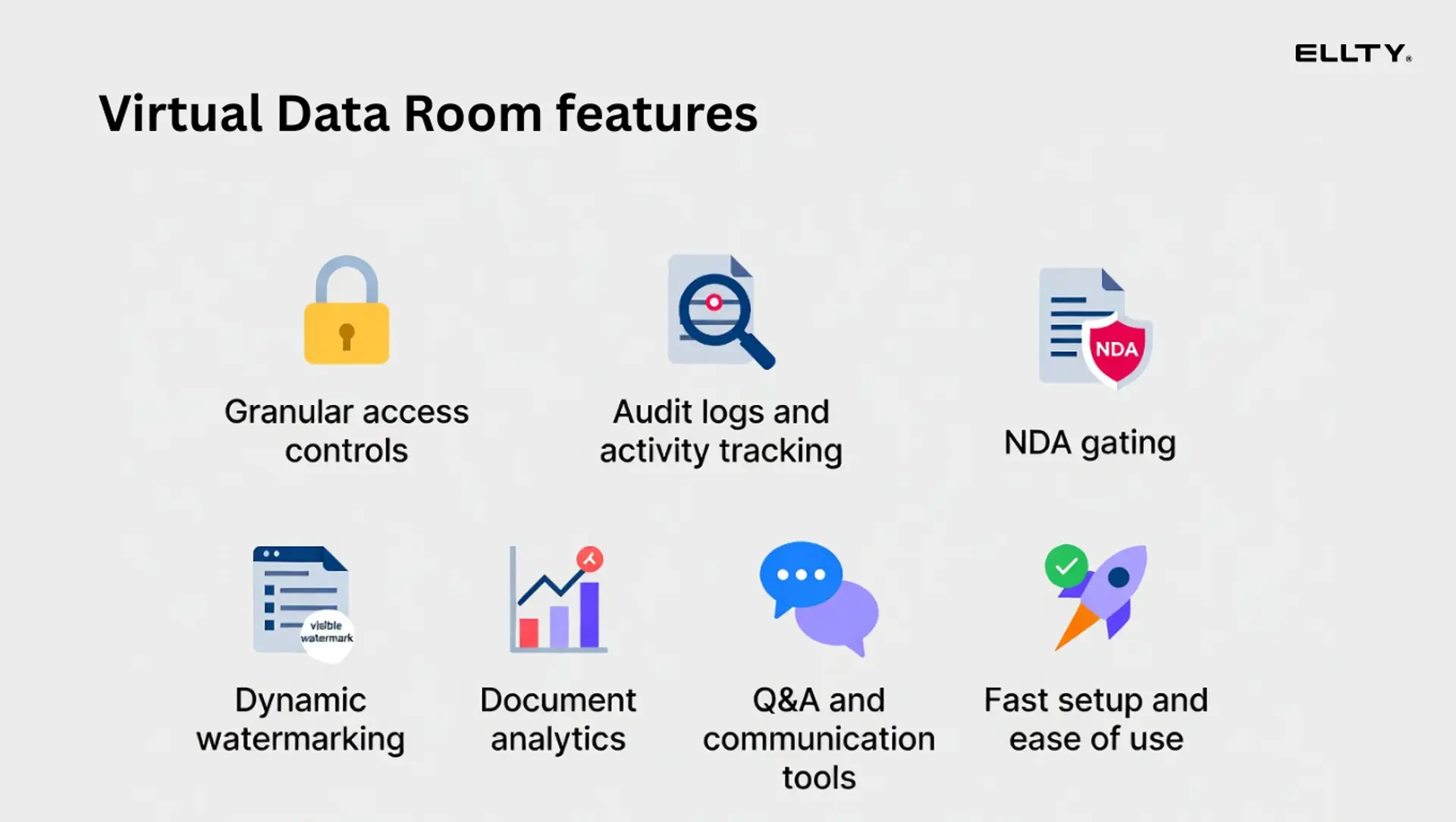
Ellty Data Room plan starts at $149/month and includes granular permissions, NDA gating, dynamic watermarking, and restricted visitor access. The Data Room Plus plan at $349/month adds group permissions, audit logs, and support for up to 4,000 assets per data room. That covers all of what you'll actually need.
For simpler use cases - sharing documents, and pitch decks with trackable links and seeing who's viewed what - Ellty Standard plan at $69/month includes analytics and data room features. There's also a free plan for basic document tracking.


Step 3: Build your folder structure
Use a clean, numbered folder hierarchy. Something like:
01 - Company overview
02 - Legal and corporate
03 - Cap table
04 - Financials
05 - Tax
06 - Customers and revenue
07 - IP and technology
08 - Team
09 - Previous fundraising
Keep file names clear and consistent. "Revenue model v3 FINAL USE THIS.xlsx" is not a file name. "05 - Financial model - Q1 2025.xlsx" is.
Step 4: Upload and organize documents
Upload in batches by category. Don't upload random files as you find them - it creates clutter. Review each document before uploading. Make sure you're sharing the right version.
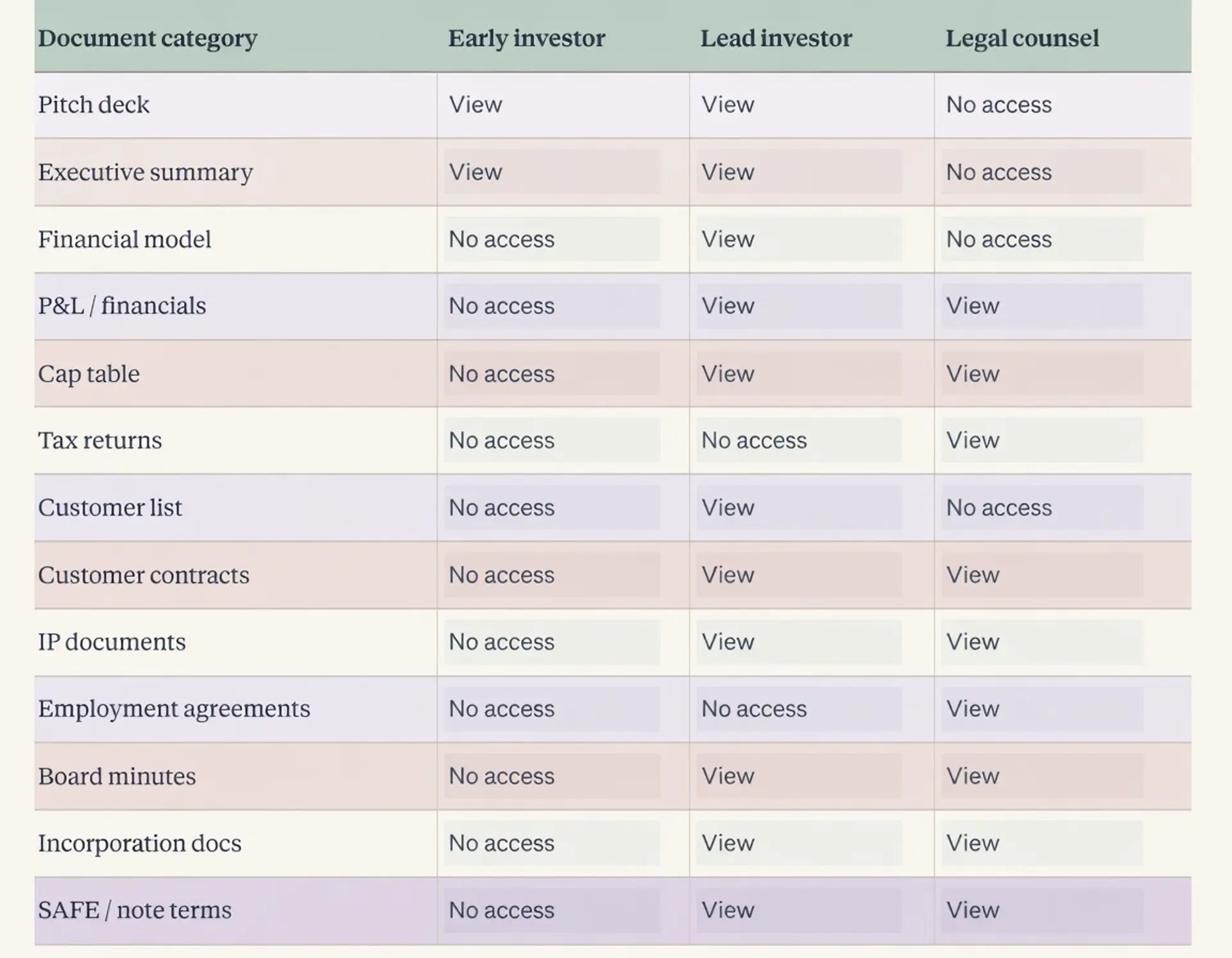
Step 5: Set permissions
This is where a proper VDR earns its value over a shared folder. You'll want to:
- Control who can view vs. download
- Set expiry dates on access links
- Require an NDA before accessing sensitive documents
- Apply watermarks to financial documents so any leak is traceable
- Restrict access to certain folders for different visitor stages

Step 6: Test before sharing
Open your own data room as if you were a viewer seeing it for the first time. Is it organized? Are all the files named properly? Do the links work? Is everything there?
Check from mobile too. Viewers review materials everywhere.
Step 7: Monitor who's looking
One of the most useful things a VDR gives you is visibility. With Ellty, you can see which visitors viewed your room, which pages they spent time on, and when they were active. That's real signal for your follow-up strategy.
If a viewer opened your pitch deck three times but hasn't responded to your last email, you know they're still engaged. If they haven't opened anything in two weeks, you know.
Start your data room today and see how people are engaging with your documents - set it up on Ellty in under 30 minutes and get real-time visibility from day one.

Data room folder index template
A folder index is a document that lists everything in your data room and where to find it. Some visitors will ask for this. It's also useful for keeping track yourself.
Here's a simple format:


Keep this updated whenever you add or update a document. It shows people you're on top of things.
Common data room mistakes teams make
You probably won't make all of these, but most people make at least a few.
Sharing the same link with everyone - You lose visibility into who's viewed what. Use individual links per visitor.
Not setting an expiry date - Old links stay live forever unless you manually revoke them. Set expirations or revoke access after a deal closes or goes cold.
Uploading draft documents - If it says "DRAFT" or "DO NOT SHARE" in the file name, it shouldn't be in the data room. Review everything.
Dumping files without structure - A folder called "Stuff" with 47 files in it is not a data room. Organize properly.
Sharing too much too early - Don't share your full legal and tax history on a first-touch. Stage your disclosures.
Not updating documents - Financial models from 8 months ago are worse than no financial model. Viewers notice stale dates.
Ignoring the analytics - If you're using a platform that shows you who's viewing, actually use that data to drive your follow-ups.

What the other party looks at first
You built a complete data room. What does the person on the other side actually open first?
It depends on the context, but most experienced reviewers - whether investors, acquirers, or clients - follow a similar pattern:
- The summary or overview - a pitch deck, executive summary, or company one-pager. They've often seen a version of this already, but they'll check what's current.
- The financials - specifically the assumptions behind the numbers, not just the outputs. This is true whether it's an investor looking at a financial model or an acquirer reviewing three years of revenue.
- The ownership or deal structure - a cap table for fundraising, an ownership breakdown for M&A, or a contract summary for a consulting or real estate deal.
- The customer or revenue proof - a top customer list, retention data, or contract summary to understand whether the numbers are real and how concentrated the risk is.
- The legal documents - usually later in the process, or handed directly to counsel.
The overview and the financials together determine whether someone keeps digging. If those two are clean and credible, everything else becomes a validation exercise rather than a discovery exercise. This is why having them ready before any conversation starts matters, they're the first places experienced people go, regardless of the type of deal.
Data room needs by use case: what's different
The core structure of a data room is similar across most situations. What changes is the depth, the audience, and how much scrutiny each document will face.
Fundraising (seed to Series B) is usually the lightest version of due diligence. You're sharing core financial and legal documents, product and customer proof points, team background, and cap table and deal terms. The goal is to build confidence quickly, not to hand over every contract you've ever signed.
M&A due diligence goes significantly deeper. An acquirer will want everything in a fundraising room, plus full customer contracts, all employment and contractor agreements, IP assignments for every founder and employee, detailed tech documentation, any litigation history, full tax compliance history, and integration-related documents covering systems, vendors, and tools. M&A processes also tend to run longer, with more back-and-forth between legal teams. Audit logs, version control, and advanced permissions become genuinely important here, not just nice to have.
Consulting and client work typically involves a lighter room - deliverables, reports, models, and supporting data shared with a specific client team. The priority is controlling who can view or download documents and being able to revoke access when an engagement ends.
Real estate transactions sit somewhere between fundraising and M&A in terms of depth. A seller needs to share property documents, leases, inspection reports, financial statements, and title documents with multiple buyer parties, often at different access levels. Speed matters, and so does the ability to close one buyer's access and open another's cleanly.
For most of these use cases, Ellty mid-tier plans cover everything you need. For complex public company transactions or large-scale M&A with hundreds of documents and multiple legal teams, a more specialized enterprise platform may be worth evaluating.
FAQ
What is a virtual data room used for?
A virtual data room is used to securely share confidential business documents with investors, acquirers, or partners during processes like fundraising, due diligence, or M&A. It gives you control over who sees what, tracks document activity, and provides an audit trail.
How long does it take to set up a data room?
If your documents are organized and ready, you can set up a basic investor data room in a few hours. A full due diligence data room - with all legal, financial, and operational documents - typically takes a few days to a week depending on how prepared you are. Using a platform like Ellty with fast setup means the technical side takes under 30 minutes.
What documents should a startup include in a data room?
At minimum: pitch deck, executive summary, cap table, financial statements, financial model, incorporation documents, shareholder agreements, and team overview. For full due diligence, add customer data, IP documents, tax returns, employment agreements, and board minutes. See the full checklist above.
What is the difference between a data room and Google Drive?
Google Drive is a file storage tool. A virtual data room is purpose-built for secure, controlled document sharing. VDRs give you features like visitor-level access controls, NDA gating before entry, watermarking, document analytics (who viewed, which pages, time spent), and audit logs. Google Drive has none of that.
Do I need a data room for a seed round?
Not always a full due diligence data room but you should have an investor-ready folder with your pitch deck, financials, cap table, and incorporation docs. Using a trackable link (rather than a plain PDF attachment) also gives you visibility into whether investors are engaging with your materials.
What is an NDA gate in a data room?
An NDA gate requires visitors to agree to a non-disclosure agreement before they can access the data room. This is useful for protecting sensitive information like financial details, customer lists, or proprietary technology. Ellty Data Room plan includes NDA gating.
What are audit logs in a data room?
Audit logs are a record of every action taken in the data room - who viewed a document, when, for how long, and whether they downloaded it. This is important for compliance, for tracking investor engagement, and for protecting yourself if there's ever a dispute about what was shared. Audit logs are included in Ellty Data Room Plus plan.
How do I know which investors are most interested?
With a VDR that includes analytics, you can see which visitors opened your data room, which specific documents they viewed, how long they spent on each page, and whether they've returned multiple times. This is significantly more useful than sending a PDF attachment and hearing nothing. Ellty shows this data in real time.
What's the difference between a data room and a pitch deck?
A pitch deck is a presentation you use to introduce your company and make the case. A data room is where you put the supporting evidence - financial statements, legal documents, cap table, customer data - that backs up what the pitch deck claims. You share the deck first; the data room comes when someone wants to go deeper.
Is there a free data room for startups?
Ellty offers a free plan that includes document tracking, real-time analytics, and secure sharing links - which covers the basics for early outreach. For a full due diligence data room with NDA gating, permissions, and watermarking, you'll need a paid plan.
What is a data room index?
A data room index is a document (usually a simple table) that lists every file in your data room, which folder it's in, and when it was last updated. It helps visitors navigate the room and shows you're organized.
Final thoughts
A data room isn't just a place to dump documents. It's a controlled, organized, trackable environment that makes any sensitive transaction faster, cleaner, and safer for everyone involved - whether you're raising a round, closing an acquisition, delivering client work, or managing a property deal.
The people who move through these processes smoothly are usually the ones who were prepared before anything started. That means having your documents ready, your folder structure clean, and your platform set up before anyone asks.
If you're starting from scratch, use the checklist in this guide. Pick a platform that gives you visibility and control, not just storage. Share documents in stages as conversations get more serious. And keep your room updated, a stale data room creates almost as many questions as no data room at all.
Whatever your situation, the principle is the same: don't wait until you need it to build it.
Set up your data room on Ellty today and be ready when it matters most.
Author

Anika Tabassum Nionta is a Content Manager at Ellty, where she writes about secure document sharing, virtual data rooms, M&A, due diligence, fundraising, and sales enablement. With over 6 years of writing experience, she helps professionals understand how to share confidential documents securely, track engagement, and manage deals more effectively. Anika holds both a BA and MA in English from Dhaka University. Outside of work, she enjoys reading, exploring new cafes in Dhaka, and connecting with entrepreneurs and dealmakers in her community.

