
If your board meetings still run on email threads, scattered PDFs, and last-minute printouts, you already know the problem. Documents go to the wrong people. Someone shows up with the wrong version. Sensitive materials end up forwarded without permission. It's messy, it's risky, and it slows everyone down.
Board portal software was built to fix exactly this. And in 2026, with hybrid work and multi-party decision-making now the norm, having the right tool in place is not a luxury, it's a practical necessity.
This guide covers everything you need to know: what board portal software actually does, why it matters, what to look for, and the 7 best options available today, including one that works especially well if your business handles sensitive documents beyond just board meetings.
What Is Board Portal Software?
Board portal software is a secure, centralized platform where board members and leadership teams can access meeting materials, collaborate on documents, and stay organized - all in one place.
Instead of emailing PDF agendas and hoping everyone downloads the right file before the meeting starts, a board portal gives everyone a single, controlled space. Members log in, see exactly what they need, and nothing sensitive gets shared outside the intended group.
At its core, a board portal handles things like:
- Storing and distributing board materials securely
- Managing who can see what (and tracking when they do)
- Facilitating annotations, votes, and digital signatures
- Keeping a clean record of decisions and discussions
- Supporting remote and hybrid participation
Some platforms are built exclusively for formal board governance. Others like Ellty are built for broader document security and sharing needs, but work just as well for board-level materials because they give you full control over access, visibility, and audit trails.
Why Businesses Need Board Portal Software
Let's be honest: most organizations don't upgrade their board processes until something goes wrong. A document leak, a compliance issue, a meeting where half the directors showed up unprepared. That's usually when the conversation about proper tooling starts.
But there are very real, practical reasons to get ahead of that.
Security is a real concern.
Board materials often include financials, M&A discussions, executive compensation, and strategic plans. Sharing those over regular email or storing them in a generic cloud folder, is a genuine risk. Board portals are built with access controls, encryption, and audit trails specifically to protect that kind of information.
Remote and hybrid work changed everything.
Directors and executives are rarely all in the same room anymore. A board portal makes it easy for distributed teams to access the same materials, participate in discussions, and cast votes without anyone being at a disadvantage.
Governance and compliance requirements are growing.
Regulatory environments in most industries expect documented processes and clear records. A board portal helps you maintain those records without extra administrative work.
It saves time.
Preparing board packs, distributing materials, tracking who has reviewed what - all of that gets dramatically faster when you have a system designed for it. Admins spend less time chasing confirmations, and board members spend less time hunting for documents.
It improves the quality of meetings.
When everyone shows up prepared with the right materials and read in advance, meetings become sharper. Decisions get made faster. Less time is wasted on catching people up.
Key Features to Look For in Board Portal Software
Not all board portals are built the same. Before you commit to a platform, here are the features that actually matter:
Secure Document Storage and Sharing
This is the baseline. The platform should encrypt documents at rest and in transit, and give you granular control over who can access each file, including whether they can download, print, or forward it.
Access Controls and Permissions
You should be able to set different access levels for different people. A committee member doesn't need to see everything a full board member does. Guests and advisors should have even more limited access.
Audit Trails and Activity Tracking
A good board portal shows you exactly who opened what, and when. This is critical for compliance, but also just for knowing whether materials were actually reviewed before a meeting.
NDA and eSignature Support
For sensitive materials, you want the ability to gate access behind an NDA that recipients must agree to before they can view anything. eSignature support is useful for resolutions and approvals that need to be formally signed.
Notifications and Reminders
The platform should make it easy to notify members when new materials are available, and send reminders when action is needed.
Meeting Management Tools
Agenda building, minutes, annotations, voting - these make the meeting cycle smoother from preparation to follow-up.
Mobile Access
Board members should be able to review materials on their phones and tablets without jumping through hoops.
Ease of Use
This one is underrated. A platform that your board members find difficult or confusing will not get used. Simplicity and a clean interface matter a lot.
How to Choose the Best Board Portal Software
With so many options available, it helps to think through a few questions before making a decision:
What size is your organization, and how often do you meet?
A startup with a small advisory board has different needs than a publicly listed company with multiple committees. Some platforms are built for enterprise scale. Others are better suited to lean, fast-moving teams.
What's your budget?
Some board portal vendors charge per user. Others charge flat monthly fees. Enterprise platforms often require custom quotes that take weeks to come through. Know what you're willing to spend, and check whether the pricing scales in a way that works for you as your team grows.
Do you need it just for board meetings, or for broader document security?
If your organization also handles due diligence, investor materials, client deliverables, or M&A activity, it makes sense to use a platform that handles all of that, not just board governance.
How tech-savvy are your board members?
If your directors are not particularly technical, ease of use should be a top priority. A platform with a confusing interface will not get adopted, no matter how many features it has.
What compliance requirements do you have?
Depending on your industry, you may have specific requirements around data residency, audit trails, or access controls. Make sure the platform you choose can meet those requirements.
7 Top Picks: Best Board Portal Software for 2026
1. Ellty - Best for Secure Document Sharing with Full Data Room Functionality


Ellty is a secure document sharing and analytics platform with full data room functionality. It's built for anyone who needs to share sensitive documents in a controlled, trackable way and that makes it an excellent fit for board-level materials.
Where Ellty really stands out is in the combination of access control, real-time activity tracking, and transparent pricing. You can see exactly who opened your documents, when, and for how long. You can gate access behind an NDA. You can apply dynamic watermarking to restrict unauthorized distribution. And you get a clean audit trail throughout.
The pricing is flat and easy to understand:


Critically, there are no per-user fees. Whether you're sharing materials with 3 board members or 30, your price doesn't change. For organizations that want a professional, secure document environment without an enterprise contract and a lengthy sales process, Ellty is the place to start.
Best for: Any kind of company, growing businesses, investors, deal teams, and any organization and any team that needs secure document control beyond just boardroom governance.


2. Diligent Boards - Best for Large Enterprise Governance


Diligent is one of the most established names in board governance software. It offers a comprehensive suite for managing board meetings, minutes, entity management, and compliance - all within a highly secure environment.
The platform is built for large organizations with complex governance needs. It includes tools for agenda building, secure messaging, voting, and board evaluations. The interface is designed for formal governance workflows, and it integrates with other Diligent products for a fuller governance ecosystem.
The trade-off is cost and complexity. Diligent is enterprise-priced, which typically means a custom quote and a longer setup process. It's a strong choice for listed companies or regulated institutions that need deep governance functionality.
Best for: Large corporations, regulated industries, public companies.
3. Boardable - Best for Nonprofits and Mission-Driven Organizations


Boardable was built specifically with nonprofits in mind. It combines meeting management, document storage, task tracking, and communication in a single platform - at a price point that works for organizations with tighter budgets.
Features include agenda building, meeting minutes, a centralized document center, polls and voting, and a dedicated discussion hub. The platform is intuitive, and the support team is known for being responsive and helpful.
It's not the most feature-rich platform on this list, but for a nonprofit that needs to get organized without a steep learning curve or a large budget, it hits a good balance.
Best for: Nonprofits, associations, community organizations.
4. OnBoard - Best for Mid-Market Companies Seeking Balance of Features and Usability


OnBoard positions itself as a modern alternative to legacy board management tools. It focuses heavily on usability, offering a clean interface alongside solid governance features: agenda builder, annotated board books, voting, eSignatures, and committee management.
OnBoard also provides analytics on board engagement, you can see who is actively reviewing materials before meetings, which is useful for ensuring everyone shows up prepared.
It's priced for mid-market organizations and offers a good balance between depth of features and ease of adoption.
Best for: Mid-sized companies, growing organizations, teams transitioning from manual processes.
5. BoardEffect - Best for Healthcare and Higher Education

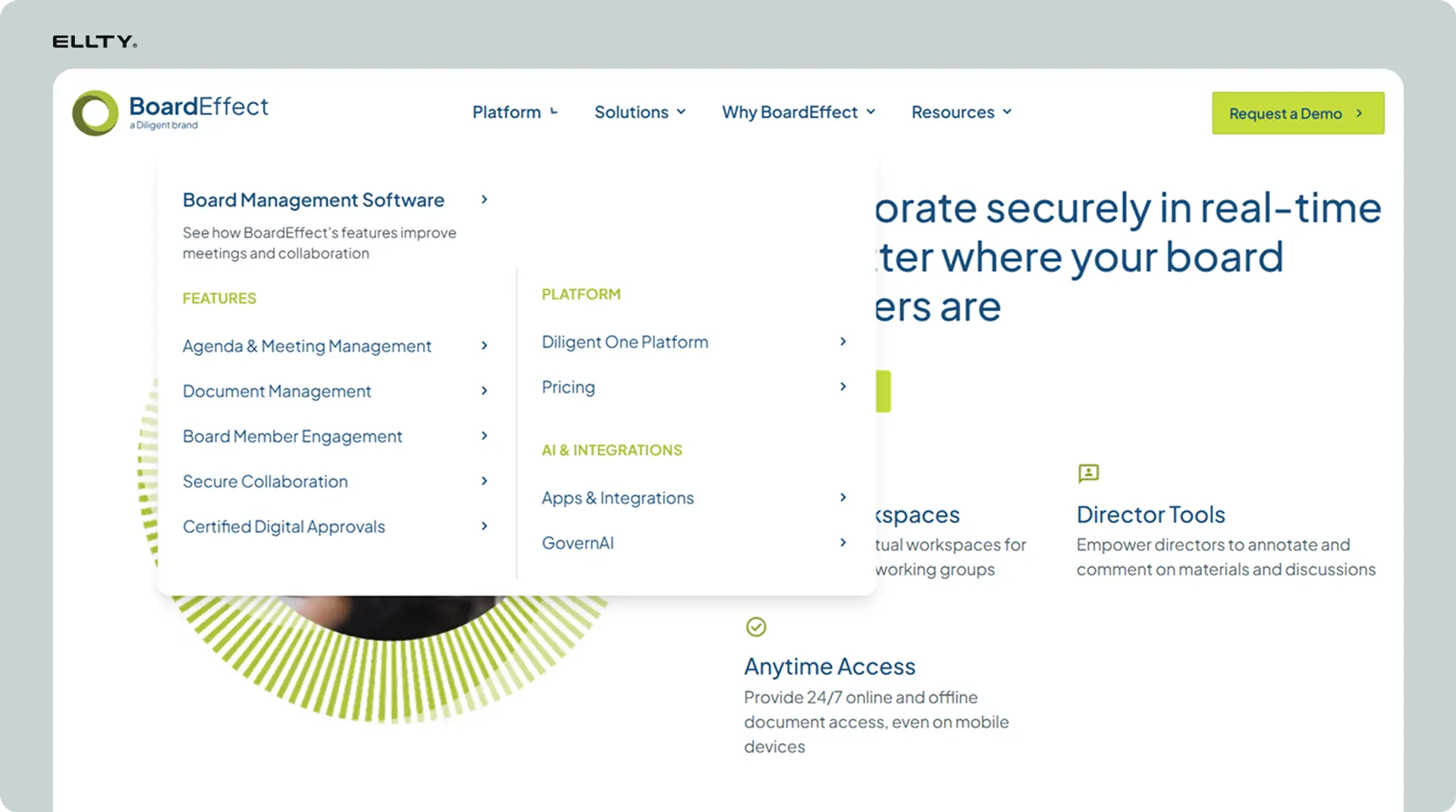
BoardEffect is a board management platform with a strong footprint in healthcare, higher education, and credit unions. It offers the standard set of governance tools such as meeting management, secure document distribution, minutes, and task tracking with compliance features tailored to those specific sectors.
The platform includes a mobile app for on-the-go access and supports multi-board and committee management, which is particularly useful for organizations with layered governance structures.
Best for: Hospitals, universities, credit unions, and public sector organizations.
6. Notion - Best for Startups and Small Teams That Want Flexibility


Notion is not a traditional board portal, but it deserves a spot on this list because many early-stage startups and small companies use it effectively to centralize board materials, meeting notes, and documentation.
With the right setup, Notion can serve as a collaborative board hub: shared spaces for agendas, notes, OKRs, and strategic documents. It's flexible, easy to use, and most teams are already familiar with it.
The obvious trade-off is security and formal governance. Notion doesn't offer NDA gating, granular access controls for sensitive documents, or audit trails. If your materials are sensitive or your governance needs are formal, you will outgrow Notion quickly. But for very early-stage companies that just need a simple, shared workspace for board prep, it's a practical starting point.
Best for: Early-stage startups, small advisory boards, informal governance setups.
7. Aprio - Best for Simplicity and Ease of Adoption


Aprio (formerly Directorpoint) is a board management platform designed with simplicity at its core. The interface is clean and easy to navigate, which makes it a good choice for boards where members are not particularly tech-comfortable.
Key features include secure document distribution, agenda building, annotated board books, minutes, and a resource library. It's not the most feature-rich platform available, but it is reliable, well-supported, and easy to get up and running.
Aprio also offers responsive customer support, which matters a lot when board members run into questions before an important meeting.
Best for: Organizations prioritizing ease of use and fast adoption, boards with less tech-savvy members.
Getting Started: Tips for Smooth Implementation
Switching to a board portal or setting one up for the first time doesn't have to be complicated. Here are a few tips to make the process go smoothly:
Start with a clear inventory of what you need to store.
Before you migrate anything, list out the types of documents your board regularly works with: meeting packs, financial reports, strategic plans, committee materials. This helps you set up a logical folder structure from the start.
Get buy-in from board members early.
If the people who are supposed to use the platform don't understand why it's being introduced, adoption will be slow. A short walkthrough, even just a 15-minute overview, goes a long way.
Set permissions carefully from day one.
It's much easier to set the right access levels at setup than to try to fix them later. Decide who should see what, and configure that before you start uploading materials.
Run a test cycle before a live meeting.
Upload a sample board pack, have a few members log in and review it, and work through any issues before your next real meeting. A dry run removes surprises.
Use the analytics.
If your platform offers activity tracking and Ellty does, in real time, use it. Checking whether members have opened materials before a meeting is a simple habit that leads to better-prepared discussions.

Don't over-complicate the structure.
It's tempting to build elaborate folder hierarchies. Keep it simple. A structure that any board member can navigate in 30 seconds is better than a perfectly organized system that confuses people.
FAQs
What is the difference between a board portal and a virtual data room?
A board portal is designed primarily for managing board governance like meetings, materials, minutes, and decisions. A virtual data room (VDR) is built for secure document sharing in transactions and due diligence processes. That said, there is significant overlap. Platforms like Ellty serve both functions: you can use it for board-level document control and for deal-related document sharing, with the same security infrastructure underpinning both.
Is board portal software secure?
Yes, when you choose a reputable platform. Look for end-to-end encryption, granular access controls, audit trails, and features like NDA gating and dynamic watermarking for sensitive materials. Avoid storing sensitive board materials in generic cloud storage tools that lack these controls.
How much does board portal software cost?
It varies widely. Some enterprise platforms charge per user per month and require custom quotes. Ellty, for example, uses flat monthly pricing with no per-user fees, starting at $0 for basic document tracking and going up to $349/month for full data room functionality with group permissions and audit logs. For most growing businesses, a mid-tier plan in the $69–$149/month range covers the essentials well.
Can small businesses or startups benefit from board portal software?
Absolutely. You don't need a large formal board to benefit from organized, secure document sharing. Even a startup with a small advisory board or a few investors will benefit from having a controlled, trackable way to share sensitive materials. Platforms with free tiers or affordable entry plans make it accessible without a large commitment.
What happens to our documents if we cancel the subscription?
This varies by platform, but most providers allow you to export your documents before cancelling. Always check the data export policy before signing up, and make sure you are not locked into a format you cannot access elsewhere.
Do board members need to be tech-savvy to use these platforms?
Not necessarily. Most modern board portals are designed to be simple enough for anyone to use. If ease of adoption is a priority, look for platforms with clean interfaces and strong customer support. Running a short onboarding session for board members before their first use also makes a big difference.
Is it possible to use one platform for both board management and investor document sharing?
Yes, and it is often a smart choice. Platforms like Ellty are built for exactly this: managing secure document sharing across different use cases, whether that's board materials, investor updates, due diligence packages, or client deliverables. Using one platform for multiple purposes simplifies your stack and keeps your security practices consistent.
Final Thoughts
The right board portal software does more than just organize your meeting materials. It protects sensitive information, keeps your team aligned, and gives you a clear record of everything that was shared and reviewed. In a world where governance, compliance, and data security are only getting more important, having a proper system in place is simply good practice.
If you're a growing company, or anyone who handles sensitive documents and needs more than a basic cloud folder, Ellty is worth a close look. Flat pricing, no per-user fees, real-time tracking, and full data room functionality make it one of the most practical options available, especially if your needs extend beyond just formal board governance.
For organizations with more complex governance requirements, options like Diligent or OnBoard offer deeper board-specific functionality. And for nonprofits or mission-driven organizations, Boardable remains a strong, budget-friendly choice.
The best platform is the one your team will actually use. Start with what fits your current stage, and build from there.
Author

Anika Tabassum Nionta is a Content Manager at Ellty, where she writes about secure document sharing, virtual data rooms, M&A, due diligence, fundraising, and sales enablement. With over 6 years of writing experience, she helps professionals understand how to share confidential documents securely, track engagement, and manage deals more effectively. Anika holds both a BA and MA in English from Dhaka University. Outside of work, she enjoys reading, exploring new cafes in Dhaka, and connecting with entrepreneurs and dealmakers in her community.

