
You spent weeks building your pitch deck. You finally sent it to a partner at a top-tier fund. Three days pass. Nothing.
Did they open it? Did they bounce on slide two? Did they forward it to someone else on the team? You have no idea, and that's the problem.
Most founders still send pitch decks as PDF attachments. That approach gives you zero visibility. You're flying blind through one of the most important processes in your company's life.
This guide covers everything: what pitch deck sharing software actually does, which tools make sense at different stages, what free options are worth your time, and how data rooms factor in once investors start doing real diligence. No fluff, just what you need to know.
What pitch deck sharing software actually does
At its core, pitch deck sharing software replaces the static PDF attachment with a trackable, controllable link. Instead of attaching a file, you upload your deck to a platform and send a link. The investor clicks the link, views your deck in-browser, and you get data on every step of that process.
The core features you're looking for:
- Page-by-page analytics (which slides did they actually read)
- Time-on-page data (did they spend 30 seconds on your financials or three minutes)
- Real-time notifications (know the moment someone opens your deck)
- Link controls (the ability to disable access, set expiry dates, require email)
- Version updates without re-sending (fix a typo without sending a new link)
The more sophisticated platforms add NDA gating, dynamic watermarking, granular permissions, and full virtual data rooms for due diligence. We'll get into all of that below.
The two categories of tools you need to understand
Before we get into specific software, it's worth separating two different things that often get lumped together.
The first is pitch deck creation software. This is where you build the actual slides - tools like Canva, Gamma, Beautiful.ai, or Google Slides. Some of these now include basic AI features to help generate content and design automatically.
The second is pitch deck sharing and analytics software. This is where you upload your finished deck, generate a trackable link, and monitor how investors engage with it. Some platforms do both. Most specialize in one or the other.
For fundraising, the sharing and analytics side is where the real leverage is. You can build a decent deck in Google Slides. What you can't do in Google Slides is know if an investor spent twelve minutes on your market size slide at 9pm on a Tuesday.
8 Best Pitch Deck Sharing Tools
1. Ellty - Best overall for pitch deck sharing and investor analytics


Ellty sits in a specific and underserved category: secure pitch deck sharing with external parties where you need to know exactly what happens to your files after you send them. It's not a general-purpose cloud storage tool, it's built for teams sharing sensitive documents with investors, clients, and partners who need real visibility into engagement.
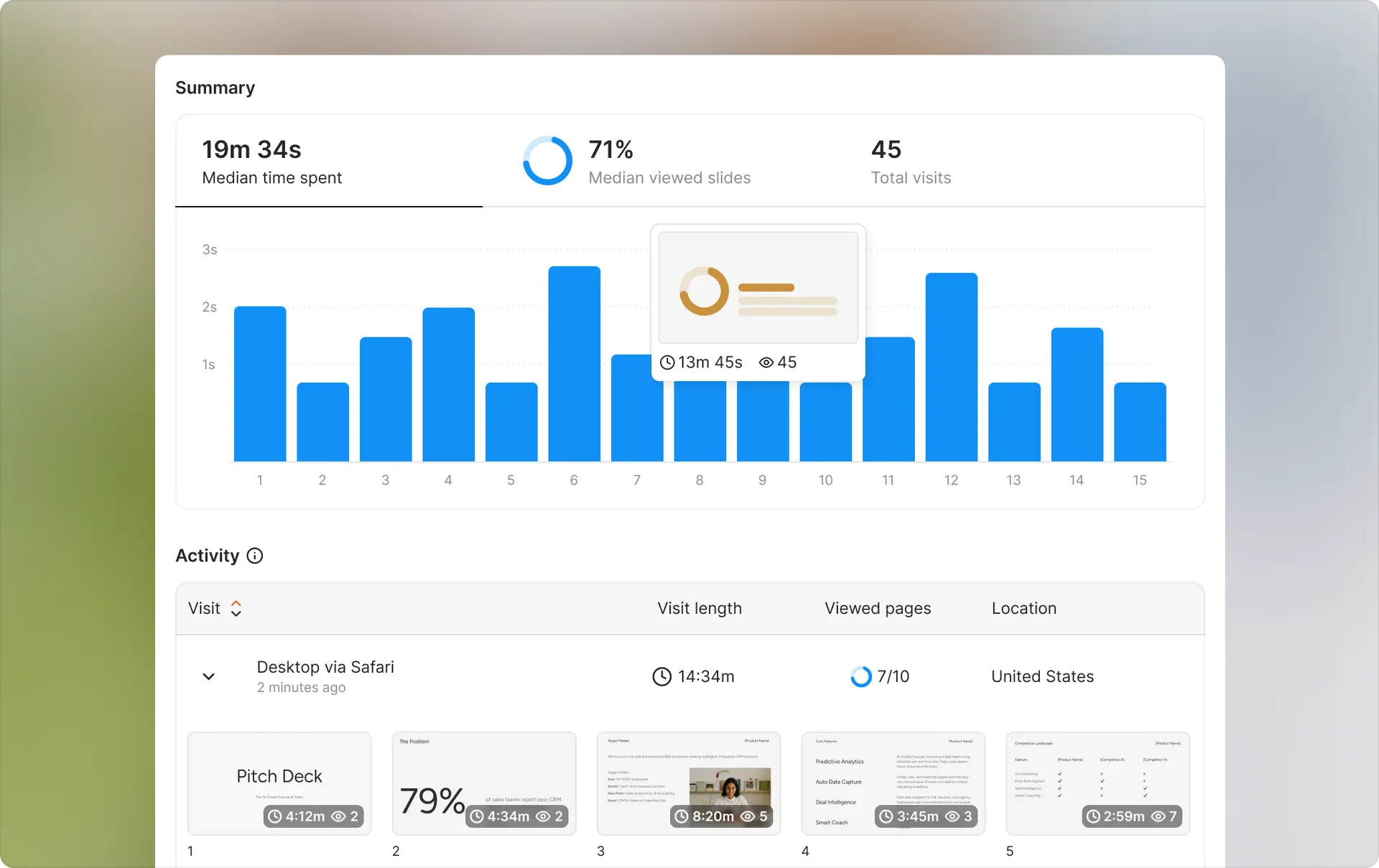
Analytics: Page-by-page tracking, time-on-page data, and real-time notifications the moment someone opens your deck. You'll know which slides held attention and which ones caused investors to close the tab.
Sharing controls: Trackable links with link expiration, password protection, email verification requirements, and the ability to revoke access instantly. You can update a document without sending a new link, so fixing a typo doesn't mean re-sending to your entire investor list.
Data room features: The Data Room plan includes granular permissions, NDA gating, dynamic watermarking, and complete audit logs — everything typically required for serious investor due diligence. The Data Room Plus plan adds group visitor permissions and supports up to 4,000 assets per room.
Best for: Founders at any stage who want to stop sending decks into a void. Equally useful for a pre-seed founder sending their first 10 decks and a Series A company running a full diligence process with multiple investor parties.
Limitations: Not designed for internal team file management or everyday collaboration. If syncing files across your team is the primary need, Google Workspace is a better fit.
Pricing: Free plan includes trackable links and real-time analytics with no time limit. Standard from $69/month. Data Room from $149/month. Data Room Plus from $349/month.


2. DocSend - Best for founders already inside the Dropbox ecosystem

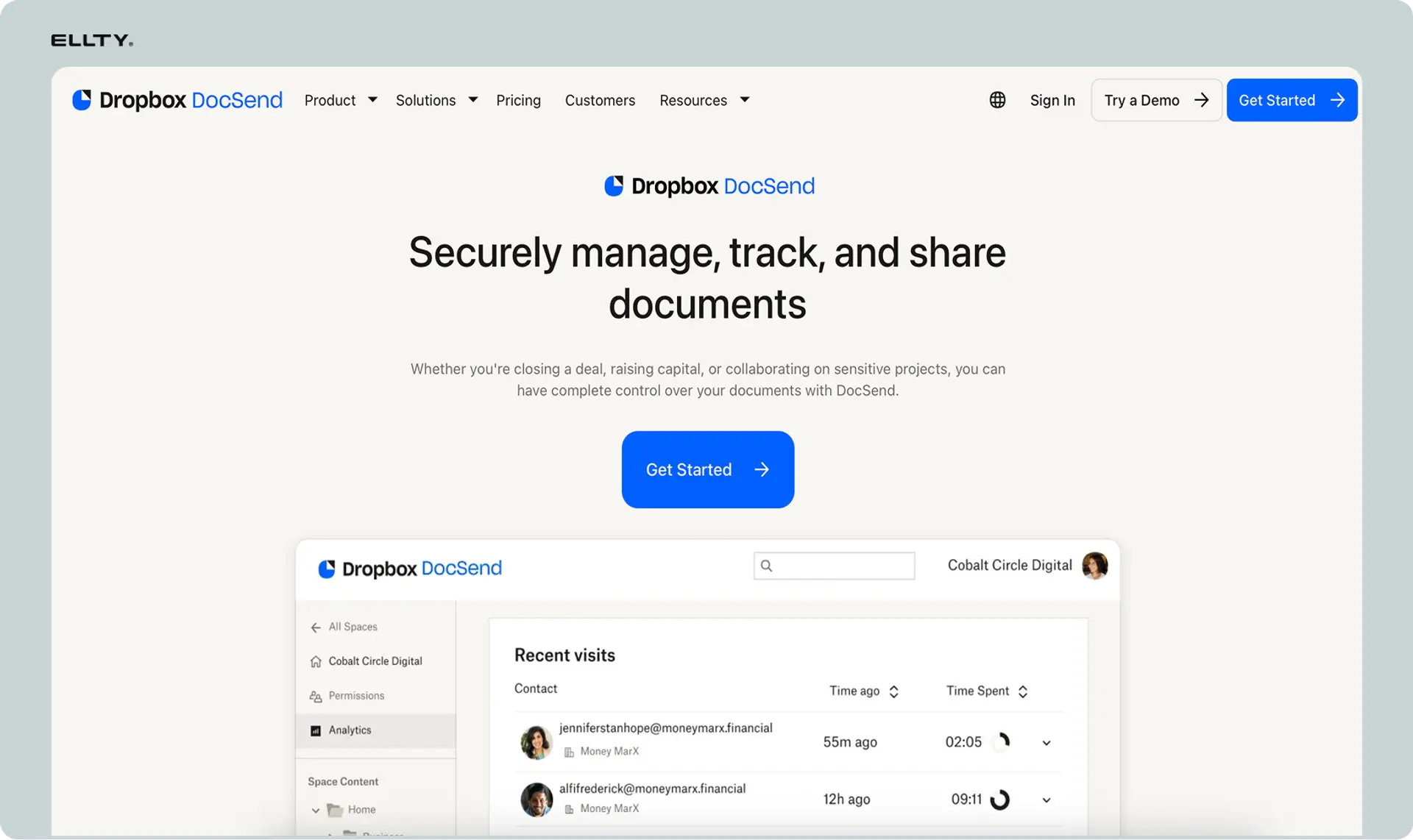
DocSend is the most recognized name in pitch deck sharing and has been the default choice for many founders since long before its acquisition by Dropbox in 2021. The analytics are solid - page-level engagement data, time spent per slide, link controls, and integrations with Gmail and Outlook.
Analytics: Page-by-page engagement data and time-on-slide metrics. Link-level reporting shows you how many times a specific link was opened and by whom.
Sharing controls: Standard link controls including expiry, email gating, and the ability to disable links. NDA gating and more advanced controls are available on higher tiers.
Data room features: Full data room functionality is gated behind the Advanced plan, which starts at $250/month for three users.
Best for: Founders who already use Dropbox and want lightweight tracking integrated into an existing workflow.
Limitations: Pricing is the consistent complaint. The Personal plan caps you at 100 link visits per month - an active fundraiser can hit that in days. The Standard plan runs $65/user/month, meaning a three-person founding team is paying $195/month before they've unlocked data room features. Reviews on G2 and Capterra repeatedly flag this as the biggest frustration.
Pricing: Personal from $15/user/month (100 link visit cap). Standard from $65/user/month. Advanced from $250/month for three users.
3. Papermark - Best open-source alternative for cost-conscious founders


Papermark is an open-source document sharing platform backed by Y Combinator that has been gaining serious traction as a DocSend alternative. The open-source foundation means the security is community-scrutinized, which some founders genuinely prefer over proprietary black-box systems.
Analytics: Page-by-page analytics are included on the free tier. You get the core engagement data - who opened it, which pages, how long - without paying anything upfront.
Sharing controls: Link controls, email verification, screenshot protection, and custom domains are available on paid plans. The free tier limits you to 50 links and 50 documents.
Data room features: Data room functionality is available on paid plans alongside unlimited documents and custom branding.
Best for: Founders who want core tracking features without enterprise pricing, and those who prefer open-source software for security and transparency reasons.
Limitations: The free tier carries Papermark branding on shared links, which looks less polished for investor outreach. Most founders upgrade within a few weeks of active fundraising.
Pricing: Free tier available (50 links, 50 documents). Pro around €24/month. Business around €59/month.
4. Gamma - Best free AI pitch deck generator for beating the blank page


Gamma has become one of the more popular free AI pitch deck tools in the past couple of years. You give it a prompt, and it generates a full presentation in under a minute. The December 2025 update added a conversational Agent Mode for building decks through back-and-forth dialogue.
Analytics: Basic link sharing without the depth of dedicated tracking platforms. Gamma is primarily a creation tool, not an analytics one.
Sharing controls: Standard link sharing. Not built for the kind of investor-level access controls that dedicated sharing platforms offer.
AI features: Strong. Generates full decks from a text prompt, handles layout and structure automatically, and the Agent Mode lets you iterate conversationally. The free tier starts you with 400 credits.
Best for: Getting a first draft together fast. Particularly useful if you're staring at a blank slide deck and need structure to react to rather than building from scratch.
Limitations: AI-generated decks still need significant editing before they're investor-ready. Gamma gets you unstuck - it doesn't replace actually thinking through your narrative, your numbers, and your story. Investors have seen a lot of AI-generated decks, and they read like it. For serious analytics, you'll need a dedicated sharing platform.
Pricing: Free tier with 400 credits. Paid plans for additional credits and features.
5. Slidebean - Best purpose-built tool for startup deck structure


Slidebean is one of the older purpose-built pitch deck tools and has a free tier for basic deck creation. It's more startup-focused than generic presentation software, which shows in the templates and AI-generated structure it produces.
Analytics: Paid plans include deck tracking and viewer analytics, giving you engagement data on shared decks.
Sharing controls: Standard trackable link sharing on paid plans. More limited than dedicated sharing platforms.
AI features: The AI uses your website URL or a company description to generate a startup-specific deck structure. More tuned to fundraising contexts than general-purpose AI presentation tools.
Best for: Early-stage founders who want startup-specific deck structure out of the box and are building their first investor-facing presentation.
Limitations: Full template access and export to other formats requires a paid subscription. The analytics aren't as deep as dedicated sharing platforms. If you need serious investor engagement tracking, you'll want a separate tool.
Pricing: Free tier for basic creation. Around $12/month for full access.
6. Beautiful.ai - Best for founders who want polished design without a designer


Beautiful.ai uses AI to handle layout and formatting decisions while you focus on adding content. It's less about generating your narrative and more about making whatever content you do have look clean and professional without manual design work.
Analytics: Viewer analytics on shared decks, including engagement data, available on paid plans.
Sharing controls: Standard link sharing with viewer tracking. Not as granular as dedicated pitch deck sharing platforms.
AI features: Focused on design intelligence rather than content generation. It auto-adjusts layouts as you add content so slides don't look broken when you add a fourth bullet point or a second image.
Best for: Founders who have their story figured out but don't have design skills and don't want their deck to look like a default PowerPoint template.
Limitations: Less useful if you need deep analytics or data room functionality. The 14-day free trial gives you a good sense of whether the design approach works for you before committing.
Pricing: 14-day free trial. Paid plans required for full access and analytics.
7. Pitch - Best for teams collaborating on decks in real time


Pitch is a creation and sharing platform built around team collaboration. It's well-designed, supports real-time co-editing, and lets you share decks via live links with basic engagement data.
Analytics: Basic engagement data on shared decks. Not as detailed as dedicated tracking platforms - you get a sense of views, but not the slide-level depth that serious investor tracking requires.
Sharing controls: Live link sharing with basic controls. The platform is oriented around team workflows rather than investor-grade access management.
Collaboration features: This is where Pitch earns its place. If multiple founders or team members are building and iterating on decks simultaneously, Pitch handles that workflow better than most alternatives.
Best for: Founding teams who are actively building and revising decks together and want a cleaner collaboration experience than Google Slides.
Limitations: Not the right tool if your primary need is serious investor analytics and data room workflows. The engagement data is too surface-level for active fundraising where you're making follow-up decisions based on viewer behavior.
Pricing: Free tier available. Paid plans for advanced collaboration and analytics features.
8. Visible - Best for founders managing ongoing investor relationships

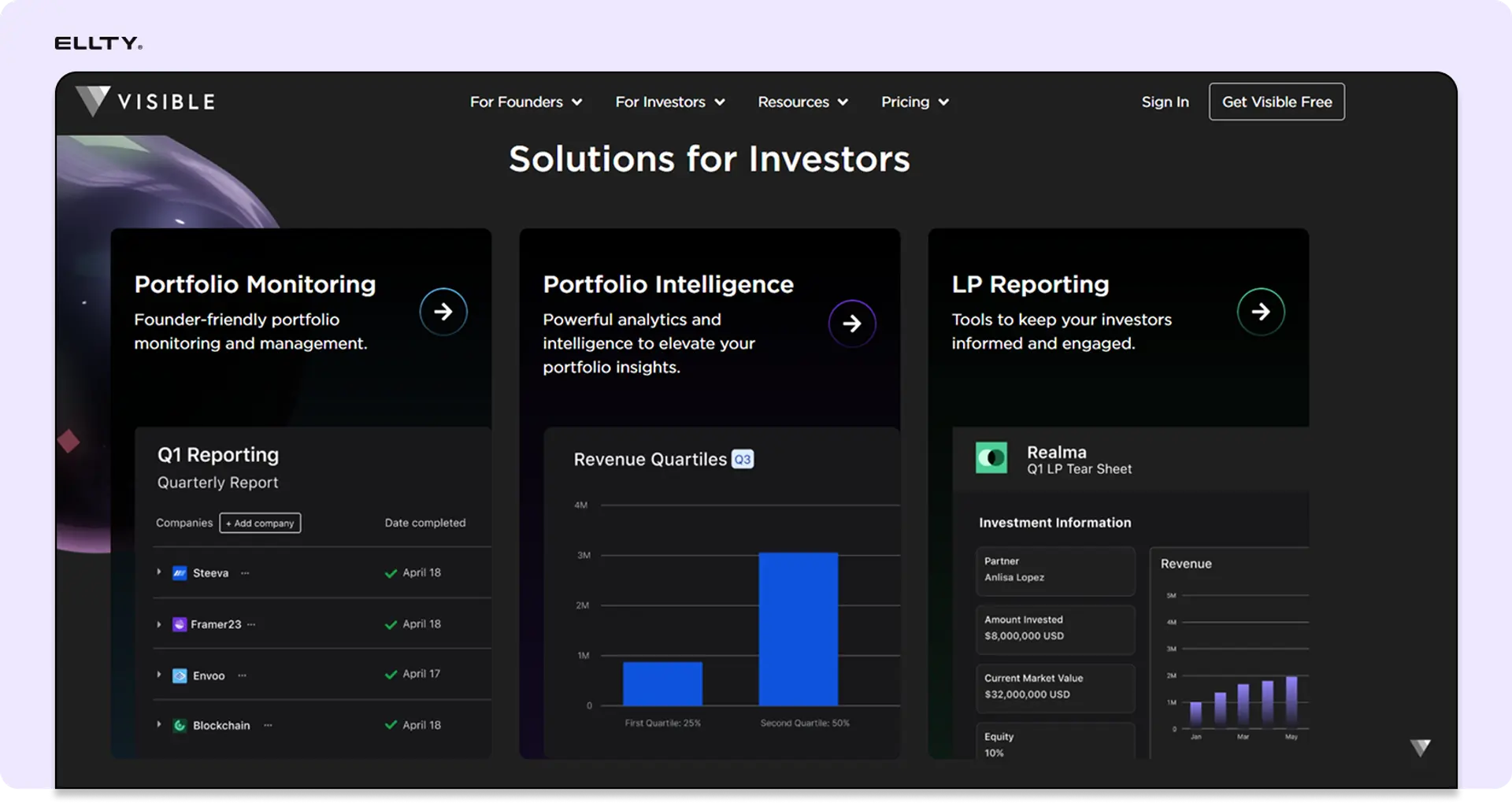
Visible is built specifically for investor relations at startups. It combines pitch deck sharing with investor pipeline management, metrics dashboards, and stakeholder updates, a broader scope than pure deck tracking tools.
Analytics: Deck engagement tracking alongside investor pipeline visibility. You can see how a specific investor has engaged with your materials over time, not just a single send.
Sharing controls: Standard link sharing with tracking. The platform's strength is in the broader investor relations workflow rather than in granular access controls.
Investor relations features: This is the differentiator. Visible lets you manage your full investor pipeline, send regular metrics updates to existing investors, and track relationships across a fundraise, not just who opened a single deck.
Best for: Founders managing an ongoing relationship with a cap table of angels and existing investors alongside a new fundraise. Also useful for founders who send regular investor updates and want all of that in one place.
Limitations: More than most founders need for a first-time seed raise. If you're in early fundraising and just want to know who's opening your deck, the full Visible feature set is overkill. Start simpler and come back to this when you have a cap table worth managing.
Pricing: Free tier available. Paid plans scale with feature depth and investor volume.
Not everyone needs a paid tool, especially at the earliest stages. Here's what's genuinely useful for free.
What is a virtual data room and when do you need one
A virtual data room (VDR) is a secure, controlled environment for sharing confidential documents with multiple parties during a due diligence process. Think of it as a secure folder that tracks every access, controls every permission, and generates an audit trail of everything that happened inside it.
You don't need a data room for your initial pitch. You need one when investors say they want to do diligence. That typically means they're asking for:
- Financial statements and projections
- Cap table documentation
- Customer contracts or LOIs
- Legal documents and IP filings
- Team backgrounds and employment agreements
- Product documentation
At that point, emailing folders of PDFs is a bad idea. Documents get forwarded to the wrong people, you have no idea what was accessed, and you can't update or revoke access if the deal falls through.
A proper data room solves this. You control who sees what, you can expire access, you can see who spent time in which folder, and you can protect documents with watermarks that identify the viewer if something leaks.


How to structure a pitch presentation that doesn't lose investors
This isn't a deck design guide. But since you're here, a few practical notes on what the structure should look like.
Most investors expect to see these elements, roughly in this order:
Problem - What's broken and why does it matter. Be specific. Vague problems signal vague thinking.
Solution - What you've built and how it addresses the problem. Show don't tell where possible.
Market size - TAM/SAM/SOM. Investors want to see big markets but they've also seen too many founders claim $100B TAMs with no credibility. Bottom-up sizing works better than top-down.
Traction - What you've proven so far. Revenue, users, growth rate, key partnerships. If you're pre-revenue, leading indicators still matter.
Business model - How you make money. Simple and clear.
Team - Why you are the right team for this. Relevant experience, domain expertise, co-founder dynamics.
Ask - How much you're raising, at what terms if relevant, and what you'll do with it.
One thing tracking software teaches you fast: investors spend far less time on your deck than you expect. Median time on a pitch deck from the DocSend fundraising data has historically been under three minutes. Design your deck knowing most of the story needs to land in the first five slides.
Pitch deck analytics: what the data actually tells you
Once you're using a tracking tool, here's how to read the signals.
High time on the problem slide means the investor resonates with the space. Low time on the financials could mean they breezed past it or that it wasn't compelling enough to stop on. Multiple opens from the same link, especially at different times of day, often means the deck got forwarded to a partner or associate.
The signals aren't perfect, but they're directional. A deck that gets opened once for 45 seconds probably isn't worth a warm follow-up. A deck that gets opened three times over two days, with eight minutes total on your team and traction slides, is worth a proactive email.
Real-time notifications matter here. When you know a deck was just opened, your follow-up is timely and relevant rather than random. "I noticed you were looking at our deck - happy to answer questions or jump on a call" lands differently than a cold follow-up a week later with no context.



Secure pitch deck sharing: what actually matters
Security matters for two reasons. First, your pitch deck contains sensitive information - financials, strategy, sometimes customer data. Second, if you're sharing with multiple parties during a competitive fundraise, you don't want your deck to become a freely circulating document.
The features that actually protect you:
Link controls - The ability to disable a link or set an expiry date. If a deal falls through, you can kill access to everything you shared.
Email verification - Requiring viewers to verify their email before accessing the deck. Limits forwarding and gives you accurate viewer identity.
Password protection - Adding a second layer of access control for particularly sensitive materials.
Watermarking - Dynamic watermarks that embed the viewer's email or name into every page of the document. This is a strong deterrent against screenshots or forwarding.
NDA gating - Requiring the viewer to accept an NDA before they can access the document. Common in data rooms, less common for initial pitch decks but useful for very early or sensitive rounds.
Download controls - Preventing the document from being downloaded, so it can only be viewed in-browser.
For a standard pitch deck shared with investors you've been introduced to, link controls and email verification are usually enough. For a data room in active diligence, you want watermarking, NDA gating, and granular permissions at minimum.


FAQ
What is pitch deck sharing software?
Pitch deck sharing software lets you upload your pitch deck, generate a trackable link, and monitor how investors engage with it. Instead of sending a PDF attachment with no visibility, you get data on who opened your deck, which slides they spent time on, and when they accessed it. Most platforms also give you link controls, security features, and notifications.
What is the best free pitch deck sharing software?
For pure tracking without paying, Ellty free plan and Papermark's free tier are the most useful. Both include page-by-page analytics and secure link sharing on their free plans - features that used to require a paid DocSend subscription. Ellty free plan has no time limit. For deck creation, Gamma and Google Slides are solid free options, but neither includes investor analytics.
What is the best free pitch deck software for creating slides?
For slide creation specifically, Gamma and Google Slides are the strongest free options. Gamma's AI can generate a full draft in under a minute. Google Slides is free, collaborative, and exportable to PowerPoint. Canva's free tier offers better design templates than raw Google Slides. If you want startup-specific structure, Slidebean has a limited free tier.
Do I need a virtual data room to share a pitch deck?
Not initially. For early-stage investor conversations, a trackable link with basic analytics is enough. You need a data room when investors move into due diligence - when they're asking for financial documents, legal filings, customer contracts, and other sensitive materials that need controlled access, audit trails, and permissions management.
What's the difference between a pitch deck and a data room?
A pitch deck is the presentation you use to introduce your company to investors - typically 10-15 slides covering your problem, solution, market, traction, team, and ask. A data room is a secure document repository for due diligence - it contains the detailed financial, legal, and operational documents an investor needs to verify your claims before writing a check. You share a pitch deck early. You share a data room when the relationship is serious.
What should I look for in pitch deck sharing software?
The core things: page-by-page analytics, real-time notifications, link controls (expiry, disable, password), version updates without re-sharing, and email verification. For later-stage use, add watermarking, NDA gating, granular permissions, and audit logs to the list. Pricing model also matters - per-user pricing scales badly for small founding teams.
How does a free AI pitch deck generator work?
You give the AI a description of your business, sometimes a URL or a few key facts, and the tool generates a slide structure with placeholder content. The better tools (Gamma, Slidebean) produce something close to a reasonable draft. The weaker ones generate generic slides that need complete rewriting. None of them produce investor-ready content without significant human refinement. Use them as a starting point, not a finished product.
Can I track who views my pitch deck?
Yes, with the right software. Platforms like Ellty, DocSend, and Papermark create trackable links that show you who opened your deck (if they verify their email), when, how many times, and which pages they spent time on. Some platforms also show forwarding activity - when a link gets shared with someone else at the same firm. This is one of the most valuable features for active fundraising.
What is the best pitch deck sharing software for data rooms?
For seed through Series B, Ellty Data Room plan includes NDA gating, dynamic watermarking, granular permissions, restricted visitor access, and three users at $149/month. Papermark's Business and Data Room tiers cover similar functionality at comparable price points. For larger, more complex processes, iDeals VDR and Datasite are purpose-built VDR platforms used in M&A and major institutional fundraising.
How is Ellty different from DocSend?
DocSend is a well-established platform with strong analytics and Dropbox integration. The main practical difference for most startup founders is pricing structure. DocSend's Standard plan is $65/user/month, meaning a three-person team pays $195/month before accessing data room features, which require the $250/month Advanced plan. Ellty Standard plan is $69/month flat, and the Data Room plan is $149/month with three users included. The analytics and core tracking features are comparable for typical fundraising workflows. DocSend has more name recognition with investors, which some founders value. Ellty setup is faster for teams that don't need the full Dropbox ecosystem.
Final thought
The pitch deck sharing space has matured a lot. Free tools now offer features that required paid enterprise plans a few years ago. For early-stage founders, there's no longer a strong reason to share PDFs blindly.
Pick the tool that matches your stage. Use the analytics. Follow up with information, not guesses.
If you're ready to stop sending decks into the void, sign up for Ellty free plan and start seeing exactly how investors engage with your pitch - no credit card needed, analytics included from day one.
Author

Anika Tabassum Nionta is a Content Manager at Ellty, where she writes about secure document sharing, virtual data rooms, M&A, due diligence, fundraising, and sales enablement. With over 6 years of writing experience, she helps professionals understand how to share confidential documents securely, track engagement, and manage deals more effectively. Anika holds both a BA and MA in English from Dhaka University. Outside of work, she enjoys reading, exploring new cafes in Dhaka, and connecting with entrepreneurs and dealmakers in her community.

