
Drooms pricing isn't straightforward. The per-user model starts at €17.90/month, but costs scale quickly as your team grows. Storage limits are tight, and Enterprise pricing requires a sales call.
This guide covers Drooms' current plans, what teams actually pay at different sizes, hidden costs you'll encounter, and how it compares to alternatives like Ellty. You'll see real numbers for common scenarios so you can calculate your true cost.
By the end, you'll know which plan you need, what to budget, and whether Drooms makes sense for your use case.
What is Drooms?


Drooms is a virtual data room (VDR) platform designed for secure document sharing during M&A transactions, due diligence, and fundraising. Founded in 2000 and based in Germany, it's one of the established players in the European VDR market.
Key features:
- Secure document storage and sharing with granular permissions
- Detailed analytics on who viewed which documents and when
- Q&A management for due diligence processes
- Compliance with European data protection standards (GDPR)
- Role-based access controls and audit trails
- Document indexing and full-text search
Drooms targets mid-market and enterprise companies running complex transactions. They're known for their focus on European compliance standards and support for multi-language deals. The platform handles primarily M&A, real estate transactions, and corporate fundraising.
Current Drooms pricing (2026)
All prices in EUR. Drooms bills in euros, so international customers pay at current exchange rates (approximately $1.10 USD per euro as of early 2026).
Pricing is per user/month on the Flex plan. Enterprise is custom quoted based on project size and requirements.
Free Trial - €0
Who it's for: Teams evaluating Drooms before committing to paid plans.
What's included:
- 30 days access
- Up to 5 users
- 1 GB total storage
- All Flex features unlocked
- No credit card required
Key limitations:
- Only 1 GB storage (enough for basic testing, not real projects)
- 5 user maximum (can't test with full team)
- 30 day limit (can't complete longer transactions)
- Can't carry data over to paid plan easily
Best for: Quick evaluation of interface and core features before buying.
Flex - €17.90/user/month
Who it's for: Small teams running occasional transactions or simple due diligence projects.
What's included:
- 300 MB storage per user license
- Pay-as-you-go monthly billing
- All core VDR features
- Document permissions and access controls
- Activity analytics and reporting
- Q&A management tools
- Secure file sharing with external parties
- Email support
- 14 key features (document indexing, watermarking, download controls, user management, audit logs, etc.)
Key limitations:
- 300 MB per user is very tight (most pitch decks are 5-20 MB, due diligence folders often exceed 1 GB)
- No dedicated support (email only, slower response times)
- Pay monthly with no volume discount
- Storage doesn't pool (5 users = 1.5 GB total, not flexible allocation)
- No custom branding options
- Limited admin controls compared to Enterprise
Best for: Solo advisors or very small teams (2-3 people) running lightweight transactions with minimal document volume.
Enterprise - Custom Pricing
Who it's for: Mid-market and enterprise companies running complex, document-heavy transactions.
Enterprise plan: Custom pricing based on:
- Number of users (unlimited in contract)
- Storage requirements (unlimited)
- Transaction volume and complexity
- Advanced security and compliance needs
- SSO and directory integration requirements
- Dedicated customer success manager
- SLA guarantees and priority support
Contact sales for quote. Based on market research and competitor pricing, Enterprise typically starts around €500-800/month for small teams (5-10 users) with 50-100 GB storage, scaling to €2,000-5,000+/month for larger deployments.
What's included beyond Flex:
- Unlimited users within contract
- Unlimited storage
- Custom branding and white-labeling
- Advanced admin controls and reporting
- SSO and SAML integration
- Dedicated customer success manager
- Priority phone and email support
- Custom security configurations
- API access (likely, not publicly documented)
- Higher SLA commitments
Best for: Companies running multiple transactions per year, large due diligence projects (500+ documents), or teams needing enterprise security and compliance features.
Plan comparison table


Costs not shown in base pricing
Additional storage beyond plan limits:
- Flex users need to add more user licenses to get more storage (€17.90 per 300 MB)
- No option to buy storage separately on Flex
- Enterprise contracts may charge for storage significantly above initial allocation
Implementation and onboarding:
- Enterprise plans may include setup fees (not publicly disclosed)
- Training sessions for larger teams (typically included but time-limited)
- Custom configuration work billed separately on some contracts
Annual contract minimums:
- Enterprise typically requires 12-month commitments
- Early termination may incur penalties
- Auto-renewal clauses common
User overages:
- Flex is flexible (just add users monthly)
- Enterprise contracts may charge for users above contracted amount
Currency conversion:
- Euro pricing means exchange rate risk for USD/GBP customers
- Credit card processing may add international transaction fees (1-3%)
Real costs for teams
Per-user pricing adds up fast, especially on Flex where storage is so limited. Here's what Drooms actually costs for common team scenarios.
Scenario 1: Solo advisor
Team size: 1 user
Use case: Running occasional sell-side advisory projects, 2-3 deals per year
Recommended plan: Flex
Monthly cost: €17.90
Annual cost: €214.80 (€17.90/month × 12)
What this includes:
- 300 MB storage (enough for 15-60 pitch decks depending on file size)
- All core VDR features for one user
- Email support
Limitations to watch:
- Storage fills up quickly with larger documents or multiple projects
- Can't collaborate with internal team (only external viewers)
- No phone support if issues arise during critical deal moments
Scenario 2: Small fundraising team
Team size: 3 users (founder + 2 team members)
Use case: Running Series A fundraising, need to share deck and docs with 20-30 investors
Recommended plan: Flex
Monthly cost: €53.70
Annual cost: €644.40 (€53.70/month × 12)
What this includes:
- 900 MB total storage (300 MB × 3 users)
- 3 internal users with full access
- Unlimited external viewer access
- Activity tracking on all documents
Limitations to watch:
- 900 MB fills up fast with pitch deck, financials, contracts, cap table, and supporting docs
- Each new user costs €17.90/month for just 300 MB more storage
- Email-only support during time-sensitive fundraising process
Scenario 3: M&A advisory firm
Team size: 8 users (partners and analysts)
Use case: Running 4-6 M&A transactions simultaneously, heavy document volume
Recommended plan: Enterprise
Monthly cost: €600-800 (estimated, custom quote required)
Annual cost: €7,200-9,600
What this includes:
- Unlimited users (all 8 team members)
- Unlimited storage (critical for due diligence doc volumes)
- Dedicated customer success manager
- Priority support with faster response times
- Custom branding for client-facing data rooms
Limitations to watch:
- Requires sales conversation and likely 12-month commitment
- Pricing opacity makes budgeting difficult
- May need to negotiate for specific features or higher storage tiers
Scenario 4: Corporate development team
Team size: 5 users
Use case: Running due diligence on acquisition targets, 2-3 projects per year
Recommended plan: Enterprise (Flex won't work due to storage)
Monthly cost: €500-700 (estimated)
Annual cost: €6,000-8,400
What this includes:
- 5 users with unlimited access
- Unlimited storage for large due diligence document sets
- SSO integration with company directory
- Advanced security controls
Limitations to watch:
- Paying for unlimited storage even during inactive months
- Annual commitment means you're locked in even if deal flow slows
Scenario 5: Real estate transaction team
Team size: 10 users
Use case: Managing property sale transactions with extensive documentation
Recommended plan: Enterprise
Monthly cost: €1,000-1,500 (estimated)
Annual cost: €12,000-18,000
What this includes:
- 10 users with full access
- Unlimited storage for property docs, financial records, legal files
- Dedicated support for time-sensitive closings
- Custom security and compliance configurations
Limitations to watch:
- High annual commitment for what might be seasonal work
- If you only run 2-3 transactions per year, you're paying for 12 months
Cost comparison table


Hidden cost multipliers:
Costs increase when you need:
- More storage on Flex (must buy entire new user licenses at €17.90 each for just 300 MB more)
- Mid-contract user additions on Enterprise (may trigger contract renegotiation)
- Training for new team members (included time often limited)
- Custom integrations or API development (billed separately)
- Extended contract support beyond standard SLA
What teams actually need
Most teams overpay for features they don't use or underestimate storage needs on Flex. Here's what actually matters for different use cases.
Fundraising (seed to Series B)
Must-have features:
- Secure document sharing with trackable links
- Analytics on who viewed which documents
- Email notifications when investors access materials
- Permission controls (view vs download)
- Mobile-friendly investor access
Nice-to-have features:
- Q&A management
- Watermarking
- Custom branding
- NDA management
Skip these features:
- Advanced compliance certifications (overkill for most fundraising)
- SSO integration (investors won't use it)
- Dedicated customer success manager
Recommended plan: Flex works only if you have very few documents (under 1 GB total). Most fundraising teams need 2-5 GB once you include pitch deck, financials, customer data, contracts, and supporting materials. This means you'd need 7-17 Flex user licenses just for storage (€125-300/month), making Enterprise more cost-effective despite higher base price.
Reality check: If you're on Flex and need 10 licenses just to get 3 GB of storage when you only have 3 actual team members, Enterprise makes more sense.
M&A sell-side advisory
Must-have features:
- Unlimited storage (due diligence documents easily exceed 10-50 GB)
- Granular permission controls for different buyer groups
- Detailed audit logs and activity tracking
- Q&A management for buyer questions
- Secure external access for multiple buyer teams
Nice-to-have features:
- Custom branding (looks more professional)
- Dedicated support (deals move fast)
- Watermarking (prevents document leaks)
Skip these features:
- SSO (external buyers won't use company SSO)
- API access (unless integrating with other deal tools)
Recommended plan: Enterprise. The storage requirements alone make Flex impossible. A typical sell-side M&A process involves hundreds to thousands of documents totaling 20-100+ GB.
Corporate development / buy-side M&A
Must-have features:
- Unlimited storage for target company documents
- User management for cross-functional team (legal, finance, operations)
- Download controls and watermarking
- Detailed analytics on team activity
- Audit trails for compliance
Nice-to-have features:
- SSO integration with company directory
- Custom security policies
- API access for workflow automation
- Dedicated CSM for multiple concurrent deals
Skip these features:
- Custom branding (internal use only)
- White-labeling
Recommended plan: Enterprise. Corporate teams need storage flexibility, user management for larger teams, and security features that aren't available on Flex.
Real estate transactions
Must-have features:
- Large storage capacity (property docs, surveys, environmental reports)
- Simple external access for buyers, lenders, inspectors
- Document indexing and search
- Permission management by document type
- Activity tracking
Nice-to-have features:
- Q&A management
- Custom folder structures
- Branding
Skip these features:
- Advanced compliance features beyond standard security
- API integrations
- SSO
Recommended plan: Enterprise for commercial real estate with extensive documentation. Flex might work for very simple residential transactions but storage limits will be tight.
Decision framework
Ask yourself:
How much storage do you actually need?
- Under 1 GB: Flex could work (3-4 users)
- 1-10 GB: Need 4-34 Flex licenses or Enterprise
- 10+ GB: Enterprise only option
How many people need internal access?
- 1-2 people: Flex is viable if storage works
- 3-5 people: Compare Flex cost vs Enterprise quote
- 5+ people: Enterprise likely better value
How often do you run transactions?
- 1-2 per year: Flex pay-as-you-go makes sense
- 3+ per year: Enterprise annual contract spreads cost
- Continuous deal flow: Enterprise with unlimited storage essential
What's your support requirement?
- Can wait hours/days for email: Flex works
- Need same-day responses: Enterprise with dedicated CSM
- Running time-sensitive deals: Enterprise priority support critical
Do you need compliance features?
- Basic security: Flex sufficient
- GDPR compliance: Both plans covered (German company)
- SSO, advanced audit logs, custom policies: Enterprise only
What users say about Drooms pricing
We reviewed user comments on G2, Capterra, and Gartner. Here's what actual customers say about Drooms pricing.
What users like
Pricing clarity on Flex:
"The per-user pricing is straightforward. You know exactly what you're paying each month." — M&A Advisor, G2
Free trial value:
"30-day trial gave us enough time to test with a real project before committing." — Corporate Development Manager, Capterra
Common pricing complaints
Storage limits force expensive workarounds:
"300 MB per user is a joke for M&A work. We had to buy 15 licenses just to get enough storage for our team of 4 people. That's €268/month when we should be paying €72." — Investment Banking Analyst, G2
Enterprise pricing opacity:
"Getting a price quote required multiple sales calls. They wouldn't give us a number until we explained our entire use case and negotiated. Just tell me what it costs." — CFO, Capterra
No annual discount on Flex:
"We use Drooms all year but there's no incentive to commit annually on Flex. We pay the same €17.90 whether we use it one month or twelve." — Financial Advisor, G2
Expensive compared to alternatives:
"For what we needed, Drooms was 3x the cost of other VDR options. The features were good but not worth the premium for our use case." — Startup Founder, Capterra
Forced into Enterprise tier:
"Flex plan was useless because of storage limits. We got pushed into Enterprise pricing which was way more than our budget for 2-3 deals per year." — Corporate Attorney, Gartner
Value perception
Most users find Drooms well-built and secure, but expensive relative to alternatives. Teams running complex, high-value transactions (large M&A, major real estate deals) consider it worth the cost for the security and support. Smaller teams and occasional users feel forced into pricing tiers beyond their needs.
The storage model on Flex draws consistent criticism. Users expect to pay for users and storage separately, not buy extra user licenses just to get more storage space.
Enterprise customers appreciate the unlimited storage and dedicated support, but many wish pricing was more transparent upfront instead of requiring sales negotiations.
Drooms vs alternatives: quick comparison
Here's how Drooms pricing compares to similar tools. All prices for comparable plans.


Ellty - $0 (Starter) to $69/month (Standard)


- Free: Document tracking, real-time engagement analytics, secure shareable links, aggregate visit dashboard, 10 GB storage - free forever
- Standard ($69/month): Unlimited documents and visitors, advanced analytics, eSignatures, full virtual data room functionality, access controls, custom branding, 50 GB storage
- Data Room ($149/month): Everything in Standard plus granular permissions, NDA gating, dynamic watermarking, restricted visitor access, 2,000 assets per data room, 3 users included
- Data Room Plus ($349/month): Everything in Data Room plus group visitor permissions, audit logs, 4,000 assets per data room
- Best for: Seed to Series B fundraising teams who need document tracking, eSignatures, and a full virtual data room under one roof
- Key difference: Flat-rate pricing - no per-user fees, no per-deal charges, no surprise invoices
- When to choose: If you're managing investor outreach, collecting eSignatures, and running fundraising due diligence without enterprise M&A complexity
DocSend - $10/user/month
- Pay-per-user like Drooms but half the cost
- 1 GB storage per user (better than Drooms' 300 MB)
- Designed more for sales and marketing document sharing
- Analytics similar to Drooms
- Best for: Sales teams, light document sharing, not complex M&A
- When to choose: If you need simple document tracking without full VDR security
Firmex - $500/month (room-based)
- Pay per data room, not per user
- Unlimited users within each room
- Unlimited storage
- Designed specifically for M&A
- Best for: Running discrete M&A transactions
- When to choose: If you run 1-2 large deals per year and need full VDR features
Ansarada - Custom pricing
- Enterprise-only pricing (starts around $1,000+/month)
- Built for large M&A deals
- More expensive than Drooms
- Advanced AI and automation features
- Best for: Large enterprise transactions with big budgets
- When to choose: If you're running $50M+ deals and need cutting-edge features
Cost comparison for common scenarios
For a 5-person fundraising team (annual pricing):


For a 5-person M&A team needing 50 GB storage:


When Drooms makes sense
You should consider Drooms if:
- You're running European M&A deals and need GDPR-native platform
- You need German/European language support and local data centers
- You're an enterprise with budget for unlimited storage and dedicated support
- Security and compliance are top priorities (regulated industries)
- You value established reputation in traditional M&A market
When alternatives make sense
Look at other options if:
- You're primarily sharing pitch decks for fundraising (Ellty is simpler and more startup-friendly)
- You're a small team running occasional transactions (room-based pricing like Firmex)
- You need better storage value on lower tiers (DocSend gives 1 GB/user vs Drooms' 300 MB)
- You want to avoid annual Enterprise commitments (Ellty and DocSend have monthly options)
- You're budget-conscious and don't need full VDR complexity (Ellty free plan covers basic needs)
Special offers and discounts
Current promotions: Drooms doesn't advertise ongoing promotions publicly. Occasional offers may appear for new customers or specific industries, but these aren't standard.
How to save money
Free trial strategy:
- 30-day trial gives full Flex features
- Use it to test with real (non-confidential) documents
- Evaluate if storage limits will work before committing
- Don't waste trial on setup - have documents ready to test immediately
Annual commitment negotiation (Enterprise):
- Enterprise contracts are negotiable
- Commit to 12-24 months for better pricing
- Ask about multi-year discounts (10-20% possible)
- Negotiate based on expected deal volume
Bundle multiple data rooms:
- If you run multiple concurrent transactions, negotiate volume pricing
- Some customers report 15-30% discounts for committing to 3+ active rooms
Off-peak signup:
- End of quarter (March, June, September, December) sales teams may be more flexible
- End of year (November-December) sometimes brings better terms
Startup programs:
- Drooms doesn't advertise a formal startup program
- If you're backed by known VCs, mention it - may unlock better terms
- Some accelerators have partnerships (ask your program manager)
Educational/non-profit pricing:
- Not publicly offered
- Academic institutions may request custom pricing
- Non-profits can inquire but shouldn't expect automatic discounts
Negotiation tips for Enterprise
Do your homework:
- Get quotes from Firmex, Ansarada, and other VDR competitors first
- Use competitive pricing as leverage
- Know your actual storage and user requirements
Be specific about needs:
- "We run 4 transactions per year, average 30 GB each"
- "We need 8 internal users, typically 20-30 external viewers per deal"
- Specificity helps them price accurately and reduces back-and-forth
Ask about:
- Month-to-month after initial commitment
- Scaling pricing (what if we need more users mid-contract)
- Pause options if deal flow stops
- Early termination terms
Don't accept first quote:
- Enterprise pricing is always negotiable
- Push back on annual minimums if you have seasonal deal flow
- Ask what flexibility exists
How to calculate your true cost
Base price is just the start. Here's how to calculate what you'll actually pay for Drooms.
Step 1: Base subscription
If choosing Flex:
- Count actual users who need internal access: ___ users
- Estimate total storage needed: ___ GB
- Calculate storage-based licenses: ___ GB ÷ 0.3 GB = ___ licenses
- Take the higher number (users or storage licenses)
- Multiply by €17.90/month
Example: 3 users but need 2 GB storage
- Users: 3
- Storage licenses: 2 GB ÷ 0.3 = 6.67, round up to 7 licenses
- You need: 7 licenses (not 3) = €125.30/month
If choosing Enterprise:
- Request 2-3 quotes from competitors first
- Contact Drooms sales with specific requirements
- Negotiate based on competitive pricing
- Typical range: €500-3,000/month depending on scale
Step 2: Add-ons and extras
For Flex:
- No add-ons available (just add more user licenses for storage)
For Enterprise:
- Custom integrations: €2,000-10,000 one-time (if needed)
- Enhanced SLA: €100-500/month (if available)
- Additional training beyond included hours: €200-300/hour
- Extended storage beyond contracted amount: negotiate per TB
Step 3: Implementation
Setup time investment:
- Self-setup on Flex: 2-4 hours (free, your time)
- Enterprise onboarding: included in contract (typically 4-8 hours of training)
- Custom configuration: €1,000-5,000 if needed beyond standard setup
Training costs:
- Flex: self-service only (documentation and videos)
- Enterprise: included training sessions (limited hours), additional at €200-300/hour
Migration from existing VDR:
- Manual document migration: your team's time (8-40 hours depending on volume)
- Drooms doesn't offer migration services in standard packages
Step 4: Ongoing costs
Monthly/annual subscription:
- Flex: €17.90 × licenses × 12 months
- Enterprise: annual contract value (€6,000-36,000+ typical range)
Support and maintenance:
- Included in both plans (no additional cost)
- Enterprise gets dedicated CSM
User turnover:
- Flex: just remove/add users monthly, no penalty
- Enterprise: covered in unlimited user contract
Storage growth:
- Flex: add licenses at €17.90 each for 300 MB more
- Enterprise: typically unlimited within reason, overage fees possible
Example calculation: Small M&A team
Scenario: 5 internal users, need 5 GB storage, running 3 deals per year
Flex option:
- 5 GB ÷ 0.3 GB = 17 licenses needed
- 17 × €17.90 = €304.30/month
- Annual: €3,651.60
- Setup: 3 hours (free)
- First year total: €3,651.60
Enterprise option:
- Base contract: €700/month (negotiated quote)
- Annual: €8,400
- Setup included
- Unlimited storage and users
- First year total: €8,400
For this scenario: Flex is cheaper but you're paying for 17 licenses when you only have 5 users. Enterprise costs more but makes more sense if you need room to grow or value the support.
Example calculation: Fundraising team
Scenario: 3 users, need 1.5 GB storage for pitch materials
Flex option:
- 1.5 GB ÷ 0.3 GB = 5 licenses needed
- 5 × €17.90 = €89.50/month
- Annual: €1,074
- First year total: €1,074
Ellty option:
- Business plan: $69/month
- Annual: $468
Savings with Ellty: €529 (49%)
Hidden costs to remember
- Currency conversion fees on euro pricing (1-3% for non-euro credit cards)
- Time spent managing storage limits on Flex (constantly monitoring, deleting old files)
- Premium for German-based hosting (higher than US-based alternatives)
- No automatic backups to external storage (need to manually download for archives)
- Team time learning system (8-12 hours across team on Flex, included training on Enterprise)
Compare this to alternatives:
Before committing, get quotes from:
- Ellty (if fundraising-focused): $69/month flat rate
- Firmex (if M&A-focused): $500/month room-based
- DocSend (if document sharing): $10/user/month
Run the same calculation for each and compare total first-year cost including setup and ongoing fees.
Switch to Ellty (free alternative for pitch deck sharing)

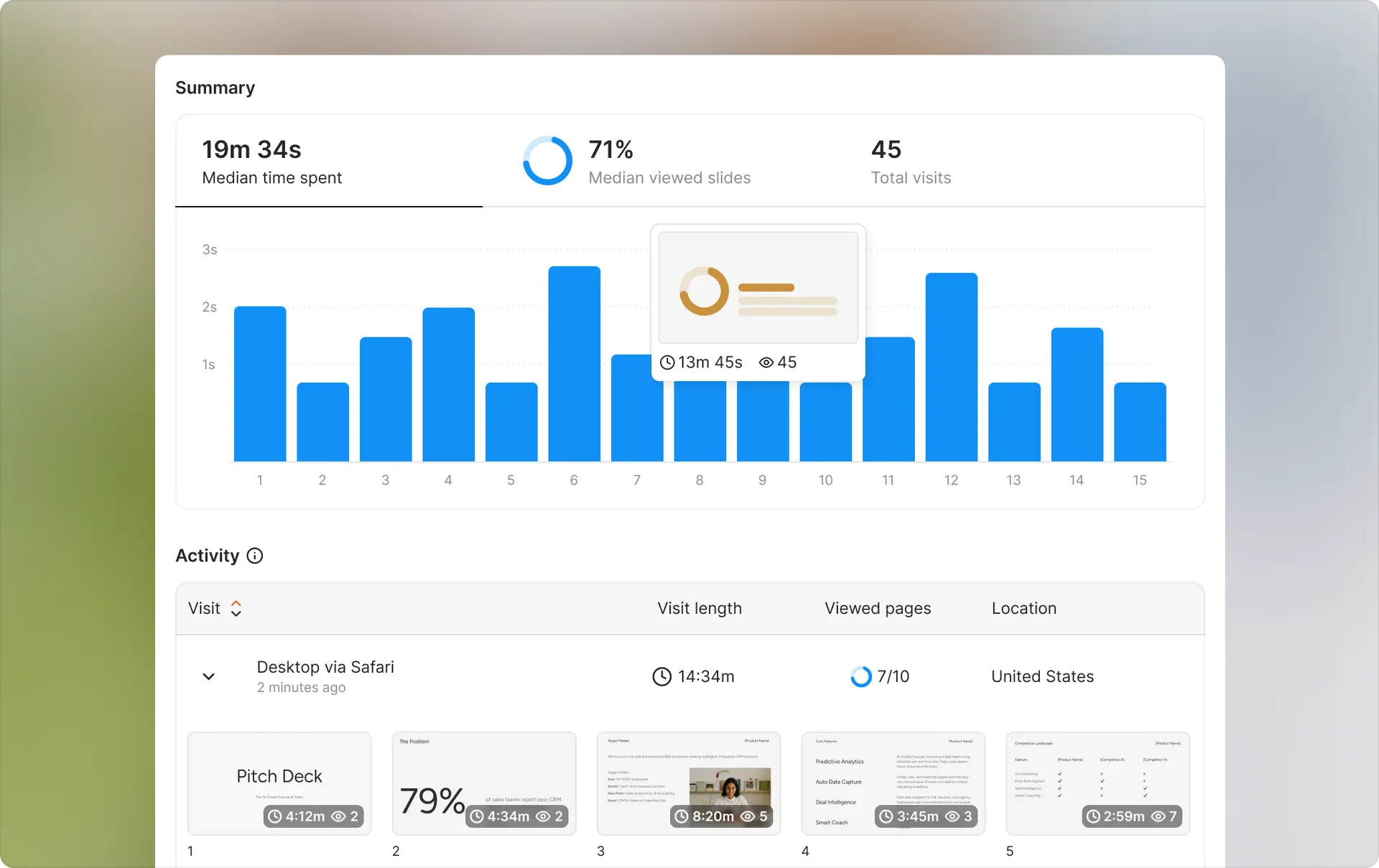
If you're using Drooms primarily for fundraising and pitch deck sharing, you're likely overpaying for VDR features you don't need.
Ellty offers a simpler pricing model designed for founders sharing pitch decks and fundraising materials with investors. You get the core analytics and tracking features without per-user pricing or storage gymnastics.
Ellty pricing
Ellty Free — $0/month
- Real-time document tracking and engagement analytics
- Secure shareable links with view tracking
- Page-by-page analytics and aggregate visit dashboard
- Real-time notifications when documents are viewed
- 10 GB storage per user
- No credit card required
Best for: Early-stage founders testing the product or sharing materials with initial investors.
Ellty Standard — $69/month
- Everything in Free, plus:
- Unlimited documents and visitors
- Advanced analytics dashboard and visitor export
- Password protection, email verification, and link expiration
- eSignatures — create, send, and collect natively
- Full virtual data room with folder organization
- Custom branding and branded custom subdomain
- Import from Google Drive, Dropbox, OneDrive, and Box
- Priority email support
Best for: Active fundraising founders tracking multiple investor conversations and collecting eSignatures without juggling separate tools.
Ellty Data Room — $149/month
- Everything in Standard, plus:
- Granular folder and file-level permissions
- NDA gating and secure viewer email authentication
- Dynamic watermarking to prevent leaks
- Restricted visitor access and personalized sharing links
- 2,000 assets per data room
- 3 users included
Best for: Founders in formal fundraising or due diligence with institutional investors who need structured data rooms and advanced security controls.
Side-by-side comparison: Drooms vs Ellty


What you save with Ellty
For a 3-person fundraising team:
- Drooms Flex: €1,074/year (with required licenses for storage)
- Ellty Standard: $828/year ($69/month)
- Savings: ~$246/year — with eSignatures and full data room functionality included
For a 5-person fundraising team:
- Drooms Flex: €1,500–2,100/year (with required licenses)
- Ellty Data Room: $1,788/year ($149/month)
- Savings: up to $312/year — with NDA gating, granular permissions, and dynamic watermarking included
When Ellty makes sense
You should use Ellty instead of Drooms if:
- You're fundraising (seed through Series B) and need document tracking, eSignatures, and a full virtual data room under one roof
- You need investor engagement analytics and structured due diligence without full enterprise M&A complexity
- Your team is 2–10 people and you want flat, predictable pricing
- You want to avoid per-user costs that scale with team size
- You need NDA gating, dynamic watermarking, and granular permissions without paying enterprise VDR prices
- You're budget-conscious and don't have $6,000–10,000/year for VDR software
When to stick with Drooms
Drooms makes more sense if:
- You're running actual M&A transactions with 1,000+ documents
- You need enterprise compliance (SOC 2, ISO certifications)
- You require SSO and advanced security controls
- You're managing multiple concurrent deals with complex permission structures
- You have budget for dedicated customer success and priority support
- Your use case is primarily due diligence, not fundraising
Migration is simple
Switching from Drooms to Ellty takes about 30 minutes:
- Export your documents from Drooms (download all files)
- Upload pitch decks and key docs to Ellty
- Create trackable links for investors
- Share new links (old Drooms links will expire when you cancel)
No data loss, no complex migration. If you're mid-fundraise, you can run both in parallel for one month to transition smoothly.
Quick answers
Does Drooms have a free plan?
No. Drooms offers a 30-day free trial with up to 5 users and 1 GB storage. After 30 days, you need to upgrade to Flex (€17.90/user/month) or Enterprise (custom pricing). The trial includes all Flex features so you can test before committing.
Does Drooms offer a free trial?
Yes. 30 days, up to 5 users, 1 GB storage, all Flex features included. No credit card required to start. After 30 days, you either upgrade to a paid plan or lose access.
Does Drooms have monthly billing or only annual?
Flex plan has monthly billing (€17.90/user/month, pay-as-you-go). Enterprise requires annual contracts. There's no discount for annual payment on Flex - you pay the same monthly rate whether you use it one month or twelve.
What payment methods does Drooms accept?
Credit card (Visa, Mastercard, Amex) and bank transfer for Enterprise contracts. All pricing is in euros. International customers pay at current exchange rates, and your credit card may charge 1-3% foreign transaction fees.
Does Drooms charge for implementation or onboarding?
Flex is self-service (no implementation fees). Enterprise includes onboarding and training in the contract. Custom implementation work (integrations, complex configurations) may be billed separately at €200-300/hour.
Can I cancel anytime?
Flex: yes, cancel anytime with no penalty. You're only billed for the current month. Enterprise: typically requires 12-month commitment. Check your contract for early termination terms.
Does Drooms have an API?
Not documented publicly for Flex plan. Enterprise customers likely have API access. If you need API integration, ask during sales process and confirm it's included in your contract.
Does Drooms have a mobile app?
Yes. iOS and Android apps available for viewing documents and analytics on mobile. Full administrative features work better on desktop browser. Investors can view shared documents on mobile without downloading app.
Are there limits on storage or documents?
Flex: 300 MB storage per user license (very limited). No document count limit, just total file size. Enterprise: unlimited storage. Both plans support all common file types (PDF, Office docs, images, videos).
Do I need to pay per user or can I share one account?
Flex charges per user. Each team member who needs to upload, manage, or administer documents needs their own license. External viewers (investors, buyers, partners) are free - they don't count as users. Enterprise has unlimited internal users in contract. Don't try to share login credentials - it's against terms and creates security/audit log issues.
What happens if I exceed my plan limits?
Flex: if you hit 300 MB per user, you need to either delete files or buy another user license for €17.90/month to get 300 MB more storage. No option to buy storage separately. Enterprise: unlimited storage in standard contracts, but extreme usage beyond normal ranges might trigger conversation.
Does Drooms offer refunds?
Flex is month-to-month, so no refunds needed - just cancel before next billing cycle. Enterprise annual contracts typically don't offer refunds for unused time if you cancel early. Some contracts may have 30-day money-back guarantee - confirm during negotiation.
Author

Anika Tabassum Nionta is a Content Manager at Ellty, where she writes about secure document sharing, virtual data rooms, M&A, due diligence, fundraising, and sales enablement. With over 6 years of writing experience, she helps professionals understand how to share confidential documents securely, track engagement, and manage deals more effectively. Anika holds both a BA and MA in English from Dhaka University. Outside of work, she enjoys reading, exploring new cafes in Dhaka, and connecting with entrepreneurs and dealmakers in her community.

