
Papermark not working? You're not alone.
When Papermark goes down, pitch decks sit unsent. Document links break. Analytics stop tracking. Investors wait while you refresh error pages.
Deals don't pause for technical issues. Deadlines don't move. Recipients expect materials when promised.
This guide shows how to check Papermark's status, common issues, and what to do when you need to share documents immediately.
Plus reliable alternatives that maintain better uptime.
Don't let downtime kill your deals

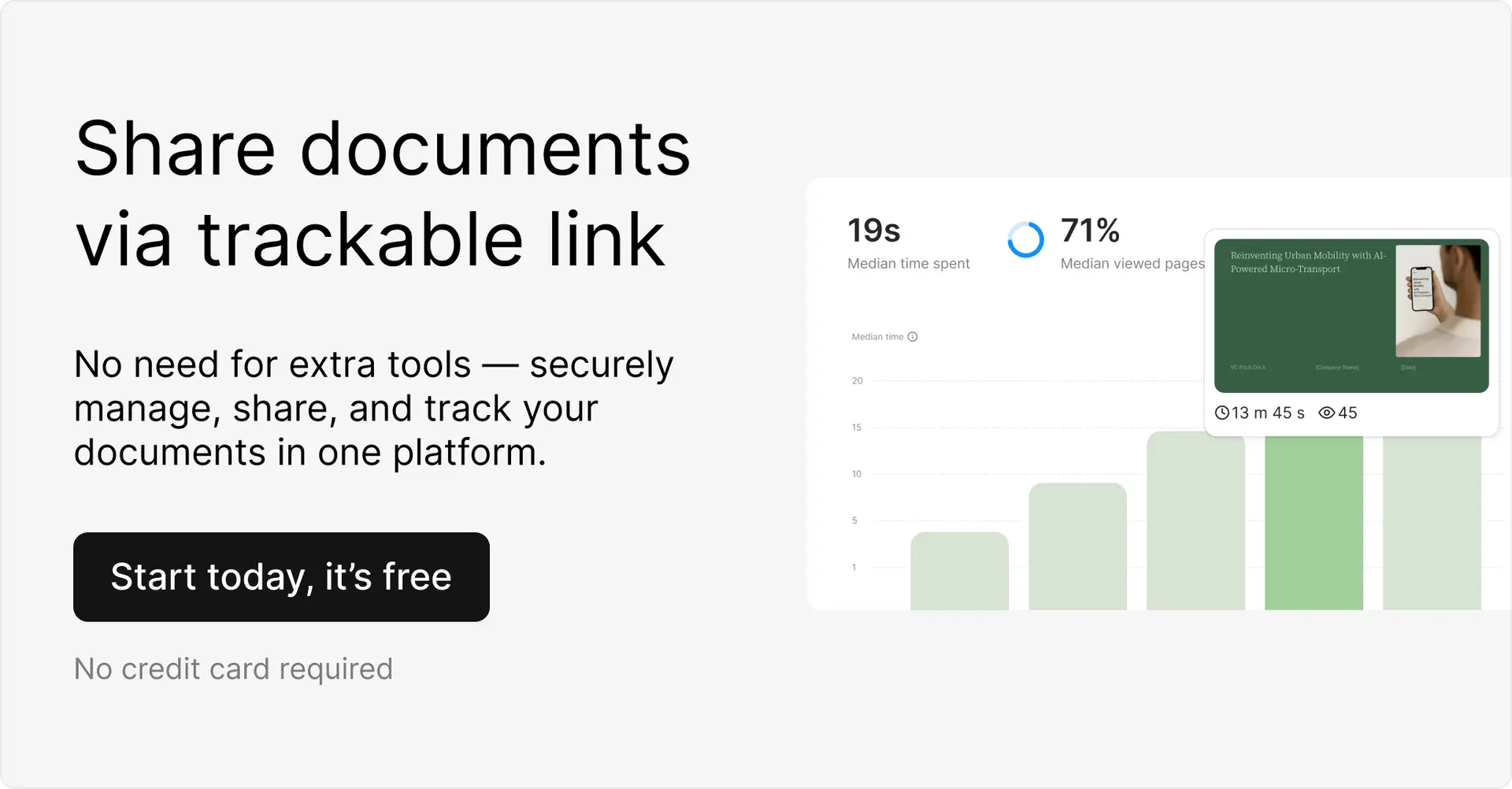
Papermark down during crucial fundraising?
- Your pitch deck needs to reach investors today.
- That proposal has a deadline.
- The NDA requires signatures now.
Ellty maintains 99.9% uptime. When others fail, we're still running.
Share documents instantly. Track engagement. Never miss a deadline because of platform issues.
Is Papermark down right now?
Check these sources:
1. Official status page:
- Link: status.papermark.io
- What it shows: Current issues, planned maintenance, incident history
- Note: Often slow to update during actual outages
2. DownDetector:
- Link: downdetector.com/status/papermark
- What it shows: User-reported issues. See outage map and timeline.
- Why: Real-time reports from users experiencing problems
3. Social media:
- Twitter/X: @papermarkio or #papermarkdown
- Why: Real-time user complaints. Often faster than official updates.
- Check replies to recent Papermark tweets
4. Reddit:
- Subreddit: r/startups or r/sysadmin
- Why: Users sharing workarounds and updates
- Search "Papermark down" for recent threads
5. GitHub Issues:
- Link: github.com/mfts/papermark/issues
- What it shows: Open-source issues and bugs
- Why: Technical problems often reported here first
Common error messages:
- "Service Unavailable" - Server overload or maintenance
- "502 Bad Gateway" - Backend connection failure
- "Cannot generate link" - Core service malfunction
- "Failed to load document" - Storage or CDN issues
- Endless loading spinner - Connection timeout
- "Authentication failed" - Login server problems
If multiple sources confirm issues, it's not just you.
Common Papermark issues
Login failures
Can't access your account. Password correct but won't authenticate. Email verification not sending.
Usually means authentication servers struggling or email service integration down.
Document upload errors
Upload button unresponsive. File uploads timeout. "Failed to process document" message appears.
Storage backend issues. Usually resolves within hours but blocks all new sharing.
Link generation broken
Upload works. But "Create Link" button does nothing. Or generates URLs that lead to 404 pages.
Core functionality failure. Usually system-wide. Your documents are uploaded but can't be shared.
Analytics not updating
Views happen but don't show in dashboard. Real-time tracking delays by hours. Notification emails stop.
Database sync issues. Data usually recovers later but you miss real-time insights when they matter.
Slow loading times
Documents take forever to load for recipients. Dashboard lags. Page interactions timeout.
Server overload or CDN problems. Affects user experience badly. Recipients complain or abandon viewing.
Permission errors
Links work for some users, not others. Access codes failing. Viewer restrictions not applying correctly.
Permission system malfunction. Security features break. Recipients can't access materials they should.
Email notification failures
No alerts when documents viewed. Visitor notifications delayed. Digest emails don't arrive.
Email service integration down. You miss critical engagement signals during active deals.
Custom domain issues
Custom domain links break. Redirect to error pages. SSL certificate warnings appear.
DNS or certificate problems. Looks unprofessional to recipients. Damages trust.
What to do when Papermark is down
1. Verify it's not you
Check internet connection. Try different browser. Clear cache and cookies. Use incognito mode.
Still broken? It's Papermark.
2. Check downtime duration
Recent outage? Might resolve in minutes.
Been hours? Stop waiting.
3. Contact support
Email [email protected] or check their Discord.
But expect delays. Everyone's contacting them.
If you need to share documents now
Stop refreshing Papermark. Stop waiting for it to work.
Your deals won't wait. Your deadlines won't move. Your investors expect pitch decks today.
Switch to Ellty immediately:
- Upload in seconds
- Virtual data room software for fundraising
- Share instantly with trackable links
- Same document tracking features
- Better analytics dashboard actually
- 99.9% uptime guaranteed
- Real-time notifications that work
- No learning curve. Same workflow. Better reliability.
While Papermark users wait for fixes, Ellty users close deals.


Migration takes 5 minutes:
- Sign up free at ellty.com
- Upload your document (PDF, pitch deck, any file)
- Create trackable link
- Share with recipients
- Watch real-time analytics
Your Papermark is down. Your business doesn't have to be.
Don't lose another deal to downtime.
Why Papermark goes down
Server overload
Too many users uploading simultaneously. Not enough resources allocated. Peak times crash the system.
Open-source infrastructure challenges
Smaller team managing infrastructure. Limited redundancy compared to enterprise platforms.
Database failures
Analytics data corrupts. Document metadata breaks. System grinds to halt. Recovery takes hours.
CDN issues
Content delivery network problems. Files won't load for recipients. Links break globally.
AWS/Cloud provider outages
Runs on cloud infrastructure. When provider has issues, Papermark dies too. Cascade effect.
Deployment errors
New feature rollouts break existing functionality. Code changes introduce bugs. Requires emergency rollback.
Email service dependencies
Relies on third-party email providers for notifications. That service fails. All alerts stop.
Authentication service problems
Login system depends on external auth provider. Provider hiccup means nobody can access accounts.
Reliable alternatives when Papermark fails
When Papermark goes down, you need options that actually work. Here's what founders are switching to.
Ellty - 99.9% uptime
Never down when you need it. Enterprise-grade infrastructure. Redundant servers across multiple regions.
Built specifically for founders who can't afford downtime during fundraising. Same features as Papermark, better reliability.
Why Ellty stays up:
Ellty runs on distributed infrastructure across three geographic regions. If one server fails, traffic automatically routes to backup servers. No single point of failure.
The platform uses enterprise-grade CDN for document delivery. Your data rooms, and pitch deck loads fast from anywhere in the world. Recipients in Singapore get the same speed as recipients in San Francisco.
Real-time monitoring catches issues before they become outages. The ops team gets alerts at the first sign of degradation. Most potential problems get fixed before users notice.
What you get:

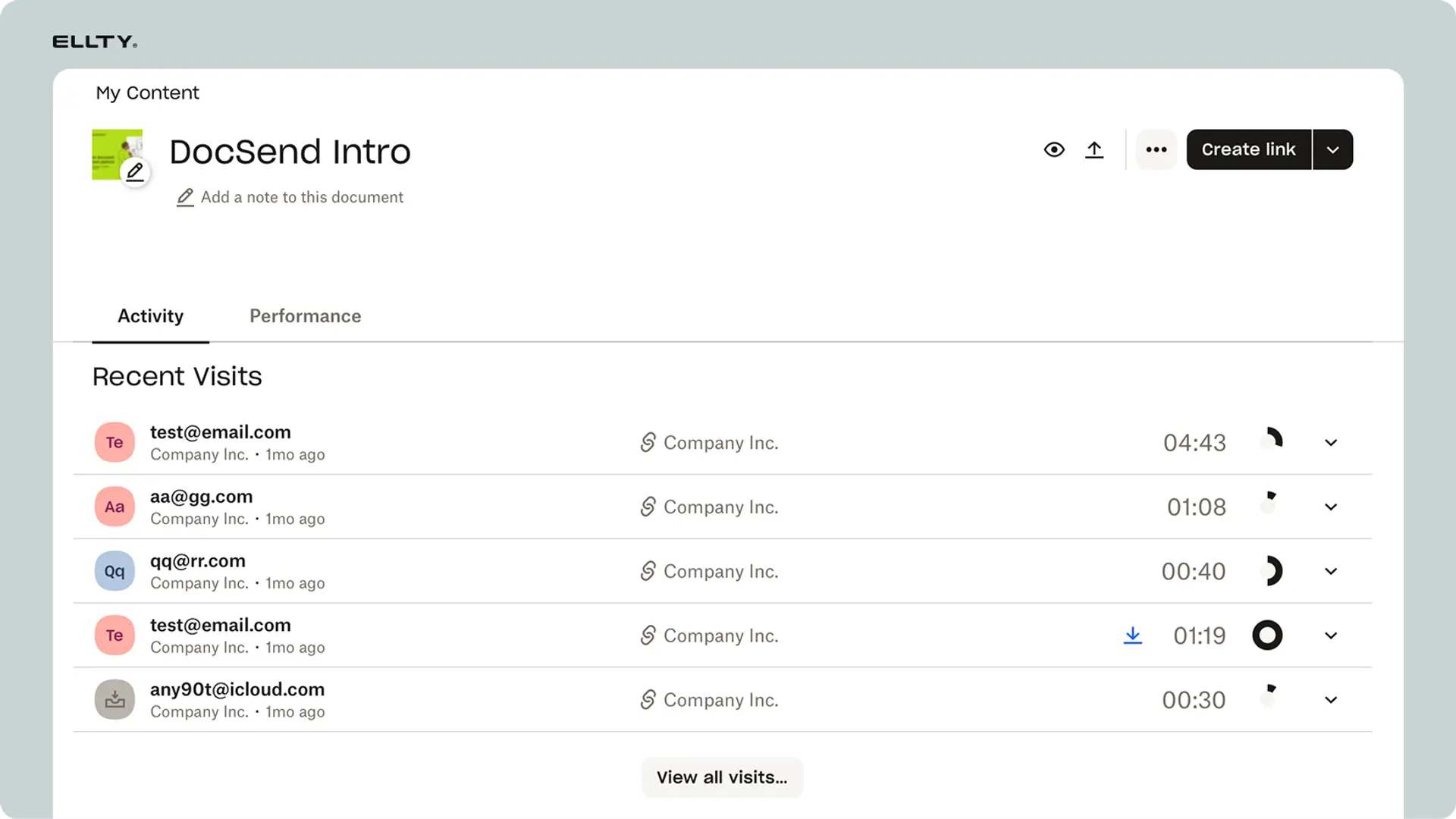
Upload any document type. PDF, PowerPoint, Word, images. No file size limits on paid plans.
Create trackable links in seconds. Customize the URL. Add password protection. Set expiration dates. Control exactly who sees what.
Analytics that actually matter. See who viewed your deck. Which pages they spent time on. When they revisited. Real-time notifications when investors open your materials.
Virtual data rooms for due diligence. Upload hundreds of documents. Organize by folder. Grant granular permissions. Track exactly what investors review.
Email notifications that work. Get alerts the moment someone views your deck. Daily digests of all activity. Never miss engagement.
Migration is painless:
Your documents from Papermark won't transfer automatically. But uploading to Ellty takes seconds per file.
Drag and drop your pitch deck. Generate a new link. Send to your recipients. They won't know you switched platforms unless you tell them.
All your analytics start fresh. Previous Papermark data stays in Papermark. But you'll have working analytics going forward instead of none.
Pricing breakdown:
Free tier gets you started. Upload documents. Create trackable links. Basic analytics. Real-time notifications. No credit card required.
Pro plan at $29/month adds custom domains. Advanced analytics. Unlimited documents. Priority support. White-label options.
Team plans start at $99/month. Multi-user access. Centralized dashboard. Role-based permissions. SSO integration.
Best for:
Founders who need reliability during active fundraising. Investors sharing deal flow. Sales teams closing enterprise deals. Anyone who can't afford platform downtime during critical moments.
DocSend - 99.95% uptime
Dropbox-backed infrastructure. Known for reliability. Strong analytics and security features.
DocSend rarely goes down because it runs on Dropbox's enterprise infrastructure. Massive server capacity. Decades of uptime optimization. The platform handles millions of document shares daily without breaking.
What makes DocSend reliable:
Owned by Dropbox since 2021. Inherits all of Dropbox's infrastructure investments. Multiple data centers. Automatic failover. Enterprise-grade disaster recovery.
The platform predates most competitors. Launched in 2013. Over a decade of operational experience. The engineering team has seen every failure mode and built defenses.
Features overview:
Document tracking works similarly to Papermark. Upload files. Generate links. See who viewed what. Get email notifications.
Analytics go deeper than most platforms. Engagement scoring tells you which prospects are hot. Comparison tools show how different recipients interact. Aggregate metrics across all your shares.
Security features are enterprise-grade. Require email verification before viewing. Set geographic restrictions. Disable downloads. Add watermarks with viewer email. Control every aspect of access.
Spaces feature organizes multiple documents. Build virtual data rooms. Share entire folders with one link. Perfect for due diligence or complex sales processes.
Integration ecosystem is mature. Connect with Salesforce. Sync with HubSpot. Works with Slack. Zapier integration for custom workflows.
The downside:
Price point is significantly higher than Papermark or Ellty. You're paying for Dropbox's infrastructure reliability and brand recognition.
Setup takes longer. More configuration options means steeper learning curve. Not as simple as Papermark's minimalist approach.
Oriented toward enterprise sales teams. Features can feel like overkill if you just need basic document sharing and tracking.
Who should use DocSend:
Large fundraising rounds where downtime could cost millions. Enterprise sales teams with complex document workflows. Organizations that need bulletproof reliability and can budget for it.
Law firms and investment banks sharing sensitive materials. Anyone who needs to prove document security and access control for compliance.
Pricing: Starts at $45/month for Personal plan. Team plans at $150/month. Enterprise pricing requires sales contact.
Pitch - Document sharing included
Primarily presentation software but includes secure sharing capabilities. Decent uptime. Limited analytics compared to dedicated document sharing platforms.
Pitch built its reputation on collaborative presentation creation. The sharing features came later. They work but they're not the core focus.
How Pitch sharing works:
Create presentations in Pitch's editor. Or upload existing PowerPoint files. Then generate a share link directly from the platform.
Links can be password-protected. You can disable downloads. Basic viewer analytics show who accessed the deck and when.
The viewing experience is polished. Recipients see a clean, branded presentation. Works on any device. No login required for viewers.
Analytics limitations:
You'll see total views and unique visitors. Time spent on the deck overall. But not page-by-page engagement like Papermark or Ellty.
No real-time notifications when someone views your deck. You have to check the dashboard manually. Misses the immediate engagement alerts that matter during fundraising.
No detailed visitor identification beyond email if you require it. Limited data export options. Analytics feel like an afterthought to the presentation features.
Uptime considerations:
Pitch maintains reasonable uptime. Not as bombproof as DocSend but better than many alternatives. Runs on reliable cloud infrastructure.
Outages happen occasionally. Usually brief. Status updates posted on their Twitter when issues occur.
The platform focuses resources on the core presentation editor. Sharing infrastructure gets less attention. Acceptable for most uses but not mission-critical reliability.
When Pitch makes sense:
You're already using Pitch to create your decks. Sharing through the same platform simplifies workflow. One fewer tool to manage.
Your needs are basic. Simple link sharing. Light analytics. No complex access controls or virtual data rooms required.
You want a presentation tool first, sharing second. Pitch excels at deck creation. Sharing works well enough for straightforward use cases.
Integration benefits:
Everything lives in one platform. Create deck, share deck, track deck. No export-import between tools.
Collaborative editing means your team can iterate on presentations together. Then share the latest version instantly.
Version control happens automatically. Recipients always see the current version. Update the deck and shared links reflect changes immediately.
Pricing: Free tier includes basic sharing. Limited to 1 user and 5 presentations. Starter plan at $8/month per user for unlimited presentations and better sharing features. Pro plans add advanced collaboration.
Best for: Teams already invested in Pitch for presentation creation. Startups with basic sharing needs. Anyone prioritizing deck design over advanced analytics.
Google Drive with tracking extensions
Basic reliability through Google's infrastructure. No native analytics but browser extensions add tracking capabilities. Not purpose-built for deal flow.
Google Drive won't go down. It's Google. But it's not designed for fundraising or sales document sharing.
The bare bones approach:
Upload your pitch deck to Google Drive. Set sharing permissions to "anyone with the link." Send the link to investors.
That's it. No analytics. No notifications. No idea who viewed what. Recipients see Google's interface, not yours.
Adding tracking:
Browser extensions like DocHipo or PageProofer add basic tracking to Google Drive links. Install extension. Connect to Drive. Generate tracked links.
These tools show view counts. Sometimes visitor identification if you require email. Basic time-spent metrics. But features vary widely by extension.
Reliability depends on the extension provider. These are small companies, not Google. Extensions break. Services shut down. Support is minimal.
Real-world limitations:
Sharing permissions get confusing. Google's options weren't designed for secure document sharing. Easy to accidentally make things too public or too restricted.
No password protection beyond Google's account system. Recipients need Google accounts for restricted access. Friction for viewers.
Branding is all Google. No custom domains. No white-labeling. Your professional pitch deck sits on drive.google.com. Not the impression most founders want.
Analytics extensions often require recipients to enable tracking. Pop-ups asking for permission. Many visitors decline. Your data is incomplete.
Email notification gaps:
Google can notify you when someone comments. Not when they view. Extensions try to fill this gap but notifications are delayed or unreliable.
No real-time alerts. You find out hours later that an investor opened your deck. Miss the window for timely follow-up.
When it makes sense:
True emergencies when paid platforms are down. You need to share something right now and Google Drive is already open.
Very casual sharing where analytics don't matter. Sharing with people you know personally. Internal team distribution.
Organizations already paying for Google Workspace. The infrastructure is there. Adding extensions costs little extra.
Security considerations:
Google Drive is secure for storage. But tracked links through third-party extensions create additional exposure points. Your document URLs pass through extension servers.
Extensions require access to your Google Drive. You're trusting small companies with your sensitive documents. Read privacy policies carefully.
Link forwarding defeats tracking. Recipients can copy the Google Drive URL and share it. Your analytics only show the first viewer.
Cost reality:
Google Drive is free for 15GB. Google Workspace starts at $6/month for business accounts with more storage.
Tracking extensions charge separately. DocHipo starts at $10/month. PageProofer at $15/month. Total cost approaches purpose-built platforms.
You're duct-taping together a solution. Spending similar money for inferior functionality. Makes sense only if you absolutely must use Google's ecosystem.
Bottom line:
Works in a pinch. Not a solution for professional fundraising or sales. Too many gaps. Too much friction. No support when things break.
If Papermark is down and you need something immediately, Google Drive gets your document shared. But switch to a real platform as soon as possible.
Pricing: Free with Google account (15GB limit). Google Workspace from $6/month. Tracking extensions $10-15/month additional.
Quick comparison


For emergency sharing:
Ellty free tier gets you running instantly. No credit card. No waiting.
Upload. Share. Track. While Papermark users refresh error pages.
FAQs
How long do Papermark outages usually last?
Minor issues resolve in 30-60 minutes. Database hiccups, small deployment errors, brief server overload. The team notices quickly and rolls back changes.
Major outages can last 3-6 hours. Sometimes longer. Infrastructure failures take time to diagnose and fix. Small teams mean fewer hands to solve problems.
Weekend outages last longer. Limited on-call coverage. If Papermark goes down Friday evening, might not recover until Monday morning.
Check status.papermark.io for updates. But updates lag during active incidents. Team focuses on fixing, not communicating.
If you have a deadline today, don't wait. Don't gamble that Papermark recovers in time. Switch to a working alternative immediately.
Will my documents be safe if Papermark goes down?
Your uploaded documents remain stored. They're in Papermark's database and file storage. Outages don't delete data.
You just can't access or share them during downtime. Can't generate new links. Can't view analytics. Can't download files back.
Data isn't lost but availability is blocked. Think of it like your files are locked in a room you can't enter.
When service recovers, everything returns. Your documents, links, analytics history. Nothing disappears.
The concern is timing. Your data is safe but useless if you need to share it right now. Safe data you can't access doesn't close deals.
Can I export my Papermark analytics before switching platforms?
Not during outages. Export features require the platform to be running. If Papermark is down, you can't log in to export anything.
When service is running, download CSV reports from settings. Export shows all document views, visitor data, engagement metrics.
Do this regularly, not just when switching platforms. Download analytics monthly. Keep backups of critical engagement data.
If you're switching to Ellty during a Papermark outage, you lose historical analytics. But you gain working analytics going forward. Better to have current data than none.
Some founders screenshot their Papermark dashboards for investor updates. Low-tech backup but preserves key metrics if you can't export.
Does Papermark offer uptime guarantees or SLAs?
No formal SLA. No service level agreement. No uptime guarantee. No financial penalties if the service goes down.
It's open-source software. Free tier has zero commitments. Even paid features don't include uptime promises.
Compare to enterprise platforms. DocSend guarantees 99.95% uptime. Ellty promises 99.9%. Credits if they miss targets.
Papermark makes no such promises. The team works hard to keep things running. But there's no contractual obligation.
This isn't criticism. It's reality of open-source infrastructure. Great tool but no reliability promises. Plan accordingly for critical use cases.
How do I switch from Papermark to Ellty?
Sign up at ellty.com. Takes 30 seconds. Enter email, create password, you're in. No credit card required for free tier.
Upload your documents. Drag and drop files from your computer. Or pull from Dropbox, Google Drive if connected. Each file uploads in seconds.
Create new trackable links. Click "Generate Link" next to each document. Customize URL if desired. Set password protection. Add expiration dates.
Update links with recipients if needed. If you already sent Papermark links, send new Ellty links. Brief message: "Updated link for the deck."
Most recipients won't care. They just want access to your materials. New link from different platform makes no difference to them.
Takes 5 minutes total. Maybe 10 if you're uploading dozens of documents. Not hours. Not complicated. Simple migration.
Will recipients notice if I switch platforms?
They'll receive a different link domain. Papermark links go to papermark.io or your custom domain. Ellty links go to ellty.com or your custom domain.
Document viewing experience is similar. Clean interface. Full-screen presentation mode. Download options if you allow them.
Most recipients don't care about the platform. They care about accessing your materials. Which platform served the PDF is irrelevant to them.
Professional recipients (investors, enterprise buyers) see dozens of document sharing platforms. Papermark, Ellty, DocSend, Pitch, custom solutions. All normal.
The only time it matters is if you've built branding around Papermark links. Custom domain makes this moot. link.yourcompany.com works on any platform.
If someone asks why the link changed, be honest. "Switched to a more reliable platform." End of conversation. Nobody cares beyond that.
Can I use Ellty for free during emergencies?
Yes. Free tier includes document uploads, trackable links, and basic analytics. Everything you need for emergency sharing.
No credit card required. No trial period that expires. Free tier is permanently free. Upload and share immediately.
Free tier limits: 5 documents per month. Basic analytics (views, time spent, real-time notifications). Standard domains (ellty.com links).
For emergencies, this is plenty. Get your pitch deck to that investor today. Share the proposal before deadline. Handle the urgent need.
Upgrade later for advanced features. Custom domains. Unlimited documents. Page-by-page analytics. Virtual data rooms.
But the free tier handles 90% of urgent sharing needs. Don't let cost block you from solving immediate problems.
What if Ellty goes down too?
Ellty maintains 99.9% uptime with redundant infrastructure. Multiple server regions. Automated failover. Rare outages resolve in minutes, not hours.
The architecture is different. Distributed systems across geographic regions. If US-East servers fail, traffic routes to US-West automatically. No manual intervention needed.
Real-time monitoring with automated responses. System detects degradation and scales resources immediately. Spins up additional servers before users notice problems.
When outages do happen, they're brief. Usually under 15 minutes. Database failover, network blips, temporary CDN issues. Not multi-hour incidents.
Status page updates in real-time. No lag between problem and communication. Transparent about issues and resolution time.
Support team responds during outages. Email support gets monitored even when fighting fires. You won't be ignored.
But no platform is perfect. Keep backups. Know multiple platforms. Don't put all your critical sharing on one tool, regardless of reliability claims.
Is Papermark coming back after outages?
Usually yes. Most outages are temporary. Server issues get resolved. Deployments get fixed. Database problems get patched.
The team is committed to the project. Active development continues. Open-source community contributes fixes. Platform isn't abandoned.
Papermark has recovered from every outage so far. Sometimes in minutes. Sometimes in hours. But service returns.
The question is whether you can wait. If you're three days from a funding deadline and Papermark is down, "it'll come back eventually" doesn't help.
Outages happen at the worst times. Murphy's law. Papermark will go down when you need it most. Have alternatives ready.
Treat Papermark recovery as a bonus, not a plan. Hope it comes back quickly. But don't count on it for time-sensitive needs.
Should I completely abandon Papermark?
Not necessarily. It's a good open-source option when working. Free tier is generous. Features are solid. Interface is clean.
The team ships updates regularly. Listens to user feedback. Fixes bugs quickly when identified. Good community support.
Open-source means transparency. You can see the code. Submit issues on GitHub. Contribute improvements. Some founders value this.
But don't rely on it for time-sensitive deals. Don't make it your only document sharing platform. Don't bet your fundraise on Papermark uptime.
Use Papermark for low-stakes sharing. Pitch decks to friends for feedback. Documents you're not tracking closely. Casual sharing where downtime doesn't matter.
Keep a reliable backup platform ready. Ellty or DocSend. Something with uptime guarantees. For investor meetings, enterprise deals, anything critical.
Think of Papermark like a promising startup. Great potential. Rough edges. Occasional failures. You support it but you also hedge your bets.
Free tier costs you nothing. Use both Papermark and Ellty. Share casual stuff on Papermark. Critical stuff on Ellty. Best of both worlds.
What should I do with existing Papermark links during an outage?
Existing links stay broken until Papermark recovers. You can't fix them. You can't redirect them. They're dead links until service returns.
Send new links from your backup platform. Email recipients: "Here's an updated link to the deck." Don't over-explain. Don't apologize excessively. Just provide working access.
Most recipients understand. Technology fails. Links break. Sending a replacement is normal. Professional people handle it professionally.
For critical recipients (lead investor, key customer), follow up directly. Call or text. "Sent you a new link for the deck. Previous one had technical issues." Personal touch matters.
Don't wait for Papermark to recover before sending alternatives. Every hour of delay costs you engagement. Send working links immediately.
When Papermark comes back, your old links work again. But you've already sent new ones. No harm done. Recipients have multiple ways to access your materials.
How do I prevent future document sharing platform outages from affecting my business?
Maintain accounts on multiple platforms. Free tiers cost nothing. Set up Ellty, keep Papermark, maybe add DocSend. Have options ready.
For critical shares, use the most reliable platform. Don't use free open-source tools for million-dollar deals. Pay for enterprise reliability when stakes are high.
Keep local copies of all documents. Don't treat any platform as your source of truth. Store originals on your computer or company cloud storage.
Export analytics regularly. Don't let critical engagement data live only in one platform. Monthly downloads. Save CSVs somewhere safe.
Build relationships that don't depend on platform uptime. If a link breaks, you can text the investor. Email the customer. Use multiple communication channels.
Set up custom domains for sharing. link.yourcompany.com can point to any platform. Switch backends without changing the URL. Recipients see consistent branding.
Monitor platform status pages. Follow status.papermark.io, status.ellty.com, status.docsend.com. Know about issues before they affect you.
Have a switching plan. Know exactly how to migrate to backup platform. Don't figure it out during an emergency. Practice the process.
Most importantly: don't panic. Platform outages happen. Have alternatives ready. Move quickly. Your business survives.
Author

Anika Tabassum Nionta is a Content Manager at Ellty, where she writes about secure document sharing, virtual data rooms, M&A, due diligence, fundraising, and sales enablement. With over 6 years of writing experience, she helps professionals understand how to share confidential documents securely, track engagement, and manage deals more effectively. Anika holds both a BA and MA in English from Dhaka University. Outside of work, she enjoys reading, exploring new cafes in Dhaka, and connecting with entrepreneurs and dealmakers in her community.

