
Need a secure data room without the enterprise price tag?
You're looking at data rooms because you need to share sensitive documents during fundraising, M&A, or due diligence. The problem is that many virtual data rooms charge thousands per month, require long contracts, and take days to set up.
Firmroom markets itself as a modern, affordable VDR alternative to legacy providers. Their pricing is more transparent than most enterprise platforms, but you're still looking at $500+ monthly for most use cases.
This guide breaks down what Firmroom data room actually offers, what it costs (including hidden fees), how long setup takes, and whether simpler alternatives might work better for your specific situation.
What is Firmroom data room?


Data rooms explained
A virtual data room (VDR) is a secure online repository for storing and sharing confidential documents. Companies use them during fundraising, mergers and acquisitions, audits, and legal proceedings. Unlike basic file sharing, data rooms offer granular permission controls, detailed analytics on who viewed what, and enterprise-grade security features like watermarking and document-level restrictions.
The core value is control and transparency. You decide who sees which documents, track every interaction, and revoke access instantly if needed. For high-stakes transactions where confidentiality and audit trails matter, basic file sharing tools like Dropbox don't cut it.
Firmroom data room feature
Firmroom launched in 2014 as a next-generation VDR provider, positioning itself against legacy platforms like Intralinks and Datasite. They built their platform specifically for middle-market M&A, private equity deal flow, and startup fundraising where traditional VDR pricing didn't make sense.
The platform emphasizes user experience over feature complexity. Their interface is cleaner and more intuitive than legacy providers. Firmroom offers document management with drag-and-drop uploads, user permissions at folder and document levels, Q&A modules for managing investor questions, and activity tracking showing who viewed what and when.
Who uses it:
- Private equity firms managing deal flow and portfolio company fundraising
- Investment banks running middle-market M&A transactions ($10M-$500M range)
- Startups raising Series A through growth rounds from institutional investors
- Corporate development teams evaluating acquisition targets
- Law firms managing due diligence for clients
Firmroom targets the middle market - companies too sophisticated for simple file sharing but who find legacy VDR pricing and complexity excessive. Their sweet spot is transactions between $5M and $500M where modern interface and transparent pricing matter.
Firmroom data room vs regular file sharing
Firmroom is exclusively a virtual data room provider. They don't offer basic file sharing like Dropbox or Google Drive. The comparison here is between using Firmroom VDR and using standard cloud storage for document sharing.
Here's how they differ:


When to use standard file sharing:
You're collaborating with your team on ongoing projects. You need quick access and frequent updates. You're sharing non-sensitive documents with contractors or partners. Budget is tight and you don't need audit trails or detailed analytics. Your use case is internal collaboration rather than external disclosure.
When to use Firmroom data room:
You're in active fundraising with multiple investors requesting access to financials and legal documents. You're managing M&A due diligence with NDAs and need to control document access carefully. You need detailed records of who viewed which documents when for compliance or legal reasons. Professional presentation matters to build credibility with institutional investors. You're sharing documents worth millions and can't risk leaks or unauthorized sharing.
The key difference:
Standard file sharing is built for collaboration - multiple people working together on documents. Firmroom is built for controlled disclosure - you showing documents to external parties while maintaining tight control over access and tracking every interaction. If you need to prove who saw what and when, file sharing won't work. If you're just organizing documents for your team, Firmroom is overkill.
Setting up a Firmroom data room
Firmroom offers faster setup than legacy VDR providers but isn't quite instant like simple file sharing. Here's the actual process.
Step 1: Account creation and plan selection (15-30 minutes)
Sign up on Firmroom's website, select your plan, and provide payment information. Unlike legacy providers, you can complete this online without sales calls for standard plans. Enterprise deals still require sales consultation.
Step 2: Data room creation and structure (1-2 hours)
Create your data room and set up folder structure. Firmroom provides templates for common scenarios (fundraising, M&A, audit) that you can customize. Drag folders around to match your preferred organization. Add or remove sections based on what you're sharing.
Step 3: Document upload (2-4 hours depending on volume)
Upload documents via drag-and-drop or bulk upload. Firmroom supports all standard file types including PDFs, Word docs, Excel, PowerPoint, and images. Large document sets take longer - a typical Series A fundraising data room with 50-100 documents takes about 2 hours to upload and organize.
Step 4: Permission configuration (30-60 minutes)
Create user groups (investors, advisors, internal team). Set document-level permissions for each group. Configure download restrictions, watermarking, and expiration dates if needed. Firmroom's permission interface is simpler than legacy VDR platforms but still requires thought about who should see what.
Step 5: Customize appearance and settings (15-30 minutes)
Add your logo and brand colors. Configure email notifications for new document views. Set up Q&A module if you want investors to ask questions through the platform. Enable NDA requirement before access if needed.
Step 6: Testing (15-30 minutes)
Create test user accounts and verify permissions work as expected. Check that documents display properly. Test mobile access if investors will review on phones. Make sure email notifications trigger correctly.
Step 7: User invitation and go-live (15 minutes)
Send access invitations to your first batch of users. Include instructions for login and 2FA setup. Monitor initial access and respond to any access issues.
Total setup time: 4-8 hours for typical data room if you're organized and have documents ready. Simple fundraising data rooms can be live in a few hours. Complex M&A data rooms with thousands of documents take a full day or more.
Ongoing maintenance:
Adding new users takes 2-3 minutes per person. Uploading new documents and setting permissions takes 5-15 minutes per batch. Responding to Q&A questions happens in real-time through the interface. Weekly or monthly you'll review activity reports to see which investors are actively engaging versus just browsing.
Firmroom is faster to set up than legacy providers but still requires several hours of focused work. You can get something basic live in an afternoon, but doing it right takes most of a day.
Firmroom data room pricing
Firmroom publishes pricing tiers on their website, making them more transparent than legacy providers. Here's the actual breakdown.
Plan availability:
Firmroom offers three main tiers with clear feature differences. All plans include the core data room functionality.
Which plans include data rooms:


All plans include unlimited data rooms. You're not paying per project - one monthly fee covers multiple simultaneous data rooms if needed.
Detailed pricing breakdown:
Standard - $500/month
What's included:
- Virtual data room with full security features
- 5GB storage (approximately 2,500-5,000 documents)
- Up to 10 administrator users
- Unlimited external viewers (investors don't count toward limit)
- Email and chat support during business hours
- Activity reports and analytics
- User authentication and 2FA
- Document-level permissions
- Q&A module
- Watermarking
Who it's for: Seed through Series A startups with straightforward fundraising needs. Simple M&A transactions with limited document volume. Companies testing VDR platforms before committing to larger plans.
Limitations: 5GB fills quickly if you have video demos, design files, or extensive financial models. 10 admin users means only 10 people from your team can manage the data room - external viewers don't count but your CFO, legal counsel, and advisors do. Support response times can be 12-24 hours.
Professional - $800/month
What's included:
- Everything in Standard
- 25GB storage
- Up to 25 administrator users
- Priority support with faster response times
- Advanced analytics with heat maps and detailed engagement tracking
- Custom branding (add your logo and colors)
- Bulk upload and document indexing tools
- Integration with DocuSign
- Expiration dates and timed access controls
- Enhanced reporting
Who it's for: Series B+ companies managing multiple investor conversations. Mid-market M&A transactions with several bidders. Private equity firms managing portfolio company fundraising. Teams needing more storage and advanced analytics.
Limitations: 25GB is usually sufficient but can fill with video content or large datasets. Still doesn't include dedicated account manager. White-label options require Enterprise. API access not included.
Enterprise - Custom pricing
What's included:
- Everything in Professional
- Unlimited storage
- Unlimited administrator users
- Dedicated account manager
- White-label interface with full branding control
- API access for custom integrations
- Custom workflows and approval processes
- Advanced security features (custom retention policies, etc.)
- SLA guarantees for uptime
- Training sessions for your team
Who it's for: Large enterprises running continuous deal flow. Private equity firms with multiple simultaneous transactions. Investment banks managing complex M&A. Companies with strict compliance requirements.
Cost: Starts around $2,000/month but typically runs $3,000-8,000/month depending on usage, user count, and custom requirements. Annual contracts required for enterprise pricing.
Hidden costs to consider:
Beyond base subscription:
Setup and training: Standard and Professional plans don't include hands-on setup help. You configure everything yourself. Enterprise plans include training sessions but standard tiers assume self-service. If you want consultant help with setup, budget $1,000-2,000 for outside help.
User scaling: Administrator limits (10 for Standard, 25 for Professional) can become restrictive. If your team grows mid-deal, you'll need to upgrade plans. External viewers (investors) don't count, but anyone from your company who needs to manage documents does.
Feature add-ons: Some advanced features require Professional or Enterprise:
- Custom branding: Professional+ only
- API access: Enterprise only
- White-label: Enterprise only
- Advanced integrations: Enterprise only
Storage overages: If you exceed plan storage limits, Firmroom charges overage fees. Standard plan at 5GB can fill quickly. Professional at 25GB usually sufficient. Overage pricing runs approximately $50-100 per 5GB/month.
Contract length: Month-to-month is available at listed prices. Annual contracts provide 15-20% discount. If your deal closes early, you're stuck paying remaining months or negotiating early termination.
Real cost examples:
Startup raising Series A (8 investors, 3GB documents)
- Plan: Standard
- Base cost: $500/month
- Storage: Included (under 5GB)
- Setup: Self-service
- Duration: 5 months average fundraise
- Total cost: $2,500
Company in M&A process (3 bidders, 15GB documents)
- Plan: Professional
- Base cost: $800/month
- Storage: Included (under 25GB)
- Advanced analytics: Included
- Duration: 6 months typical M&A timeline
- Total cost: $4,800
Private equity firm (ongoing deal flow, 50GB documents)
- Plan: Enterprise
- Base cost: $4,000/month (estimated)
- Unlimited storage: Included
- Dedicated support: Included
- Annual contract: $48,000/year
- Total cost: $48,000+ annually
Cost comparison with competitors:


Firmroom positions in the affordable end of professional VDR platforms. They're cheaper than iDeals, significantly cheaper than Datasite or Intralinks, but more expensive than startup-focused tools like Ellty. The value proposition is modern interface with professional features at reasonable pricing.
Use cases for data rooms
Data rooms make sense when document security, access control, and audit trails justify the cost and complexity. Here are specific scenarios where they add clear value.
1. Fundraising (Series A through growth rounds)
The scenario: You're raising $3M+ from institutional investors who will spend weeks reviewing your financials, contracts, and operations. You need to share sensitive information with 5-20 potential investors, each at different stages of diligence. Some investors want full financial access immediately, others start with summary materials and request deeper access as conversations progress.
Why a data room helps:
- Centralize all investor materials in one professionally organized location
- Grant tiered access as investors move through your funnel
- Track which investors actively review documents versus just collecting information
- Update financials once and all investors see current versions immediately
- Professional presentation signals operational maturity to institutional VCs
- Revoke access instantly if investor drops out or terms change
- Generate reports showing investor engagement for board updates
What you'd include:
- Pitch deck and executive summary
- Three years of financial statements plus projections
- Detailed cap table with all option grants and vesting schedules
- Top customer contracts and revenue breakdown
- Product roadmap and technical architecture overview
- Team backgrounds with LinkedIn profiles
- Incorporation documents, IP assignments, and material contracts
- Board minutes and previous investor updates
- Market research and competitive positioning analysis
- Customer testimonials and case studies
Example workflow: Create data room with clear folder structure organized by due diligence category. Send initial access to warm leads with view-only permissions to pitch deck and financials summary. As investors express serious interest and sign NDAs, expand access to detailed financial models and legal documents. Use activity reports to identify which investors spend significant time on specific sections - these are strongest prospects. Follow up quickly with investors who reviewed pricing strategy or customer contracts. Update revenue metrics monthly so all investors see current performance.
Firmroom features that matter:
- User groups to manage investor permission levels efficiently
- Document-by-document analytics showing exactly what each investor reviews
- Q&A module to track investor questions and provide consistent answers
- Watermarking to discourage unauthorized sharing of materials
- Download restrictions for sensitive documents you want view-only
- Mobile access so investors can review on phones during travel
2. Mergers and acquisitions (sell-side)
The scenario: Your company is exploring sale or acquisition. You expect 3-8 potential buyers to conduct due diligence over 3-6 months. Each buyer needs access to detailed company information but you need to control what they see and when. Confidentiality is critical until announcement. Multiple buyers can't know about each other.
Why a data room helps:
- Organize thousands of documents systematically for buyer review
- Control which buyers see which information at what stage
- Prevent buyers from knowing about competing bidders through activity tracking
- Create audit trail proving you disclosed all material information
- Manage multiple workstreams (financial, legal, operational, technical) in parallel
- Update information as diligence progresses without email chaos
- Track buyer engagement to identify serious bidders
What you'd include:
- Complete financial records for 3-5 years including monthly management accounts
- All customer contracts with revenue, term length, and renewal terms
- Vendor and supplier agreements
- Intellectual property documentation, patents, trademarks
- Employee contracts, org charts, compensation structure
- Litigation history and outstanding legal matters
- Real estate leases and facility agreements
- Insurance policies and claims history
- IT systems documentation and security audits
- Environmental and regulatory compliance records
- Tax returns and correspondence with authorities
- Strategic plans and market analysis
Example workflow: Organize data room using standard M&A index structure. Create separate user groups for each potential buyer so they can't see competitor activity. Initially grant access to high-level materials only - pitch book, summary financials, growth metrics. As buyers submit preliminary offers, expand access to detailed operations and customer data. Reserve most sensitive information (customer names, pricing details) for final round bidders only. Track which buyers actively review materials versus passive tire-kickers. Use buyer engagement data to prioritize management time for buyer meetings. Generate audit reports proving complete disclosure for legal protection.
Firmroom features that matter:
- Separate user groups for each bidder to maintain confidentiality
- Activity tracking to identify seriously engaged buyers
- Q&A module to manage hundreds of buyer questions efficiently
- Document version control as you update materials during process
- Watermarking with buyer name to prevent sharing with competitors
- Detailed audit logs for legal defense if deal disputes arise later
3. Private equity deal flow management
The scenario: You're a PE firm evaluating 10-20 potential investments annually. Each deal requires extensive due diligence. Portfolio companies need data rooms for their own exits. You need consistent process across all deals. Information security is paramount since you're seeing confidential information from competing companies.
Why a data room helps:
- Standardize due diligence process across all investments
- Maintain secure repository of confidential target company information
- Track which team members reviewed which target materials
- Provide portfolio companies with data rooms for their fundraising or exits
- Archive deal materials for future reference even if no investment
- Demonstrate to LPs that rigorous diligence process is followed
- Facilitate co-investment opportunities with other funds
What you'd include: For each target company under evaluation:
- Confidential information memorandum
- Financial models and projections
- Management presentations
- Customer and revenue data
- Market analysis and competitive positioning
- Management team backgrounds
- Legal and regulatory compliance
- Quality of earnings reports
- Integration plans and value creation thesis
Example workflow: Create new data room for each potential investment. Organize using firm's standard due diligence checklist. Upload materials as received from target company or advisors. Grant access to deal team members based on their role - everyone sees financials, only technical partners see product diligence. Track who reviewed materials to ensure coverage. Use data room for IC (investment committee) materials distribution. Archive data room after decision for future reference even if pass on deal. For portfolio companies, provide data room for their fundraising or exit processes as value-add service.
Firmroom features that matter:
- Multiple simultaneous data rooms under one account
- Template structures for consistent process across deals
- User permissions to control internal team access
- Activity tracking for accountability on diligence coverage
- Long-term archival for reference on passed deals
- Professional interface for portfolio companies to use
4. Legal proceedings and litigation discovery
The scenario: Your company is involved in litigation requiring document production. Opposing counsel requests thousands of pages of documents. You need to share responsive documents while protecting privileged materials. Outside counsel needs to review everything. Discovery deadlines are strict and penalties for incomplete production are severe.
Why a data room helps:
- Organize responsive documents separate from privileged materials
- Control exactly which documents opposing party can access
- Create privilege log showing what was withheld and why
- Track opposing counsel's review activity and download patterns
- Produce documents in organized, defensible manner meeting court standards
- Maintain chain of custody and access records for evidence integrity
- Coordinate between internal team, outside counsel, and experts
What you'd include:
- Responsive documents organized by discovery request number
- Exhibits and supporting materials
- Deposition transcripts as produced
- Expert reports and supporting analyses
- Correspondence related to disputed matters
- Contracts and agreements relevant to claims
- Financial records supporting damage calculations
- Technical documentation for IP or product disputes
Example workflow: Legal team reviews potentially responsive documents for relevance and privilege. Upload approved productions organized by discovery request number or issue. Grant opposing counsel view-only access with watermarking including their firm name. Disable download for extremely sensitive materials requiring in-person review only. Track opposing counsel review activity to anticipate their case strategy. Upload supplemental productions to dated folders as discovery continues. Use detailed audit logs to prove timely production if disputes arise. Generate reports for court filings showing production timeline and access granted.
Firmroom features that matter:
- Document numbering and version control for evidence tracking
- Watermarking with recipient details on every page
- Download and print restrictions for sensitive materials
- Complete audit trail with timestamps for court submission
- Secure deletion protocols when matter concludes
- Search functionality for quick location of specific documents
5. Real estate transactions
The scenario: You're selling commercial property or portfolio of properties. Buyers need to review property documents, tenant leases, inspection reports, and financial performance. Multiple offers might come in. Due diligence takes 4-8 weeks. Properties have sensitive tenant information requiring careful access control.
Why a data room helps:
- Organize property documents by building or location
- Share different properties with different buyers based on interest
- Track which buyers seriously review financials versus just browsing
- Update rent rolls and financial performance without email distribution
- Manage buyer questions about property condition efficiently
- Maintain confidentiality of tenant information and lease terms
- Demonstrate professional property management to buyers
What you'd include:
- Property deeds and title reports
- Tenant leases and rent rolls with payment history
- Property inspection and environmental reports
- Financial statements by property showing NOI and cash flow
- Operating expenses and capital improvement history
- Zoning approvals and permit documentation
- Property management agreements and vendor contracts
- Insurance policies and claims history
- Tenant correspondence and lease renewal tracking
- Market analysis and comparable property data
Example workflow: Create data room with separate folder for each property in portfolio. Upload all property documents organized by category within each property folder. Grant potential buyers access to properties matching their investment criteria only - retail buyers don't need industrial property access. Track which properties get most buyer attention. Use Q&A to manage buyer questions about specific leases or property condition. Update rent rolls monthly as leases renew or tenants change. Generate reports showing buyer engagement by property to prioritize negotiations. Provide most engaged buyers with expanded access to tenant-specific details.
Firmroom features that matter:
- Portfolio organization with property-specific folders
- Selective access by property for different buyers
- Financial tracking for NOI and rent roll updates
- Q&A by property to manage buyer questions efficiently
- Activity comparison showing buyer interest patterns
- Document version control for updated rent rolls
6. Startup due diligence for corporate development
The scenario: Your corporate development team evaluates potential acquisitions of earlier-stage companies. You see 20-30 companies annually. Each requires technical, financial, and legal diligence. Founders are sensitive about confidentiality. You need organized process that moves quickly when right opportunity appears.
Why a data room helps:
- Request standardized document set from all target companies
- Evaluate multiple companies simultaneously with consistent process
- Share information with technical and business teams internally
- Track which team members reviewed which sections
- Maintain confidentiality during early conversations
- Archive diligence materials for future reference
- Demonstrate professional, organized approach to founders
What you'd include: From target companies:
- Financial statements and key metrics
- Customer data and revenue breakdown
- Product technical documentation
- Team backgrounds and key person dependencies
- Legal entity structure and cap table
- Material contracts and partnerships
- Intellectual property and tech stack
- Growth plans and resource needs
Example workflow: Send standard diligence request list to companies under evaluation. Target uploads materials to data room you provide or creates their own. Organize materials using your standard evaluation framework. Grant internal team access based on role - engineers see technical docs, finance sees books, legal reviews contracts. Use data room for deal team discussions and evaluation. Track coverage to ensure all areas reviewed. Present to acquisition committee using materials in data room. Archive after decision for pattern recognition across evaluated companies.
Firmroom features that matter:
- Template diligence request lists
- Internal team permissions and access tracking
- Commenting for deal team collaboration
- Comparison across multiple target companies
- Integration with internal systems for data analysis
- Secure archival for institutional knowledge building
7. Audit preparation and compliance
The scenario: You're preparing for financial audit, regulatory examination, or compliance review. Auditors or regulators need access to specific documents. You must provide organized access while maintaining security. Audit trail of what was reviewed is required for compliance documentation.
Why a data room helps:
- Organize audit materials exactly as auditors request
- Grant time-limited access to external auditors
- Track which documents auditors reviewed in detail
- Respond to document requests efficiently
- Maintain confidentiality of employee and customer information
- Generate compliance reports showing access and review
- Update documents as audit progresses without confusion
What you'd include:
- Financial statements and supporting schedules
- Account reconciliations and journal entries
- Contracts requiring audit review
- Board minutes and governance documents
- Internal control documentation
- Previous audit reports and management letters
- Regulatory filings and correspondence
- Employee records (anonymized as appropriate)
Example workflow: Create data room organized by audit program areas. Upload requested documents to corresponding sections. Grant auditor team time-limited access expiring after audit conclusion. Track which sections auditors spend most time reviewing to anticipate questions. Upload supplemental documents to designated folders as requested. Use Q&A for auditor questions and management responses. Generate final report showing complete access record for compliance file. Securely delete after retention period ends.
Firmroom features that matter:
- Organized structure matching audit programs
- Time-limited access expiring automatically
- Document request and response tracking via Q&A
- Detailed activity logs for compliance documentation
- Secure deletion meeting data retention policies
8. Partnership and joint venture formation
The scenario: You're forming strategic partnership or joint venture with another company. Both parties need to share confidential information about capabilities, financials, and strategic plans. Trust is building gradually. NDAs are signed but you need organized, secure information exchange.
Why a data room helps:
- Structured information exchange with professional presentation
- Mutual access for both parties to review each other's materials
- Track partner engagement to gauge commitment level
- Professional approach builds confidence in partnership
- Control access if partnership discussions pause or terminate
- Archive partnership formation materials for future reference
What you'd include:
- Company overviews and strategic plans
- Financial performance and projections
- Technology capabilities and IP portfolios
- Customer relationships and market access potential
- Team capabilities and key personnel
- Proposed partnership structure and economics
- Draft agreements and term sheets
- Integration plans and success metrics
Example workflow: Create data room with separate sections for each partner's materials. Both partners upload confidential information about capabilities and fit. Grant reciprocal access to designated sections. Use Q&A to discuss partnership structure and address concerns. Track which aspects of partnership materials get most attention from both sides. Update proposals as terms evolve through negotiation. Archive final partnership agreement and formation materials for governance reference.
Firmroom features that matter:
- Multi-party access with reciprocal permissions
- Bilateral information sharing controls
- Q&A for partnership term discussion
- Document comparison for evolving term sheets
- Secure archive of partnership formation history
Firmroom data room limitations
Firmroom is solid for its target market but it's not perfect. Here are honest limitations you should know about.
1. Storage limits on standard plans
5GB on Standard plan fills quickly. A typical Series A data room needs 2-3GB, leaving little room for growth. If you have product demo videos, design files, or extensive financial models, you'll hit limits fast. Professional plan at 25GB works for most, but video-heavy companies or large M&A still bump into caps. Overage fees add up.
2. Administrator user limits
Standard plan caps at 10 administrators. That's not investors - that's your team members who can manage the data room. Your CFO, legal counsel, outside lawyers, board observers, and advisors all count toward this limit. Mid-sized deals easily exceed 10 internal people who need management access. You'll need Professional plan or pay for upgrades.
3. Less established than legacy providers
Firmroom launched in 2014. That's recent compared to Intralinks (1996) or Datasite (1968). Some institutional investors or large law firms have internal policies requiring specific VDR providers with longer track records. If your buyer or investor specifically requests iDeals or Intralinks, Firmroom might not be acceptable.
4. Limited customization without enterprise plan
Want white-label interface? Enterprise only. Need API access for integrations? Enterprise only. Custom workflows or approval processes? Enterprise only. Standard and Professional plans work well for straightforward use cases but you can't deeply customize without significant price jump.
5. Self-service setup means you're on your own
Standard and Professional plans don't include implementation support. You figure out folder structure, permissions, and configuration yourself. If you've never used a VDR before, expect learning curve and trial-and-error. Legacy providers include project managers who do this for you (and charge accordingly).
6. Support response times on lower tiers
Standard plan support runs business hours only with 12-24 hour response times. If you need urgent help on weekend before Monday investor meeting, you're stuck. Professional plan offers priority support but still no dedicated account manager. Enterprise provides dedicated support but at much higher price.
7. International data residency options limited
Firmroom primarily uses US-based data centers. If you need specific data residency for GDPR compliance or other regulatory reasons, options are limited without enterprise plan. Legacy providers offer more geographic flexibility out of the box.
8. Feature set focused on core VDR functionality
Firmroom does data rooms well but doesn't offer adjacent features some platforms include. No built-in project management like DealRoom. No AI-powered document analysis tools. No advanced workflow automation. They focus on doing core VDR right rather than feature bloat, but if you want all-in-one platform, look elsewhere.
9. Learning curve for advanced permissions
While simpler than legacy VDR platforms, Firmroom's permission system still requires understanding of user groups, document-level access, inheritance, and restrictions. Non-technical founders sometimes struggle with getting permissions exactly right. Test thoroughly before sending investor access.
10. Limited track record with largest deals
Firmroom targets middle market. If you're managing $1B+ M&A transaction with 50+ parties and complex regulatory requirements, investment banks and major law firms might push you toward Datasite or Intralinks with longer track records handling mega-deals.
When these limitations are dealbreakers:
Your company produces lots of video or large files and you'll exceed storage quickly. You have 15+ internal team members who need administrative access. Your investors or buyers specifically require particular VDR providers. You need extensive customization or white-label interface. Weekend support is critical for your timeline. You're managing extremely complex mega-deal requiring proven track record with largest transactions. You want all-in-one platform with project management and AI tools included.
When these limitations are minor:
Your document set fits within 5-25GB comfortably. Administrator count stays under tier limits. Your investors care about security and organization but not specific VDR brand. Core VDR features are all you need without bells and whistles. Business hours support is sufficient for your timeline. Your deal size is $5M-$500M where Firmroom's experience is deep. You value modern interface and transparent pricing over legacy provider track record. You're comfortable with self-service setup or can hire consultant if needed.
Alternatives to Firmroom data room
Several options exist depending on your specific needs, budget, and transaction complexity. Here's how they compare.
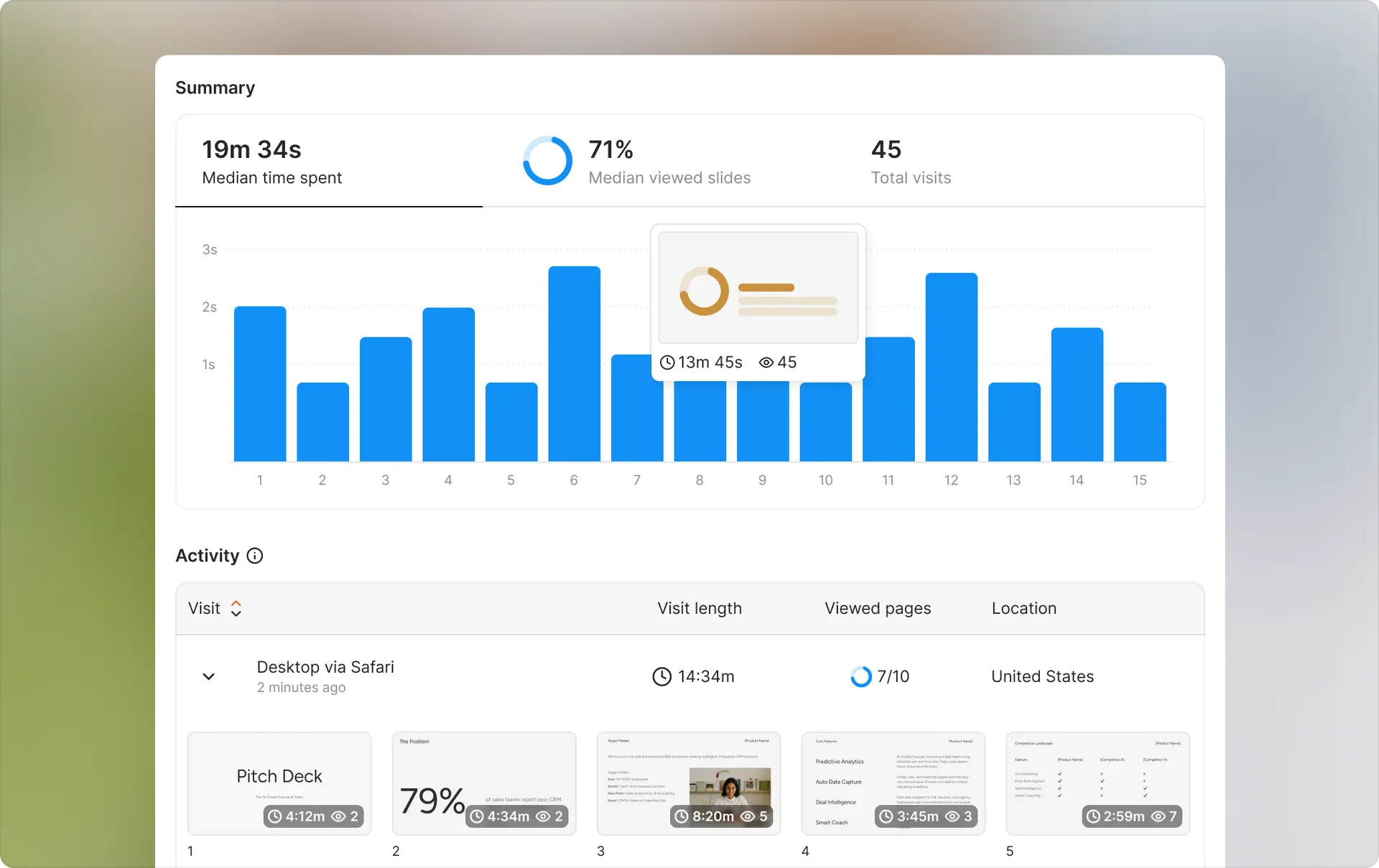
Ellty - Simple data rooms without monthly minimums


What it offers: Ellty started as a pitch deck sharing platform and evolved into a straightforward virtual data room for startups. The focus is on fundraising and simple due diligence without enterprise complexity. You can set up a data room in under an hour without any sales calls or complicated configuration.
Key features:
- Document upload and intuitive folder organization
- User permissions and access controls
- Page-by-page analytics showing viewing time and engagement patterns
- Real-time notifications when investors view your materials
- Password protection for sensitive documents
- Screenshot protection on Business plan
- Simple Q&A for managing investor questions
- No limits on viewer count - invite unlimited investors
- Mobile-friendly interface optimized for investor review
Pricing:
- Free plan: Document tracking, real-time analytics, secure sharing, free forever
- Standard ($69/month): Unlimited documents, advanced analytics, eSignatures, data rooms, custom branding
- Data Room ($149/month): Granular permissions, NDA gating, dynamic watermarking, restricted visitor access, 3 users included
- Data Room Plus ($349/month): Group visitor permissions, audit logs, 4,000 assets per data room
All plans are month-to-month. No setup fees. Cancel anytime.
Best for: Pre-seed through Series B startups raising from angels, micro VCs, or smaller institutional funds. Founders who want simple setup without learning complex VDR systems. Teams with limited budget where $500+/month isn't justified. Simple due diligence for acquisitions under $10M. Anyone who needs something live today, not next week.
Compared to Firmroom:


When to choose Ellty:
- You're raising under $5M and every dollar of runway matters
- You need data room live today for unexpected investor request
- Simple permission structure (view/no view) is sufficient for your needs
- You're sharing with angels or early-stage funds who don't require enterprise VDR
- Budget flexibility matters and you want to start free or pay minimal monthly cost
- Complexity is a barrier - you want something that just works without configuration
- Your document set is primarily pitch decks, financials, and standard fundraising materials
When Firmroom still makes more sense:
- You're managing $20M+ transaction where professional VDR expectations matter
- Your investors specifically ask about VDR platform and expect recognized name
- You need advanced features like detailed audit logs or sophisticated permission structures
- Deal complexity requires more robust document management than basic folder sharing
- You're comfortable with $500-800/month cost for professional infrastructure

iDeals - Established enterprise VDR
What it offers: iDeals is a well-established VDR provider (launched 2008) focused on enterprise M&A and larger transactions. They emphasize compliance certifications and proven track record with major institutions.
Key features:
- Comprehensive security with ISO 27001 and SOC 2 compliance
- Extensive permission controls including page-level restrictions
- Advanced analytics with heat maps
- Dedicated project manager for setup
- Q&A workflow management
- Integration with DocuSign and enterprise tools
Pricing: Starts around $500/month for basic plans, $2,000/month for mid-tier, $5,000+/month for enterprise. Custom quotes required. Annual contracts preferred for competitive pricing.
Best for: Series B+ companies raising from institutional investors who expect enterprise VDR. Complex M&A transactions requiring detailed compliance and audit trails. Companies in regulated industries needing specific security certifications.
Limitation: More expensive than Firmroom with less transparent pricing. Setup takes 1-3 days with project manager. Learning curve is steeper. Overkill for simpler fundraising rounds.
DealRoom - M&A lifecycle management
What it offers: DealRoom combines data room functionality with M&A project management, pipeline tracking, and deal workflow tools. Built for teams managing multiple simultaneous deals.
Key features:
- Virtual data room integrated with project management
- Deal pipeline tracking across multiple transactions
- Task management and diligence request tracking
- Integration with Salesforce and CRM tools
- Analytics on deal progress beyond just document views
- Collaboration tools for deal teams
Pricing: Starts around $400/month for basic plans, $1,200/month for mid-tier, $3,000+/month for teams managing multiple deals. More affordable than legacy VDR providers.
Best for: Corporate development teams evaluating multiple acquisitions simultaneously. M&A advisors managing deal flow for clients. Private equity firms with active acquisition pipeline. Anyone needing project management integrated with data room.
Limitation: If you just need document sharing for single fundraising round, the M&A workflow features add unnecessary complexity. Best value comes from managing multiple deals, not one-off transactions.
Datasite - Premium M&A platform
What it offers: Datasite (formerly Merrill DataSite) is one of the oldest VDR providers, primarily serving investment banks and large corporations in complex M&A. Extremely robust with decades of track record.
Key features:
- Maximum security and compliance certifications
- Handles extremely large document volumes (100,000+ files)
- Advanced analytics including AI-powered insights
- Global infrastructure with data centers worldwide
- Integration with major investment banks' systems
- 24/7 support for global deal teams
Pricing: Premium pricing starting around $1,000/month minimum, typically $3,000-10,000/month for active M&A processes. Often priced per project rather than monthly subscription. Setup fees of $2,000-5,000 common.
Best for: Investment banks managing $100M+ M&A transactions. Public company deals with extensive regulatory requirements. Cross-border acquisitions with complex jurisdictional needs. Mega-deals where proven track record and maximum security matter most.
Limitation: Expensive for most startups and middle-market deals. Complex interface assumes sophisticated VDR users. Sales process is lengthy. Significant overkill for fundraising rounds under $50M.
Dropbox or Google Drive - Basic file sharing
What it offers: Not true data rooms, but standard cloud storage with folder sharing and basic permissions. Everyone already knows how to use them.
Key features:
- Familiar interface requiring zero training
- Folder-level permissions
- Version history
- Real-time collaboration tools
- Mobile apps everyone already has
- Integration with everything
Pricing: Google Workspace Business Standard: $12/user/month Dropbox Business: $15/user/month
Best for: Very early-stage fundraising from friends, family, or angels who don't expect formal data room. Sharing non-sensitive documents. Internal team collaboration. Situations where professionalism of VDR doesn't matter.
Limitation: No detailed analytics on who viewed what pages. No page-level permissions. No watermarking. Unprofessional for institutional investors. No audit trail for compliance. Sharing links can be forwarded without your knowledge. Not appropriate for M&A or situations requiring tight security.
Quick comparison table:


Choosing the right alternative:
If budget is your main constraint: Start with Ellty free plan or Standard at $69/month. You get actual data room features at startup pricing. Google Drive works if investors won't scrutinize infrastructure, but Ellty is more professional for same cost.
If transaction size justifies investment: Firmroom at $500-800/month makes sense for Series A+ or M&A over $10M. iDeals or Datasite for larger, more complex transactions where compliance matters most.
If you're managing multiple deals: DealRoom's project management integration or enterprise plans from Firmroom that support multiple simultaneous data rooms.
If setup speed is critical: Ellty (minutes) gets you live fastest. Firmroom (few hours) is reasonably quick. iDeals and legacy providers take days.
If investor expectations drive choice: Ask your lead investor what they prefer. Some institutional funds have internal policies requiring specific VDR providers. Most early-stage investors don't care as long as documents are organized and accessible.
If compliance requirements are strict: iDeals, Firmroom, or Datasite with ISO 27001, SOC 2, and industry-specific certifications. Regulated industries (finance, healthcare, pharma) often mandate certified infrastructure.
The right choice depends on your transaction size, complexity, budget, and timeline. A $50M Series C with multiple corporate VCs probably justifies Firmroom or iDeals. A $2M seed round from angels works perfectly with Ellty at fraction of the cost.
Is Firmroom data room right for you?
Firmroom works well for specific scenarios. Here's how to decide if it fits your needs.
Choose Firmroom data room if:
You're raising Series A or later ($3M+) from institutional investors who expect professional data room infrastructure.
Your M&A transaction is $10M-$500M range where Firmroom's pricing makes sense relative to deal size.
You need modern, intuitive interface rather than legacy VDR complexity but still want professional features.
Transparent pricing matters to you - you want to know costs upfront without lengthy sales negotiations.
Your document volume fits within plan storage limits (under 25GB for most use cases).
You're comfortable with self-service setup and don't need hand-holding through configuration.
Your internal team size fits within administrator limits (under 10 for Standard, under 25 for Professional).
You value middle-ground between expensive legacy providers and super-basic file sharing.
Professional presentation matters but you don't need every enterprise bell and whistle.
Your timeline allows for few hours of setup to configure properly.
Look at alternatives if:
You're raising under $2M and data room costs represent significant percentage of raise. (Consider Ellty)
You need something live in the next hour for unexpected investor meeting. (Consider Ellty)
Your investors are angels or friends/family who won't scrutinize VDR infrastructure. (Consider Ellty or Google Drive)
Budget is extremely tight and you need free or minimal monthly cost. (Consider Ellty's free plan)
You're managing multiple simultaneous deals and need pipeline management. (Consider DealRoom)
Your transaction is $100M+ with extensive regulatory requirements. (Consider iDeals or Datasite)
You need white-label interface or extensive customization without enterprise pricing. (Consider alternatives)
Your document set is video-heavy or extremely large (50GB+). (Check storage limits carefully)
You have 20+ internal team members who need administrative access. (Enterprise plan or different platform)
You want AI-powered analytics or advanced automation features. (Consider enterprise VDR platforms)
Decision framework:
Ask yourself:
About your use case:
- What's the total transaction size? (Under $3M suggests simpler tools, over $10M justifies Firmroom or better)
- How many parties need access? (Under 10 investors works fine, 20+ might need more robust platform)
- What's the document volume? (Under 10GB works on Standard, under 25GB on Professional)
- Do you have specific compliance requirements? (If yes, verify Firmroom meets them)
About your team:
- How many internal people need admin access? (Count your CFO, lawyers, advisors, board members)
- Who will set up and manage the data room? (Technical founder vs. need support)
- Has anyone on your team used VDR before? (Previous experience helps significantly)
About your budget:
- Can you allocate $500-800/month for 3-6 months? (Typical fundraise or M&A timeline)
- What percentage of your raise does this represent? (Over 0.5% is high for early rounds)
- Do you need month-to-month flexibility or can commit annually for discount?
About timing:
- When do you need this live? (Today = alternatives, this week = Firmroom works, next month = any option)
- How long will the process take? (Quick deals might overpay for annual contracts)
- Do you have time for proper setup or need instant solution?
Honest recommendation:
Firmroom occupies a useful middle ground in the VDR market. They're more affordable and modern than legacy providers (iDeals, Datasite, Intralinks) while more feature-rich than basic file sharing. For Series A through growth stage companies raising $3M-50M, Firmroom often hits the sweet spot of features, price, and usability.
But "middle ground" isn't always what you need.
If you're earlier-stage (pre-seed, seed, early Series A under $3M), Firmroom is probably more than you need. Your investors won't scrutinize whether you use enterprise VDR versus well-organized Ellty data room. Save the $500/month for runway or customer acquisition.
If you're later-stage or managing complex M&A over $50M with institutional investors or strategic buyers, Firmroom might not be enough. Those parties often expect established VDR brands with longest track records and most certifications. The money difference between Firmroom and iDeals becomes negligible relative to deal size.
The decision isn't "Firmroom vs. alternatives" - it's "how much data room do I actually need?" Be honest about your requirements, then pick the simplest tool that meets them. You can always upgrade later if complexity increases. Starting with overkill just wastes money and time.
For many companies in that Series A to Series B range raising $3M-20M, Firmroom is probably the right answer. Modern interface, reasonable pricing, sufficient features without overwhelming complexity. Just verify storage and admin limits fit your specific situation before committing.
Frequently asked questions
Does Firmroom offer a free trial?
Yes. Firmroom offers 14-day free trial on Standard plan. You can test full functionality before committing. Credit card required to start trial but you won't be charged if you cancel before trial ends. This lets you verify the platform fits your needs before paying.
Can I use Firmroom month-to-month or do I need annual contract?
Month-to-month is available at listed prices. No forced annual commitment. You can cancel anytime with 30 days notice. Annual contracts provide 15-20% discount if you're certain about timeline. For fundraising where timeline is uncertain, month-to-month makes more sense even at higher rate.
How long does Firmroom setup actually take?
Plan 4-8 hours for typical data room if organized. Creating folder structure takes 1-2 hours. Uploading and organizing documents takes 2-4 hours depending on volume. Configuring permissions and testing takes 1-2 hours. Simple fundraising data rooms can be live in an afternoon. Complex M&A with thousands of files takes a full day or longer.
What happens to my data when I cancel?
You can download all documents before canceling. Firmroom provides export function to download everything in organized folder structure. After cancellation, data is retained for 30 days then permanently deleted. Get confirmation of deletion timeline in writing. Download backups before canceling to ensure you have copies.
Can investors download or print documents?
You control download and print permissions document-by-document or by folder. You can allow unrestricted downloads, restrict to view-only with watermarks, or disable downloads entirely. Most fundraising scenarios allow downloads since investors need to review offline. M&A often restricts to view-only or watermarked downloads to limit sharing.
Does Firmroom work on mobile?
Yes. Firmroom has responsive web interface that works on phones and tablets. No native apps required - works through mobile browser. Experience is optimized for viewing documents on mobile but admin functions work better on desktop. Investors can review materials on phones during travel but detailed analysis happens on computers.
What security certifications does Firmroom have?
Firmroom maintains SOC 2 Type II certification for data security. They use bank-grade encryption (256-bit AES) for data at rest and TLS 1.2+ for data in transit. Mandatory two-factor authentication for all users. ISO 27001 certification in progress but not yet complete. For most middle-market deals, SOC 2 is sufficient. Highly regulated industries might require ISO 27001 from providers like iDeals.
Can I customize the data room with my branding?
Yes, but depends on plan. Professional plan lets you add your logo and customize colors. Enterprise plan provides white-label interface with complete branding control. Standard plan uses Firmroom branding only. If professional appearance with your brand matters, you'll need Professional plan minimum.
How does Firmroom pricing compare to competitors for Series A fundraising?
For typical Series A ($5M raise, 10 investors, 5-month process), Firmroom costs about $2,500 total (5 months x $500). iDeals runs similar at $2,500-4,000. Datasite costs $5,000-8,000. DealRoom costs around $2,000. Ellty costs $0-149 total (free or $69/month). Price difference reflects feature complexity and target market positioning.
What if my storage needs exceed plan limits?
You can upgrade to higher plan with more storage. Standard provides 5GB, Professional provides 25GB. If you exceed Professional plan limits, contact sales for enterprise pricing with custom storage allocation. Overage fees apply if you exceed limits without upgrading - approximately $50-100 per 5GB/month. Monitor storage usage and upgrade proactively to avoid surprise charges.
Can I create multiple data rooms under one account?
Yes. All Firmroom plans include unlimited data rooms. One monthly fee covers multiple simultaneous data rooms if needed. This works well for private equity firms managing multiple deals or companies running both fundraising and M&A simultaneously. Each data room has separate permissions and access controls.
Does Firmroom integrate with DocuSign or other tools?
Professional and Enterprise plans include DocuSign integration. You can send documents directly from data room for e-signature. Standard plan doesn't include integrations. Other integrations (Salesforce, Slack, etc.) available on Enterprise plan only. API access for custom integrations requires Enterprise plan.
Author

Anika Tabassum Nionta is a Content Manager at Ellty, where she writes about secure document sharing, virtual data rooms, M&A, due diligence, fundraising, and sales enablement. With over 6 years of writing experience, she helps professionals understand how to share confidential documents securely, track engagement, and manage deals more effectively. Anika holds both a BA and MA in English from Dhaka University. Outside of work, she enjoys reading, exploring new cafes in Dhaka, and connecting with entrepreneurs and dealmakers in her community.

