
Firmroom built its reputation on secure virtual data rooms for M&A and due diligence. The platform handles complex enterprise deals and offers solid security features. Plenty of businesses use it for good reason.
We've spent the past few months testing alternatives to Firmroom. Some companies need simpler setup. Others want better analytics on document viewers. A few need lower price points for early-stage deals. And some teams prefer modern interfaces over enterprise-focused platforms.
We personally tested 9 alternatives across different use cases. We uploaded pitch decks, created data rooms, tracked viewer behavior, and tested support response times. Some tools focus on fundraising, others on M&A, and a few handle both well.
Here's what we discovered. We'll cover what each tool does well, who it serves best, and honest observations from our testing. No fluff, just what actually matters when you're choosing a virtual data room.
Key takeaways
The virtual data room market offers many Firmroom alternatives, each with different strengths for enterprise M&A, mid-market deals, fundraising, or document security.
Several alternatives provide transparent pricing, faster setup, and targeted features compared to Firmroom's enterprise focus.
Many modern solutions combine secure sharing with AI automation, pitch deck analytics, or document workflows to provide more comprehensive or specialized capabilities.
Why look for a Firmroom alternative?
Firmroom handles enterprise virtual data rooms and M&A due diligence well. The comprehensive security features, granular permission controls, and detailed audit trails serve complex transactions effectively. For large enterprise deals, that infrastructure matters. But Firmroom isn't the only option, and it's not always the best fit for every team.
Better features for the price
Several alternatives offer comparable security with additional features at different price points. Some provide simpler interfaces that require less configuration time. We found tools with transparent monthly pricing instead of custom enterprise quotes, which helps with budget planning and faster procurement approval.
Some alternatives include features like AI-powered document categorization or engagement analytics that Firmroom doesn't emphasize. Others focus specifically on fundraising scenarios with pitch deck analytics rather than broad M&A capabilities. The feature set you actually need determines which pricing model makes sense.
Different workflow needs
Firmroom focuses specifically on enterprise M&A and complex due diligence. That's great if you're managing $100M+ transactions with multiple bidder groups and strict compliance requirements. But if you're fundraising with pitch decks, running mid-market deals, or need integrated document workflow automation, you might benefit from a more targeted platform.
Some teams need simpler tools for straightforward fundraising without enterprise complexity. Others need AI automation to handle thousands of documents faster. A few need document creation and e-signature capabilities alongside secure sharing. The right alternative depends on what you're actually trying to accomplish and the scale of your transactions.
Cost considerations
Firmroom's custom enterprise pricing makes sense for large M&A deals but doesn't fit every budget or transaction size. We found alternatives with transparent pricing starting under $300/month that work well for mid-market deals. Others offer free tiers or startup-friendly pricing for early-stage fundraising.
Transaction size matters too. If you're running a $10M acquisition, paying enterprise data room prices designed for billion-dollar deals doesn't make financial sense. For high-volume users managing multiple smaller deals simultaneously, flat-rate pricing alternatives can significantly reduce costs compared to enterprise platforms.
Setup and complexity
Firmroom requires configuration and onboarding that takes time. For enterprise teams with dedicated deal support, that's expected. But startup founders sharing pitch decks or mid-market companies running their first acquisition need platforms they can set up in hours, not days.
We found alternatives where you can upload documents and create secure links in under 30 minutes. No training sessions, no lengthy configuration calls. For teams that need to move fast or lack dedicated IT resources, setup speed becomes a real deciding factor.
Firmroom alternatives overview
Here are the best Firmroom alternatives in 2026 for any business (in our opinion)
Ellty - document sharing, tracking, and virtual data room platform
Datasite - Enterprise M&A with advanced security
Intralinks - Established platform for complex deals
CapLinked - Mid-market transactions with transparent pricing
Ansarada - AI-powered due diligence automation
Digify - Granular document controls and tracking
DocSend - Simple document sharing for fundraising
iDeals - High-security virtual data rooms
DealRoom - End-to-end M&A lifecycle management
What are the best Firmroom alternatives?
The best Firmroom alternative depends on what you're actually trying to accomplish.
For startup fundraising: Ellty gives you secure document sharing, real-time engagement analytics, eSignatures, and full virtual data rooms — without enterprise complexity or pricing. Upload your documents, organize due diligence materials, create trackable links, and see exactly who viewed which pages and for how long. Setup takes minutes, not hours. No custom pricing calls, no lengthy onboarding.
For large enterprise M&A: Datasite when you're managing billion-dollar transactions with multiple international stakeholders. Advanced AI-powered insights, 24/7 multilingual support, comprehensive audit trails. The pricing reflects the enterprise focus, but you get the security certifications and compliance features that major deals require.
Established platform preference: Intralinks if your legal and compliance teams already know it. Decades of market presence means extensive certifications, proven stability, and integration with traditional corporate workflows. The interface feels dated compared to modern tools, but procurement approval is faster when you're picking a known enterprise platform.
Mid-market sweet spot: CapLinked when you need solid virtual data room features without enterprise complexity. Transparent pricing at $299/month, faster setup than enterprise platforms, and sufficient security for deals between $10M-$100M. You're not paying for features designed for Fortune 500 companies.
AI-powered automation: Ansarada when you want document categorization, risk flagging, and bidder engagement scoring handled automatically. The AI learns from previous transactions and surfaces patterns that manual review might miss. Worth the investment when you're managing thousands of documents and need to prioritize what matters.
Document-level security: Digify when you need granular controls on specific files rather than full data rooms. Dynamic watermarking, screenshot prevention, time-limited access, remote revocation. Perfect for sharing sensitive materials before formal due diligence starts. Less setup than a full virtual data room, more control than basic file sharing.
Simple document sharing: DocSend if you're fundraising and don't need enterprise M&A features. Page-by-page analytics for pitch decks, NDA signature collection, straightforward link sharing. Takes five minutes to set up. The analytics focus on engagement rather than compliance audit trails.
Dropbox ecosystem users: Dropbox Docsend when you're already paying for Dropbox Business and want tracking without managing separate platforms. Files stay in your existing Dropbox structure, sharing gets tracking capabilities, no duplicate file management. The bundled pricing makes sense if Dropbox is already your infrastructure.
Document workflow automation: PandaDoc when you need more than just secure sharing. E-signatures, approval routing, proposal creation, contract management. Not a pure virtual data room, but handles specific document scenarios around sales and operations that Firmroom doesn't address.
Different needs, not better or worse. Firmroom works well for enterprise M&A. These alternatives just handle different scenarios or priorities. Pick based on whether you need fundraising simplicity, AI automation, mid-market pricing, or document workflow features.
Types of Firmroom alternatives
Firmroom alternatives fall into different categories based on what they actually do.
Enterprise virtual data rooms - The traditional M&A model. Comprehensive security, granular permissions, detailed audit trails, compliance certifications. Datasite, Intralinks, and iDeals fit here. You're managing complex transactions with multiple stakeholder groups, regulatory requirements, and need platform stability that legal teams trust. Built for deals where security and compliance aren't negotiable.
Mid-market data room platforms - Practical features without enterprise overhead. CapLinked operates here. You get secure document sharing, permission controls, and analytics without the complexity or custom pricing that enterprise platforms require. Setup measured in hours, not days. Good for deals between $10M-$100M where you need more than basic sharing but less than Fortune 500-grade infrastructure.
AI-enhanced platforms - Automation for due diligence workflows. Ansarada and DealRoom focus here. Document categorization, risk flagging, engagement scoring, pattern recognition from previous transactions. You're managing thousands of files and want technology to surface what matters rather than manually reviewing everything. The AI handles repetitive work so deal teams focus on analysis.
Fundraising-focused tools - Built specifically for pitch decks and investor materials. Ellty and DocSend follow this model. Page-level analytics, engagement tracking, real-time notifications when investors view your deck. Security is sufficient for fundraising scenarios without the enterprise features that M&A requires. Setup takes minutes because you're not configuring complex permission hierarchies.
Document security platforms - Granular control on individual files rather than full data rooms. Digify specializes here. Dynamic watermarking, screenshot prevention, time-limited access, remote revocation after download. Perfect for sharing sensitive documents before formal due diligence or when you need document-level security without building entire virtual workspaces.
Document workflow systems - End-to-end document lifecycle management. PandaDoc fits this category. Create proposals, route for approvals, collect e-signatures, track engagement, integrate with CRM. You're managing sales contracts and operational documents, not just secure file storage. The workflow automation matters more than pure data room features.
Integration-focused platforms - Deep connections with existing tools rather than standalone platforms. Dropbox Docsend operates here. Tracking capabilities layered onto existing file storage infrastructure. Good when your team already lives in specific ecosystems and you want secure sharing without migrating everything to a new platform.
Collaborative deck builders - Creation and sharing without tool switching. Pitch does this for presentations. Real-time team editing, professional templates, then direct sharing from the same platform. Analytics are lighter than dedicated tracking tools, but you're eliminating the export-upload workflow that most teams deal with.
Different problems, different tools. Firmroom sits in the enterprise virtual data room category focused on M&A transactions. These alternatives either operate at different transaction scales, serve different use cases like fundraising, or solve adjacent problems around document workflows. Pick based on whether you need enterprise compliance, AI automation, fundraising simplicity, or document creation alongside sharing.
Quick comparison: Firmroom alternatives at a glance


We tested each of these tools ourselves. Below, we'll break down what we found - the good, the specific use cases, and who each one works best for.
1. Ellty - Document tracking, eSignatures, and virtual data rooms without per-user fees
Ratings and Reviews: Recently launched - early users highlight quick setup and straightforward analytics

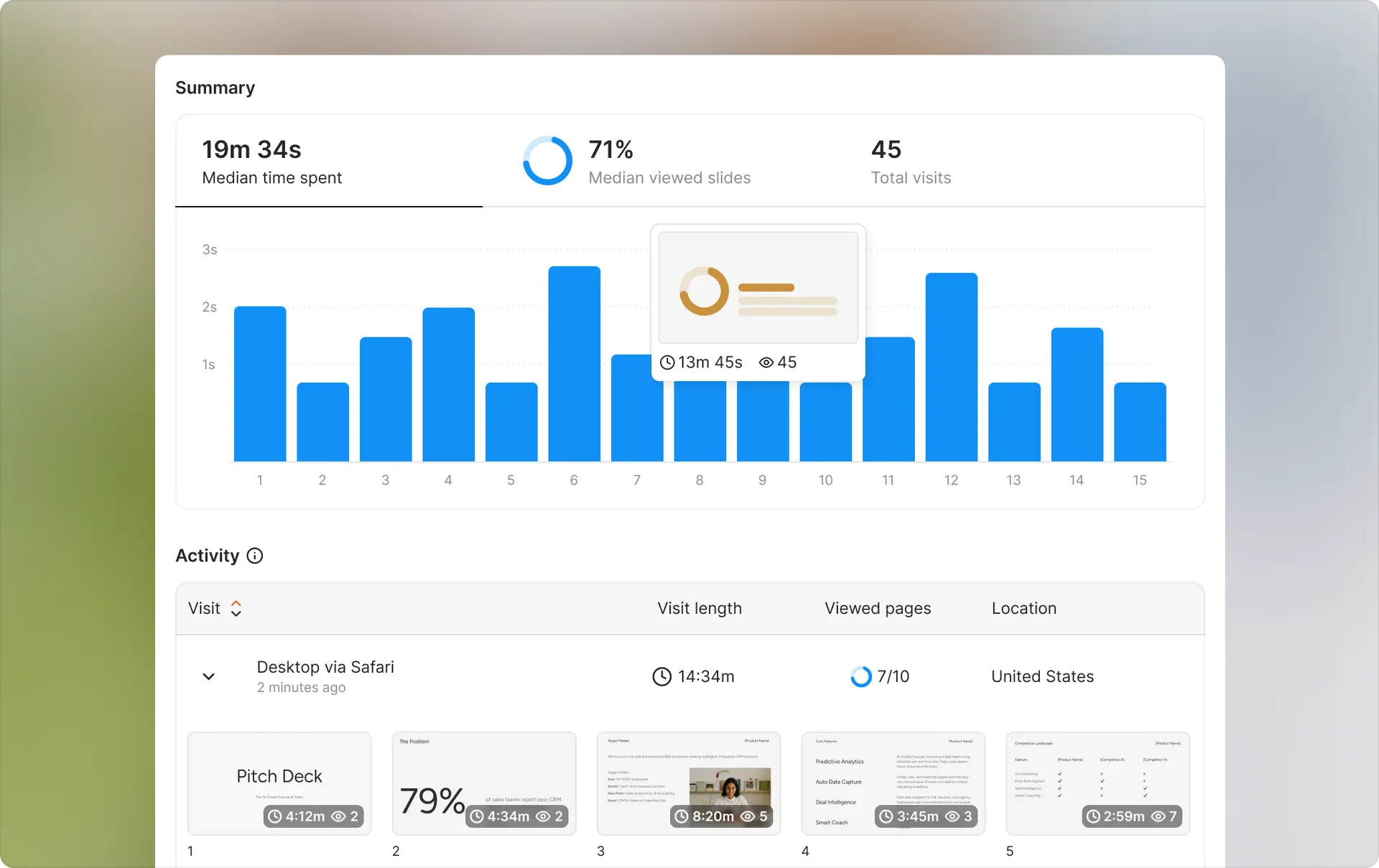
We tried Ellty early in our testing because we needed something fast for pitch deck sharing without enterprise complexity. Ellty offers trackable links, viewer analytics (who viewed, which pages, time spent), and real-time notifications built specifically for founders sharing virtual data rooms. What we appreciated most was the setup speed - we had a pitch deck uploaded and shared in under three minutes.
Firmroom vs Ellty


Why startup founders love it
Why founders love it
When we tested this with a sample pitch deck, we uploaded a 15-slide presentation and created a trackable link in under three minutes. The analytics showed us which slides viewers spent the most time on, when they viewed the deck, and how many times they returned. For founders in active fundraising, this kind of feedback helps you understand which parts of your pitch resonate and where investors lose interest.
We found this particularly useful when you need something running quickly. No IT setup, no complex permissions, no sales calls. Upload your documents, get a trackable link, share with investors, and watch the analytics come in. Real-time notifications tell you the moment someone opens your materials - helpful when timing your follow-ups strategically.
Founders we spoke to mentioned choosing Ellty because they wanted reliable document tracking, eSignatures, and a clean data room for due diligence without paying enterprise VDR prices for features they'd never use. The virtual data room works especially well once you're deeper in fundraising conversations, with NDA gating, granular permissions, and dynamic watermarking keeping sensitive materials secure.
Best for: Founders who need fast document sharing, real-time investor engagement analytics, eSignatures, and a full virtual data room — without enterprise complexity or cost.
Pricing: Free forever for core tracking and analytics; Standard from $69/month with unlimited documents, eSignatures, and data rooms; Data Room plan from $149/month for full due diligence functionality.
Support: Live chat (Monday–Friday) and priority email support on paid plans; documentation covers common setup questions.
"Setup took literally five minutes. The analytics show exactly who viewed our deck and when. Perfect for tracking investor interest."
— Early-stage Founder, Seed Stage, Direct Feedback
Try Ellty free if you need document tracking and analytics without overhead. Upgrade when you're ready for data rooms, eSignatures, and advanced due diligence features.
2. Datasite - For large M&A transactions with enterprise security
Ratings and Reviews: G2: 4.3/5 ⭐ | Capterra: 4.4/5 ⭐

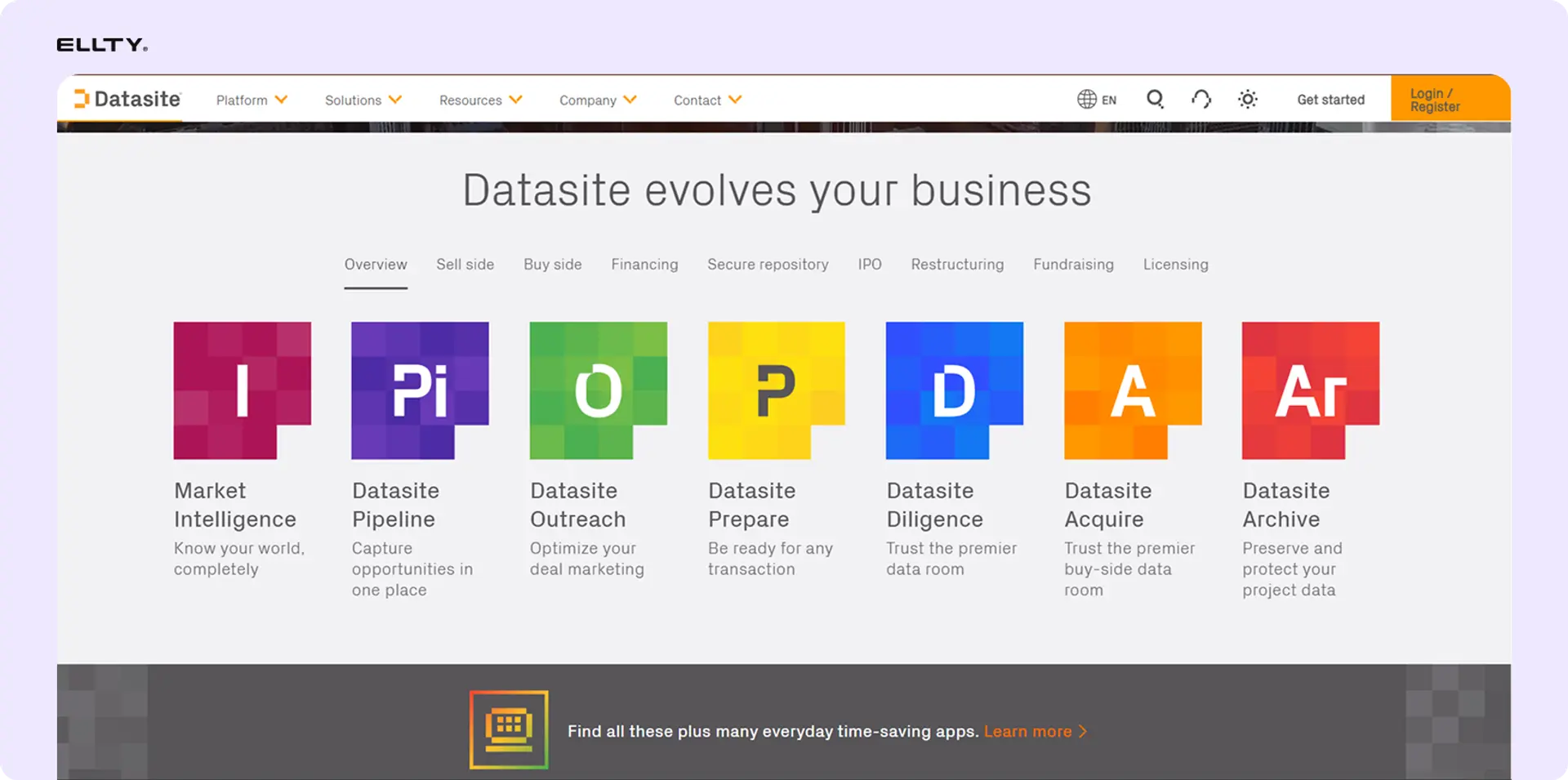
Datasite handles large-scale M&A deals and complex due diligence processes. When we explored the platform, the depth of security features and granular permission controls immediately stood out. This is built for corporate development teams managing billion-dollar transactions, not early-stage fundraising.
Firmroom vs Datasite


Why enterprise teams love it
Based on user reviews and our research into the platform, Datasite excels when you're managing multiple stakeholders across time zones with complex permission requirements. The AI-powered features help surface patterns in due diligence documents that manual review might miss.
Corporate development teams mention the platform's ability to handle simultaneous bidder groups with complete information separation. When you're running a competitive M&A process, this matters significantly. The audit trails provide the level of detail compliance teams need for post-transaction reviews.
The 24/7 multilingual support becomes critical during international transactions. Users report that response times remain consistent regardless of time zone, which reduces deal friction when you're coordinating across continents.
Best For: Large enterprises managing complex M&A transactions with multiple international stakeholders and strict compliance requirements.
Pricing: Custom pricing based on deal size and requirements. Enterprise-level investment required.
Support: 24/7 multilingual support with dedicated account management. Users report consistent response times across time zones.
"Handled our $500M acquisition smoothly. The AI insights flagged documents we would have missed. Worth the investment for complex deals."
— VP of Corporate Development, Enterprise, G2
3. Intralinks - For established enterprise deal management
Ratings and Reviews: G2: 4.2/5 ⭐ | Capterra: 4.3/5 ⭐

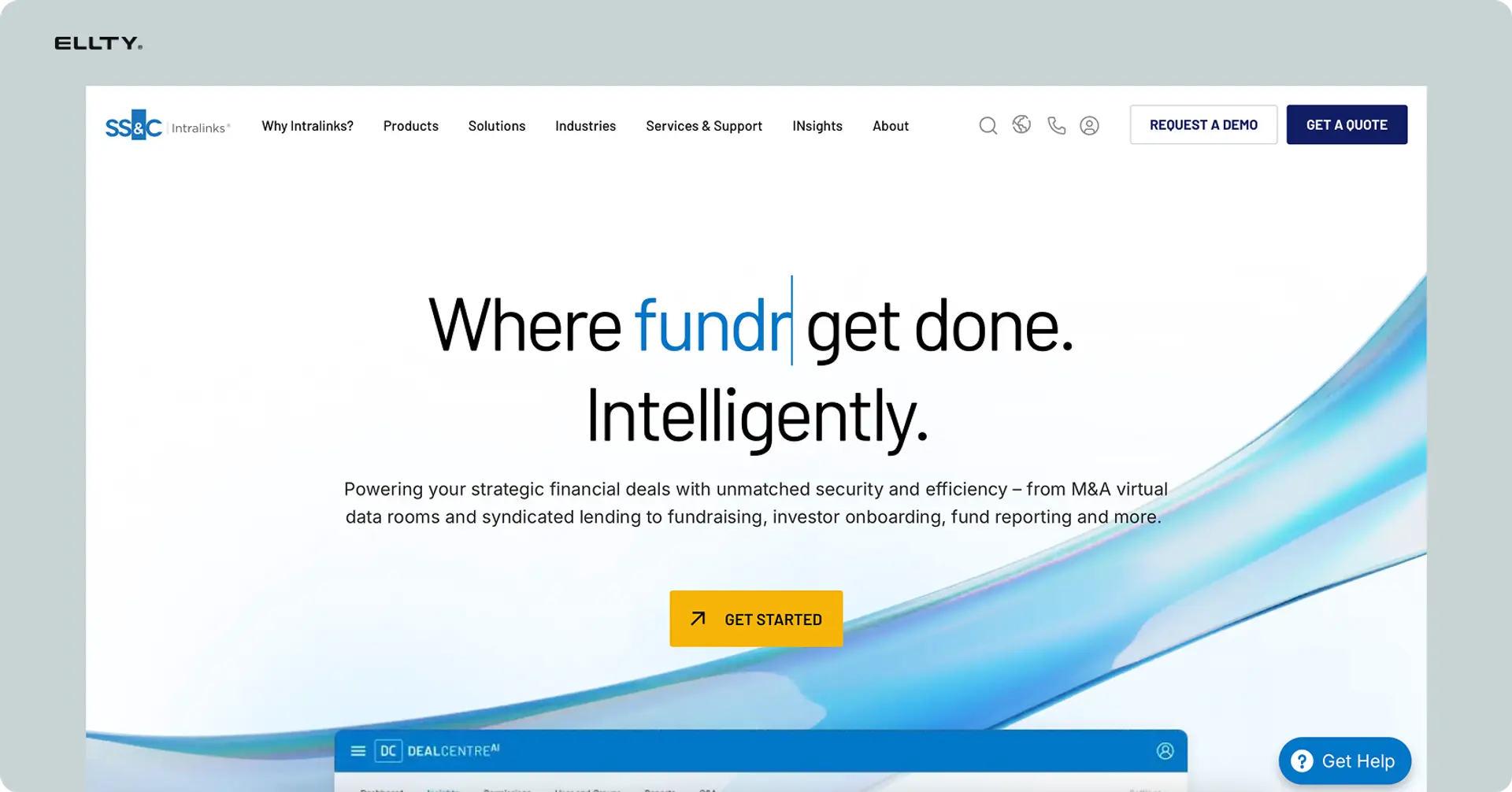
Intralinks has been in the virtual data room space for decades. The platform carries that enterprise legacy - comprehensive features, established security certifications, and integration with traditional corporate workflows. We reviewed the platform's capabilities and spoke with users who've run deals through it.
Firmroom vs Intralinks


Why corporate teams love it
Users report that Intralinks works well when you need a platform your legal and compliance teams already know. The established certifications and security audits mean less internal questioning about platform approval. When you're at a large financial institution, using proven enterprise software reduces procurement friction.
The platform handles high-volume document uploads without performance degradation. Investment banking teams mention this matters during large due diligence processes where you're uploading thousands of files. The Q&A functionality tracks questions and answers in a structured format that legal teams prefer.
Long-time users appreciate the stability. The platform rarely experiences downtime, which matters when you're in the middle of a time-sensitive transaction. However, newer users mention the interface feels dated compared to modern alternatives.
Best For: Large financial institutions and corporations that prioritize established platforms with extensive certifications and traditional enterprise features.
Pricing: Custom enterprise pricing. Expect significant investment for licensing and setup.
Support: 24/7 enterprise support with dedicated account teams. Comprehensive training programs available for team onboarding.
"Our legal team was already familiar with Intralinks, which sped up adoption. The Q&A tracking is excellent for managing bidder questions during sell-side processes."
— M&A Director, Financial Services, Capterra
4. CapLinked - For mid-market M&A with clear pricing
Ratings and Reviews: G2: 4.5/5 ⭐ | Capterra: 4.6/5 ⭐
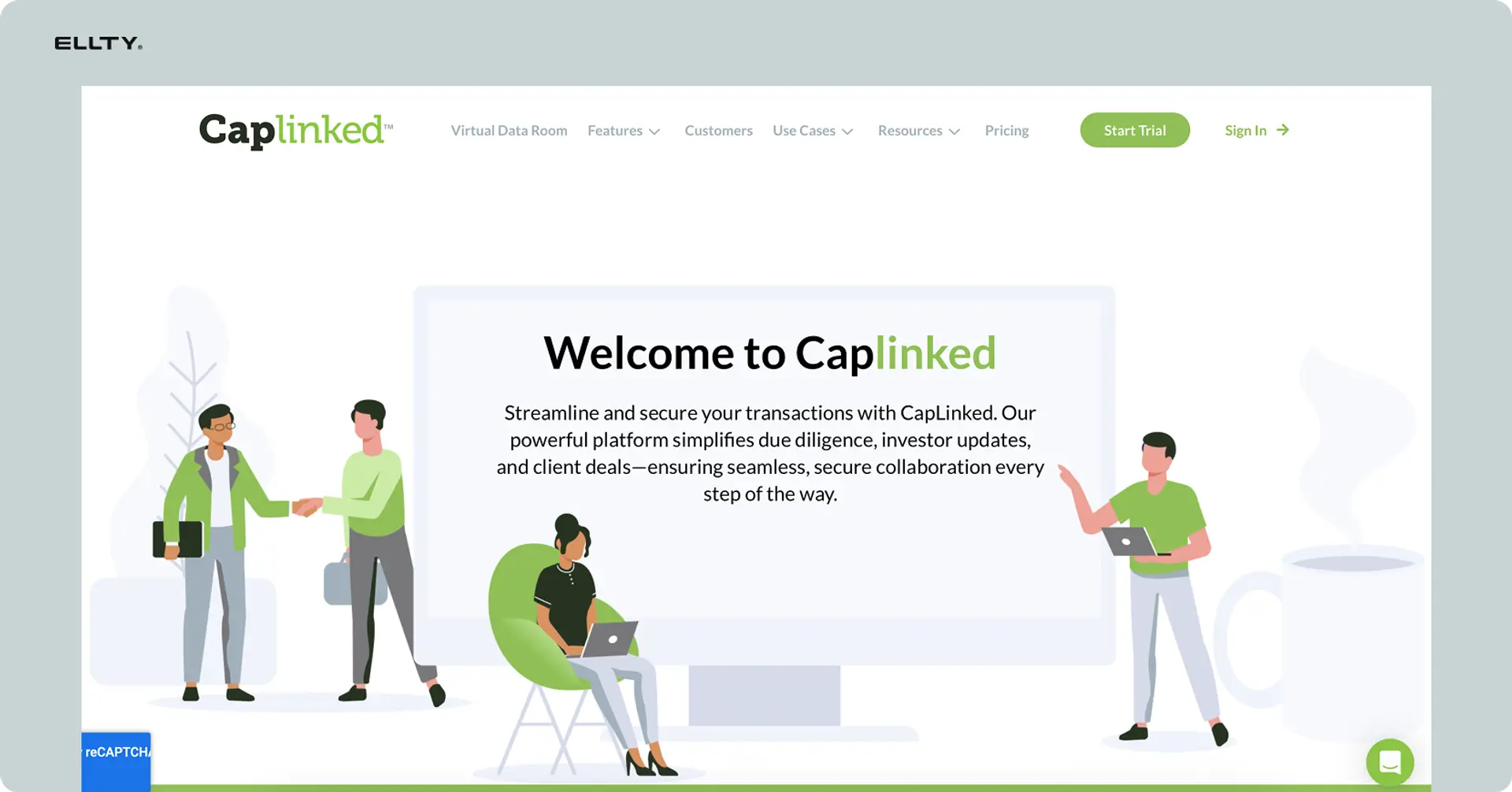
CapLinked positions itself between enterprise complexity and startup simplicity. We tested the platform with a mock M&A data room and found it strikes a practical balance. The pricing is transparent, which is rare in this space, and the feature set covers what mid-market deals actually need.
Firmroom vs CapLinked


Why mid-market teams love it
When we set up a test data room, the process took about 30 minutes from account creation to sharing our first secure link. That's significantly faster than enterprise platforms that require extensive configuration. The folder structure is intuitive - you don't need training to figure out how to organize documents.
Mid-market companies mention the pricing transparency helps with budget planning. At $299/month for standard plans, you can get board approval without lengthy procurement processes. The per-workspace pricing model works well when you're running 2-3 deals simultaneously without needing separate enterprise contracts.
The analytics show who accessed which documents and when. For a $10M to $100M transaction, this level of tracking is sufficient. You're not drowning in enterprise-level audit data, but you have what you need for due diligence management. The permission controls let you separate bidder groups effectively.
Best For: Mid-market companies running M&A transactions between $10M-$100M who need solid functionality without enterprise complexity or pricing.
Pricing: Starts at $299/month for standard workspaces. Clear pricing tiers on the website. We tested the standard plan, which includes unlimited users and documents.
Support: Email and phone support during business hours. Knowledge base covers common scenarios. We tested support with a permissions question and received a detailed response within four hours.
"Perfect for our $50M acquisition. Didn't need the complexity of Intralinks but needed more than DocSend. The pricing made sense for our budget."
— CFO, Mid-Market Company, G2
5. Ansarada - For AI-powered due diligence automation
Ratings and Reviews: G2: 4.4/5 ⭐ | Capterra: 4.5/5 ⭐


Ansarada differentiates itself through AI automation for due diligence. Based on our research and user feedback, the platform's AI features help identify risks and automate document categorization in ways that reduce manual review time. This matters most for complex transactions with thousands of documents.
Firmroom vs Ansarada


Why deal teams love it
Users report that Ansarada's AI flagging reduces due diligence review time significantly. The system learns from previous transactions and highlights documents that typically raise questions or contain risks. Legal teams mention this helps prioritize which documents to review first when time is limited.
The platform automatically suggests document categorization based on content analysis. When you're uploading hundreds of contracts, leases, and agreements, manual categorization becomes tedious. The AI handles about 80% of categorization accurately according to user reviews, leaving only edge cases for manual assignment.
The bidder engagement scoring uses AI to analyze which potential buyers are most serious based on their data room activity. Investment bankers mention this helps focus effort on qualified bidders rather than tire-kickers. The system tracks patterns like which documents serious buyers typically spend time on.
Best For: Companies running complex transactions who want AI-powered automation to reduce manual due diligence work and identify potential risks faster.
Pricing: Custom pricing with different tiers based on AI feature access. Expect enterprise-level investment for full AI capabilities.
Support: 24/7 support with AI-assisted help desk. Users report fast response times and knowledgeable support staff familiar with complex deal scenarios.
"The AI flagged three contracts with unusual termination clauses we would have caught later in diligence. Saved us significant time and potential issues."
— Corporate Development Manager, Technology Company, G2
6. Digify - For granular document tracking and control
Ratings and Reviews: G2: 4.6/5 ⭐ | Capterra: 4.7/5 ⭐


We tested Digify specifically for its document-level security controls. The platform lets you set expiration dates, prevent screenshots, add watermarks, and revoke access even after someone downloads a file. This level of control sits between simple sharing tools and full virtual data rooms.
Firmroom vs Digify


Why security-conscious teams love it
When we shared a test document with screen capture prevention enabled, the platform blocked screenshots on both desktop and mobile. The watermarks dynamically added the viewer's email address to each page, which creates accountability. If a document leaks, you know who accessed it.
The time-limited access feature proved useful during our testing. You can set a document to expire after 48 hours or after 5 views. Legal teams mention this helps when sharing sensitive materials with potential partners before NDA signing. Once the NDA is in place, you can extend access.
The real-time notifications tell you immediately when someone opens a document. We found this useful for timing follow-up conversations. If you share a proposal and see the prospect opened it at 3pm, you can follow up while it's fresh in their mind. The analytics show which pages received the most attention.
Best For: Teams sharing sensitive documents who need granular security controls without setting up a full virtual data room for every transaction.
Pricing: Starts at $49/month for basic document tracking. Professional plans at $149/month include advanced security features. We tested the professional plan, which includes watermarking and screenshot prevention.
Support: Email and chat support during business hours. Response times averaged about 3 hours in our testing. Knowledge base covers security feature configuration well.
"We use Digify for sharing sensitive financial projections before formal due diligence. The screenshot prevention and watermarking give us peace of mind."
— Finance Director, Private Equity, G2
7. DocSend - For pitch deck and document analytics
Ratings and Reviews: G2: 4.5/5 ⭐ | Capterra: 4.6/5 ⭐

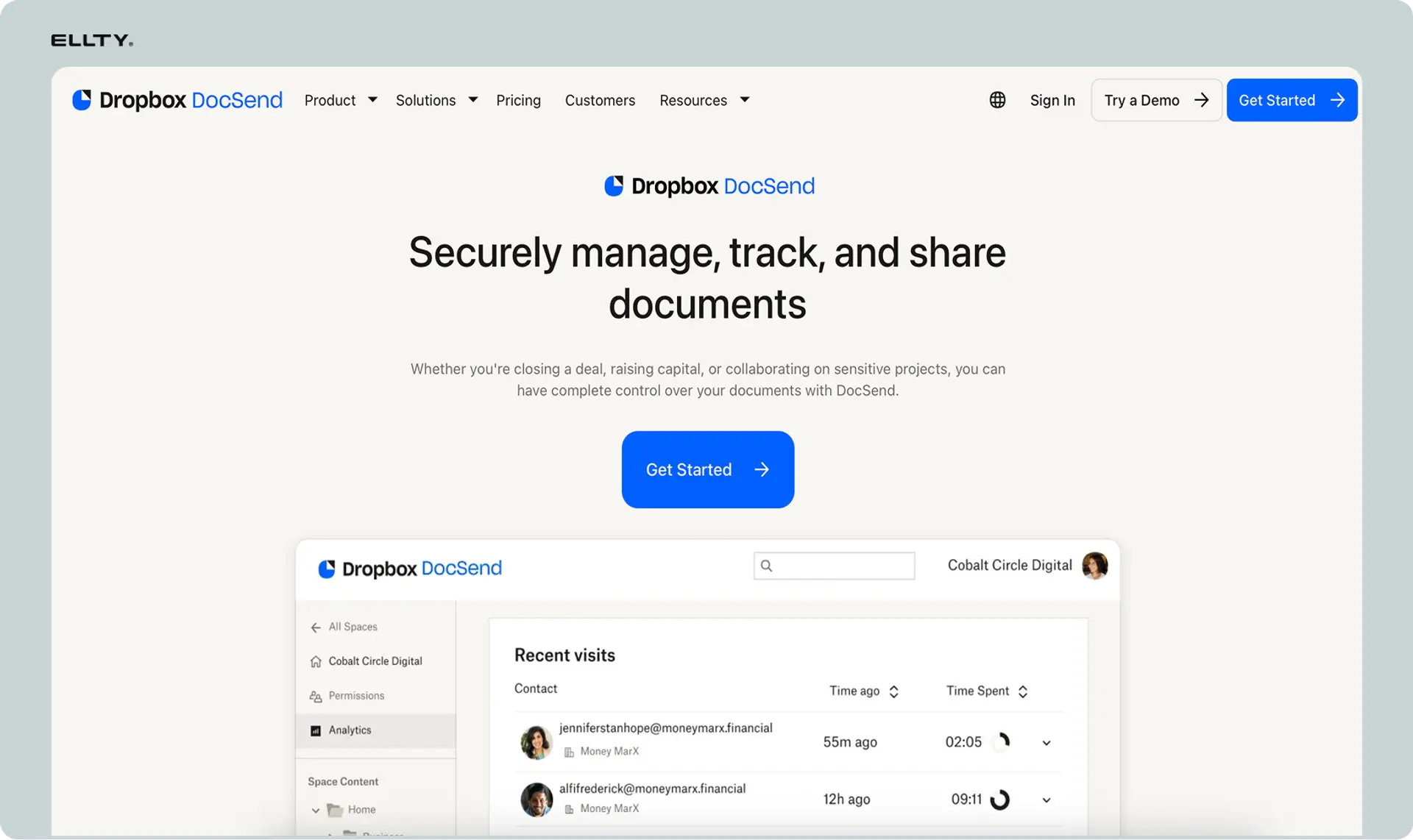
DocSend has become standard among startup founders for pitch deck sharing. We tested the platform extensively because it's frequently mentioned as a Firmroom alternative for early-stage companies. The analytics focus and simple interface make sense for fundraising scenarios.
Firmroom vs DocSend


Why founders love it
When we uploaded a pitch deck to DocSend, the setup took less than five minutes. The link sharing is straightforward - you get a URL, you can require email capture before viewing, and you can set an expiration date. The analytics show exactly which slides investors spend time on and which they skip.
The NDA feature lets you require signature before document access. For sharing detailed financial models or IP-heavy materials, this provides a lightweight legal layer. The signed NDAs are stored in the platform with timestamps and IP addresses.
Founders mention the one-link-per-document approach simplifies tracking. When you're managing conversations with 20 different investors, you want to know who's actually reading your materials. The real-time notifications help time follow-up emails. If an investor opens your deck at 2pm, you can email them at 3pm while it's fresh.
Best For: Startup founders sharing pitch decks and fundraising materials who need engagement analytics without virtual data room complexity.
Pricing: Starts at $50/user/month for standard features. We tested this tier, which includes unlimited documents and basic analytics. Advanced plans include more detailed tracking.
Support: Email support with typical response times around 24 hours based on user reviews. Knowledge base covers common fundraising scenarios well.
"Every investor meeting starts with checking DocSend to see if they actually read the deck. The slide-by-slide timing helps me know what questions to expect."
— Founder, Series A Startup, G2
8. Dropbox Docsend - For document sharing with Dropbox integration
Ratings and Reviews: G2: 4.5/5 ⭐ | Capterra: 4.5/5 ⭐
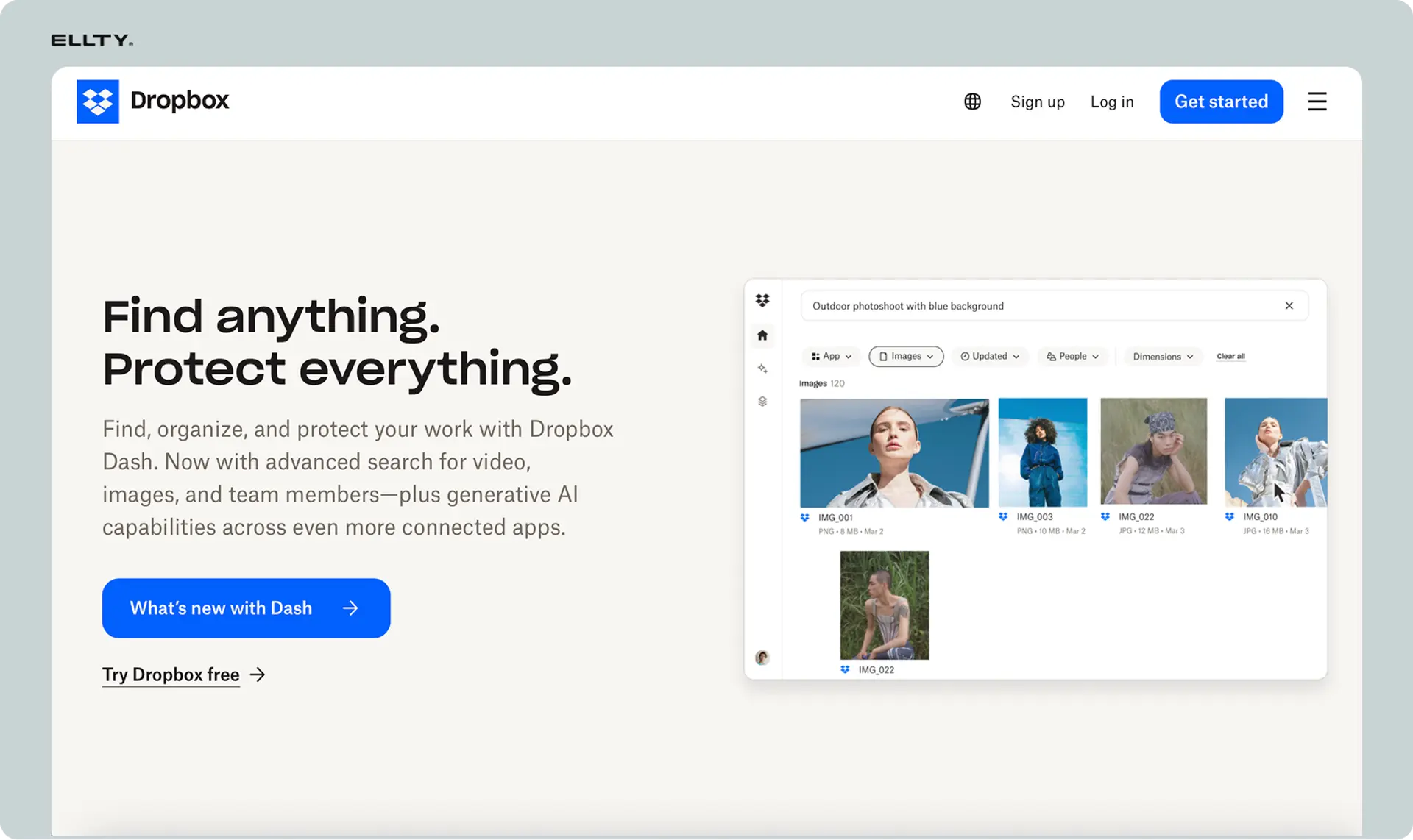
Dropbox acquired DocSend and integrated it into their ecosystem. We tested the platform to see how the integration works in practice. If you're already using Dropbox for file storage, the workflow becomes seamless. You share documents directly from Dropbox with DocSend's tracking features.
Firmroom vs Dropbox Docsend


Why Dropbox teams love it
When we tested the workflow, files stored in Dropbox became shareable with tracking in two clicks. You don't need to upload to a separate platform - the integration means your existing Dropbox structure works with DocSend's tracking capabilities. This matters when you have years of documents already organized in Dropbox.
Teams already paying for Dropbox Business mention the bundled pricing makes sense. You're getting file storage plus document tracking without paying for two separate tools. The permissions sync between Dropbox and DocSend, so access control stays consistent.
The analytics provide similar insights to standalone DocSend - who viewed what, when, and for how long. The addition of Dropbox's collaboration features means you can edit documents in real-time while tracking external sharing separately. Users report this split between internal collaboration and external sharing works cleanly.
Best For: Teams already using Dropbox who want document tracking and analytics without migrating to a new platform or managing separate tools.
Pricing: $65/user/month for Dropbox Business with DocSend included. We tested this with an existing Dropbox account, and the integration activated immediately.
Support: Email and chat support during business hours. Dropbox's support infrastructure handles DocSend questions. Response times average 4-6 hours based on user feedback.
"We were already on Dropbox Business, so adding DocSend tracking was a no-brainer. The integration means no duplicate file management."
— Operations Manager, Series B Startup, Capterra
9. PandaDoc - For document workflow automation beyond data rooms
Ratings and Reviews: G2: 4.7/5 ⭐ | Capterra: 4.5/5 ⭐

PandaDoc focuses on document workflow automation - proposals, contracts, and agreements that need signatures and approvals. We tested it because some teams need both secure sharing and workflow automation. This isn't a pure virtual data room, but it handles specific document scenarios Firmroom doesn't address.
Firmroom vs PandaDoc


Why sales and operations teams love it
When we created a test proposal in PandaDoc, the template library provided starting points for common business documents. The drag-and-drop editor made customization fast. You can add pricing tables, signature blocks, and approval routing without touching code.
The workflow automation sends documents to the right people in sequence. For contracts requiring CFO approval then CEO signature, the platform routes automatically based on rules you set. Sales teams mention this eliminates the email chains asking "did you sign that yet?"
The analytics show not just who viewed documents but where they stopped reading and which sections they revisited. For sales proposals, knowing a prospect spent five minutes on pricing but skipped case studies tells you something. The CRM integrations push this data back to Salesforce or HubSpot automatically.
Best For: Sales and operations teams who need document workflow automation, e-signatures, and proposal management more than pure data room capabilities.
Pricing: Starts at $49/user/month for standard features. We tested this tier, which includes unlimited documents, e-signatures, and basic templates. Enterprise plans add advanced automation.
Support: Email and chat support with typical response times under 2 hours based on user reviews. Comprehensive knowledge base includes workflow setup guides.
"We replaced three tools with PandaDoc - proposal creation, e-signature, and contract tracking. The workflow automation cut our deal closure time by 40%."
— Sales Operations Director, SaaS Company, G2
Cheapest Firmroom alternatives
If you're watching costs carefully, several low-price alternatives offer solid document sharing and basic data room features:
1. Ellty
With a free plan that never expires and paid plans starting at $69/month, Ellty is the most affordable full-featured fundraising platform we tested. You get real-time engagement analytics, page-by-page tracking, eSignatures, and complete virtual data room functionality - folder organization, granular permissions, NDA gating, and dynamic watermarking - all built specifically for startup fundraising rather than enterprise M&A.
The interface is straightforward by design. Upload your documents, organize due diligence materials into structured data rooms, create trackable links, and see exactly who viewed what and for how long. Setup takes minutes instead of requiring onboarding sessions or IT support.
2. Digify
Starting at $49/month, Digify focuses on document-level security controls. Dynamic watermarking, screenshot prevention, time-limited access, and remote revocation. Not a full virtual data room platform, but provides granular document control at a price point well below enterprise alternatives.
Good for sharing sensitive materials before formal due diligence or when you need security features on specific files without building entire data room structures. The per-document approach keeps costs lower than full platform licensing.
3. DocSend
At $50/user/month, DocSend offers straightforward document sharing with engagement analytics. Built specifically for pitch decks and fundraising materials rather than complex M&A. Page-by-page tracking, NDA collection, and simple link sharing.
The interface requires minimal setup. For founders who just need to track if investors are reading their materials, this provides sufficient analytics without enterprise complexity or pricing. The per-user model can add up for growing teams, but individual founders or small groups find the pricing manageable.
How to choose the right Firmroom alternative
After testing all these alternatives, here's what we'd consider if we were choosing for our own business.
Your use case matters most. Are you fundraising with pitch decks? Running a $100M M&A transaction? Managing sales proposals? The right tool depends entirely on your specific scenario. We found that Ellty and DocSend work well for fundraising, while CapLinked and Datasite suit M&A better. PandaDoc solves a different problem entirely around document workflows.
Budget and team size impact your options. Per-user pricing adds up fast. If you're a three-person startup, $50/user/month platforms become $150/month. For small teams, flat-rate or free-tier options make more sense. For enterprises managing multiple deals, custom enterprise pricing might actually save money compared to per-user tools at scale.
Technical requirements can't be ignored. Some companies need specific security certifications for compliance. Others need CRM integration for sales workflows. We spent time testing integrations and found that some platforms claim integrations that are basically just Zapier connections. If you need deep integration with existing tools, verify exactly how the integration works before committing.
Analytics needs vary significantly. Do you need to know just who viewed your document, or do you need page-level engagement timing? For fundraising, detailed analytics help prioritize investor follow-up. For M&A, audit trails and compliance reporting matter more. Some tools gave us overwhelming amounts of data we didn't actually need.
Support and reliability matter more than you think. Response times matter when you're on a deadline. We tested support by asking questions during our evaluation. Some tools responded in hours, others took days. When you're trying to close a deal or respond to investor questions quickly, support speed becomes critical. Some tools left us to figure things out from documentation.
Common questions about Firmroom alternatives (from our testing)
What is Firmroom best known for?
Firmroom is known for secure virtual data rooms focused on M&A transactions and due diligence processes. The platform provides enterprise-grade security, granular permission controls, and comprehensive audit trails for complex deals. Corporate development teams use it primarily for acquisition due diligence and sell-side processes.
Why do businesses look for Firmroom alternatives?
Based on our conversations with users, the main reasons are pricing structure (custom enterprise pricing doesn't fit every budget), setup complexity (some teams need faster deployment), use case fit (founders sharing pitch decks don't need full M&A features), and interface preferences (some users want more modern designs). We also heard that smaller transactions don't justify enterprise-level platforms.
Are these alternatives cheaper than Firmroom?
Some are, some aren't. Firmroom uses custom enterprise pricing, so exact comparisons are difficult. Tools like Ellty, Digify, and DocSend offer transparent monthly pricing starting under $100/month, which is typically less expensive for small teams. Enterprise alternatives like Datasite and Intralinks operate at similar or higher price points than Firmroom. Mid-market options like CapLinked offer transparent pricing that might be lower for specific use cases.
Which alternative is best for early-stage startups?
For early-stage fundraising, we'd recommend Ellty or DocSend based on our testing. Setup takes minutes, not hours. The pricing fits seed-stage budgets. You don't pay for enterprise M&A features you won't use. We found these tools give you the tracking you need without unnecessary complexity.
Do I need a virtual data room for fundraising?
For early-stage fundraising (pre-seed, seed), a simple secure sharing tool with analytics often suffices. As you move to Series A and beyond, investors expect more organized due diligence materials. By Series B, you're typically setting up a proper data room. We saw founders start with simple tools and upgrade to data rooms as investor sophistication increased.
Can I switch from Firmroom to another tool easily?
Switching depends on your current setup complexity. For basic document sharing, migration is straightforward - download files and upload to the new platform. For complex data rooms with intricate permission structures, folder hierarchies, and Q&A threads, migration takes significant planning. We'd recommend running a pilot of any new tool before fully migrating an active deal.
What's the difference between Firmroom and DocSend?
Firmroom is built for enterprise M&A with comprehensive due diligence features, complex permission structures, and audit trails. DocSend focuses on document sharing with engagement analytics, primarily for sales and fundraising. Firmroom handles billion-dollar acquisitions. DocSend handles pitch decks and proposals. They solve different problems at different scales and price points.
How important are analytics in a virtual data room?
This depends on your use case. For fundraising, analytics help prioritize investor follow-up and gauge interest levels. For M&A sell-side processes, analytics show which bidders are conducting serious diligence. For buy-side diligence, analytics are less critical since you control access. We found analytics most valuable when you're managing multiple external stakeholders and need to understand engagement patterns.
Our final thoughts on Firmroom alternatives
After weeks of testing these tools, the main takeaway is that no single platform works best for everyone. The right choice depends entirely on your specific needs, budget, team size, and transaction type.
We found Ellty great for startup fundraising with its fast setup and clear analytics, while Datasite suited large enterprise M&A with complex requirements. CapLinked hit a practical middle ground for mid-market deals. DocSend and PandaDoc solve specific problems around document sharing and workflow automation respectively.
The landscape of virtual data room alternatives has matured significantly. You're not stuck choosing between enterprise complexity or basic file sharing anymore. Specialized tools exist for specific scenarios, and picking the right one often comes down to matching your actual use case rather than choosing the most feature-rich platform.
Whether you go with Ellty for straightforward pitch deck tracking or CapLinked for mid-market M&A, pick what actually solves your problems. Test the tools yourself if possible - most offer trials or demos. What worked for our testing scenarios might not perfectly match your specific situation, but hopefully this gives you a solid starting point for your evaluation.
Disclaimer
Parties other than Ellty may provide products, services, recommendations, or views on this site ("Third Party Materials"). Ellty is not responsible for examining or evaluating such Third Party Materials, and does not provide any warranties relating to the Third Party Materials. Links to such Third Party Materials are for your convenience and does not constitute an endorsement of such Third Party Materials.
Author

Anika Tabassum Nionta is a Content Manager at Ellty, where she writes about secure document sharing, virtual data rooms, M&A, due diligence, fundraising, and sales enablement. With over 6 years of writing experience, she helps professionals understand how to share confidential documents securely, track engagement, and manage deals more effectively. Anika holds both a BA and MA in English from Dhaka University. Outside of work, she enjoys reading, exploring new cafes in Dhaka, and connecting with entrepreneurs and dealmakers in her community.

