
BriefLink is a minimalist document tracking tool. It does one thing well - shows you page-by-page analytics when someone views your PDF. Upload a document, get a trackable link, see which pages people read and how long they spent on each one. For $10/month, it's one of the most affordable options available.
We spent the last few weeks testing alternatives to BriefLink because we wanted to understand what else is available in the document tracking space. Some people need BriefLink's simplicity - just basic analytics without complexity. Others need more features like team collaboration, virtual data rooms, or integrated document creation.
The common reasons we heard for exploring alternatives: feature limitations (BriefLink doesn't offer document editing, e-signatures, or team features), wanting more robust analytics (deeper insights beyond basic page views), and needing additional functionality like secure data rooms or client portals. Some teams also wanted white-labeling options or integration with existing workflows that BriefLink doesn't support.
We've personally tested 7 alternatives across different price points and feature sets. Some are similarly minimalist but with additional analytics. Others are comprehensive platforms that combine document creation, sharing, and tracking. We uploaded test documents, shared links with colleagues, compared analytics dashboards, and evaluated what each platform delivers. Here's what we discovered.
Key takeaways
The document tracking market offers alternatives ranging from minimalist tools like BriefLink to comprehensive platforms combining creation, tracking, and e-signatures.
Several alternatives provide more detailed analytics, team features, and additional functionality beyond basic page-view tracking at various price points.
Modern platforms like Ellty combine document tracking with virtual data rooms and fundraising-specific features to serve needs beyond simple PDF analytics.
Why look for a BriefLink alternative?
BriefLink handles basic document tracking well. The page-by-page analytics show you which pages someone viewed and how long they spent reading. For $10/month, it's one of the most affordable ways to track PDF engagement. That simplicity works perfectly for many solo users.
But BriefLink isn't the only option, and it's not always the best fit for every scenario.
Better features for the price
Several alternatives offer document tracking with additional capabilities BriefLink doesn't provide. Ellty starts with a free tier and adds features like real-time notifications, virtual data rooms, and team collaboration at $69/month/3 users. DocSend provides comprehensive analytics with CRM integrations and team workspaces starting at $50/month/per user.
Some alternatives include functionality BriefLink lacks entirely. PandaDoc combines document creation, e-signatures, and tracking in one platform. Papermark offers open-source self-hosting for complete data control. Digify adds enterprise security features like watermarking and screenshot prevention. The right alternative depends on whether you need just basic tracking or additional capabilities.
For teams beyond solo users, BriefLink's individual-focused design creates limitations. You can't collaborate with teammates, share analytics across your organization, or integrate tracking into broader workflows. Alternatives built for teams deliver what you actually need without forcing workarounds.
Different workflow needs
BriefLink focuses specifically on tracking existing PDFs. Upload a document, get a link, see page views. That's perfect if you only need basic engagement analytics.
But if you're fundraising, you benefit from platforms like Ellty that provide investor-specific insights - real-time notifications when VCs view your deck, virtual data rooms for organizing due diligence materials, analytics that inform follow-up timing. The tracking answers different questions - not just "did they view it" but "which investors are seriously engaged and when should I reach out?"
Some teams need to create documents, not just track them. PandaDoc handles proposal building, e-signatures, and payment collection alongside tracking. Others need enterprise security features - Digify provides watermarking and access controls that BriefLink doesn't offer. And businesses already using Google Drive or Dropbox might just need basic file sharing without paying for separate tracking tools.
The right alternative depends on your use case, whether you're working solo or with a team, and whether you need additional features beyond simple page-view analytics.
Cost considerations
BriefLink's $10/month flat rate is hard to beat on pure cost for minimalist tracking. For solo users who just need basic page-view analytics, that pricing makes sense.
We found alternatives with different pricing models that provide better value depending on your needs. Ellty offers a free tier for testing, with paid plans adding features BriefLink lacks. Google Drive and Dropbox are free for basic use if you're already paying for storage - though you sacrifice detailed analytics.
More comprehensive platforms cost more but consolidate multiple tools. If you're paying separately for document creation, e-signatures, and tracking, PandaDoc's all-in-one pricing might actually cost less overall. DocSend charges per user but includes team features, integrations, and analytics depth that justify higher costs for organizations.
The value equation changes based on what you need. BriefLink's $10/month works great for individuals tracking occasional documents. Teams benefit more from platforms with collaboration features even at higher costs. Fundraising founders gain value from investor-specific analytics that basic tracking doesn't provide.
BriefLink alternatives overview
Here are the best BriefLink alternatives in 2026 for any business (in our opinion)
Ellty - Secure document sharing, real-time analytics, and virtual data rooms for startup fundraising
DocSend - Established document tracking with team features
PandaDoc - Document creation with e-signatures and tracking
Papermark - Open-source document sharing platform
Digify - Security-focused document control
Google Drive - Universal file sharing with basic tracking
Dropbox - Familiar file storage with sharing links
What are the best BriefLink alternatives?
The best BriefLink alternative depends on what you're actually trying to accomplish.
For fundraising with deeper insights: Ellty gives you everything BriefLink does - page-by-page analytics, trackable links - plus features BriefLink lacks. Real-time notifications when investors view your deck, virtual data rooms for organizing due diligence documents, team collaboration. Upload your pitch deck, see exactly who engaged and for how long, then manage the entire fundraising process in one place. Costs more than BriefLink's $10/month, but you're getting fundraising-specific capabilities.
For established document tracking: DocSend when you need more robust analytics and team features. Comprehensive engagement metrics, CRM integrations, team workspaces. The analytics go beyond BriefLink's basic page views to show navigation patterns and aggregate data. Good for sales teams and businesses that need document tracking integrated into broader workflows. Significantly more expensive, but you're getting enterprise features.
For all-in-one document workflows: PandaDoc when you need to create documents, not just track them. Build proposals from templates, add e-signatures, track engagement, close deals. You're managing the entire document lifecycle instead of uploading existing PDFs. The tracking isn't as granular as BriefLink for pure analytics, but you're consolidating multiple tools into one platform.
For open-source control: Papermark if you want to self-host and own your infrastructure. Free if you manage it yourself, or use their hosted version for simplicity. You get BriefLink-style tracking with complete data ownership and customization. Requires technical capability for self-hosting, but you control everything.
For security-focused sharing: Digify when document protection matters more than simplicity. Dynamic watermarking, screenshot prevention, granular access controls. Takes longer to set up than BriefLink and costs significantly more, but you're getting enterprise security features for sensitive documents.
For basic file sharing: Google Drive or Dropbox if you just need to share files without detailed analytics. Everyone already has accounts. No learning curve, no additional cost beyond what you're paying for storage. The catch: you won't know which pages someone viewed or how long they spent reading. Just basic access logs.
For document creation with sharing: Pitch when you're building presentations from scratch and want built-in sharing. Create decks collaboratively, then share directly from the platform. Analytics are lighter than BriefLink, but you're not jumping between creation and tracking tools.
Different needs, not better or worse. BriefLink works well for minimalist tracking at minimal cost. These alternatives either add features BriefLink lacks, or serve different use cases entirely. Pick based on whether you need just basic analytics, deeper insights for fundraising, document creation workflows, or enterprise security.
Types of BriefLink alternatives
BriefLink alternatives fall into different categories based on what they actually do.
Minimalist document trackers - The core BriefLink model. Upload a PDF, share a trackable link, see page-by-page views and time spent. Simple analytics without complexity. BriefLink invented this category at $10/month. Perfect for solo users who just need to confirm someone read their document and which sections got attention. No team features, no integrations, just tracking.
Fundraising-focused platforms - Document tracking built specifically for raising capital. Ellty fits here. Page-by-page analytics like BriefLink, plus investor-specific features - real-time notifications, virtual data rooms for due diligence, pitch deck organization. You're tracking investor engagement alongside managing the fundraising process. More expensive than BriefLink but solving broader fundraising needs.
Enterprise document analytics - Robust tracking with team collaboration and integrations. DocSend is the example. Comprehensive engagement metrics beyond basic page views, CRM integration, team workspaces, aggregate reporting across users. Built for sales teams and businesses needing document tracking integrated into workflows. Significantly more complex and expensive than BriefLink, but scaling for organizations.
Document workflow platforms - Creation, signing, and tracking in one place. PandaDoc does this. Build documents from templates, add e-signatures, collect payments, track engagement. You're managing the full document lifecycle, not just uploading existing files. Good when you need proposals, contracts, and tracking consolidated. The analytics are less granular than dedicated trackers like BriefLink.
Open-source tracking - Self-hosted document analytics for complete control. Papermark provides BriefLink-style tracking with full customization and data ownership. Free if you manage infrastructure yourself, or use hosted version for simplicity. Requires technical capability but eliminates vendor dependency.
Security-focused platforms - Control and protection over analytics depth. Digify emphasizes this. Watermarking, screenshot prevention, granular permissions, access revocation. Setup complexity and higher costs, but you get security features BriefLink doesn't offer. Built for sensitive documents where leaks have consequences.
Collaborative deck builders - Create and share without tool-switching. Pitch does this. Build presentations with team collaboration, then share directly from the platform. Analytics are lighter than BriefLink, but you're consolidating creation and sharing. Good when document building matters as much as tracking.
Universal file storage - General-purpose platforms that happen to share files. Google Drive and Dropbox. Everyone already has them, zero learning curve, but analytics are minimal. Basic access logs showing someone opened a file, not which pages they viewed or how long they spent. Works for casual sharing, insufficient for engagement tracking.
Different problems, different tools. BriefLink sits in minimalist tracking - maximum simplicity, minimum cost, basic analytics. These alternatives either add complexity for more capabilities (fundraising features, team collaboration, document creation), increase security for sensitive scenarios, or strip down to zero-cost file sharing without real analytics. Pick based on whether you need BriefLink's simplicity, more sophisticated features, or can survive with basic file sharing.
Quick comparison: BriefLink alternatives at a glance


We tested each of these tools ourselves. Below, we'll break down what we found - the good, the specific use cases, and who each one works best for.
1. Ellty - Secure document sharing and virtual data rooms for startup fundraising
Ratings and Reviews: G2: Recently launched - early users highlight fast setup and clear analytics


We tried Ellty early in our testing because we wanted to see how a fundraising-focused platform compares to BriefLink's minimalist approach. Ellty offers pitch deck sharing, detailed viewer analytics, and virtual data room features built specifically for startups raising capital. What we appreciated most was getting both tracking analytics and secure data room capabilities in one place.
BriefLink vs Ellty


Why fundraising teams love it
When we tested this with a sample pitch deck, we uploaded the file and immediately saw more detailed analytics than BriefLink provides. Not just which pages investors viewed, but real-time notifications when someone opened the deck, how long they spent on specific slides, and whether they returned for multiple views.
We found this particularly useful for founders who need more than basic tracking. You can organize due diligence documents into folders, set different permission levels for different investors, and get alerted the moment someone views your materials. Founders we talked to mentioned using these insights to time follow-up calls - if an investor just spent 15 minutes on your deck, that's the moment to reach out.
In our testing, the virtual data room feature sets Ellty apart from simple tracking tools like BriefLink. You're not just sharing a pitch deck - you're managing the entire fundraising process with organized materials, secure access controls, and engagement analytics that inform your investor strategy.
Best For: Startup founders and fundraising teams who need detailed pitch deck analytics plus virtual data room capabilities for managing due diligence.
Pricing: Free forever for core tracking and analytics; Standard at $69/month with unlimited documents, eSignatures, and data rooms; Data Room plan at $149/month for granular permissions, NDA gating, and dynamic watermarking.
Support: Email and chat support available. Documentation covers common fundraising scenarios. We got responses within a few hours when testing support with setup questions.
"Ellty shows exactly which slides investors focus on and when they revisit the deck. The real-time notifications help me follow up at the perfect moment." - Startup Founder, Early-stage, Product Hunt
Try Ellty if you need more than BriefLink's basic tracking - particularly if you're fundraising and want investor engagement insights combined with secure document management.
2. DocSend - For established document tracking with team features
Ratings and Reviews: G2: 4.5/5 ⭐ | Capterra: 4.5/5 ⭐

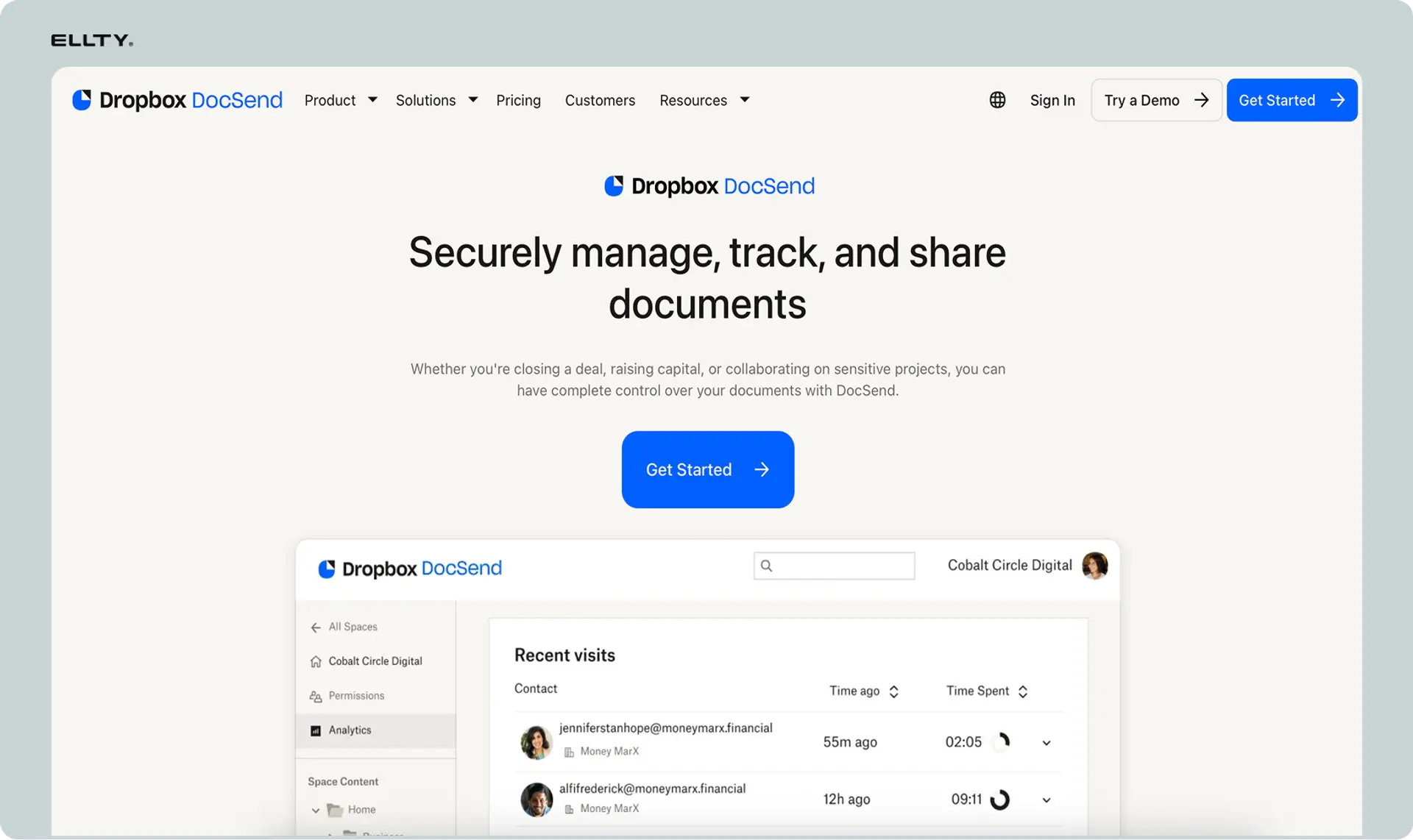
DocSend is the established player in document tracking and analytics. We tested it because it's what many teams compare BriefLink against - the feature-rich alternative with a longer track record.
BriefLink vs DocSend


Why sales and fundraising teams love it
When we uploaded test documents to DocSend, the analytics immediately felt more robust than BriefLink. You see not just page views, but how viewers navigate through documents, where they drop off, and aggregate data across multiple shares. For sales teams sending proposals or founders pitching investors, this context matters.
We found the team features particularly relevant for organizations beyond solo users. You can create shared workspaces, set permission levels for team members, and see analytics across your entire team's document activity. BriefLink works for individuals, but DocSend scales for teams managing multiple stakeholders.
In our testing, DocSend's integration ecosystem sets it apart. Connect to your CRM, automatically log document views, trigger workflows based on engagement. The platform has been around longer and built connections that newer tools haven't. The trade-off is cost - at $50/month minimum, you're paying significantly more than BriefLink's $10/month.
Best For: Sales teams, fundraising teams, and businesses that need comprehensive document analytics with team collaboration and CRM integrations.
Pricing: Individual plan from $50/month. Standard plan from $150/month per user for team features. Advanced plan with custom pricing for enterprise needs. Significantly higher than BriefLink but includes substantially more features.
Support: Email and chat support. Knowledge base and training resources. Users report helpful support teams, though response times vary by plan tier.
"DocSend analytics show exactly how prospects engage with our proposals. Integration with Salesforce means our sales team sees document views right in their workflow." - Sales Operations Manager, B2B SaaS, G2
3. PandaDoc - For document creation with e-signatures and tracking
Ratings and Reviews: G2: 4.7/5 ⭐ | Capterra: 4.5/5 ⭐

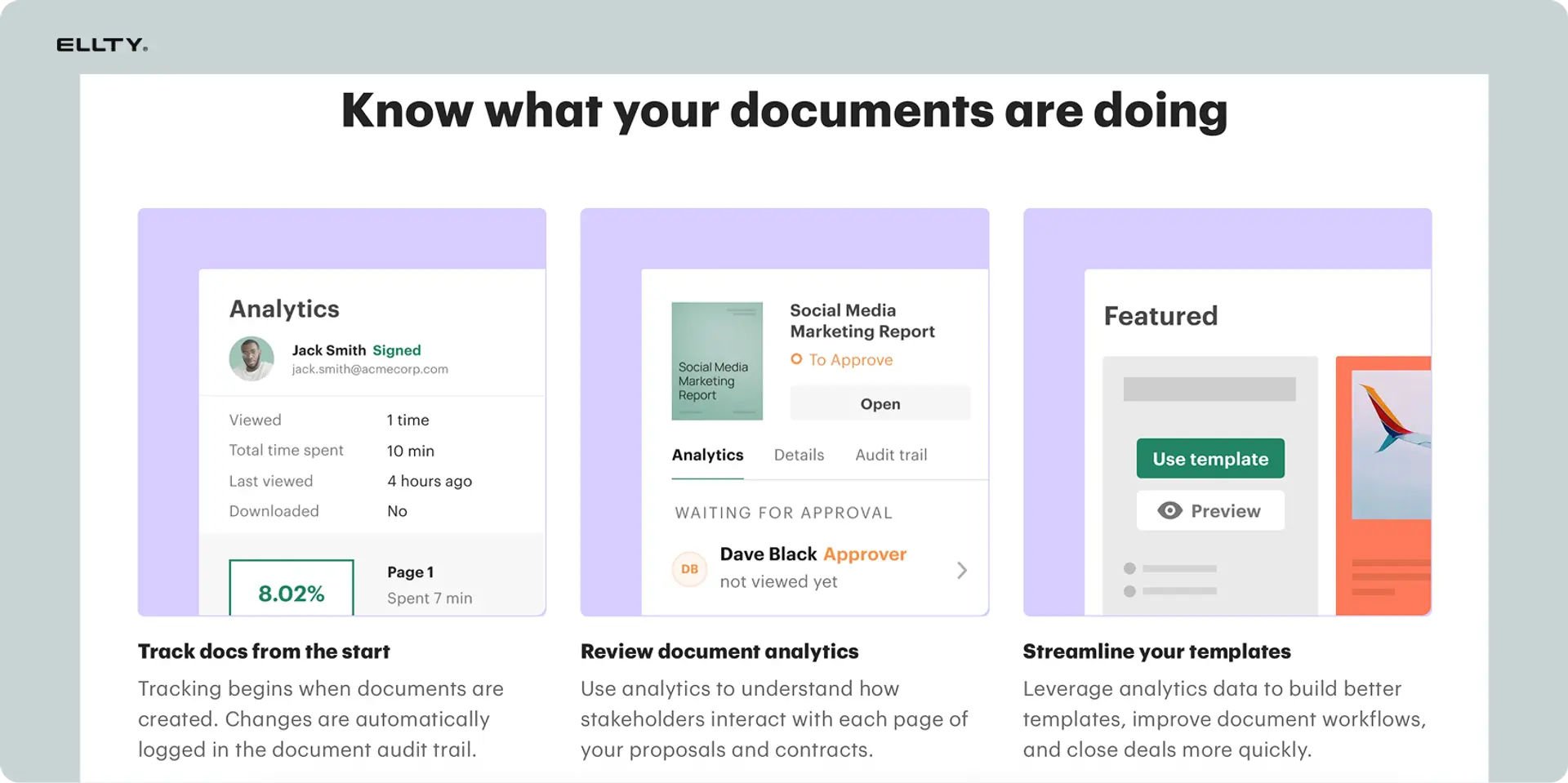
PandaDoc takes a different approach than BriefLink - it's not just about tracking documents, but creating them, getting them signed, and managing the entire workflow. We tested it to see how an all-in-one platform compares to minimalist tracking tools.
BriefLink vs PandaDoc


Why sales and operations teams love it
When we created a test proposal in PandaDoc, we built the document from scratch using templates, added pricing tables and signature fields, then sent it with tracking. The entire workflow happens in one platform - create, share, sign, close. For teams sending contracts, proposals, or quotes, this consolidation eliminates jumping between tools.
We found the analytics focused on different metrics than pure tracking tools. You're not just seeing which pages someone viewed, but whether they completed the document, where they hesitated, and when they signed. For sales processes, these insights drive action - if someone viewed your proposal but didn't sign, you know to follow up.
In our testing, PandaDoc makes sense when you need more than tracking. If you're creating documents regularly, need signatures, or want payment collection integrated, the additional features justify higher costs. If you just want to track a PDF you already have, BriefLink's simplicity and lower price work better.
Best For: Sales teams, professional services, and businesses that need to create proposals, contracts, and documents with e-signatures alongside tracking analytics.
Pricing: Essentials plan from $19/user/month for basic features. Business plan from $49/user/month adds advanced analytics and automation. Enterprise plan with custom pricing. More expensive than BriefLink but includes document creation and e-signature.
Support: Email, chat, and phone support depending on plan. Extensive knowledge base and training resources. Users consistently mention helpful support teams.
"PandaDoc replaced three separate tools we were using. Create the proposal, track who views it, get it signed, all in one place. The efficiency gain is significant." - Sales Director, Professional Services, Capterra
4. Papermark - For open-source document control
Ratings and Reviews: Product Hunt: 4.8/5 ⭐ (limited reviews as newer platform)


Papermark is open-source document sharing and tracking. We tested it because it offers something BriefLink doesn't - the ability to self-host and fully control your data and infrastructure.
BriefLink vs Papermark


Why technical teams love it
When we explored Papermark, the open-source nature immediately appealed to teams with specific security or compliance requirements. If you need documents stored on your own infrastructure, or want to customize analytics beyond what closed platforms offer, Papermark gives you that flexibility.
We found the self-hosted option particularly relevant for companies in regulated industries or those handling sensitive information. You're not trusting a third party with your documents - you deploy Papermark on your own servers and maintain complete control. The hosted version provides simplicity if you don't want to manage infrastructure yourself.
In our testing, Papermark requires more technical capability than BriefLink. Self-hosting means you handle deployment, updates, and maintenance. The trade-off is complete ownership and customization. For non-technical users who just want simple tracking, BriefLink's managed service makes more sense.
Best For: Technical teams, companies with strict data sovereignty requirements, or organizations that want full control over their document tracking infrastructure.
Pricing: Free for self-hosted deployment. Pro plan from $29/month for managed hosting with additional features. Significantly less than DocSend, comparable to BriefLink if using hosted version.
Support: Community support for open-source version. Email support for paid hosted plans. Documentation available but assumes technical knowledge for self-hosting.
"We self-host Papermark for client NDAs and sensitive documents. Having everything on our infrastructure meets our compliance requirements without compromising analytics." - CTO, Financial Services, Product Hunt
5. Digify - For security-focused document control
Ratings and Reviews: G2: 4.4/5 ⭐ | Capterra: 4.6/5 ⭐


Digify emphasizes security and control over documents. We tested it because it takes a different approach than BriefLink's simple tracking - focusing on preventing unauthorized sharing and protecting sensitive information.
BriefLink vs Digify


Why security-conscious teams love it
When we uploaded a test document to Digify, the security controls immediately stood out. You can add dynamic watermarks with viewer email addresses, prevent screenshots, disable printing, and revoke access remotely even after sharing. For sensitive financial documents, legal materials, or confidential business information, these protections matter.
We found the granular permission system useful for controlling exactly what recipients can do. Set expiration dates on access, require email verification before viewing, track not just views but attempted security violations. The analytics show engagement alongside security events - who tried to print, who attempted screenshots.
In our testing, Digify is overkill if you're just sharing a pitch deck and want to know if someone read it. But for documents where leaks have real consequences - M&A materials, confidential financials, legal documents - the security features justify higher costs. BriefLink gives you tracking, Digify gives you control.
Best For: Legal teams, financial services, and businesses handling confidential documents that require strict access controls and security features beyond basic tracking.
Pricing: Teams plan from $83/month for up to 5 users. Business plan with custom pricing for larger organizations. Significantly more expensive than BriefLink but includes enterprise-grade security features.
Support: Email and chat support. Priority support for Business plan customers. Knowledge base covers security configurations and best practices.
"Digify's watermarking and access controls give us confidence sharing sensitive M&A documents. We can revoke access immediately if a deal falls through." - Corporate Development, Mid-market Company, G2
6. Google Drive - For universal file sharing with basic tracking
Ratings and Reviews: G2: 4.6/5 ⭐ | Capterra: 4.7/5 ⭐
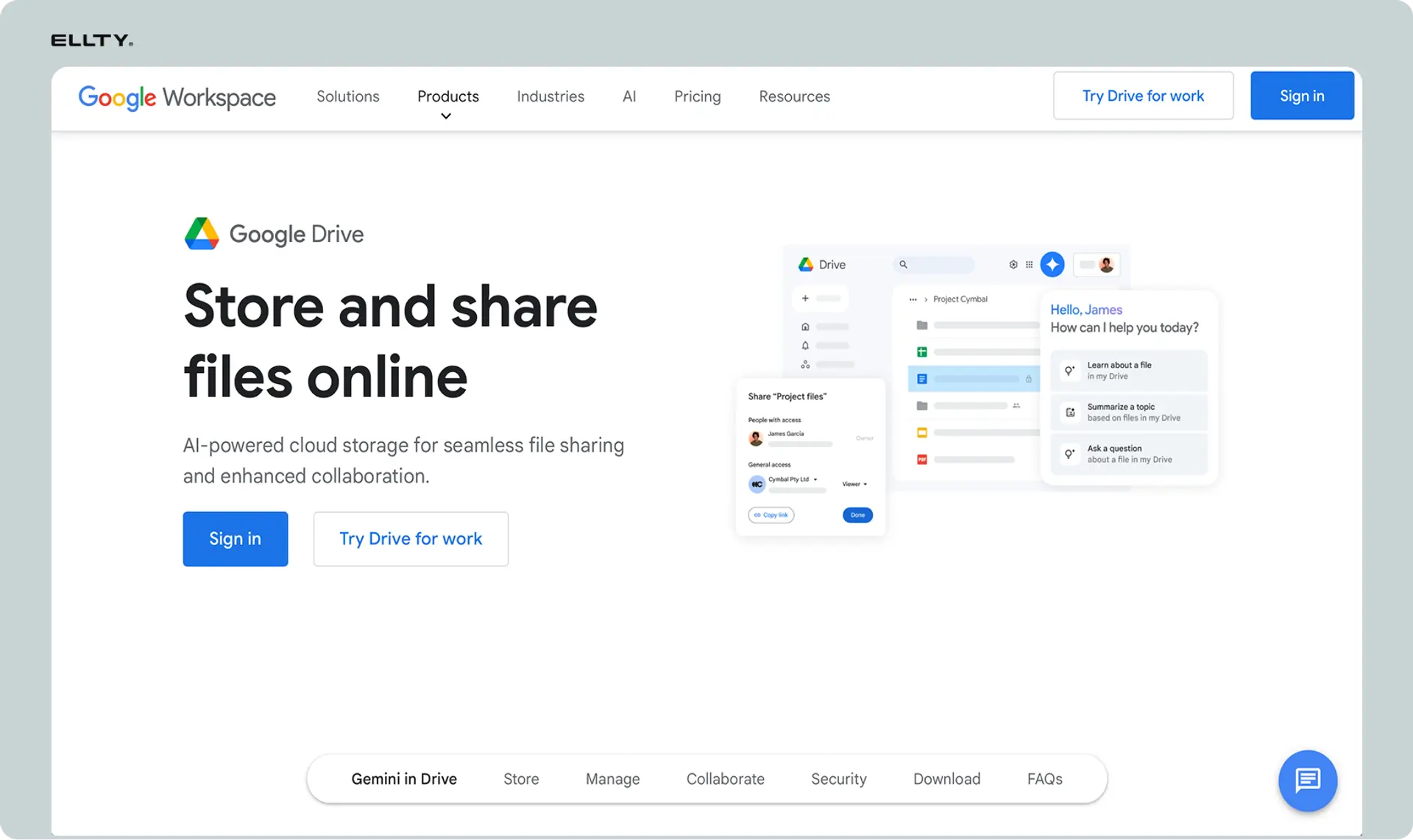
Google Drive is universal file storage and sharing. We tested it because many people wonder if they need specialized tools like BriefLink when they already have Drive.
BriefLink vs Google Drive


Why teams already using Google Workspace love it
When we shared a test document through Google Drive, we could see that someone accessed the file and when. But that's where the analytics end. No page-by-page tracking, no time spent per slide, no engagement metrics. You know if they opened it, not if they actually read it.
We found Drive most relevant when analytics aren't critical or when you're already paying for Google Workspace. For internal document sharing or casual distribution, Drive's familiarity and zero additional cost make sense. Everyone knows how to use it, it integrates with other Google tools, and there's no learning curve.
In our testing, Drive can't replace BriefLink for scenarios where engagement analytics matter. If you're fundraising and need to know whether an investor read your financials, Drive doesn't tell you. If you're just sharing documents and want basic access logs, Drive works fine and you're probably already paying for it.
Best For: Teams already using Google Workspace who need basic file sharing without detailed engagement analytics, or internal document distribution where tracking isn't critical.
Pricing: Free for personal use with 15GB storage. Business Standard from $6/user/month with 2TB storage and enhanced security. Already included if you're paying for Google Workspace.
Support: Email support for Business plans. Extensive documentation and community resources. Support quality varies significantly based on plan tier.
"We use Drive for most document sharing because our whole company is on Google Workspace. For investor decks where we need real analytics, we use dedicated tools." - Operations Manager, Startup, G2
7. Dropbox - For familiar file storage with sharing links
Ratings and Reviews: G2: 4.2/5 ⭐ | Capterra: 4.3/5 ⭐
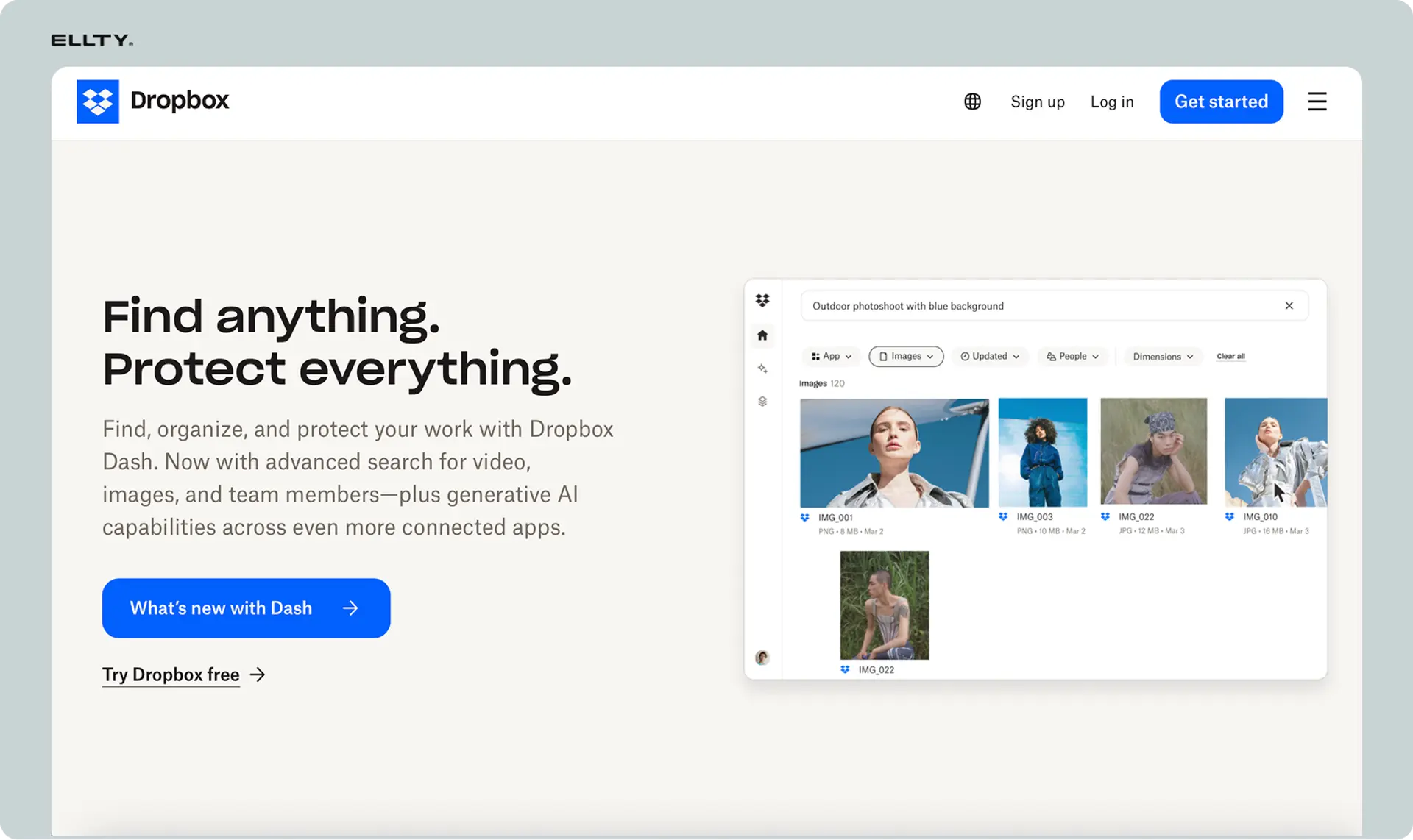
Dropbox is universal file storage that everyone recognizes. We tested it as another general-purpose alternative teams consider when evaluating whether they need specialized tracking tools.
BriefLink vs Dropbox


Why existing Dropbox users consider it
When we shared documents through Dropbox, we got basic analytics - how many times the link was viewed, whether files were downloaded. Better than no tracking, but nowhere near BriefLink's page-level insights. You know someone accessed the share link, not whether they actually read the document or which sections interested them.
We found Dropbox relevant for teams already paying for file storage who need simple sharing without detailed analytics. The platform is familiar, integrates widely, and handles general file management beyond just document tracking. If your primary need is storage with occasional sharing, Dropbox serves that purpose.
In our testing, Dropbox and Drive occupy similar territory - good enough for basic sharing, insufficient for engagement analytics. If you need to know which pages someone viewed and how long they spent reading, BriefLink provides that data while Dropbox doesn't. If you just need secure file sharing with basic access logs, Dropbox works.
Best For: Teams needing general file storage and syncing with basic sharing capabilities, or businesses already using Dropbox for file management who want simple link sharing.
Pricing: Free plan with 2GB storage. Plus plan from $11.99/month with 2TB storage. Professional plan from $19.99/month adds advanced sharing controls. Family and Business plans available with different pricing.
Support: Email support for paid plans. Community forums and extensive documentation. Priority support for Business plans.
"Dropbox handles our file storage and basic sharing. When we need detailed analytics for sales proposals, we use specialized tools because Dropbox doesn't show engagement." - Sales Enablement, SaaS Company, Capterra
Most affordable BriefLink alternatives
If you're watching costs carefully, several alternatives offer document tracking or secure sharing at accessible price points:
1. Google Drive
Free for basic use with 15GB storage. Business Standard at $6/user/month adds enhanced security and 2TB storage. If you're already paying for Google Workspace, you have basic file sharing without additional cost.
The catch: analytics are minimal. You can see if someone opened a file and when they accessed it, but not which pages they viewed or how long they spent reading. Good for casual document sharing where detailed engagement tracking doesn't matter. Insufficient for scenarios where knowing "did they actually read it?" is important.
2. Ellty
Free plan that never expires for core document tracking and analytics. Standard plan at $69/month adds eSignatures, full virtual data room functionality, advanced access controls, and custom branding. Data Room plan at $149/month unlocks granular permissions, NDA gating, dynamic watermarking, and restricted visitor access for structured due diligence. For startup fundraising, this pricing makes sense when you need real functionality without enterprise VDR costs.
You get page-by-page engagement analytics, real-time notifications when investors view your materials, eSignatures built in, and secure virtual data rooms for organizing due diligence documents. Not built for $500M acquisitions, but perfect for seed through Series B where you need reliable investor tracking, eSignatures, and a clean data room without the complexity or cost of enterprise platforms.
3. Papermark (self-hosted)
Free if you self-host and manage infrastructure yourself. Hosted version from $29/month if you want managed service without technical overhead.
You get document tracking similar to BriefLink with complete data ownership and customization options. The trade-off: self-hosting requires technical capability to deploy and maintain. Managed hosting costs more than BriefLink but eliminates infrastructure work while giving you more control than closed platforms.
How we chose which BriefLink alternative to recommend
After testing all these alternatives, here's what we'd consider if we were choosing for our own business.
Your analytics needs matter most. BriefLink gives you page-by-page tracking and time spent for $10/month. That's perfect if you just need basic engagement data. Ellty and DocSend provide deeper analytics with additional context - real-time notifications, aggregate reporting, team insights. If you're making decisions based on engagement data, the additional analytics justify higher costs. If you just want to confirm someone viewed your document, BriefLink's simplicity works.
Feature requirements beyond tracking. BriefLink only tracks documents. If you also need to create documents, PandaDoc makes sense. If you need e-signatures, both PandaDoc and Digify include them. If you want virtual data rooms for organizing multiple documents, Ellty provides that. Match the tool to your actual workflow - paying for features you won't use wastes money, but missing features you need creates friction.
Budget and usage patterns. BriefLink at $10/month is hard to beat on pure cost for basic tracking. Ellty starts free with reasonable paid tiers. DocSend costs more but includes team features and integrations. Google Drive and Dropbox might be free if you're already paying for them, though they lack detailed analytics. Consider total cost - if you're paying for multiple tools separately, an all-in-one platform might actually cost less overall.
Security and compliance requirements. Most document sharing scenarios don't need Digify's security controls. But if you're handling confidential M&A documents or regulated information, watermarking and screenshot prevention become essential. BriefLink provides basic security, Digify provides control. Match security level to document sensitivity - oversecuring casual documents creates friction, undersecuring sensitive materials creates risk.
Technical capability and control needs. BriefLink and most alternatives are managed services - you sign up and start using them. Papermark offers self-hosting if you need complete data control or have specific compliance requirements. Self-hosting requires technical resources to deploy and maintain. Managed services cost more monthly but eliminate infrastructure overhead. Choose based on whether you have technical capacity and actual need for self-hosting.
Team size and collaboration. BriefLink works for individuals. DocSend, PandaDoc, and Ellty scale for teams with user management, shared workspaces, and collaborative features. If multiple people need to share documents and view analytics, team features matter. If you're working solo, you're paying for collaboration capabilities you won't use.
Existing infrastructure. If you're already paying for Google Workspace or Dropbox Business, using those platforms for basic sharing makes sense financially. You're not adding new vendor relationships or training users on unfamiliar tools. The trade-off is limited analytics. Dedicated tracking tools provide better engagement data but require adopting new platforms.
Common questions about BriefLink alternatives (from our testing)
What is BriefLink best known for?
BriefLink is known for ultra-simple, affordable document tracking. Upload a PDF, get a link, see page-by-page analytics showing who viewed which pages and how long they spent reading. At $10/month, it's one of the cheapest dedicated tracking tools available. The platform deliberately avoids feature bloat - no team features, no document creation, no integrations, just basic analytics done well.
Why do businesses look for BriefLink alternatives?
From our testing and conversations with users, the main reasons are needing additional features beyond basic tracking. BriefLink doesn't offer team collaboration, virtual data rooms, document creation, or e-signatures. Some teams want more detailed analytics than BriefLink provides - aggregate reporting, CRM integration, or real-time notifications. Others need security features like watermarking or access controls that BriefLink lacks. And some businesses already pay for platforms like Google Drive or DocSend and wonder if they can consolidate tools.
Are these alternatives cheaper than BriefLink?
Some are, some aren't. Google Drive and Dropbox are free for basic use, though you sacrifice detailed analytics. Ellty offers a free tier with paid plans starting at $69/month - more than BriefLink but including additional features like data rooms. DocSend, PandaDoc, and Digify all cost more than BriefLink's $10/month but provide substantially more functionality. The question isn't just price but value - if you need features BriefLink doesn't have, paying more for a comprehensive platform can actually save money versus cobbling together multiple tools.
Which alternative is best for solo founders?
For solo founders tracking pitch decks during fundraising, Ellty provides better analytics and data room capabilities than BriefLink at reasonable cost. The free tier lets you test it, and Pro at $24/month gives you detailed investor engagement tracking. If you truly just need basic page-view analytics and nothing else, BriefLink's $10/month simplicity works. But most founders benefit from the additional context Ellty provides - real-time notifications when investors view materials, organized data rooms for due diligence documents.
Do I need specialized tracking tools if I have Google Drive?
Depends on what you're tracking and why. Google Drive shows basic access logs - someone opened the file, when they accessed it. It doesn't show which pages they viewed, how long they spent on each section, or engagement patterns. For internal document sharing or casual distribution, Drive's basic tracking suffices and you're already paying for it. For fundraising, sales, or scenarios where engagement analytics inform your decisions, dedicated tools like BriefLink, Ellty, or DocSend provide data Drive can't.
Can I switch from BriefLink to another tool easily?
Yes, switching is straightforward. BriefLink is just tracking - you're not locked into their ecosystem with years of collaborative documents or integrations. Stop using BriefLink, start using an alternative. Your historical analytics stay in BriefLink if you need to reference them, but there's no migration complexity. The harder question is whether you should switch - if BriefLink meets your needs at $10/month, there's no reason to change. If you need features it lacks, try alternatives to see if they justify higher costs.
What's the difference between BriefLink and DocSend?
BriefLink is minimalist tracking for individuals at $10/month. DocSend is comprehensive document analytics with team features, integrations, and robust reporting starting at $50/month per user. BriefLink gives you page views and time spent. DocSend adds aggregate analytics, CRM integration, team workspaces, and extensive customization. BriefLink is appropriate for solo users who just need basic engagement data. DocSend serves teams and businesses that need analytics integrated into broader workflows and are willing to pay for additional capabilities.
How important are page-by-page analytics versus basic file tracking?
Very important if you're making decisions based on engagement, less important for casual sharing. When fundraising, knowing an investor spent 10 minutes on your financials versus 30 seconds tells you whether they're seriously interested. For sales, seeing prospects skip your pricing page signals a different conversation than if they studied it carefully. Basic file tracking from Drive or Dropbox just confirms someone accessed the file - you're guessing about actual engagement. Page-level analytics from BriefLink, Ellty, or DocSend remove the guesswork and inform your follow-up strategy.
Our final thoughts on BriefLink alternatives
After weeks of testing these tools, the document tracking landscape offers more options than we initially expected. BriefLink does exactly what it promises - simple page-by-page analytics at an affordable price. For many solo users who just need basic tracking, that's perfect.
We found tools optimized for different needs work better than forcing BriefLink to handle scenarios it wasn't designed for. Ellty serves fundraising with investor-focused analytics and data rooms. DocSend provides team collaboration and integration for organizations. PandaDoc handles document creation alongside tracking. Digify emphasizes security. Drive and Dropbox work for teams already using those platforms. Different problems, different solutions.
Choose based on what you actually need, not what sounds impressive. If you're tracking occasional PDFs and just want to know if someone viewed them, BriefLink's $10/month simplicity is hard to beat. Don't pay for team features you won't use or security controls that create friction for straightforward sharing.
We found Ellty particularly effective for startup fundraising - the analytics help you understand investor engagement beyond basic views, and data room features support due diligence without enterprise complexity. For sales teams needing document tracking integrated with CRM workflows, DocSend justifies higher costs. For basic sharing where detailed analytics aren't critical, platforms you're already paying for like Drive work fine.
Whether you go with BriefLink for minimal cost tracking or Ellty for fundraising-focused analytics or DocSend for team collaboration, pick what actually solves your problems. Test platforms before committing if possible. And remember that the best tracking tool is the one you'll actually use consistently, not the one with the most features you'll never touch.
Disclaimer
Parties other than Ellty may provide products, services, recommendations, or views on this site ("Third Party Materials"). Ellty is not responsible for examining or evaluating such Third Party Materials, and does not provide any warranties relating to the Third Party Materials. Links to such Third Party Materials are for your convenience and does not constitute an endorsement of such Third Party Materials.
Author

Anika Tabassum Nionta is a Content Manager at Ellty, where she writes about secure document sharing, virtual data rooms, M&A, due diligence, fundraising, and sales enablement. With over 6 years of writing experience, she helps professionals understand how to share confidential documents securely, track engagement, and manage deals more effectively. Anika holds both a BA and MA in English from Dhaka University. Outside of work, she enjoys reading, exploring new cafes in Dhaka, and connecting with entrepreneurs and dealmakers in her community.

