
Need a secure data room without the premium price?
You're raising a round or closing a deal. Investors want access to your financials, cap table, and legal docs. You need something more secure than Dropbox but don't want to pay $10,000 for a traditional virtual data room.
Firmex is one option. But it's not the only one. And depending on your deal size and timeline, it might not be the right one.
This guide breaks down what Firmex actually costs (not just "contact us"), how long setup takes, what it can't do, and when simpler alternatives make more sense. You'll see real pricing, feature comparisons, and honest assessments of who Firmex serves best.
What is Firmex data room?


Data rooms explained
A virtual data room is a secure online space where companies share confidential documents during fundraising, M&A, audits, or due diligence. Unlike basic file sharing, data rooms offer document-level permissions, detailed viewer analytics, watermarking, and audit trails showing exactly who accessed what and when.
Companies use them when stakes are high: selling your business, raising Series B, going through an IPO, or managing legal discovery. The goal is control. You decide who sees which documents, track every interaction, and revoke access instantly if a deal falls through.
Firmex's data room feature
Firmex launched in 2006 as a dedicated virtual data room provider. Unlike tools that added data rooms later, Firmex built everything around secure document sharing for deals and transactions.
The platform focuses on M&A, fundraising, and due diligence. You upload documents into a structured folder system, assign permissions by user or group, and monitor activity through detailed analytics. Firmex emphasizes security (SOC 2 Type II, ISO 27001 certified) and compliance features that legal and finance teams expect.
Firmex differs from basic cloud storage in several ways. Document-level permissions mean you can show your pitch deck to everyone but limit cap table access to lead investors. Dynamic watermarking adds viewer email and timestamp to every page. Detailed Q&A modules let investors ask questions directly on specific documents. Full audit trails log every view, download, and print.
Who uses it:
- Mid-market companies selling to private equity or strategic buyers
- Startups raising Series A through C (occasionally seed, rarely pre-seed)
- Legal teams managing litigation or regulatory compliance
- Investment banks running buy-side or sell-side processes
- Real estate firms managing property transactions
Firmex data room vs regular file sharing
Firmex is purpose-built for deals and due diligence. Standard file sharing tools like Dropbox or Google Drive handle document storage but lack the security, control, and analytics that high-stakes transactions require. Here's how they differ.
Comparison table


When to use regular file sharing
Use Dropbox or Google Drive when you're sharing documents but don't need granular control or detailed analytics. These situations work fine:
- Sharing pitch decks before serious investor interest
- Client deliverables that aren't confidential
- Team collaboration on documents in progress
- Board materials for routine meetings
- General document storage and backup
When to use Firmex data room
Use Firmex when you need proof of compliance, detailed tracking, or document-level security:
- Selling your company (buyers reviewing everything)
- Raising significant capital (Series A+, investors conducting full due diligence)
- Legal proceedings requiring audit trails
- Regulatory compliance where you must prove who accessed what
- Situations where a data breach would be catastrophic
The key difference
Regular file sharing assumes trust and collaboration. Data rooms assume scrutiny and risk. If someone downloading your cap table at 2am matters, use a data room. If it doesn't, file sharing works fine.
Setting up a Firmex data room

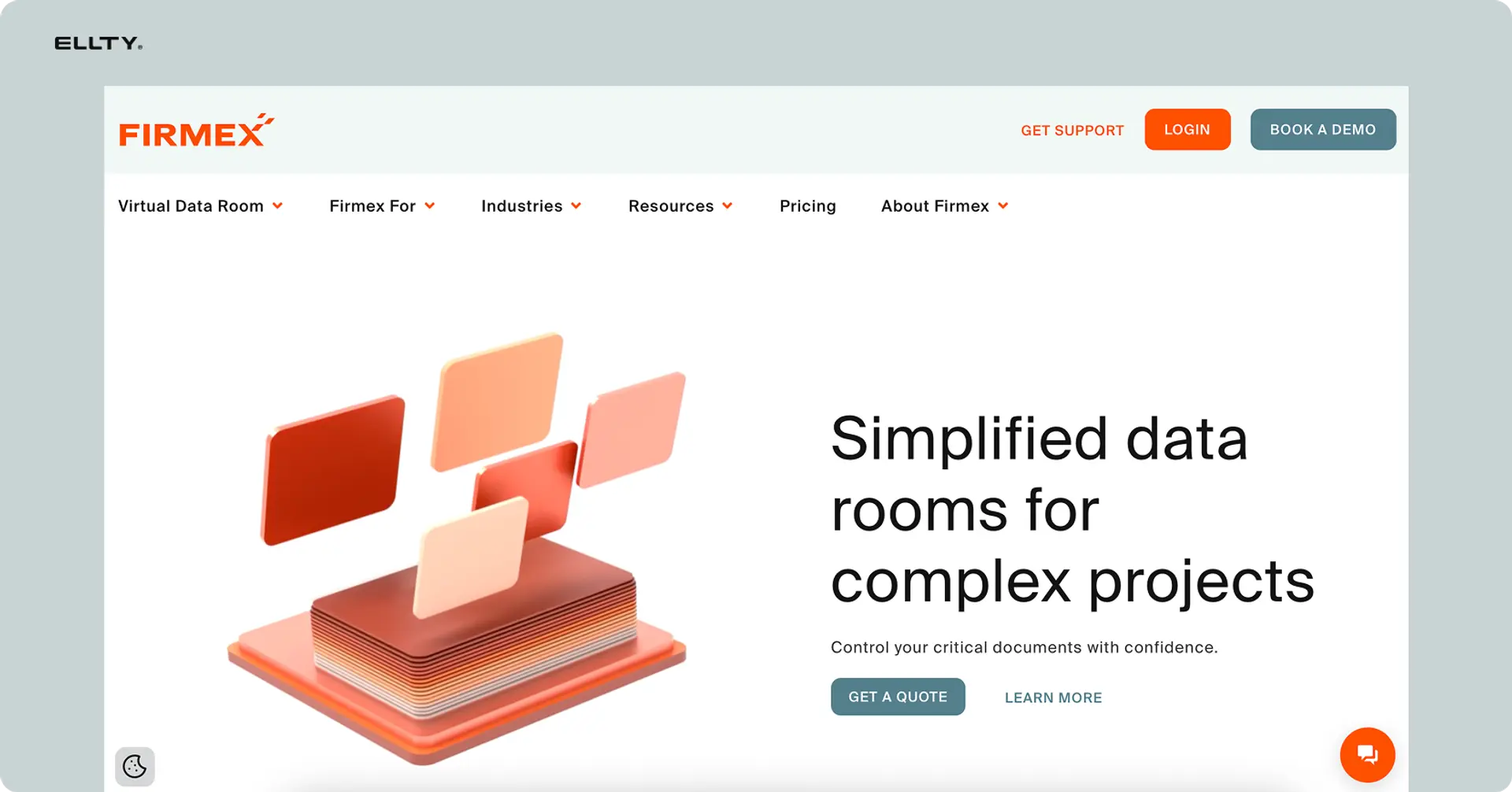
Setting up a Firmex data room isn't complicated, but it takes time. Here's what actually happens from signup to sending your first invite.
Step-by-step process
1. Sign up and verify (30-60 minutes) Contact Firmex sales or request a trial. They'll set up your account, walk through security requirements, and verify your identity. Enterprise deals require legal review before access.
2. Structure your folder system (1-3 hours) Plan your folder structure before uploading anything. Most deals use standard categories:
- Company overview
- Financial information
- Legal and compliance
- Product and technology
- Sales and marketing
- HR and operations
Create subfolders within each category. For fundraising: "Financial Information > Historical Statements > 2023 Audited Financials." For M&A: "Legal and Compliance > Contracts > Customer Agreements."
3. Upload documents (2-8 hours depending on volume) Upload PDFs, spreadsheets, presentations. Firmex recommends PDFs for security - they're harder to edit and support watermarking better than native Office files.
Large deals might have 500-2000 documents. Budget time accordingly. Upload speeds depend on file sizes and your connection.
4. Set permissions and groups (1-2 hours) Create user groups: "Lead Investors," "Financial Advisors," "Legal Counsel," "Management." Assign documents and folders to groups. Set document-level permissions if needed (some investors see revenue but not detailed customer contracts).
5. Configure security settings (30 minutes) Enable dynamic watermarking, set password requirements, decide on download/print restrictions, configure NDA requirements. Most deals disable downloads initially, enabling them only for serious buyers.
6. Add users and send invites (30 minutes) Input user emails, assign to groups, send invitation emails. Users create accounts and accept NDAs before accessing documents.
7. Test access and permissions (1 hour) Log in as different user types to verify permissions work correctly. Make sure Lead Investors see everything, while early-stage prospects only see overview materials.
Total setup time
Simple fundraising data room (50-100 documents): 6-10 hours
Standard M&A data room (200-500 documents): 15-25 hours
Complex transaction (500+ documents, multiple user groups): 30-50 hours
Most companies underestimate this. Block dedicated time or hire someone who has done it before.
Ongoing maintenance
Data rooms aren't set-and-forget. You'll update financials monthly, add new customer contracts, answer investor questions, adjust permissions as deals progress, and monitor analytics to see who's engaged vs. ghosting you.
Budget 2-5 hours per week during active fundraising or M&A processes.
Firmex data room pricing
Firmex doesn't publish pricing on their website. You'll see "contact us" or "custom quote." Here's what it actually costs based on market research, user reports, and deal scenarios.
Plan availability
Firmex uses deal-based pricing, not subscription tiers. You pay per data room (per deal), not per user. Pricing depends on:
- Deal size and complexity
- Number of documents
- Number of users
- Deal duration
- Support level required
Which plans include data rooms
Firmex doesn't have "plans" like SaaS tools. Every engagement is a data room. The question is how much customization and support you need.


Detailed pricing breakdown
Standard M&A or fundraising deal
- Base cost: $500-1000/month
- Typical commitment: 3-6 months minimum ($1,500-6,000 total)
- Includes: Up to 5GB storage, unlimited users, standard security features, email support
- Use case: Series A fundraising, small business sale ($1M-10M)
Mid-market transaction
- Base cost: $1,000-2,000/month
- Typical commitment: 6-12 months ($6,000-24,000 total)
- Includes: 10-50GB storage, unlimited users, custom branding, priority support, Q&A module
- Use case: Series B+, mid-market M&A ($10M-100M)
Enterprise - Custom pricing
- Base cost: Typically $3,000-10,000/month or annual contracts $30k-100k+
- Commitment: Annual or multi-year
- Includes: Unlimited storage, dedicated account manager, custom integrations, on-site training, SLA guarantees
- Use case: Large M&A ($100M+), IPOs, multiple concurrent deals, legal discovery
Hidden costs to consider
Beyond base subscription:
Setup and training: Firmex includes basic onboarding. Complex deals might need consulting help structuring documents or training your team. Budget $2,000-5,000 if you need hands-on assistance.
User scaling: Unlimited users are included, but if you need separate data rooms for different deals simultaneously, each room is priced separately.
Feature add-ons: Some advanced features (custom integrations, API access, white-label branding) cost extra on standard deals. Ask upfront what's included in your quote.
Storage overages: Base deals include 5-10GB. If you exceed this (common in real estate or litigation with thousands of documents), expect overage fees around $50-100 per additional 5GB.
Early termination: Most contracts have minimum terms. Ending early often means paying the remainder or a termination fee (typically 50% of remaining contract value).
Real cost examples
Startup raising Series A (5-month process)
- Base: $750/month × 5 months = $3,750
- Setup assistance: $1,500
- Storage (8GB used): Included in base
- Total: $5,250
Company in M&A process (8-month sale)
- Base: $1,500/month × 8 months = $12,000
- Priority support: Included
- Custom branding: $1,000 one-time
- Additional storage (15GB overage): $300
- Total: $13,300
Cost comparison with competitors


Firmex sits in the mid-range. Cheaper than Intralinks and Datasite, more expensive than newer platforms like Ellty or Caplinked. You're paying for proven security, compliance certifications, and deal-focused features.
Use cases for data rooms
Data rooms solve specific problems. Here's when they actually make sense and what you'd put in them.
1. Fundraising - Series A to Series C
The scenario: You're raising $3M to $50M. Lead investors want full financial access. Other investors need high-level metrics only. Materials change weekly as you update projections or close new customers. You need to know who's actively reviewing vs. who's lost interest.
Why a data room helps:
- Centralize all fundraising materials instead of emailing updated decks
- Grant different access levels (seed investors see less than lead investors)
- Track which materials each investor reviews to prioritize follow-ups
- Update documents once and everyone sees the current version
- Professional presentation signals you're organized and serious
What you'd include:
- Pitch deck and executive summary
- Financial statements (3 years historical, 3-5 years projected)
- Cap table and equity structure
- Customer contracts and pipeline (top 10-20 customers)
- Product roadmap and technology architecture
- Team bios with compensation details
- Legal documents (incorporation papers, IP assignments, material contracts)
- Board materials from the last 6-12 months
Example workflow: Create the data room with organized folders. Send initial access to lead investors with full permissions to everything. As more investors express interest, grant view-only access to pitch deck and high-level financials. Expand access to detailed customer contracts and projections as conversations progress to term sheet stage. Track engagement analytics to see which investors spend 20 minutes vs. 2 hours reviewing materials.
Firmex features that matter:
- User-level permissions for different investor stages
- Document-by-document analytics showing time spent per file
- NDA requirement before granting any access
- Easy updates when monthly financials change
2. M&A - Selling your company
The scenario: You're selling your business. Multiple buyers are conducting due diligence simultaneously. Each has different concerns (strategic buyer cares about customer overlap, financial buyer wants margin details). Questions come in daily. You need to prove you answered every inquiry in case the deal goes sideways.
Why a data room helps:
- Show all buyers identical information to avoid claims of unfair advantage
- Track which buyers are seriously engaged vs. tire-kicking
- Q&A module creates searchable record of every question and answer
- Revoke access instantly if a buyer drops out
- Audit trail proves compliance if disputes arise later
What you'd include:
- Financial statements (5-7 years historical)
- Tax returns and regulatory filings
- All customer and vendor contracts
- Employee agreements and benefits documentation
- Intellectual property (patents, trademarks, licenses)
- Real estate leases and equipment lists
- Insurance policies and litigation history
- Management presentations and board minutes
Example workflow: Set up the data room with exhaustive documentation. Create buyer groups: "Strategic Buyers," "Financial Buyers," "Management Team," "Legal Advisors." Provide initial access to high-level materials (CIM, financial summary). After buyers sign LOIs, grant full access to detailed contracts and employee information. Use Q&A module to field due diligence questions. Track which buyers request specific documents (buyer asking about customer concentration might lowball you).
Firmex features that matter:
- Q&A module to manage hundreds of due diligence questions
- Audit trails for legal compliance
- Bulk upload for thousands of contracts and documents
- Custom folder structures matching buyer expectations
3. Real estate transactions
The scenario: You're selling a commercial property or portfolio. Buyers need access to leases, property management records, environmental reports, title documentation. Multiple brokers and legal teams need simultaneous access. Documents are large (engineering reports with photos, site plans).
Why a data room helps:
- Organize thousands of pages of property documentation
- Large file support for architectural plans and surveys
- Track which buyers review environmental reports (red flag if they don't)
- Secure sharing of tenant financial information
- Update occupancy information as leases change
What you'd include:
- Property title and ownership documents
- All tenant leases and rent rolls
- Operating statements (3-5 years)
- Property tax assessments and payments
- Environmental reports (Phase I, Phase II)
- Building plans and engineering reports
- Service contracts (HVAC, elevator, security)
- Insurance policies and claims history
Example workflow: Structure the data room by property (if portfolio) or by category (if single asset). Grant broker access to marketing materials and rent rolls. After buyers submit LOIs, provide access to detailed tenant leases and operating expenses. Track time spent reviewing environmental reports (buyer not reviewing these might back out after finding issues). Watermark all documents to prevent information leaking to competitors.
Firmex features that matter:
- Large file support for site plans and engineering documents
- Watermarking to prevent unauthorized sharing
- Document indexing so buyers can find specific leases quickly
- Download restrictions until later stages
4. Legal discovery and litigation
The scenario: You're managing legal discovery for litigation or regulatory investigation. Opposing counsel needs access to specific documents. You must maintain detailed records of what was provided and when. Documents contain privileged information that needs redacting. The process might last months or years.
Why a data room helps:
- Complete audit trail proving what was disclosed when
- Redaction tools to protect privileged information
- Version control as documents are updated or replaced
- Search functionality to find responsive documents quickly
- Secure access for external legal teams
What you'd include:
- Responsive documents to discovery requests
- Email threads and internal communications
- Contracts and agreements relevant to the case
- Financial records supporting claims or defenses
- Expert reports and testimony preparation
- Deposition transcripts and exhibits
- Settlement negotiations and correspondence
Example workflow: Upload documents responsive to discovery requests. Redact privileged information before sharing. Grant opposing counsel access to specific folders only. Log every access for compliance with discovery obligations. Update data room as additional documents are located or produced. Maintain separate privileged folder accessible only to internal legal team.
Firmex features that matter:
- Redaction tools for privileged information
- Detailed audit logs for court compliance
- Search across thousands of documents
- Long-term access (litigation can last years)
5. Board management and governance
The scenario: You need to share board materials with directors, investors, and advisors. Materials are confidential (executive compensation, M&A discussions, strategic plans). Board composition changes as investors join or leave. You want directors to review materials before meetings, not see them for the first time in person.
Why a data room helps:
- Single repository for all board materials accessible 24/7
- Track which directors review materials before meetings
- Revoke access when directors leave the board
- Maintain historical archive of all board decisions
- Secure distribution of sensitive compensation data
What you'd include:
- Board meeting agendas and minutes
- Financial reports and variance analysis
- Strategic plans and budgets
- Executive compensation proposals
- M&A opportunities under consideration
- Risk assessments and audit reports
- Succession planning documents
- Committee reports (audit, compensation, governance)
Example workflow: Create permanent board data room updated before each meeting. Upload materials 5-7 days before meetings. Track which directors access materials (gentle reminder to those who don't). Archive materials in folders by meeting date. Grant new directors access to current quarter only initially, historical materials after onboarding. Remove access for directors who resign or are replaced.
Firmex features that matter:
- Scheduled access (materials appear on specific dates)
- Analytics showing director engagement with materials
- Permanent archive functionality
- Clean folder structure by quarter or year
6. IPO preparation and investor relations
The scenario: You're preparing to go public. Underwriters need extensive documentation. Regulators will audit everything you disclose. Post-IPO, analysts and institutional investors request detailed information. Mistakes in disclosure could mean securities lawsuits.
Why a data room helps:
- Organize S-1 supporting documentation
- Manage underwriter due diligence requests
- Track which analysts request which materials
- Comply with fair disclosure regulations
- Maintain investor relations materials post-IPO
What you'd include:
- Draft registration statements and amendments
- Financial statements and auditor letters
- Use of proceeds analysis
- Risk factor documentation
- Management discussion and analysis (MD&A)
- Related party transactions
- Executive compensation details
- Post-IPO investor presentations and earnings materials
Example workflow: Set up data room during S-1 preparation. Grant underwriters access to supporting documentation. Update materials as SEC provides comments. Post-IPO, maintain investor relations section with earnings presentations, 10-Q/10-K filings, and analyst materials. Track which institutional investors request detailed information. Ensure fair disclosure by providing identical materials to all analysts simultaneously.
Firmex features that matter:
- Audit trails for regulatory compliance
- Simultaneous access for fair disclosure
- Version control for S-1 amendments
- Long-term archiving post-IPO
7. Vendor and partnership due diligence
The scenario: You're evaluating strategic partnerships or major vendor relationships. Partners need access to technical specifications, security certifications, customer references. You need to verify their capabilities by reviewing their documentation. Both sides are sharing confidential information.
Why a data room helps:
- Mutual NDA enforcement before sharing anything
- Separate folders for information you're sharing vs. receiving
- Track partner engagement with your materials
- Revoke access if partnership discussions end
- Reference materials for contract negotiations
What you'd include:
- Technical specifications and API documentation
- Security certifications (SOC 2, ISO, GDPR compliance)
- Customer case studies and references
- Service level agreements and uptime history
- Pricing structures and contract templates
- Integration timelines and resource requirements
- Insurance and indemnification documentation
Example workflow: Create mutual data room with separate sections. Upload your technical and security documentation. Request partner upload their materials. Both sides review simultaneously. Track which documents partners spend time reviewing (partner skipping security section might have compliance issues). Use materials during contract negotiations. Archive everything for reference during implementation.
Firmex features that matter:
- Mutual access with separate permissions
- Analytics on both sides' engagement
- Easy document updates as specifications change
- Long-term reference access
8. Audit and regulatory compliance
The scenario: You're undergoing financial audit, regulatory examination, or compliance review. Auditors need access to accounting records, controls documentation, and supporting evidence. Access must be secure and tracked. You need to prove you provided complete and timely information.
Why a data room helps:
- Organized repository of all audit documentation
- Track auditor questions and responses
- Prove timely provision of requested materials
- Maintain version control for updated documents
- Secure sharing of sensitive financial data
What you'd include:
- General ledger and trial balances
- Bank statements and reconciliations
- Accounts receivable and payable aging
- Inventory records and physical counts
- Fixed asset registers and depreciation schedules
- Payroll records and tax filings
- Internal controls documentation
- Management representation letters
Example workflow: Set up data room at audit start. Upload requested documents by category. Grant auditors view-only access initially. Track which documents they review to anticipate questions. Use Q&A module for information requests. Update documents as additional support is located. Maintain audit trail for files showing timely cooperation. Archive data room for future reference audits.
Firmex features that matter:
- Q&A module for audit requests
- Complete audit trail of access
- Large file support for detailed accounting records
- Multi-year archiving for comparative audits
Firmex data room limitations
Firmex is built for deals and due diligence, but it's not perfect. Here's what it can't do or where it falls short.
1. Not built for ongoing collaboration
Firmex is for viewing and reviewing documents, not editing them collaboratively. You can't co-author a document inside Firmex like you would in Google Docs. If your team needs to work together on files, you'll edit elsewhere and upload final versions.
This matters during fundraising when financial models change daily. You'll update Excel models, export to PDF, upload to Firmex, repeat. It's manageable but adds friction.
2. Learning curve for first-time users
First-time users find Firmex's interface dated compared to modern SaaS tools. The folder structure is rigid by design (good for security, frustrating for flexibility). Permission settings are powerful but complex. Admins spend hours learning how to set up groups correctly.
Your team will adapt, but expect questions. Budget time for training or hire someone who knows the platform.
3. Overkill for simple sharing
If you're sharing a pitch deck with three angel investors who already know you, Firmex is like hiring armored cars to deliver a letter. The security and analytics are valuable when stakes are high, wasteful when they're not.
For pre-seed or small deals, simpler tools work fine and cost less. Save Firmex for when investor count, deal complexity, or confidentiality justify the cost.
4. Mobile experience is limited
Firmex has mobile apps, but reviewing 50-page financial statements on a phone isn't pleasant. Investors can access data rooms from mobile devices, but most will wait until they're at a computer.
This matters if your investors travel constantly. They might delay due diligence until they're back at desks, slowing your process.
5. No native document creation
Firmex stores and shares documents but doesn't create them. You'll still need Word for contracts, Excel for models, PowerPoint for presentations. Upload final versions to Firmex after creating them elsewhere.
This isn't unique to Firmex (most data rooms work this way), but it means you're managing documents in multiple places.
6. Pricing is opaque and negotiable
The "contact us" pricing model means you don't know costs until you talk to sales. Quotes vary based on deal size, your negotiation skills, and how badly Firmex wants your business. Two similar companies might pay wildly different amounts.
Some people like negotiating. Most find it annoying and wish for transparent pricing they could budget against.
7. Setup time is significant
Setting up a proper data room takes 10-40 hours depending on document volume and complexity. You can't just "turn it on" like you can with Dropbox. This matters when timing is tight.
If a buyer says "we need access tomorrow," you'll scramble to organize everything properly. Start early or you'll cut corners that undermine the point of using a data room.
8. Integration limitations
Firmex integrates with common tools (Box, Salesforce, Microsoft Office) but isn't as integration-friendly as modern platforms. If you want automated workflows (like "when deal closes, automatically archive data room to our document management system"), you'll need custom development or manual processes.
For most deals this doesn't matter. For companies running dozens of concurrent transactions, it's limiting.
9. Analytics are detailed but not predictive
Firmex tells you who viewed what and for how long. It doesn't predict which buyer is most likely to close or which investor will say yes. You get data, not insights. You'll still need to interpret patterns yourself.
Some newer platforms use AI to score buyer interest or flag concerning behavior. Firmex gives you the raw information to draw your own conclusions.
10. Minimum contract terms can be wasteful
If your deal closes in 2 months but you signed a 6-month minimum, you're paying for 4 unused months. Early termination often means paying anyway or accepting penalties.
This is standard for enterprise software but frustrating when deal timelines are unpredictable. Some deals close fast, others drag on. You'll pay based on the estimate, not reality.
Alternatives to Firmex data room
Firmex isn't your only option. Here are legitimate alternatives with different pricing models, feature sets, and ideal use cases.
Ellty - Simple data rooms without per-user fees

What it offers: Ellty provides secure data rooms focused on fundraising and pitch deck sharing. Built for startups and small companies, it emphasizes speed and simplicity over enterprise features. You can set up a data room in under an hour and start sharing documents immediately.
Key features:
- Unlimited users on all plans (no per-seat fees)
- Page-by-page analytics showing which slides investors spend time on
- Real-time notifications when investors view your materials
- NDA requirements before document access
- Simple folder structure with drag-and-drop upload
- Trackable sharing links with expiration dates
- Custom branding on shared materials
- No minimum contract terms (month-to-month)
Pricing:
- Free plan: Document tracking, real-time analytics, secure sharing - free forever
- Standard ($69/month): Unlimited documents, advanced analytics, eSignatures, data rooms, custom branding
- Data Room ($149/month): Granular permissions, NDA gating, dynamic watermarking, restricted visitor access, 3 users included
- Data Room Plus ($349/month): Group visitor permissions, audit logs, 4,000 assets per data room
All plans include unlimited data rooms. No setup fees or per-user charges.
Best for:
- Startups raising pre-seed through Series B
- Companies sharing pitch decks and financial summaries (not full due diligence)
- Founders who need data rooms operational quickly
- Teams wanting predictable monthly costs without surprise fees
- Smaller deals where enterprise-grade features aren't necessary
Compared to Firmex:


When to choose Ellty:
- You're raising seed through Series B and need investor materials organized quickly
- Per-deal pricing doesn't make sense (maybe you're running multiple small fundraises)
- You want month-to-month flexibility without long commitments
- Setup speed matters more than exhaustive enterprise features
- You're sharing pitch decks and summaries
- Your budget is under $500/month and you need predictable costs
Ellty won't replace Firmex for a $50M M&A transaction with 30 parties and 5,000 documents. But for most startup fundraising, it handles 80% of what you need at a fraction of the cost.
Datasite - Enterprise M&A platform
What it offers: Datasite is an enterprise virtual data room focused on large M&A transactions, often used by investment banks and private equity firms. It handles complex deals with thousands of documents and dozens of parties.
Key features:
- Advanced document organization and indexing for large deals
- AI-powered redaction and document categorization
- Robust Q&A workflow for managing hundreds of due diligence questions
- Project management tools for tracking deal milestones
- Integration with other M&A software (CRM, deal tracking)
- White-glove support with dedicated project managers
Pricing: Starts around $1,000-2,000/month with typical deals costing $3,000-15,000+ depending on complexity and duration. Enterprise contracts often run $50k-200k annually.
Best for: Large M&A transactions ($50M+), private equity deal flow, investment banking sell-side processes, companies running multiple concurrent deals.
When to choose over Firmex: You need best-in-class M&A features, have budget for premium pricing, require dedicated support teams, or are running deals complex enough that extra features justify higher costs.
Caplinked - Mid-market data rooms
What it offers: Caplinked targets mid-market deals with straightforward pricing and faster setup than traditional providers. It balances features and cost for companies wanting more than basic sharing but less than enterprise complexity.
Key features:
- Standard data room features (permissions, watermarking, analytics)
- Workflow automation for common deal processes
- Integration with business tools (Salesforce, Slack)
- Template-based setup to reduce configuration time
- Optional per-user pricing for smaller teams
Pricing: Starts at $399/month for standard data rooms. Add-on per-user pricing available at $25/user/month. Typical deals cost $1,200-4,800 for a 3-12 month process.
Best for: Mid-market M&A, Series B-C fundraising, real estate transactions, companies wanting balance between features and cost.
When to choose over Firmex: You want transparent pricing you can budget for immediately, need faster setup than Firmex provides, or prefer per-user pricing option for very small teams.
Intralinks - Premium deal platform
What it offers: Intralinks is the premium tier of virtual data rooms, used by Fortune 500 companies and major investment banks. It's expensive but offers the most comprehensive feature set and highest security standards.
Key features:
- Maximum security certifications and compliance
- Advanced AI for document analysis and risk detection
- Global support teams across time zones
- Integration with enterprise systems (SAP, Oracle)
- Extensive audit and reporting capabilities
- Lifecycle management for complex multi-phase deals
Pricing: Starts around $1,500/month with typical enterprise deals costing $5,000-20,000+ and annual contracts often $100k-500k+.
Best for: Large public company M&A, IPOs, cross-border transactions, highly regulated industries, deals where security failure would be catastrophic.
When to choose over Firmex: You're a large enterprise, handling deals over $100M, require absolute maximum security, need global support, or have specific compliance requirements that only top-tier providers meet.
DocSend - Simple document tracking
What it offers: DocSend (owned by Dropbox) focuses on document sharing with analytics. It's not a full data room but handles pitch deck sharing and simple due diligence for smaller deals.
Key features:
- Link-based sharing with detailed page-by-page analytics
- NDA requirements before viewing
- Email verification for recipients
- Watermarking on shared documents
- Simple permission controls (can/can't download)
- Dropbox integration
Pricing: Starts at $45/month for individuals, $150/month for teams. Advanced plans run $250/month with more storage and features.
Best for: Early-stage fundraising (pre-seed, seed), pitch deck sharing, simple document sharing with analytics, founders wanting basic tracking without full data room.
When to choose over Firmex: You're only sharing pitch decks and summaries, don't need complex permissions, want the simplest possible solution, or have minimal budget for document sharing.
Quick comparison table


Choosing the right alternative
If budget is your main constraint: Start with Ellty free plan for fundraising or DocSend ($45-250/month) for simple pitch deck sharing. Ellty Standard plan at $69/month costs less than one day of Firmex while handling most startup needs.
If deal complexity matters most: Firmex sits in the middle. Less complex than Datasite or Intralinks, more robust than Ellty or DocSend. Choose Firmex when you need real data room features but not enterprise-grade complexity.
If speed is critical: Ellty and DocSend set up in hours. Firmex takes days to weeks. If you need to share materials tomorrow, simpler tools make sense even if you eventually upgrade.
If security and compliance are non-negotiable: Firmex, Datasite, and Intralinks all offer SOC 2 and ISO 27001. Ellty has SOC 2 Type II. DocSend is less focused on compliance. Match certifications to your industry requirements.
If you're running multiple deals: Ellty flat monthly pricing works well for companies fundraising multiple rounds or managing ongoing investor relations. The Business plan ($50/month) includes unlimited data rooms. Firmex's per-deal pricing can get expensive if you need three concurrent data rooms.
The right choice depends on your specific situation. Most startups raising under $10M will find Ellty or DocSend sufficient. Companies selling for $10M-100M often choose Firmex or Caplinked. Deals over $100M typically require Firmex, Datasite, or Intralinks depending on complexity.
Is Firmex data room right for you?
Firmex works well for specific use cases but isn't universally the best choice. Here's how to decide if it makes sense for your situation.
Choose Firmex data room if:
- You're raising Series A or later and investors expect professional data room presentation
- You're selling your company for $5M+ and multiple buyers need simultaneous access
- You need document-level permissions (some people see cap table, others don't)
- Audit trails and compliance documentation matter for your industry
- You have 200+ documents that need organizing into a structured system
- Your deal will take 3-12 months and you need ongoing document management
- You can dedicate 15-30 hours to proper setup and organization
- Your budget supports $1,500-10,000 total cost for the transaction
- Multiple parties (investors, lawyers, accountants) need coordinated access
- You're in a regulated industry where data room security standards are expected
Look at alternatives if:
- You're raising pre-seed or seed with just a few angel investors (try Ellty or DocSend)
- You only need to share a pitch deck and one-page financial summary (overkill for Firmex)
- Your budget is under $1,000 total for the entire process
- You need data room access tomorrow and can't spend days on setup
- You're sharing documents with people who already trust you (board members, existing investors)
- You have fewer than 50 documents to organize
- You want month-to-month flexibility without 3-6 month commitments
- Per-deal pricing doesn't work for your situation (maybe you're running multiple small raises)
- You need ongoing collaboration on documents, not just secure viewing
- You're comfortable with less comprehensive analytics and security
Decision framework
Ask yourself:
About your use case:
- How many documents do I need to share? (Under 50 = maybe too simple for Firmex)
- How many people need access? (Under 5 = potentially overkill)
- How long will this process take? (Under 2 months = consider simpler options)
- Do I need different people seeing different documents? (Yes = Firmex makes sense)
About your team:
- Can someone dedicate 15-30 hours to setup? (No = look for simpler alternatives)
- Do we have experience with data rooms? (No = expect learning curve)
- Will we need ongoing updates and maintenance? (Yes = budget 2-5 hours weekly)
About your budget:
- Can we allocate $1,500-10,000 for this transaction? (No = explore Ellty or DocSend)
- Do we need to justify this expense to board or investors? (Yes = ensure use case clearly benefits from features)
- Are there cheaper tools that meet 80% of our needs? (Maybe = start there and upgrade if needed)
About timing:
- When do we need to start sharing documents? (This week = probably too fast for Firmex)
- Can we start setup before we need to share anything? (Yes = gives time to do it right)
- Is our timeline predictable or uncertain? (Uncertain = month-to-month alternatives offer flexibility)
Honest recommendation
Firmex excels at mid-market transactions where security, organization, and detailed tracking justify the cost and setup time. If you're raising $5M+, selling your company, or managing complex due diligence with multiple sophisticated parties, Firmex provides the features and credibility you need.
For smaller deals, earlier-stage companies, or situations where speed and cost matter more than exhaustive features, alternatives like Ellty offer 80% of functionality at 20% of the cost. Start with simpler tools and upgrade to Firmex when deal complexity demands it.
Don't choose Firmex because it's "what everyone uses." Choose it because your specific situation benefits from document-level permissions, detailed audit trails, and professional presentation that signals you're running a serious process.
Frequently asked questions
How long does it take to set up a Firmex data room?
Plan for 10-40 hours depending on document volume and complexity. Simple fundraising data rooms (50-100 documents) take 6-10 hours. M&A processes with 500+ documents take 30-50 hours. This includes folder structure planning, document upload, permission configuration, and testing. You can't just turn it on and start sharing - proper setup is critical for security and usability.
Can investors download documents from Firmex?
You control download permissions document by document. Most companies disable downloads initially, allowing only viewing with dynamic watermarks. As deals progress, you can enable downloads for specific documents or specific users. Print-screen blocking prevents easy workarounds. Downloads are logged in audit trails so you know exactly who downloaded what.
Does Firmex work on mobile devices?
Firmex has iOS and Android apps, but mobile experience is limited. Investors can access data rooms and view documents, but reviewing 50-page financials on a phone isn't practical. Most users wait until they're on computers. This can slow your process if investors travel frequently. Analytics show mobile access rates are typically under 15% for most deals.
What happens to my data room after my deal closes?
You can archive the data room for reference or delete it entirely. Most companies keep data rooms active for 30-90 days post-close for final questions, then archive or download all materials. Firmex will delete data per your instructions or at contract end. Download everything you want to keep before terminating your account. Some companies maintain permanent archives for legal compliance.
Can I use the same Firmex data room for multiple deals?
No. Firmex pricing is per data room (per deal). If you're raising a Series A and selling a subsidiary simultaneously, you need two separate data rooms and pay for both. Volume pricing is available for companies running many concurrent deals, but each transaction requires its own data room for security and organization.
How does Firmex compare to Google Drive or Dropbox for fundraising?
Google Drive and Dropbox handle basic file sharing but lack document-level permissions, detailed analytics, watermarking, audit trails, and NDA enforcement. You can't see which investor spent 20 minutes on your financials vs. 2 minutes. You can't restrict one investor from seeing your cap table while showing it to another. For simple pitch deck sharing, Drive or Dropbox work fine. For serious due diligence, they're insufficient.
What security certifications does Firmex have?
Firmex maintains SOC 2 Type II and ISO 27001 certifications. Data is encrypted in transit (TLS 1.2+) and at rest (AES 256-bit). They're GDPR and HIPAA compliant. Two-factor authentication is available. Dynamic watermarking adds viewer identification to every page. Regular security audits and penetration testing. For regulated industries, these certifications often justify choosing Firmex over cheaper alternatives.
Can I try Firmex before committing?
Firmex offers trials, but they're typically sales-assisted, not self-service. You'll talk to their team, explain your use case, and they'll set up a demo environment. This isn't "sign up and try it" like SaaS products. Expect sales calls and custom quotes. Some alternatives like Ellty offer true free trials where you can test everything yourself before talking to anyone.
What if my deal closes faster than my minimum contract term?
Most Firmex contracts have 3-6 month minimums. If your deal closes in month 2, you'll likely pay through month 3 or 6 depending on your agreement. Early termination fees typically equal 50% of remaining contract value. Shorter deals make per-deal pricing expensive compared to month-to-month alternatives. Read contract terms carefully and estimate realistic timelines before committing.
How many users can access a Firmex data room?
Unlimited users are included in most Firmex deals. You're not paying per seat. This makes sense for fundraising (you don't know how many investors you'll share with) or M&A (buyer teams can be large and change). Per-user pricing would make costs unpredictable. This is one area where Firmex's model beats alternatives charging $25-100 per user monthly.
Can I customize the look of my Firmex data room?
Custom branding (logo, colors, domain) is available on mid-tier and enterprise deals. Standard deals get Firmex branding. Custom branding typically adds $500-1,500 to your setup costs. For most deals this doesn't matter - investors care about content, not whether your logo appears. Save money by using standard presentation unless brand consistency is critical.
What file types does Firmex support?
Firmex handles all common formats: PDF, Word, Excel, PowerPoint, images, CAD files, videos. PDFs are recommended for security - they support watermarking better and can't be easily edited. Large files (multi-GB engineering documents or videos) upload fine but might be slow for users with poor connections. Total storage limits depend on your deal tier (typically 5-50GB).
Author

Anika Tabassum Nionta is a Content Manager at Ellty, where she writes about secure document sharing, virtual data rooms, M&A, due diligence, fundraising, and sales enablement. With over 6 years of writing experience, she helps professionals understand how to share confidential documents securely, track engagement, and manage deals more effectively. Anika holds both a BA and MA in English from Dhaka University. Outside of work, she enjoys reading, exploring new cafes in Dhaka, and connecting with entrepreneurs and dealmakers in her community.

