
Need help with DocSend? Whether you're dealing with upload errors, billing questions, or document tracking issues, knowing how to reach DocSend support efficiently can save you hours of frustration.
This guide covers everything you need to know about contacting DocSend customer service, including response times, escalation paths, and what to do when standard support channels fall short.
DocSend Support Contact Methods
1. DocSend Support Email
Primary contact: [email protected]
DocSend's email support is the most reliable way to get help, especially for complex issues that require documentation or screenshots.
Expected response times:
- Enterprise customers: Within 4 hours during business hours
- Advanced and Standard plans: 24-48 hours
- Free trial users: 3-5 business days
Pro tip: For billing-specific questions, email [email protected] directly to reach the appropriate department faster.
2. Live Chat Support
DocSend offers live chat exclusively to paying customers. This is often the fastest way to resolve simple issues.
How to access DocSend live chat:
- Log into your DocSend account
- Click the question mark (?) icon in the bottom right corner
- Select "Chat with us" from the options
Availability: Monday-Friday, 9:00 AM - 5:00 PM PST
Note: Chat is unavailable on US federal holidays and during extended year-end closures (typically December 24-January 1).
3. Support Ticket System
For detailed technical issues or problems requiring back-and-forth communication, DocSend's ticket system works best.
How to submit a support ticket:
- Log into your DocSend account
- Navigate to Settings > Support
- Click "Submit a ticket"
- Fill in the required information
What to include in your ticket:
- Your account email address
- Detailed description of the issue
- Steps to reproduce the problem
- Screenshots or screen recordings (if applicable)
- Browser, operating system, and device information
- Any error messages (copy the exact text)
4. DocSend Help Center

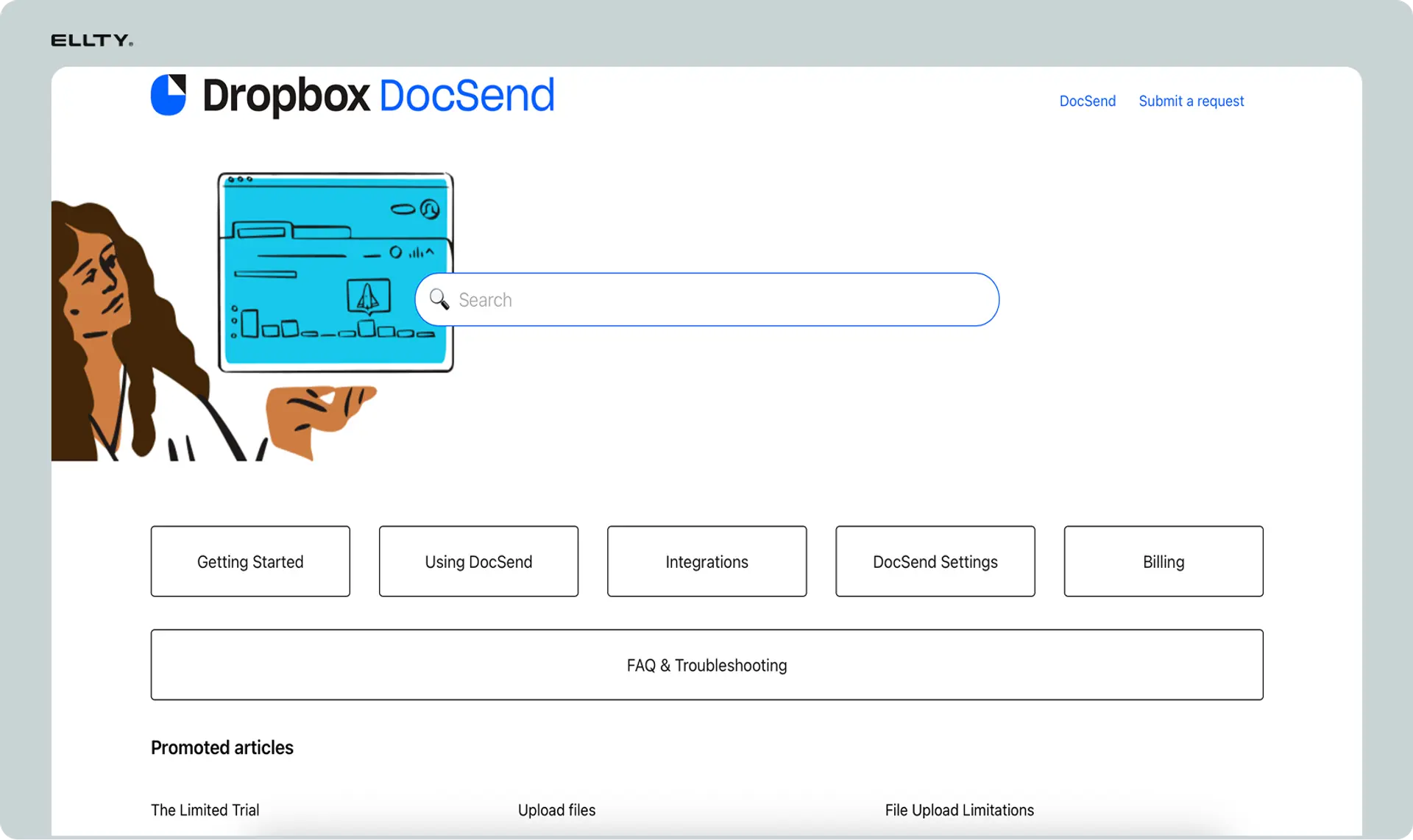
URL: help.docsend.com
The DocSend Help Center is a comprehensive self-service resource covering:
- Getting started guides
- Account and user management
- Billing and subscription questions
- Document sharing best practices
- Analytics and tracking features
- Security and permissions settings
- API documentation for developers
- Integration guides
When to use the Help Center: For common questions, feature explanations, or step-by-step tutorials, the Help Center often provides immediate answers without waiting for support responses.
5. DocSend Phone Support
Important: DocSend does not offer phone support. All customer service is handled through email, live chat, and the ticket system.
If you require phone support for your document sharing needs, you may need to consider alternative platforms.
Alternative: Better support with Ellty
If you need reliable customer support, consider Ellty to securely share data rooms with trackable links. Direct email support, faster responses, and no different tiers for support access. Plus there's a free plan to get started.
DocSend Support Response Times by Plan
Understanding when to expect a response helps set realistic expectations:


Slower response periods:
- Summer months (July-August)
- End-of-quarter periods (March, June, September, December)
- Major product launches
- US federal holidays
Self-Service DocSend Support Resources
DocSend Status Page
URL: status.docsend.com
Check the status page before contacting support to see if your issue is related to:
- Current system outages
- Scheduled maintenance
- Known technical issues
- Service degradation
This can save you time if DocSend is already aware of and working on the problem.
DocSend Community and Forums
While DocSend doesn't maintain an extensive community forum, you can find user discussions and solutions on:
- DocSend's official YouTube channel (tutorials and walkthroughs)
- LinkedIn groups for DocSend users
- Reddit threads (r/sales, r/startups)
- Twitter (@docsend) for updates and announcements
Video Tutorials
DocSend's YouTube channel offers video guides covering:
- Basic setup and onboarding
- Advanced analytics features
- Security settings configuration
- Integration setup
How to Get Faster DocSend Support Responses
Write Effective Support Requests
Poor example: "My DocSend isn't working! Help!"
Good example: "Upload Error - PDF Files Over 50MB Failing on Chrome Browser (Windows 11)"
Follow the One Issue Per Ticket Rule
Submitting multiple issues in a single ticket significantly slows down resolution time. Create separate tickets for each distinct problem.
Provide Complete Context
Support agents don't have access to your previous conversations unless you reference them. Include:
- Previous ticket numbers (if related)
- Your account plan type
- When the issue started
- What you've already tried
- Impact on your work or business
Include Technical Details
The more information you provide upfront, the faster support can diagnose and resolve your issue:
- Browser: Chrome 120.0.6099.129, Safari 17.2, etc.
- Operating System: Windows 11, macOS Sonoma 14.2, etc.
- Device: Desktop, mobile, tablet
- Error messages: Copy and paste the exact text
- Screenshots: Annotate to highlight the specific issue
Common DocSend Issues and Quick Fixes
Before contacting support, try these solutions for common problems:
Login Issues
- Problem: Can't access your account
- Quick fix: Use the "Forgot Password" option first; check for caps lock; try a different browser
Document Upload Failures
- Problem: Files won't upload or upload fails midway
- Quick fix: Verify file size (maximum 100MB per file); check file format compatibility; try a different browser; disable browser extensions temporarily
Missing Analytics Data
- Problem: Document views or visitor data not displaying
- Quick fix: Clear browser cache and cookies; try incognito/private browsing mode; check if viewers have JavaScript enabled
Email Delivery Issues
- Problem: Recipients not receiving DocSend links
- Quick fix: Check spam/junk folders; verify email addresses are correct; ensure your domain isn't blacklisted
Permission Errors
- Problem: Users can't access shared documents
- Quick fix: Verify permission settings; check if email-based access control is configured correctly; ensure the link hasn't expired
DocSend Support Escalation Process
If your initial support interaction doesn't resolve your issue:
Step 1: Reply to the original ticket with additional details or clarification
Step 2: Request escalation to a senior support engineer or specialist
Step 3: Contact your dedicated account manager (Enterprise customers only)
Step 4: Reach out via social media (Twitter @docsend) for visibility on urgent, unresolved issues
Step 5: Submit feedback through official channels if you're unsatisfied with the support experience
What DocSend Support Will and Won't Help With
DocSend Support WILL Help With:
- Technical issues and bugs
- Account access problems
- Billing and subscription questions
- Security and permission settings
- API integration issues
- Data export requests
- Account upgrades or downgrades
DocSend Support WON'T Help With:
- Feature requests (submit via their feedback form instead)
- Sales inquiries (contact [email protected])
- Legal or compliance advice
- Third-party application troubleshooting (contact the integration partner)
- Training or consulting services (may require paid services)
DocSend Support Hours and Holiday Schedule
Regular support hours:
- Monday-Friday: 9:00 AM - 5:00 PM PST
- Saturday-Sunday: Closed
Closed on:
- All US federal holidays
- December 24-26
- December 31 - January 1
Plan accordingly for time-sensitive issues, especially if you're working with clients in different time zones.
When to Consider DocSend Alternatives
DocSend may not be the right fit if you require:
Immediate Phone Support
DocSend's email and chat-only approach doesn't work for everyone, especially in high-pressure sales or fundraising situations.
24/7 Support Availability
With support limited to US business hours, international teams may experience significant delays.
Faster Response Times for Free Users
If you're evaluating DocSend on a free trial and need quick answers, the 3-5 day response time can be frustrating.
More Transparent Pricing
Some users find DocSend's tiered pricing structure challenging as teams grow.
Alternative Document Sharing Platform: Ellty
If DocSend's support structure doesn't meet your needs, Ellty offers:
- Direct email and chat support with faster response times
- No support tier differentiation (all users get the same quality support)
- Free plan available to test the platform
- Responsive customer service team
Learn more: Visit Ellty
Final Tips for DocSend Support Success
- Check the status page first before assuming your issue is unique
- Use the Help Center for immediate answers to common questions
- Be specific and detailed in your support requests
- Follow up professionally if you don't receive a timely response
- Document everything including ticket numbers and response times
- Provide feedback to help improve DocSend's support quality
Frequently Asked Questions About DocSend Support
Does DocSend offer 24/7 support?
No, DocSend support is available Monday-Friday, 9 AM - 5 PM PST.
Can I call DocSend customer service?
No, DocSend does not provide phone support. Contact them via email or live chat.
How long does DocSend take to respond?
Response times vary: 4 hours for Enterprise, 24-48 hours for paid plans, and 3-5 days for free trials.
Is DocSend chat support available on weekends?
No, live chat is only available during weekday business hours (Monday-Friday).
What's the best way to contact DocSend support?
For simple questions, use live chat. For complex or technical issues, email support with detailed information.
Need better support?
If DocSend's limited support hours and email-only approach for free users isn't working for you, explore similar professional services with Ellty with more responsive customer service and transparent pricing.
Author

Anika Tabassum Nionta is a Content Manager at Ellty, where she writes about secure document sharing, virtual data rooms, M&A, due diligence, fundraising, and sales enablement. With over 6 years of writing experience, she helps professionals understand how to share confidential documents securely, track engagement, and manage deals more effectively. Anika holds both a BA and MA in English from Dhaka University. Outside of work, she enjoys reading, exploring new cafes in Dhaka, and connecting with entrepreneurs and dealmakers in her community.

